Framework Registry
Overview
Frameworks are a set of structured and generic analytics with pre-specified inputs, calculations to be executed on the inputs and outputs metrics, that the user wants to execute consistently on a given entity. For instance, a 36-month loan valuation framework consists of a set of required inputs (loan amount, interest rate, term and application data), a set of calculations (default probabilities, prepayment probabilities) and a set of output metrics (monthly cash flow projections).
The outputs of a framework execution can be used to create valuation functions such as Return or NPV that will be used to make credit decisions. In the default roles setup, only Users with Administrative privilege can create a Framework.
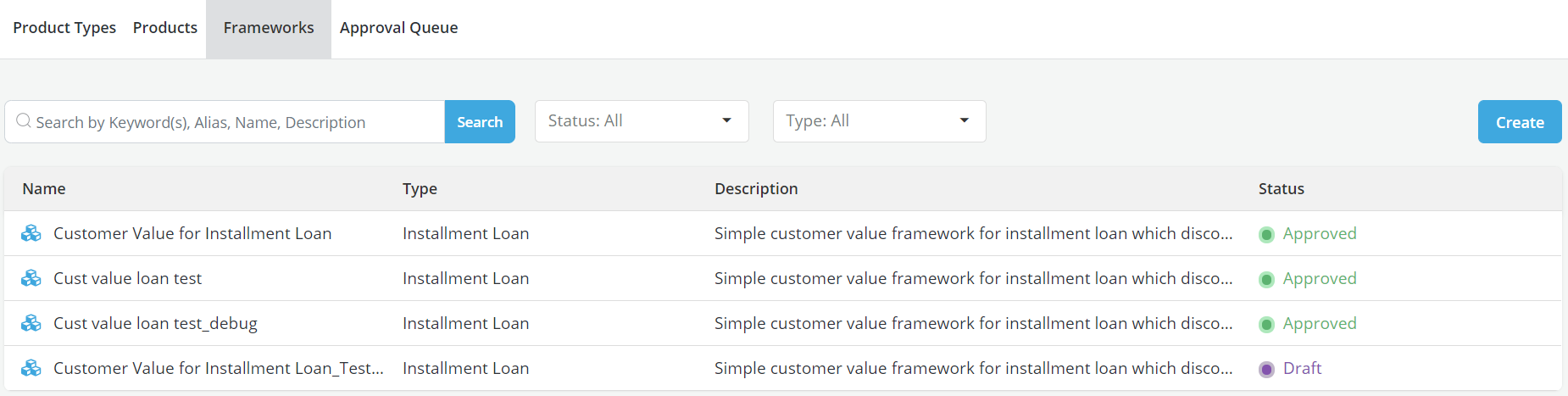
All approved Product Types will be listed under the Framework tab.
Creating a Framework
-
Click on the Framework tab of the Product & Framework module

-
Click on the Create button
Framework Details
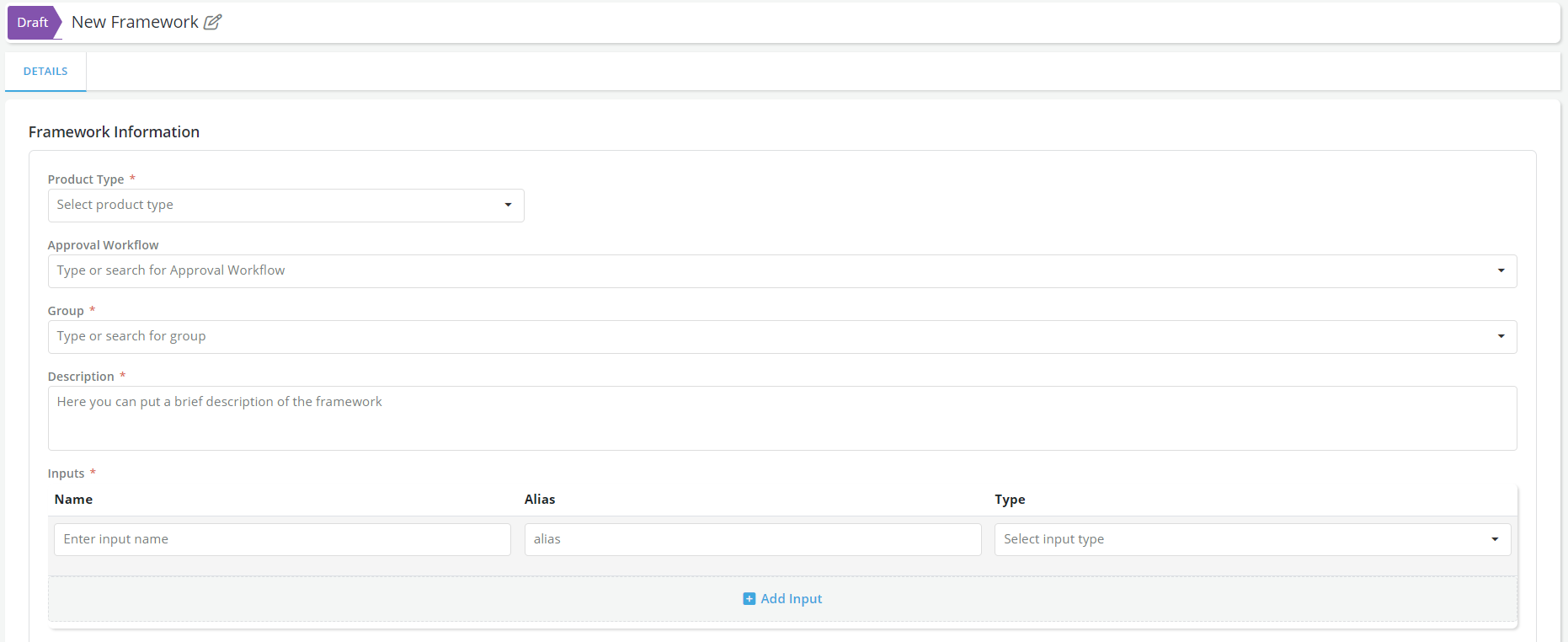
Fill in the required information in the Framework Details tab:
-
New Framework name (free format)
-
Framework Information
-
Product Type: Frameworks are created for specific product type (e.g. 36 months unsecured installment loan, 3 months Cash Advance, etc.)
-
Approval Workflow: Select the appropriate Approval Workflow from the dropdown.
-
Description: Users can enter the description of the framework in a free format. This is for documentation purposes only.
-
Inputs: Users can specify the inputs required by the framework (e.g., loan amount, interest rate, default probability, etc.). These are the inputs that will be used in any calculation that is executed by the framework. Inputs must be either data elements, features or models that have already been created in the system.
-
User can add as many inputs as they want by clicking on the +Add Input link
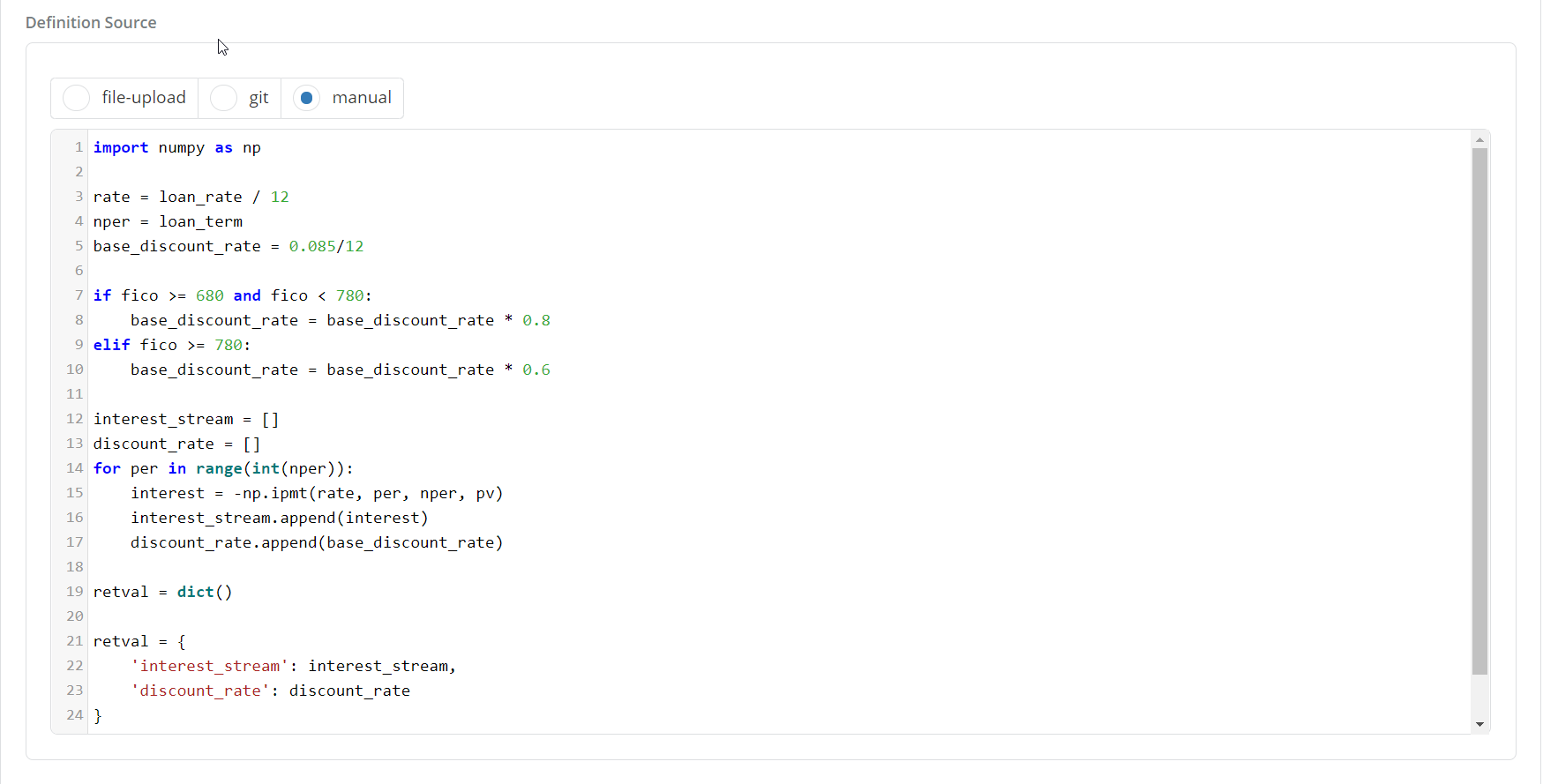
- Definition: A Framework can be defined either manually by typing the calculations that are performed on the inputs in the form of a python code snippet or by importing the code from a git repository. After entering the code snippet, the User can click on the Test Syntax button to validate the code (an example of framework definition can be a python code that projects the cash flows of a loan given a certain set of inputs).
-
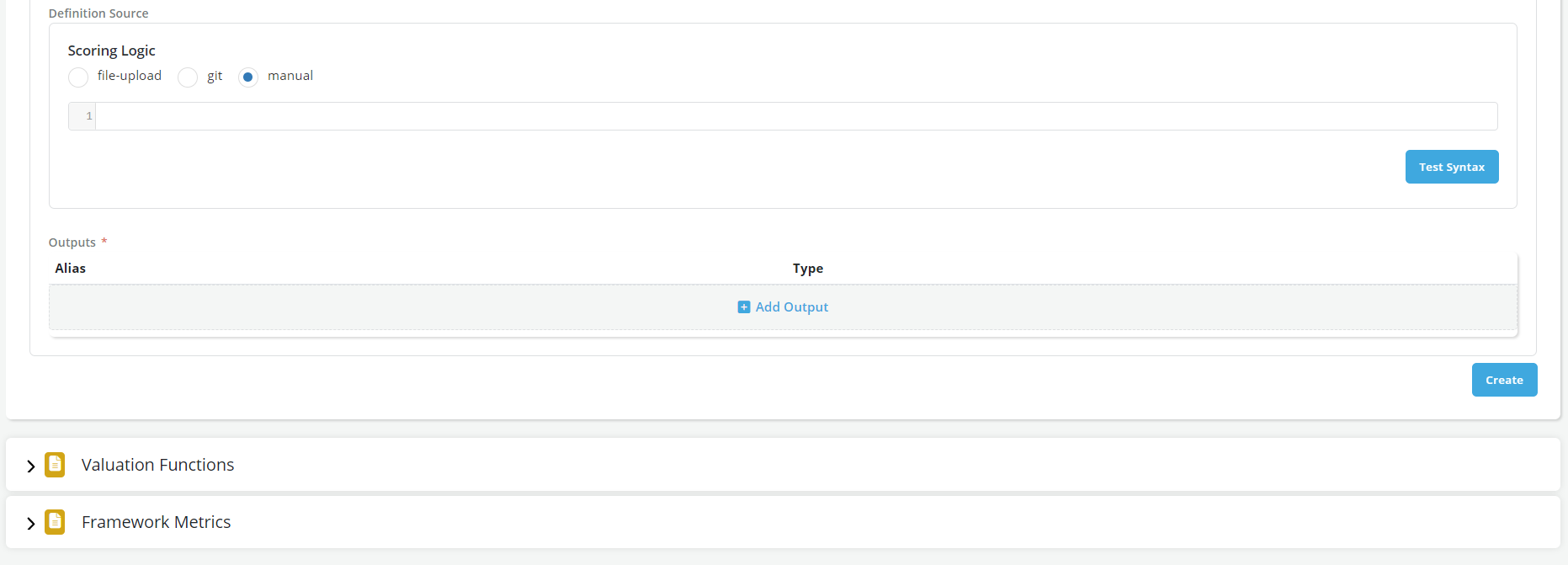
Definition Source
- Select the manual option on Import Options.
- Write the calculation formula
- Click on file-upload to upload the file having the syntax

-
Check all information with respect to the code that was called from git as well as the code itself which can be tested by clicking on the Test Syntax button. The code that is called from git cannot be altered in any way within the platform. A user must make a new commit to git and then call the new version from it to make any changes.
-
Outputs: These are specific framework calculation results that the user wants to keep and display or use in downstream processes. Some examples of framework outputs are monthly payments, monthly interest charges, etc. User can specify as many outputs as they want by clicking on the +Add Output link
-
Once all the above sections are completed, the User can click on the Create button to save the Framework information.

All Outputs of a framework must (currently) be of the same type (e.g., all characters).
Valuation Functions
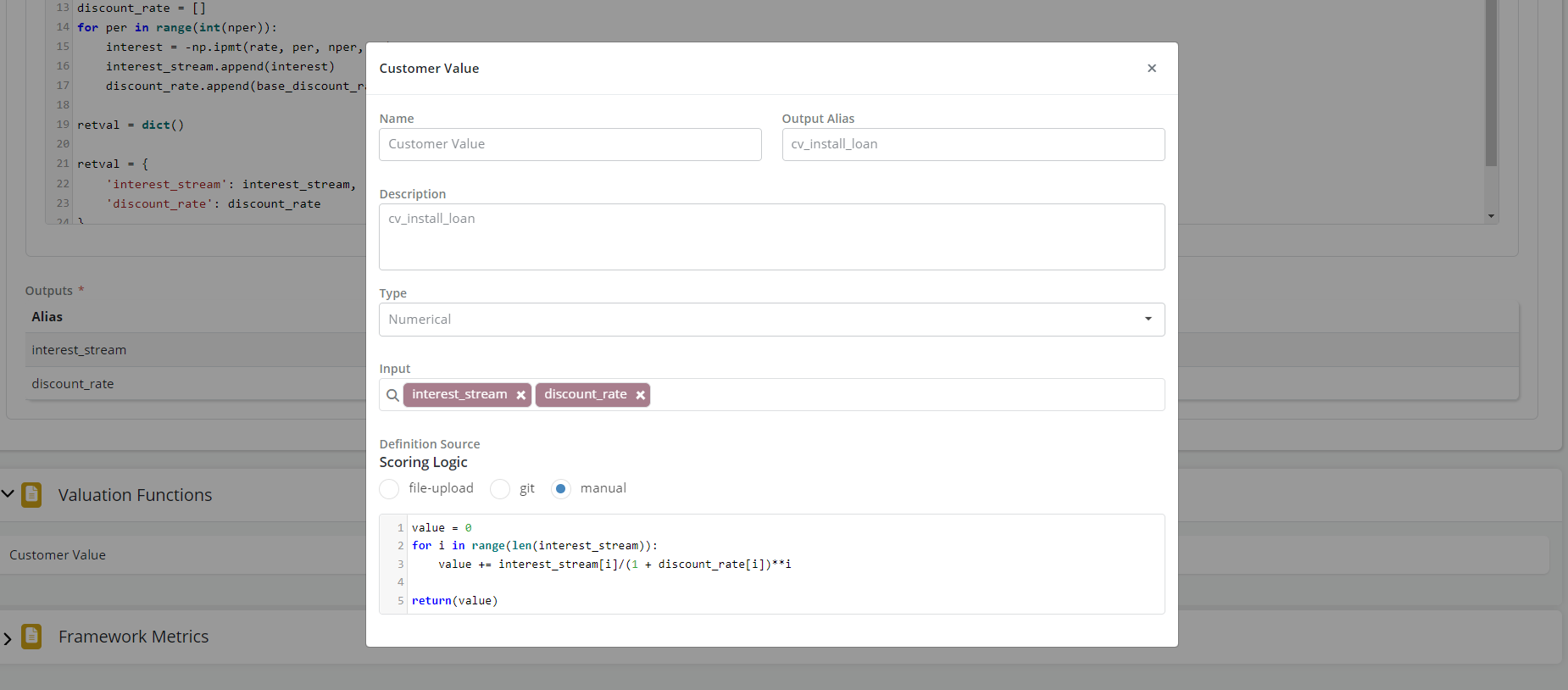
At the end of the execution of a framework, the User gets the outputs that they have specified in the above section. These outputs can be used directly to make a decision or, alternatively, they can be further summarized using a valuation function. For instance, a User can create a valuation function that use monthly interest payments to come up with a total interest payment through the lifetime of the loan.
Users can specify valuation functions in this section by clicking on the +Add Valuation Function link. A pop-up form will appear on User's screen
-
Name (Free format)
-
Description (Free format)
-
Inputs: These are the inputs to the valuation function. They can be data elements, features, models AND framework Outputs
-
Definition: A Valuation Function can be defined either manually by typing the calculations that are performed on the inputs in the form of a python code snippet or by importing the code from a git repository. After entering the code snippet, the User can click on the Test Syntax button to validate the code (an example of a valuation function definition can be a python code that calculates the return from a loan given the cashflows from the framework).
-
Click on the Add Button to add the Valuation Function in this Framework. To add more Valuation Functions, repeat the above steps.
Framework Metrics
In addition to valuation functions, the framework outputs can also be summarized in the form of simple metrics that will be mainly used for tracking or reporting. An example of metric would be Annualized Default Rate which is calculated using outputs such as monthly balance and monthly losses.
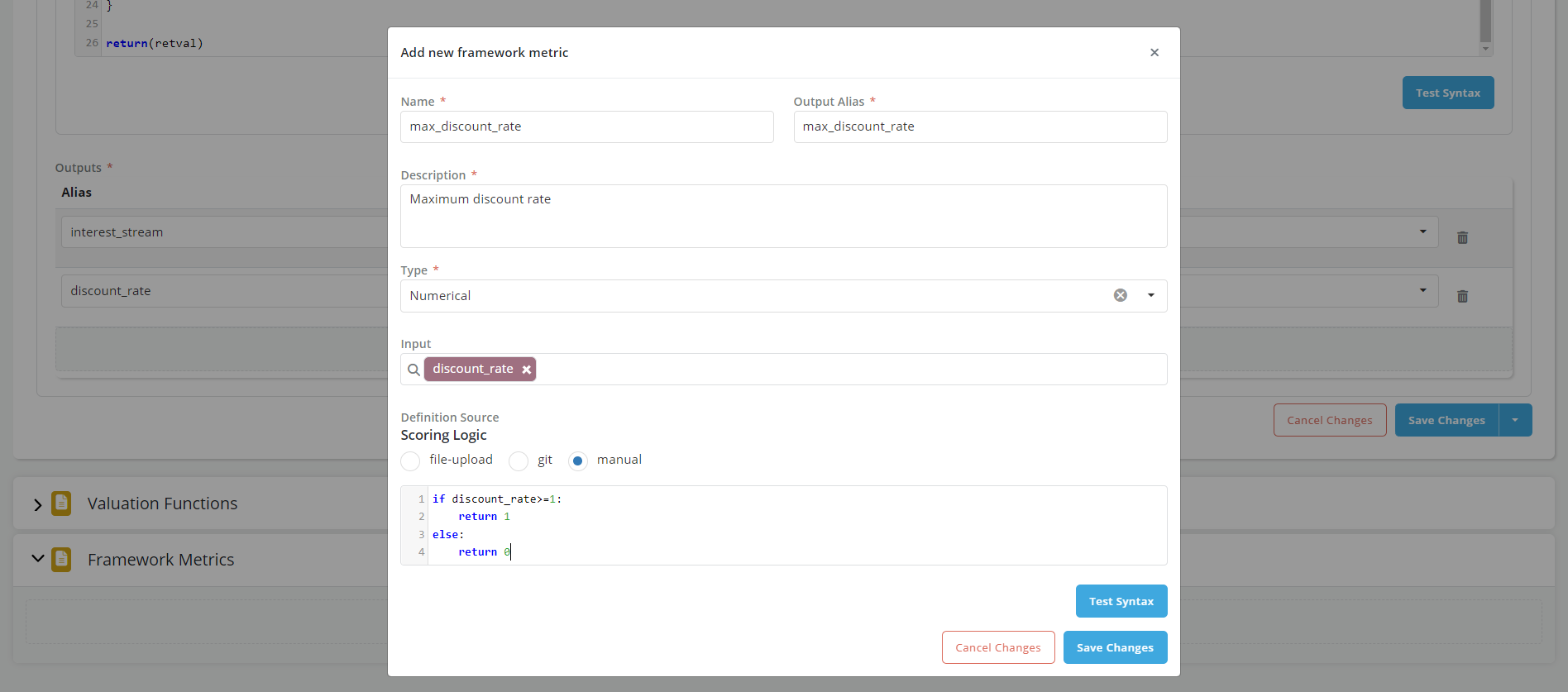
- In the pop-up window that appears, enter the information for the metric. Framework metrics can be added by following the same steps as outlined for Valuation Functions.
Framework Invocation Scenario
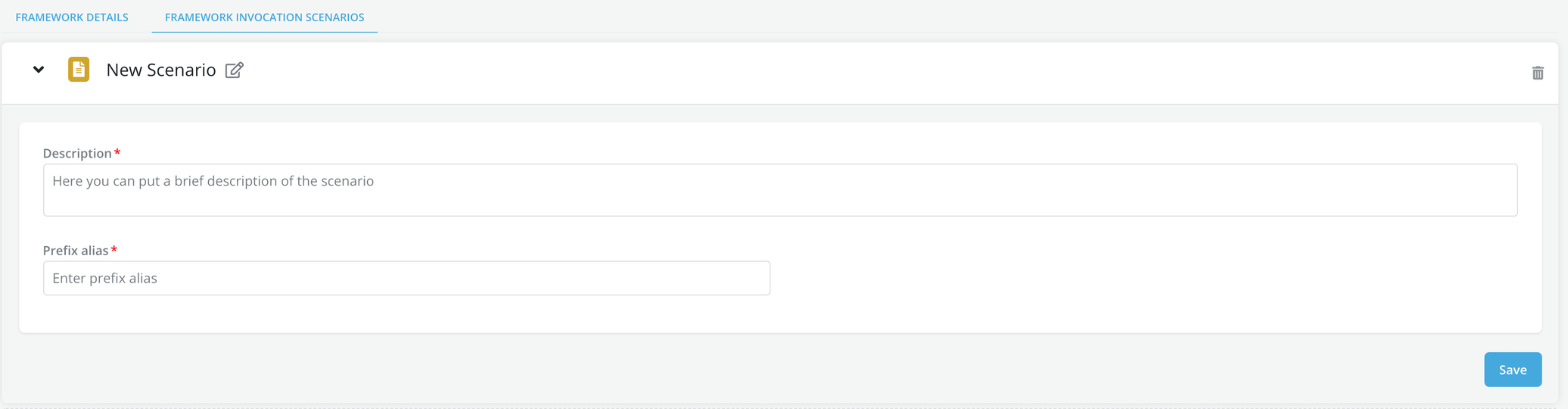
User can decide to stress test some of the inputs to the framework (e.g., higher default rates) and see what the result would be. This can be done by creating a framework invocation scenario. User can specify as many scenarios as they want by clicking on the +New Scenario link. User needs to add at least one invocation scenario for the framework to be approved
-
Click on Framework Invocation Scenario
-
Click on the +New Scenario tab to add a new scenario. User can specify as many scenarios as they want by clicking on the +New Scenario link. User needs to add at least one invocation scenario.mdfor the framework to be approved
-
Enter the Scenario name, description and prefix alias (this last parameter will be added to all the scenario outputs in order to help identify them)
-
Click on Save.
- The process of altering the framework inputs for a specific scenario happens at time of policy creation: within the model suite tab the User can specify a stress default model rather than an expected default model for a given scenario.
Send for Approval
- Once a DRAFT framework is created, the User can request for approval
- Go to Approvals tab and click on Request Review
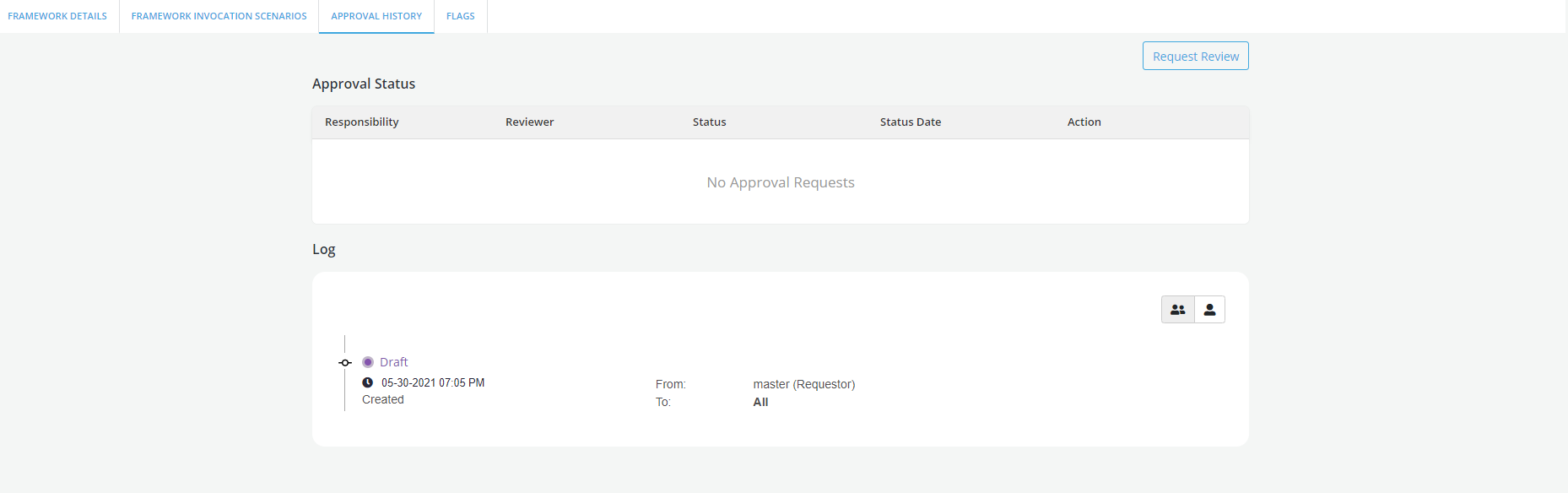
- The status of the framework now change to Pending Approval
- If a framework is approved, its' status will be updated as Approved.
