Single Record Review
Overview
Users can use a Single record review capability run a policy on a single record and review the results in detail.
This can be very useful while writing a policy or even after the policy has been rolled out for purposes of reviews, audits, debugging and communication with customers. Here a policy can be tested with various inputs.
Run Single Record Review
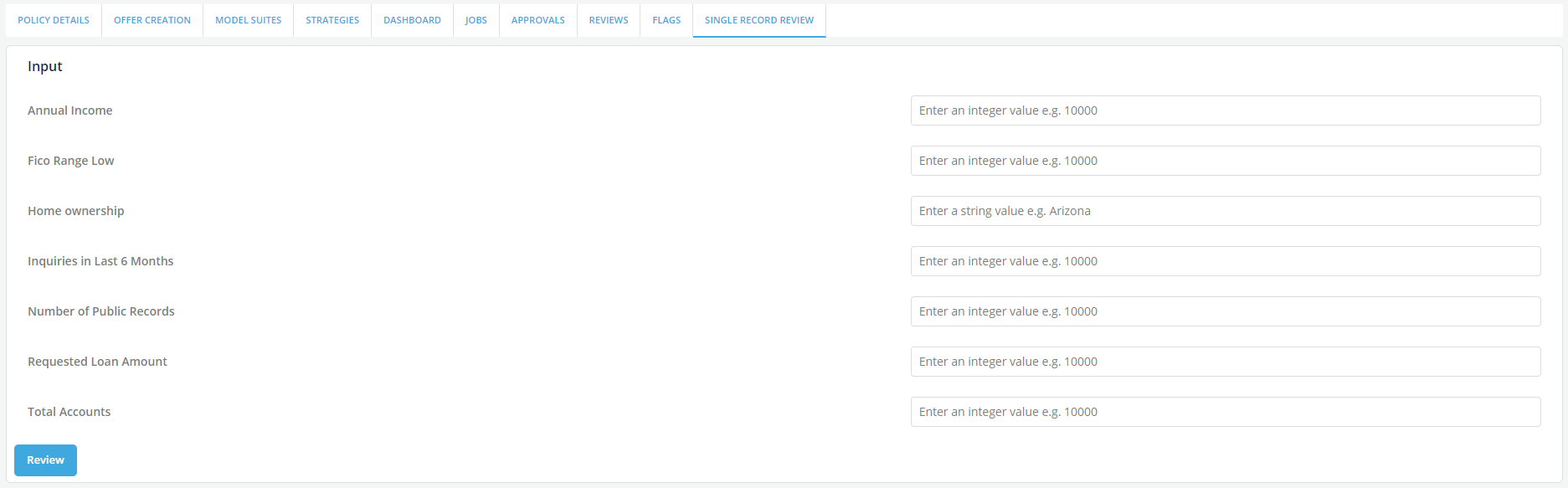
- Add values to the form that appears. This Input form is a form tailored to the policy being reviewed that gets generated for the user to assign values to the policy inputs
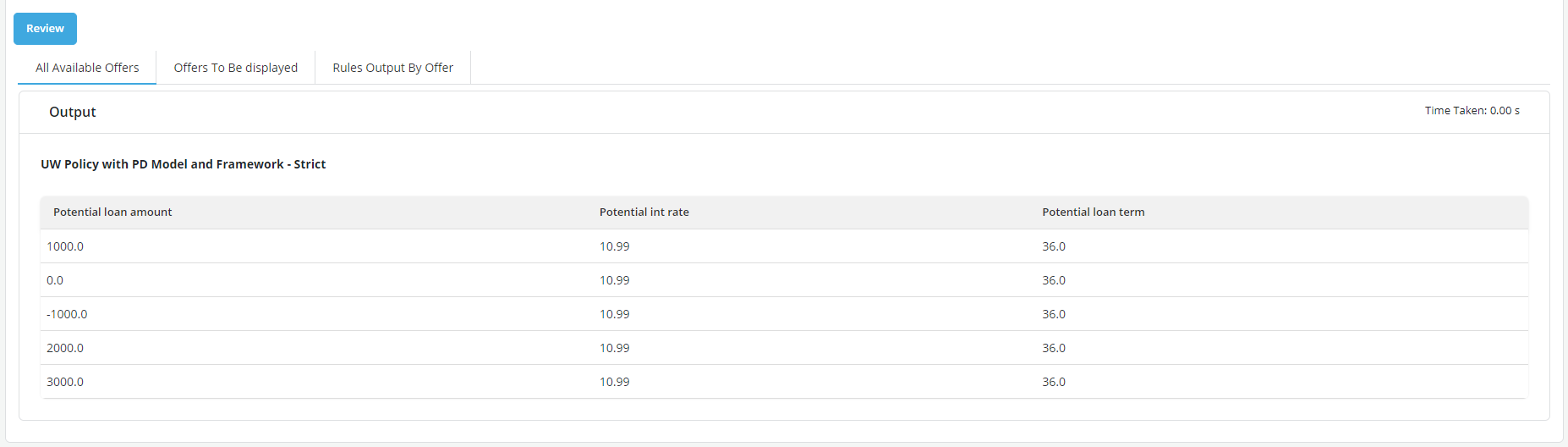
- Once the policy is run to generate result on the single record entered above, offers gets generated and can be reviewed in the 3 tabs:
Available offers: This tab displays all the offers that pass all the strategies within the policy.
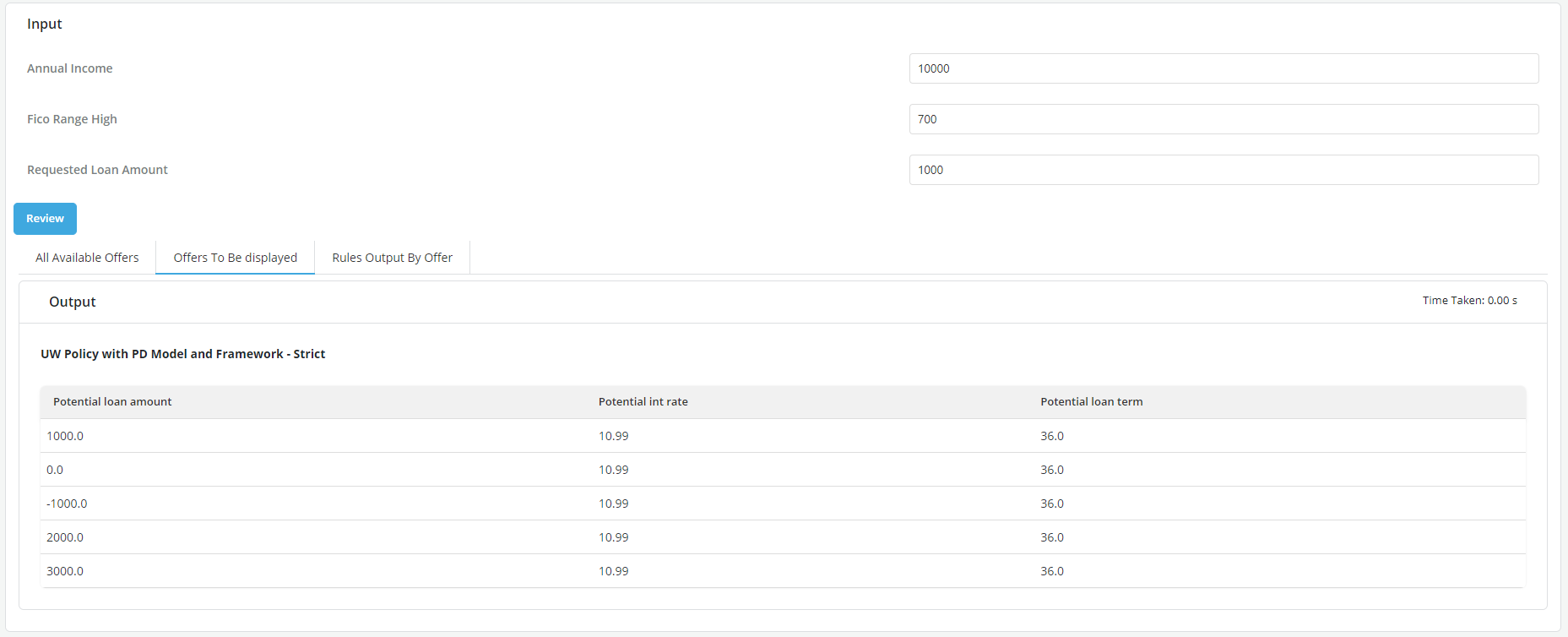
Offers to be displayed: This tab displays all the offers that pass all the strategies and the offer display criteria
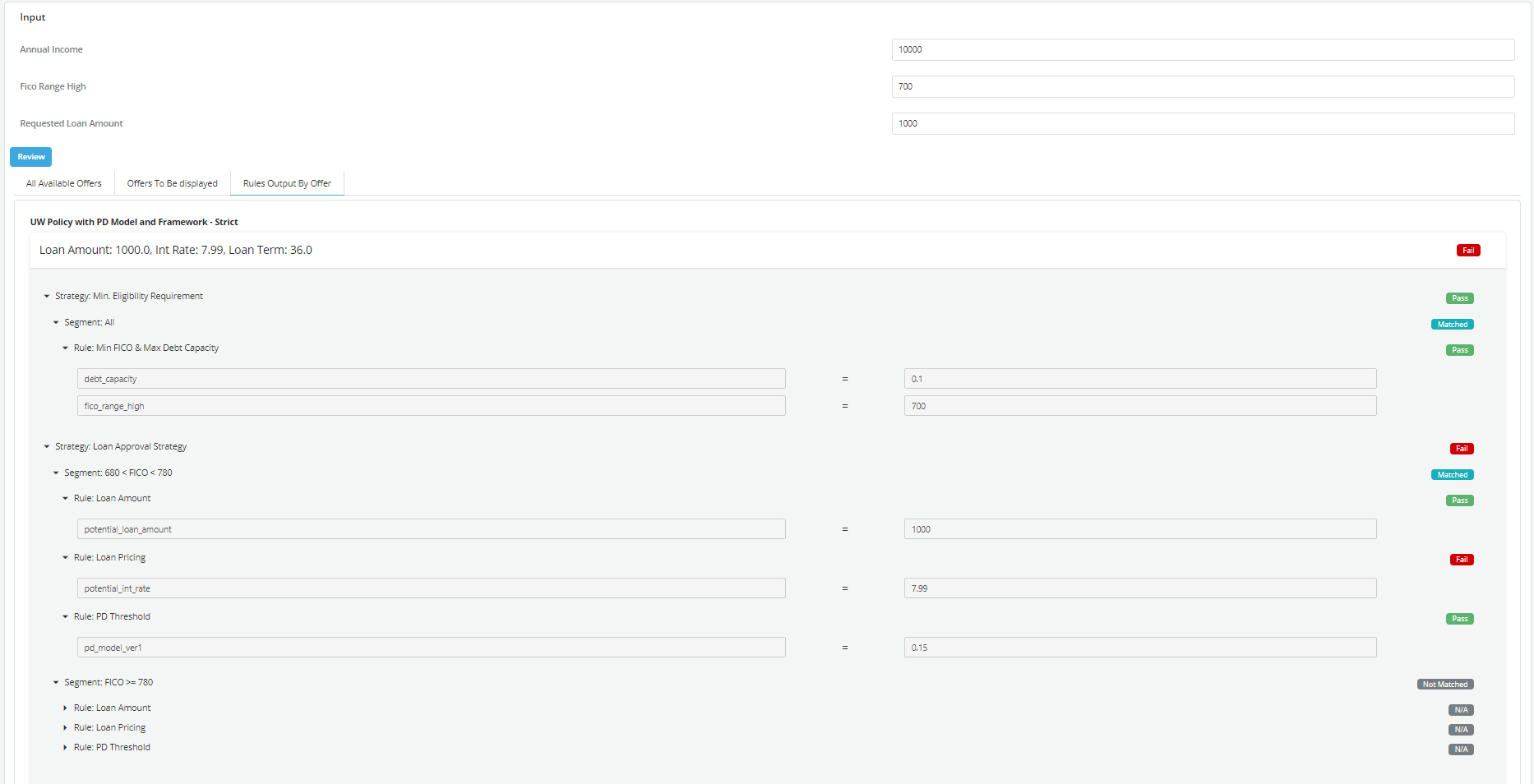
Review Result - Rules output by offer: This displays all possible offer as the outcome for each single rule in the policy and return information based on the strategies/ segments/rules configured.
 +
+