Strategies
Overview
Once the model suite(s) are specified, the user can proceed to create strategies. Strategies are a set of rules and/or optimization processes that result in decisions.
The platform allows users to specify three types of strategies:
-
Rule-based Strategies: These strategies are created using rules that result in a PASS or FAIL decision (e.g. Approve or Decline)
-
Action Strategies: These strategies are created using rules that result in an action (e.g. Pend for Review, Request additional information, etc.)
-
Optimization Strategies: These strategies are created by specifying an objective function or Target metric (e.g. Expected Return) setting a goal (e.g. Equal, Minimize or Maximize) and in the case of Equal specifying the value that we want the target metric to equate within a tolerance equal to the convergence criteria.
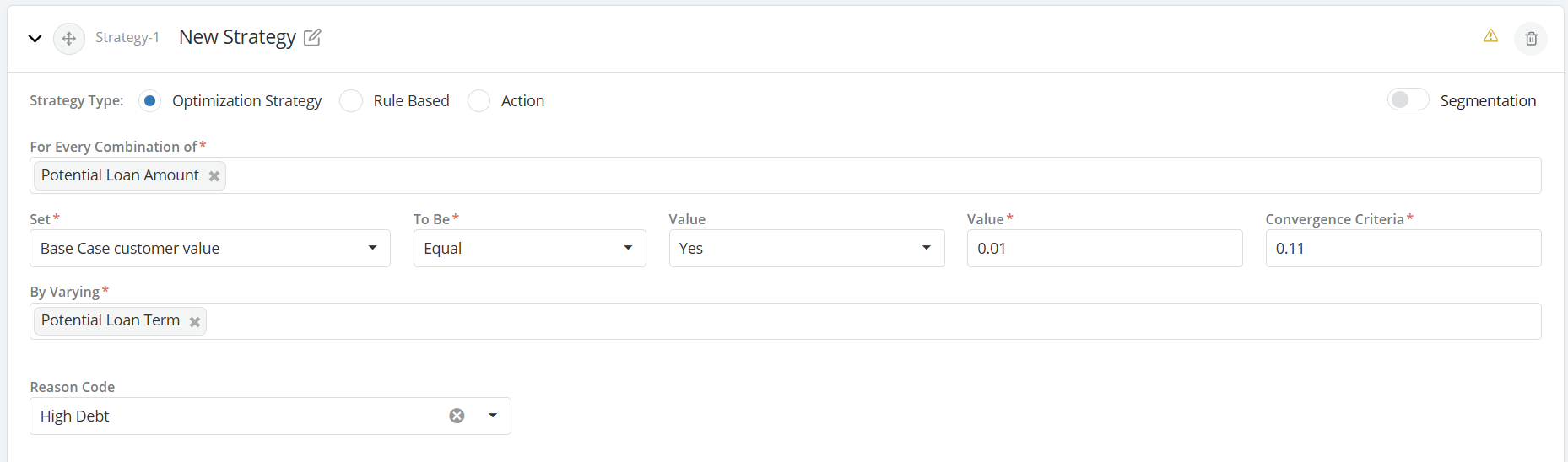
-
Strategy can be written following below-mentioned steps:
- Select Strategy Type
- Define Segments (if any)
- Write Segmentation Rules
- Select Rule Type
- Write Rules for each Segment
Creating a strategy
-
Click on the + Add Strategy link
-
Edit the title of the expandable tab > that appears in order to assign a custom name to the strategy.
-
Under Strategy Configuration, choose the Strategy Type (Default is Rule-Based)
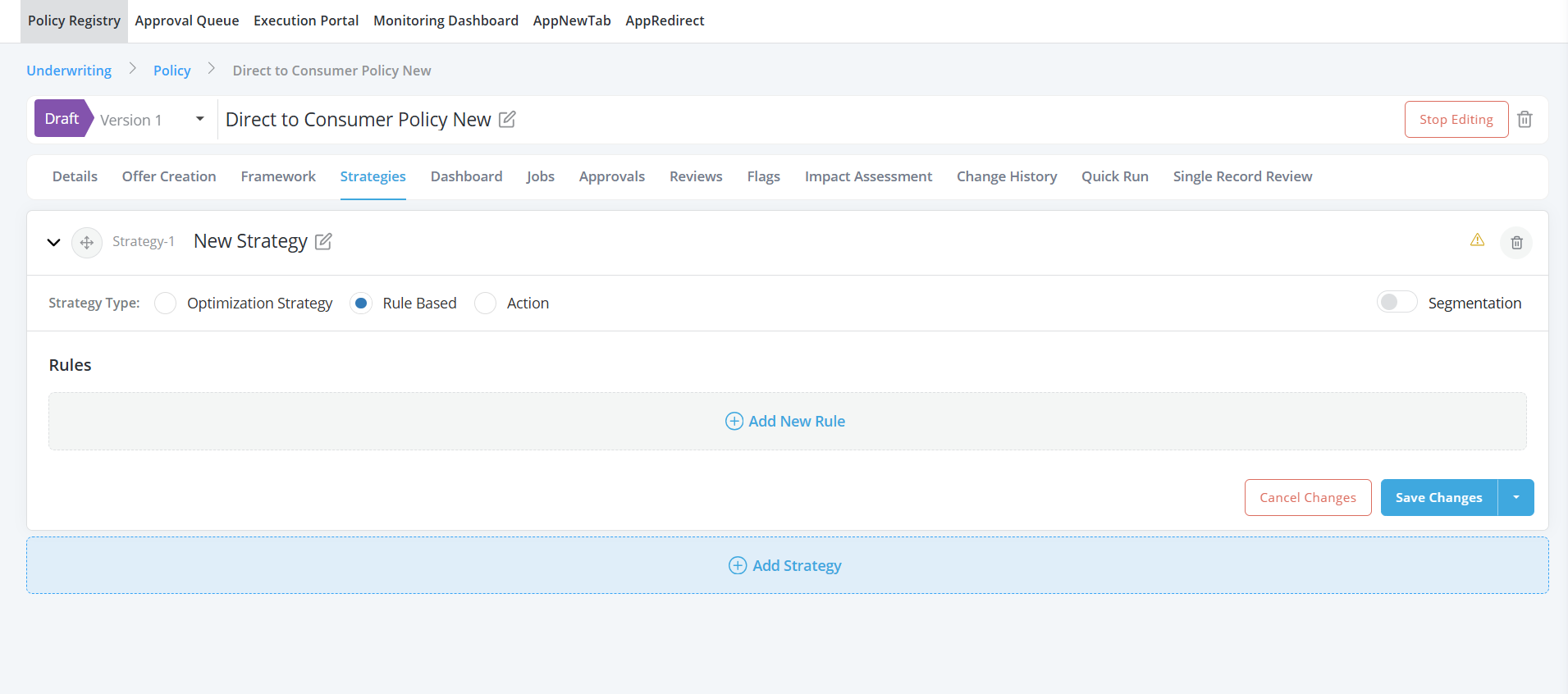
-
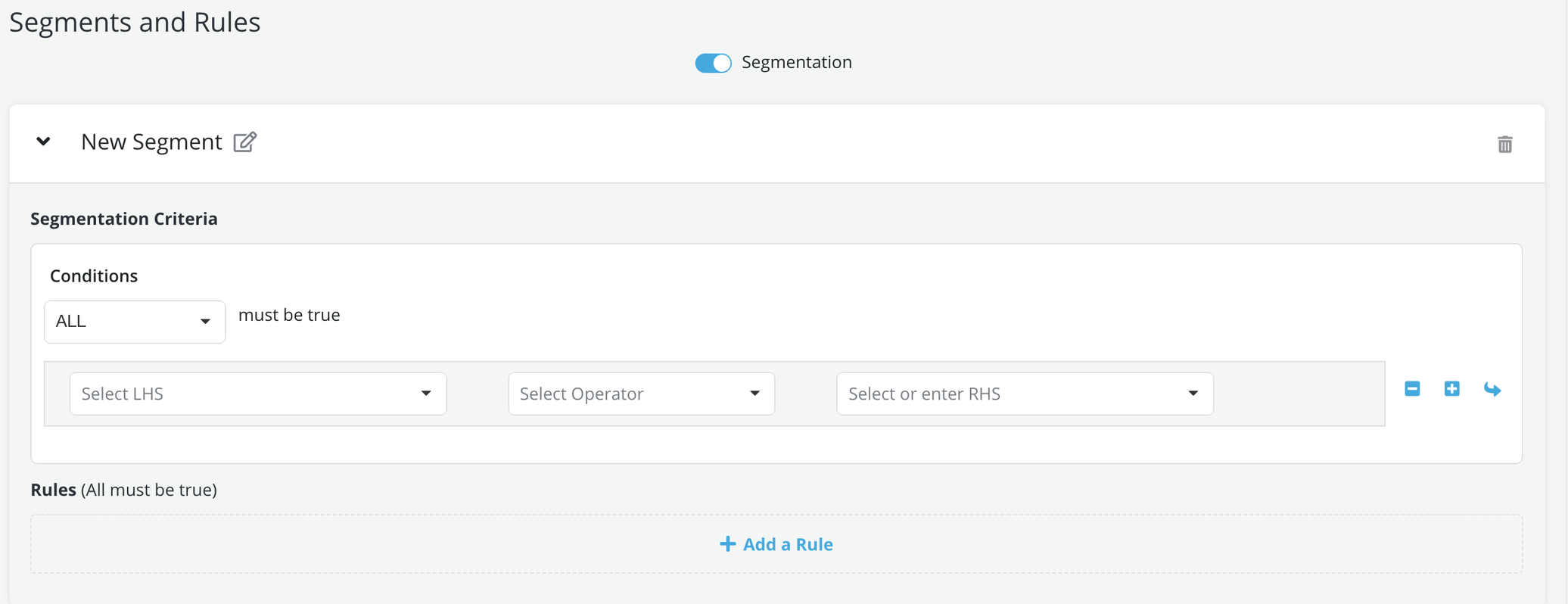
If the strategy contains segment-specific criteria then switch the Segmentation toggle ON else leave the Segmentation toggle at OFF. Rules or optimization criteria will apply to all applications that get evaluated by the strategy in case Segmentation is put at OFF
-
Segmentation criteria: If the toggle is ON then the User will be prompted to specify a segment-first before writing a rule or an optimization criterion. Below are the steps to create a segment:
- Click on the +Add a Segment
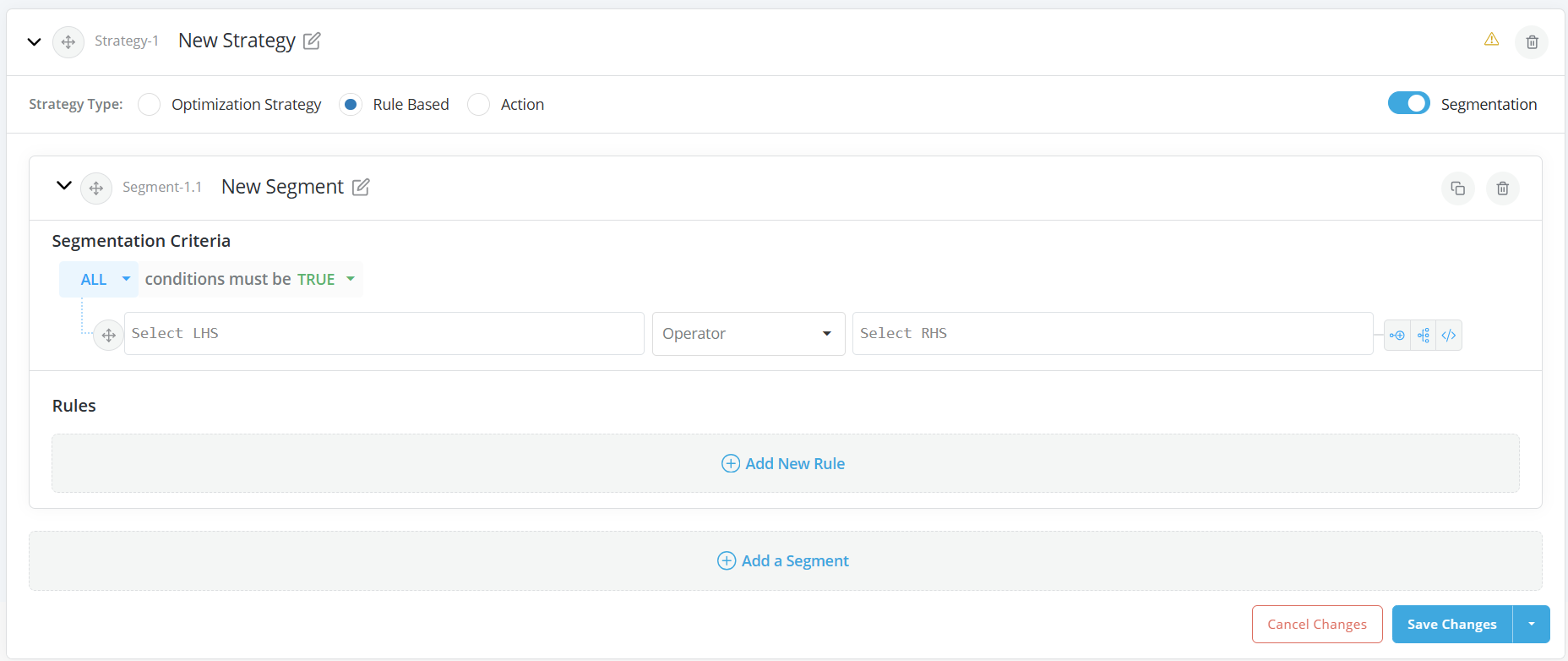
-
Edit the name of the expandable tab that appears and give a custom name to it.
-
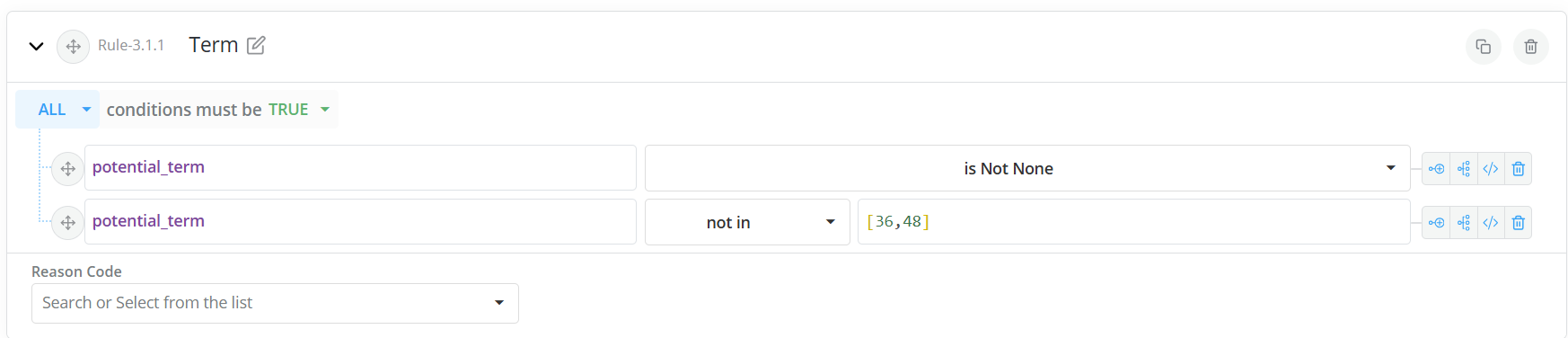
Expand the segment tab and enter the segment’s criteria using rules. (Refer to Writing a Rule section below to create a rule). Adding the criterion 'Variable_X' 'is not None' is a good practice to avoid errors caused by missing data. Please note that the platform works sequentially so this rule should be added before any other rule that includes this variable
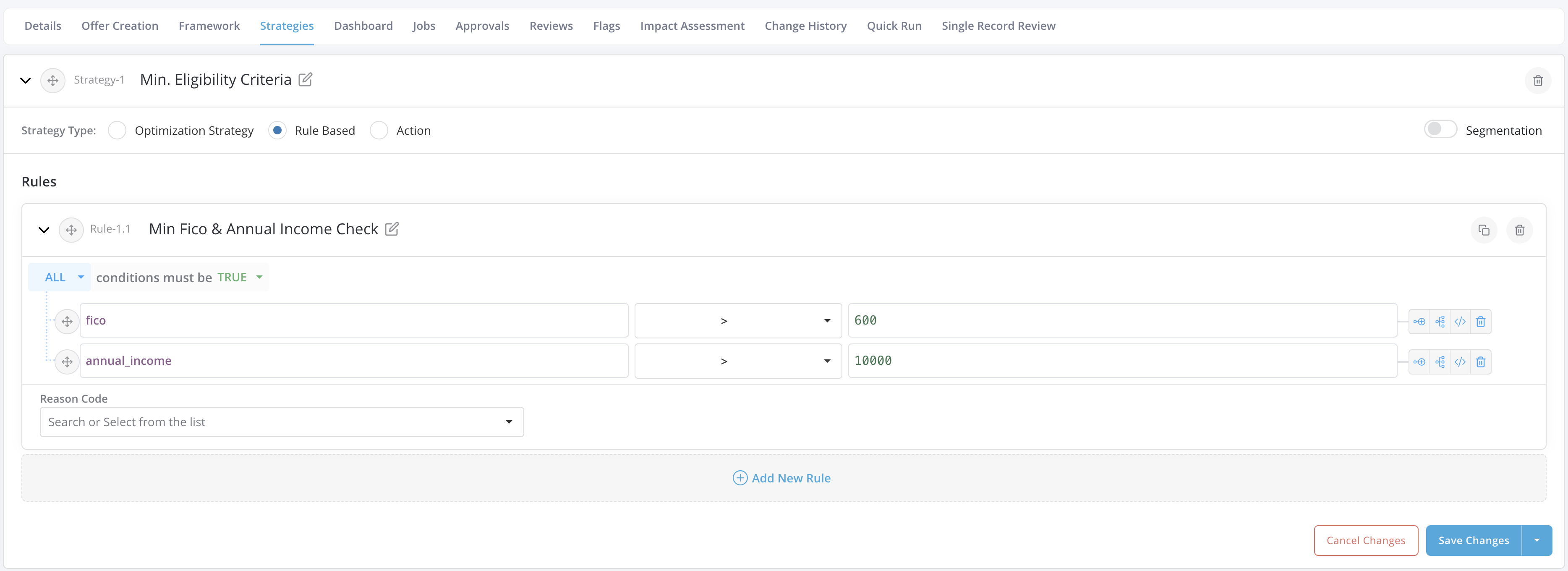
- Once a segment has been created, proceed to create the strategy rules or strategy optimization logic that apply to the segment.
-
Write the Rules
-
Once all strategies have been created, click the Save button on the bottom right of the screen to save the specifications.
- To delete a strategy, click on the bin icon at the right of the screen at the level of the respective strategy.
- To stop editing the policy, click on the Stop Editing button at the top right of this page. Any information inputted without saving will be lost.