Platform Entities
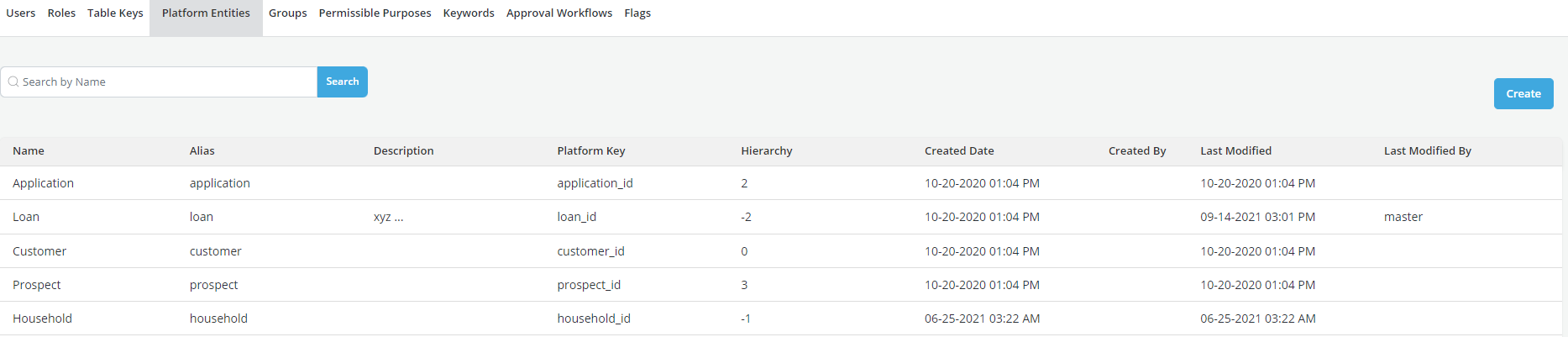
An entity is an object to which a set of information is attached and on which a business decision can be made. For instance, an application is an entity to which a credit bureau file is attached and on which a decision to approve or decline is made. Examples of entities are: Prospects, Applications, Accounts or Customer. This capability allows Users to configure and register new platform entities. They can add multiple entities or delete unused platform entities.
Relationships between entities are specified using hierarchy numbers: data from one entity (e.g. application), can be aggregated up to another entity (e.g., account) if account has a lower hierarchy number than application.
Decision policies can only be written at an entity level.
How to create Platform Entities
- Click on the Settings on the taskbar

- Click on Platform Entities
- Click on Create
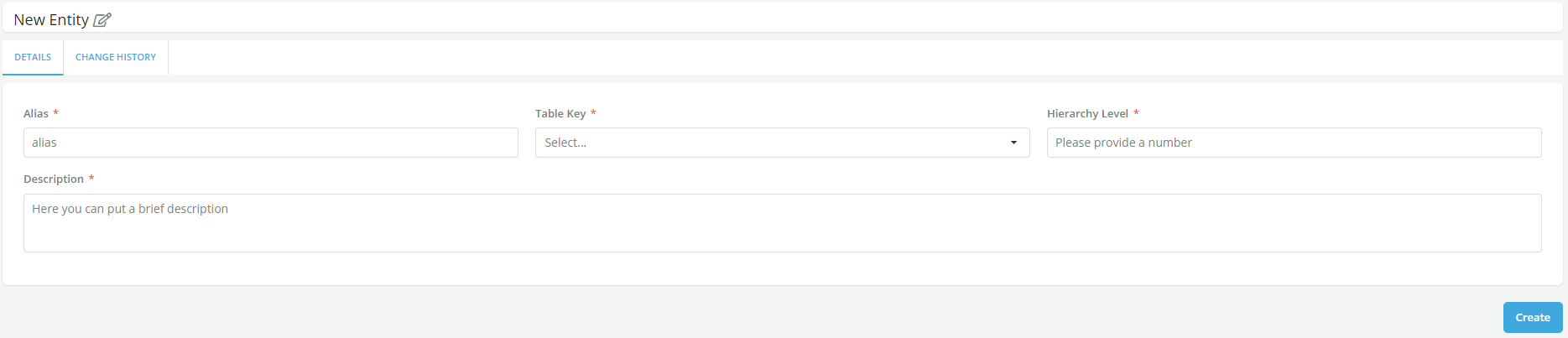
- Enter the details in the form
Constraints and Limitations
- New entities can only be at the top or bottom of the existing hierarchy
- The hierarchy of an entity can be modified if the entity has not been used by any object
- Entities can only be deleted if they have not been used by any object
- To delete existing entity which has been used then all objects that belongs to/are linked to that entity have to be deleted first.