Role Details
How to create a New Role
This page helps define access authority for modules, pages, objects and objects' attributes or properties for a given Role. Additional specific access (i.e., access to a collection of object) can also be set for a Role . Collections are defined using filters (e.g., objects with permissible purpose EQUAL TO ‘Underwriting’ can be defined as a collection). Once a Role is created, it is assigned to the user.
How to create a New Role
- Click on Settings

- Click on Roles option and click on Create to create a new role
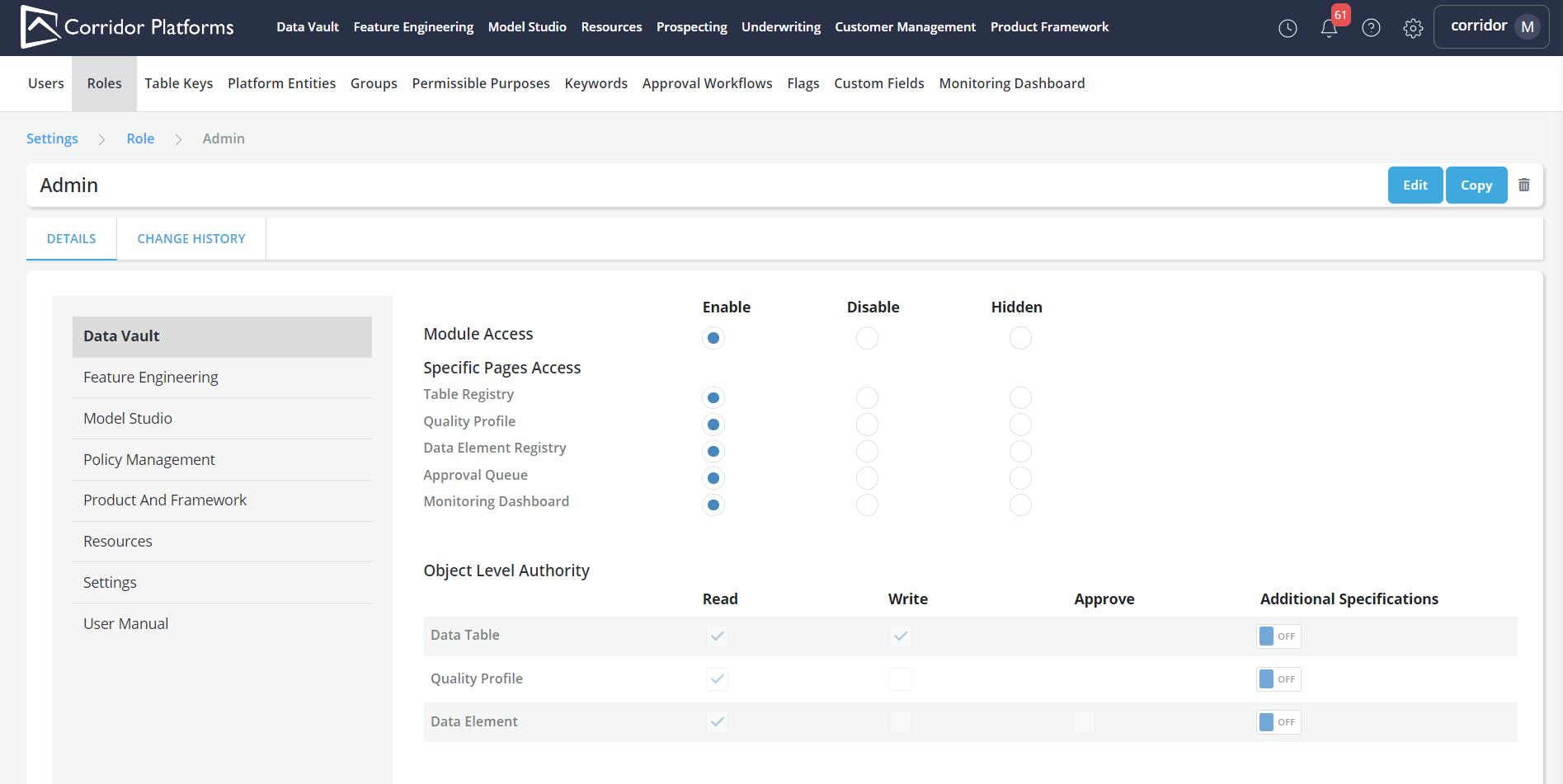
-
A module and/or a specific page of the module can be Enabled, Disabled or Hidden for a given Role.
- Enable: Allow to access
- Disable: Show but not make it inactive (i.e., clickable)
- Hidden: Hide (i.e., not visible)
-
Select appropriate option to provide Module Access (Enable/Disable/Hidden) and Object Level Authority (Read/write/approve) to a Role
-
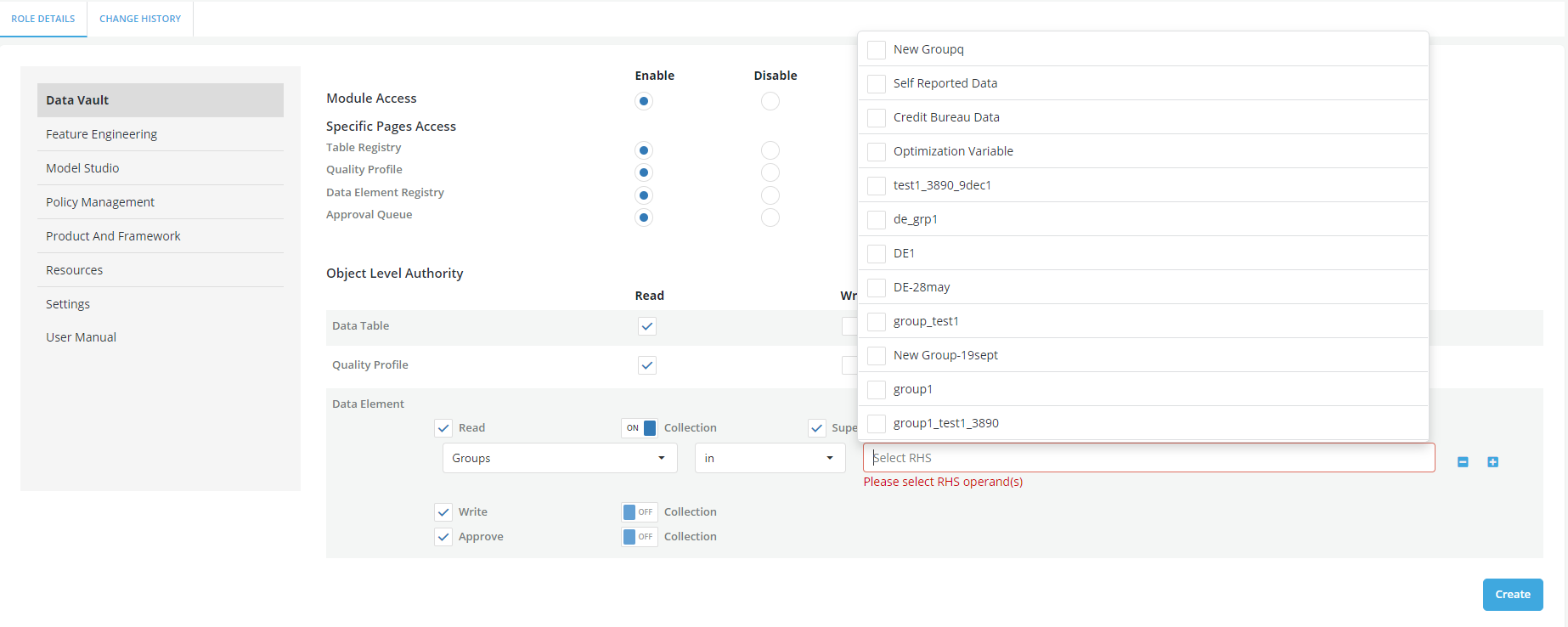
There is an advance filter available (Additional Specifications) for some of the objects that can be used to grant users privileges that are limited to specific collections of objects.
- Switch on the toggle button to set the Additional Specifications. To define a collection, switch on the toggle button for Collection
- User can be granted Read, Write, Approval or Superuser rights on an object
- A Superuser role can be granted by checking the Superuser checkbox (Refer superuser section)
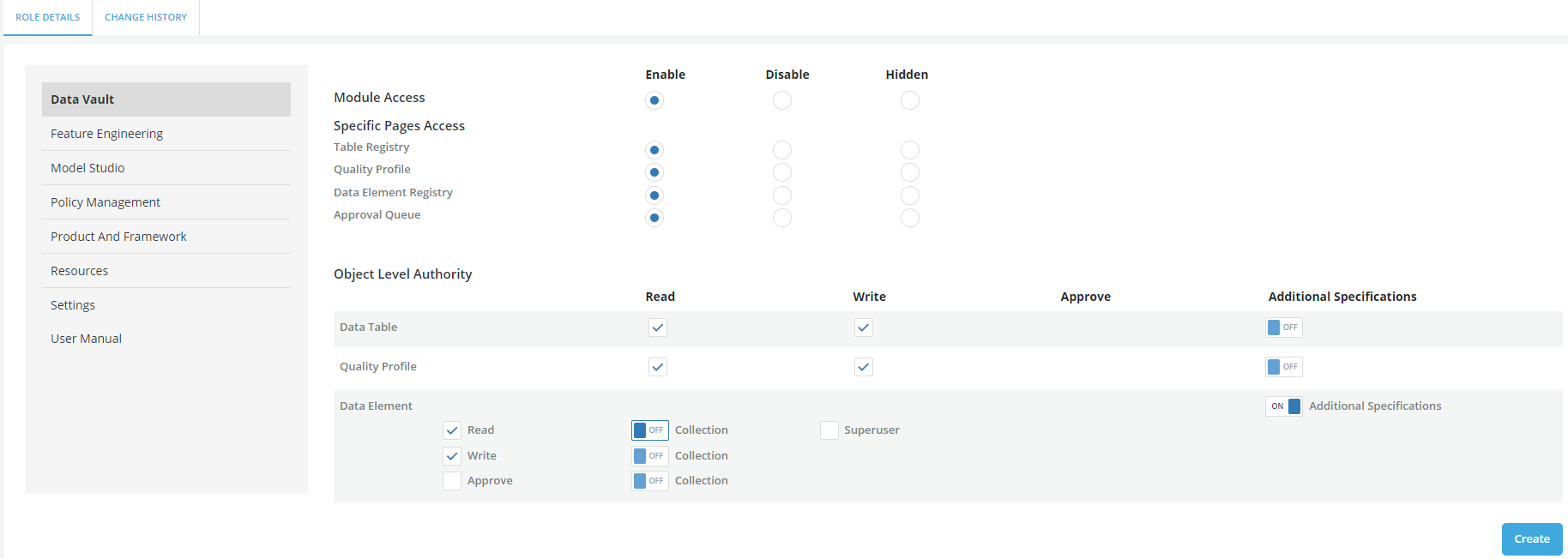
- Define the collection using rules (i.e. LHS, Operator and RHS)
- Click on the + sign for additional conditions
- On the LHS, access can be given for Groups, Permissible Purpose, Keywords and Status
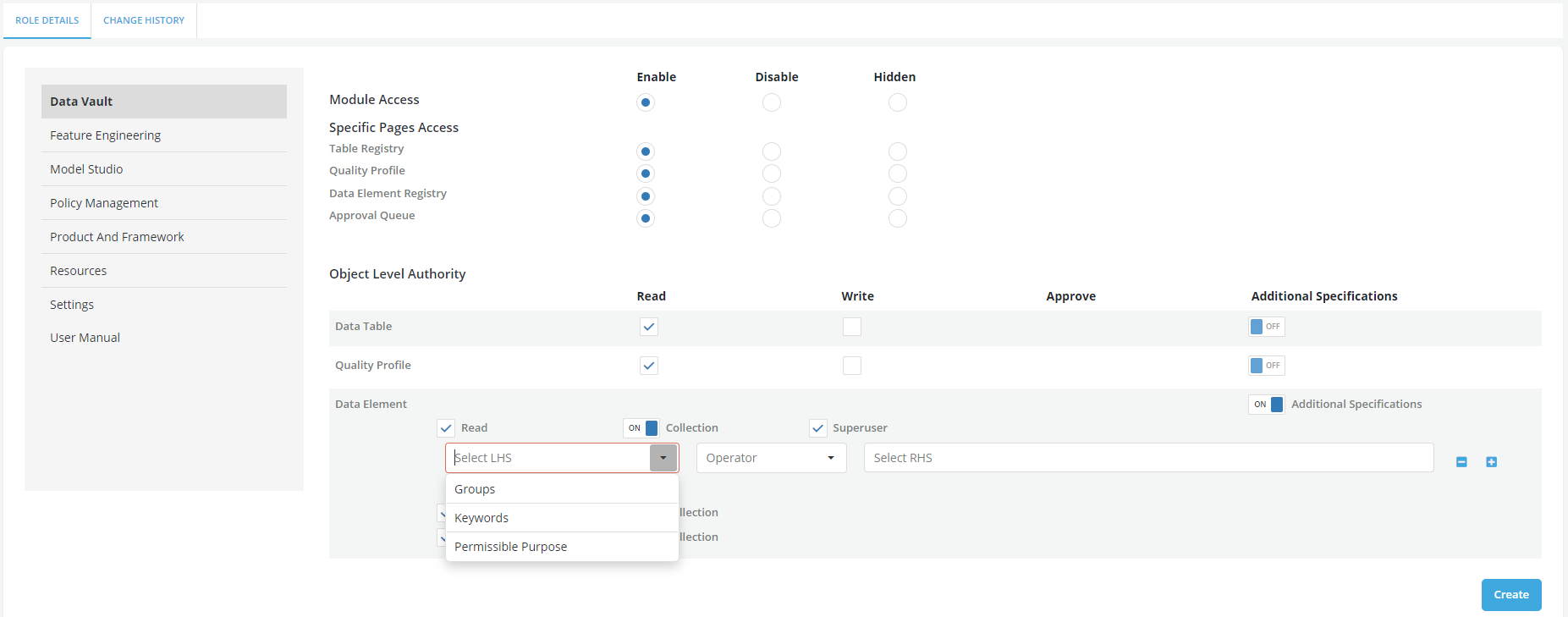
- Select the appropriate Operator
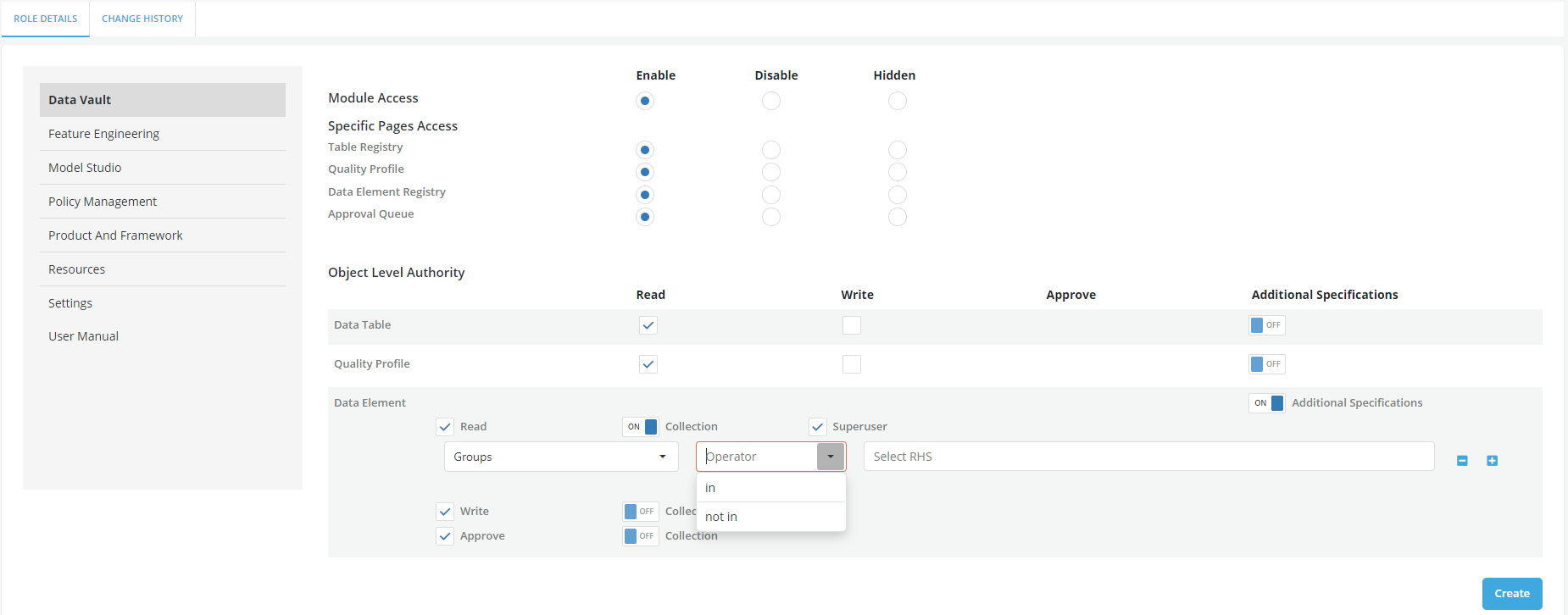
- Select the appropriate value for the RHS field
- Click on Create
Knowing Superuser capability
By default, the accesses granted through a role only apply to the objects that either the user have authored or those have been accessed through a share event. This access can be extended to other objects not owned by or shared with the user by adding a superuser entitlement to the role
Superuser entitlement can be granted using the following process:
-
Creating a Role or enabling the existing role as Superuser
-
Assign Superuser access to the role
-
Assign the role to a User
Example
Please refer the video on Customer Portal on setting up the Role access: Role creation