Users
Overview
This capability is used to create users and manage their access authority levels using roles that are defined in the Roles module.
How to add a New User
- Click on the Settings on the taskbar

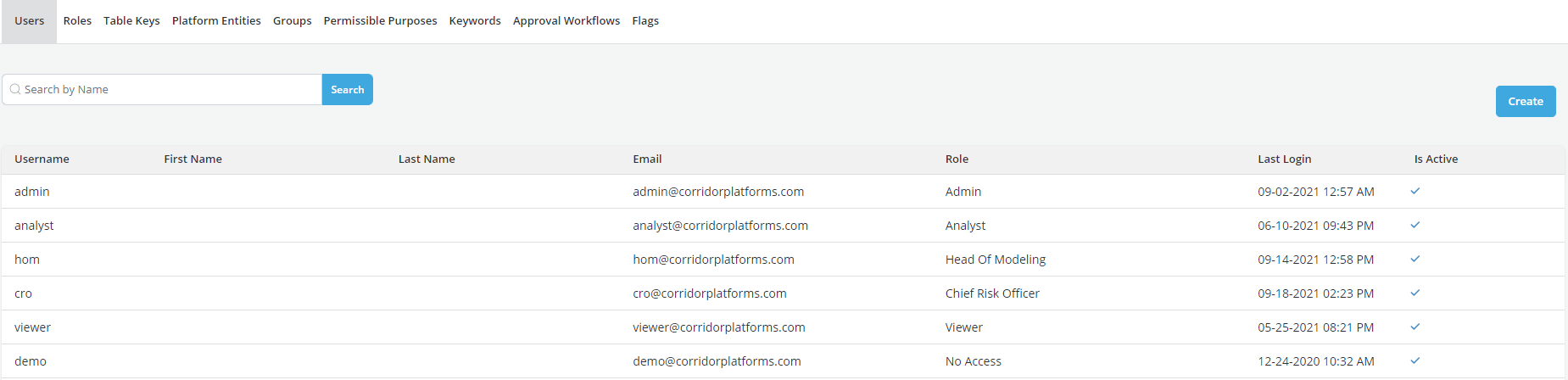
- Select the Users option and click on Create
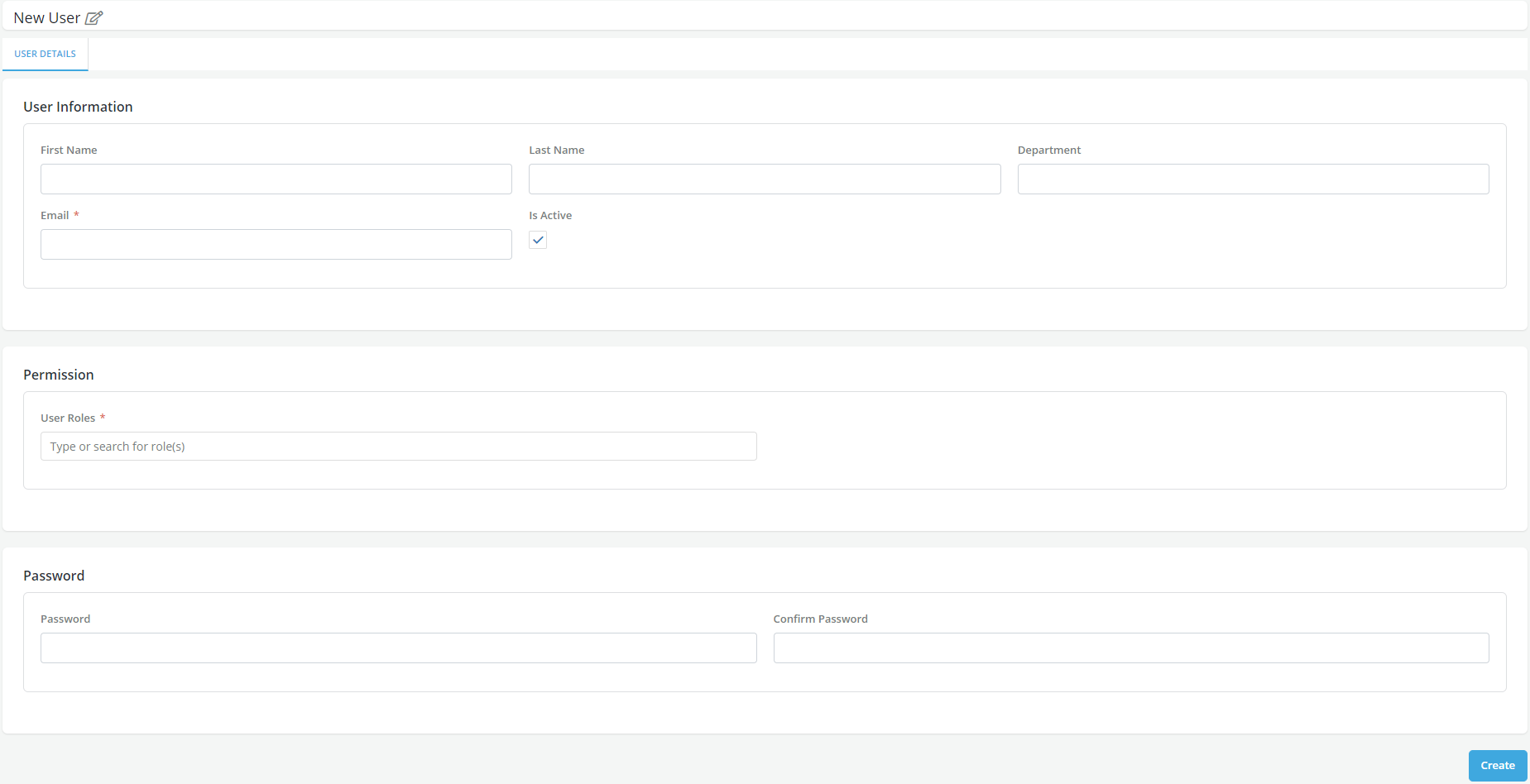
- Enter the required details in the form and click on Create
- Assign the appropriate Role to the User
- A pop-up message is displayed for successful record save
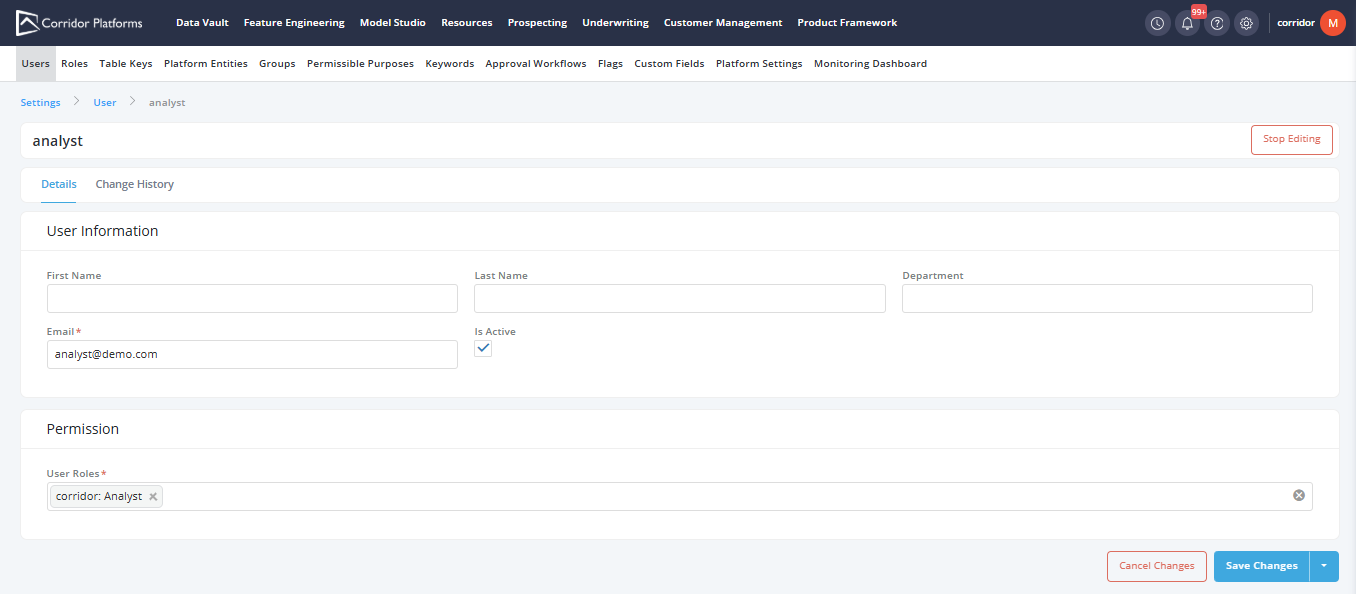
How to update an Existing User
- Click on the Settings on the taskbar
- Select the Users option and open an existing user from the user list
-
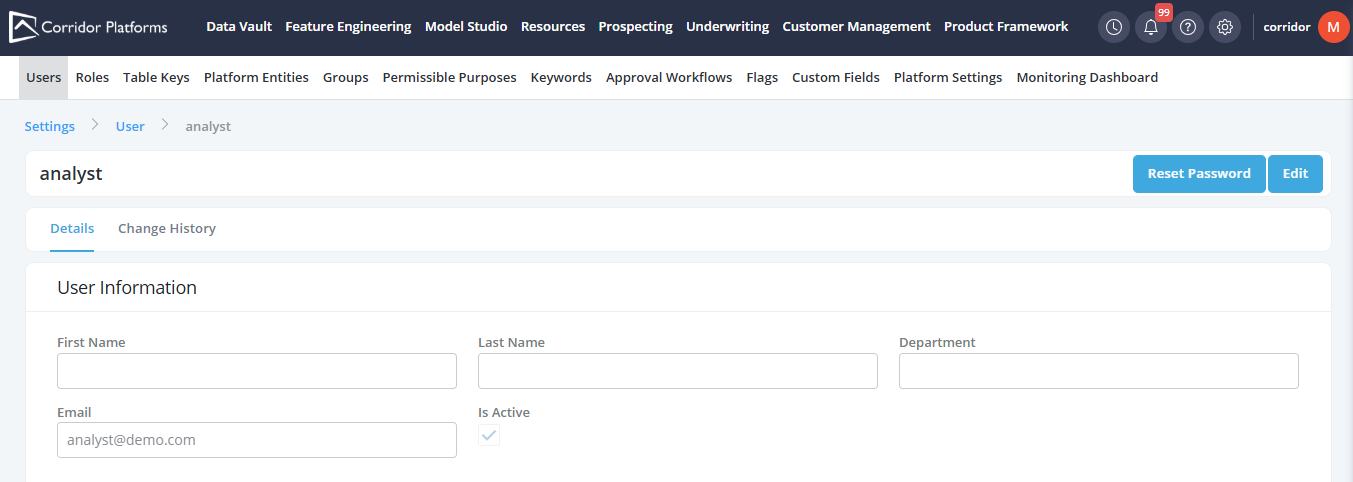
Click on Edit
-
Edit the details
- Once the required changes are made, click on Save Changes
- A pop-up message is displayed for successful record save
How to reset Password
- Click on the Settings on the taskbar
- Select the Users option and open an existing user from the user list
-
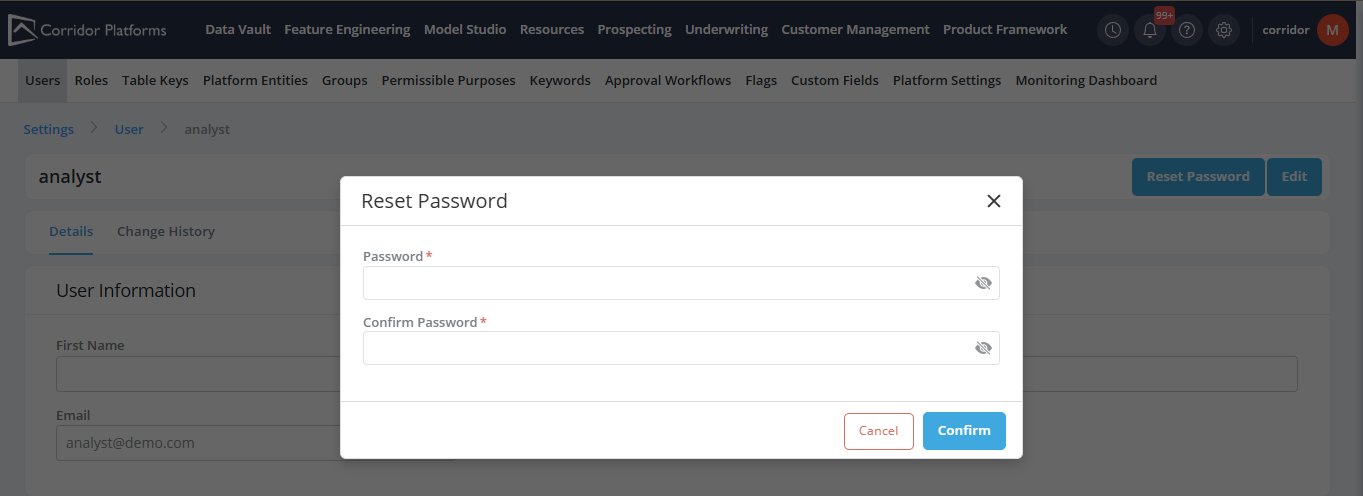
Click on Reset Password
-
In the Reset Password pop-up, enter the password in the text boxes
PasswordandConfirm Password - Click on Confirm
- A pop-up message is displayed for successful password update