Activity Dashboard
Overview
The User Activity Monitoring Dashboard provides users with a comprehensive and easy-to-interpret view of the metadata related to user activity across the platform. This feature empowers administrators and stakeholders to gain valuable insights into user engagement, login patterns, and user connection durations through visually engaging Dashboards. The Activity Monitoring Dashboard can be found exclusively within the "Settings" sub-menu.
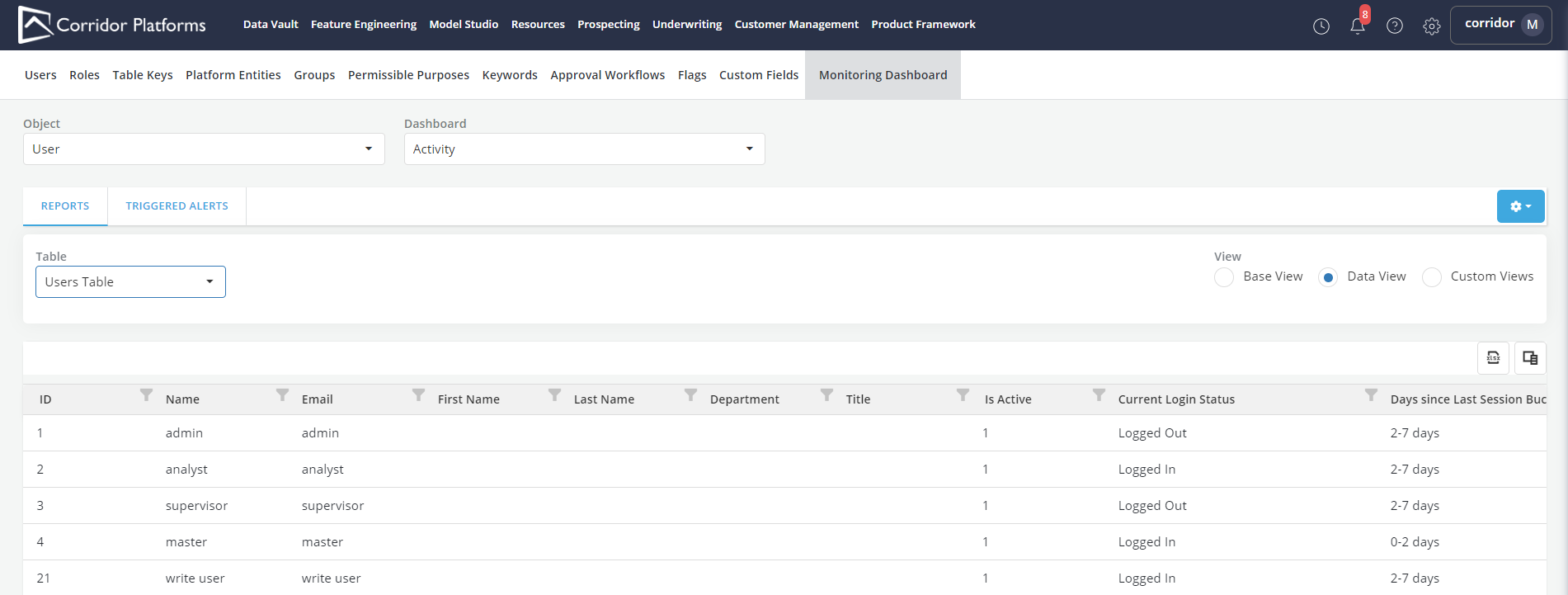
Activity Dashboard Base Views
- The Base view contains examples of monitoring reports that can help better understand users activities. They can be adopted or swapped with custom views that better fit the organization's interest.
-
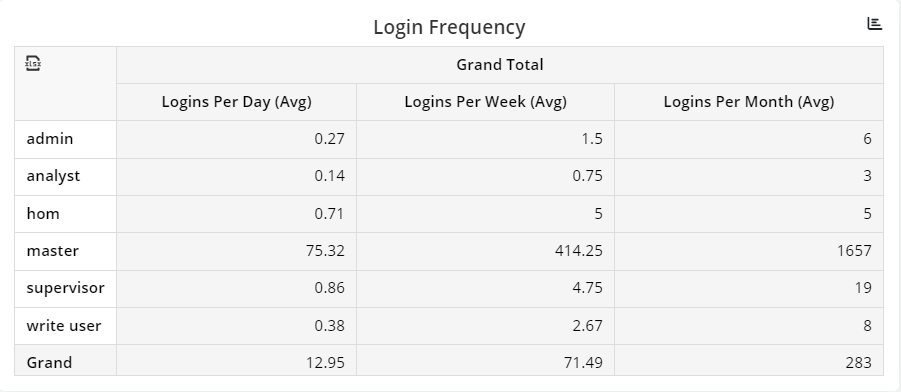
Login Frequency: Administrators can observe and analyze how frequently users access the platform over specific time intervals, such as daily, weekly, or monthly logins. This data allows administrators to identify peak usage periods and assess overall user engagement trends.
-
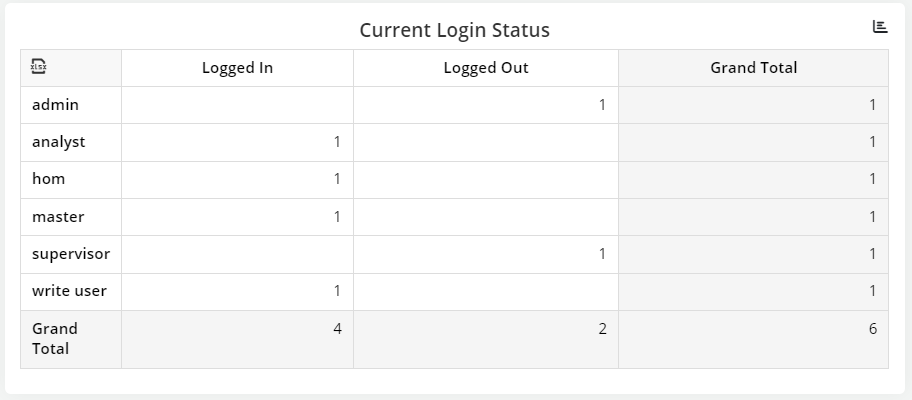
Current Login Status: The "Current Login Status" widget in the Activity Monitoring Dashboard provides real-time information about the current status of users on the platform.
-
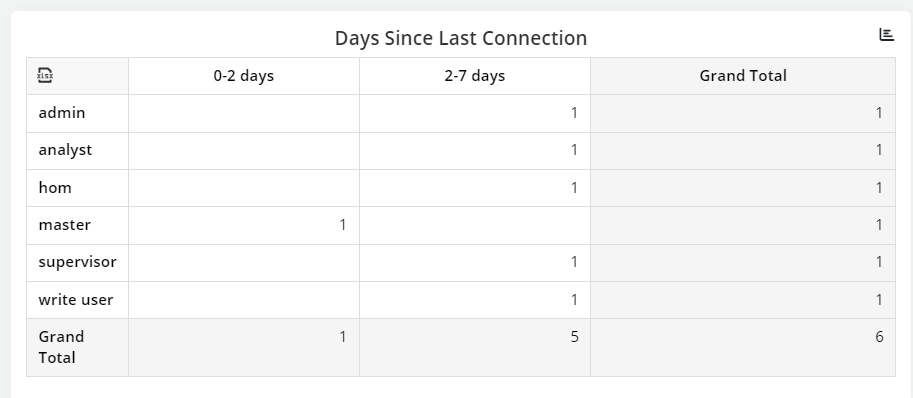
Days Since Last Connection: The "Days Since Last Login" widget provides essential information about the time elapsed since users' last login.
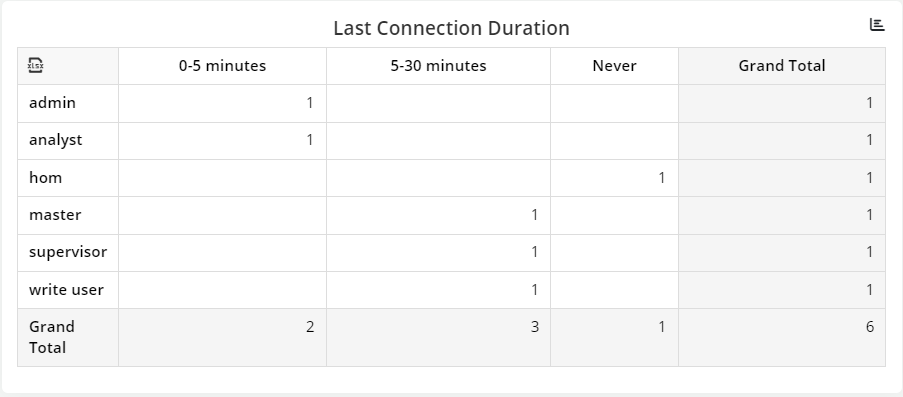
-
Last Connection Duration: It offers insights into the duration of users' most recent connections to the platform. This information helps administrators assess user engagement and interaction patterns.