Governance Dashboard
Overview
The Governance Dashboard is a critical component of the Monitoring Dashboard, empowering users with the ability to gain valuable insights into the platform's governance activities and decisions through visualizations and aggregations of governance metadata. By fulfilling the outlined requirements and functionalities, the Governance Dashboard enhances platform management and decision-making processes for all users.
The Governance Monitoring Dashboard is accessible through the sub-menu of all modules and is available for all governed (i.e versionable) object types, including Data Elements, Features, Global Functions, Datasets, Models, Products, Frameworks, and Policies.
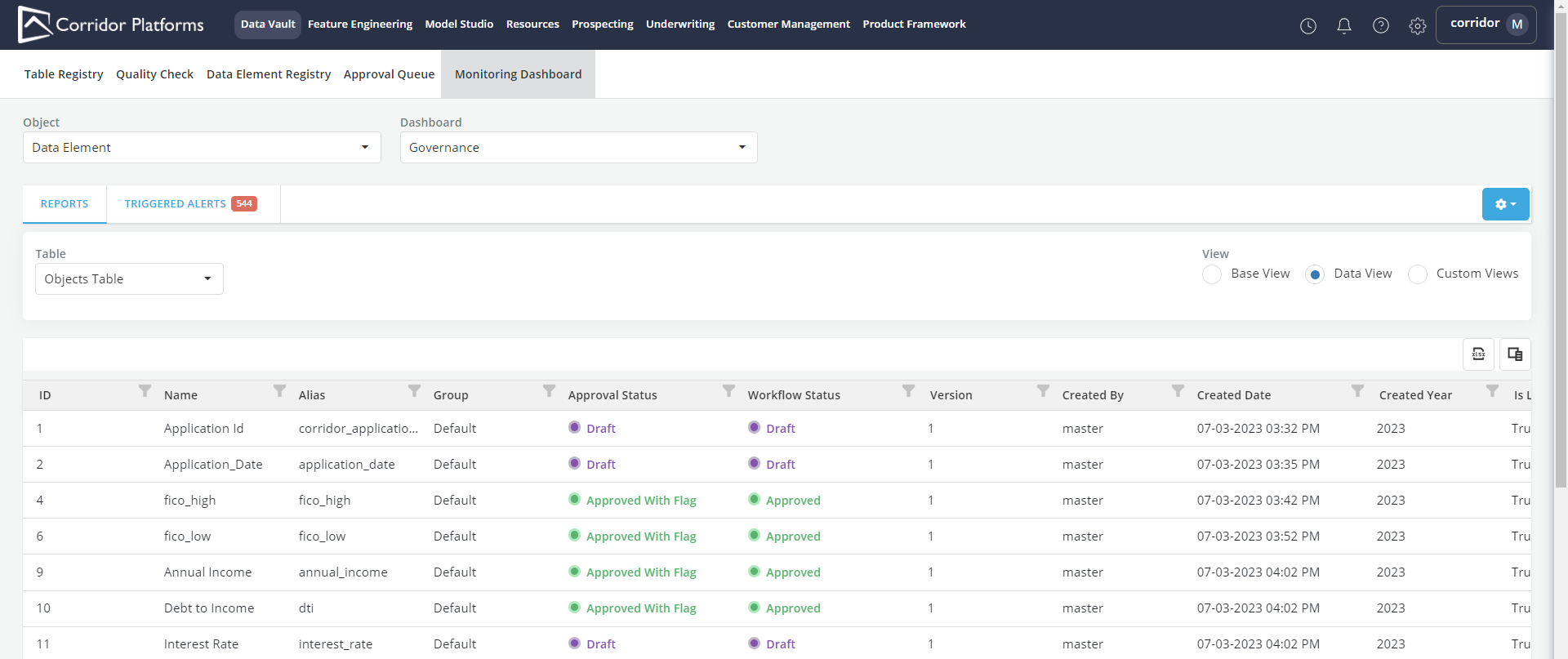
Governance Dashboard Base Views
- The Base view contains examples of monitoring reports that can help better understand governance activities. They can be adopted or swapped with custom views that better fit the organization's interest.
-
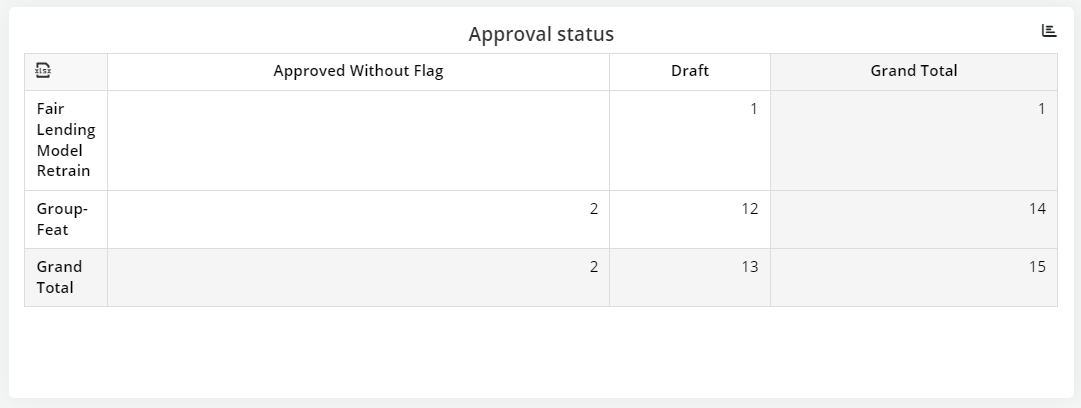
Approval Status View: It presents an overview of the approval status of different objects grouped under their respective Object Groups.
-
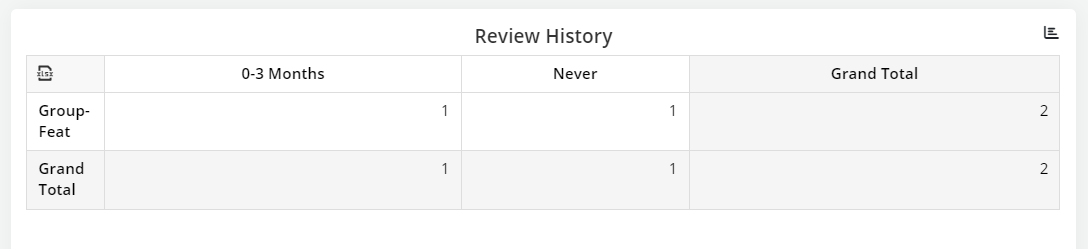
Review History View : The columns show the distribution of reviews based on their history, with time intervals.
-
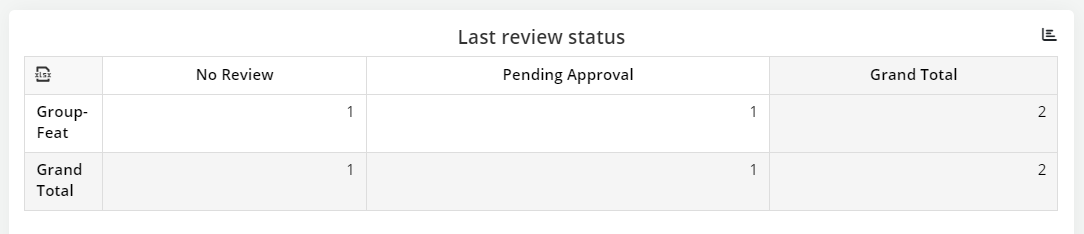
Last Review Status View: It focuses on the most recent review status of objects, organized by Object Groups. The columns display different review statuses, including Accepted with Flag, Accepted without Flag, Pending Acceptance, and Rejected.
-
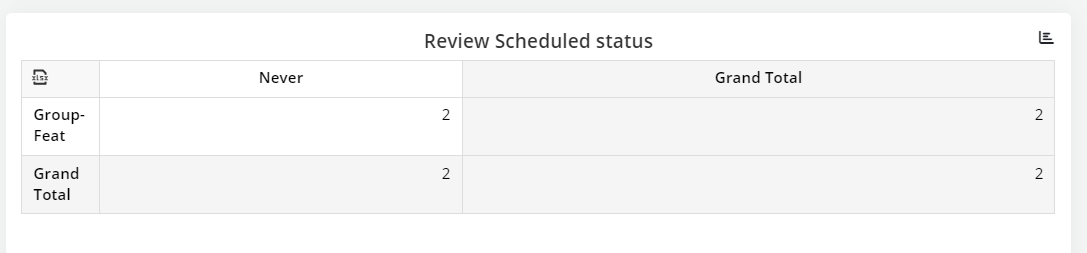
Schedule Review Status View: The "Schedule Review Status View" offers insights into the scheduled review periods for objects within Object Groups.
-
Users can explore these pre-configured views and customize them further to cater to specific monitoring needs and gain deeper insights into the platform's governance.
Support For External Models
- The platform extends support for external models, which have not been registered on the platform yet. Users can seamlessly add and track these external models on the platform, leveraging the Cockpit view, with certain limitations arising from the platforms inability to control all aspects of these models.
- To add external models to the platform, users can register specific fields of interest as Custom Fields on the platform. Only these registered Custom Fields will be tracked in the Monitoring Dashboard. Users should also specify the workspace for monitoring these external models.
- The Governance Monitoring Dashboard for Model Type objects is the only dashboard where external models will be exposed.
- To keep the external model details up-to-date, users can schedule a cron job to fetch the data from the client's location and update it in an internal table in Corridor. Any updates to the data will be available after the immediate next successful execution of the cron job. Configuration details related to external models can be conveniently managed in the settings file.