Metrics Dashboard
Overview
The Metrics Dashboard is a crucial component of the Monitoring Dashboard, providing users with valuable insights into the performance metrics of various objects on the platform. The following objects can be monitored within the Metrics Dashboards: - Quality Profile - Data Elements - Features - Datasets - Models - Policies
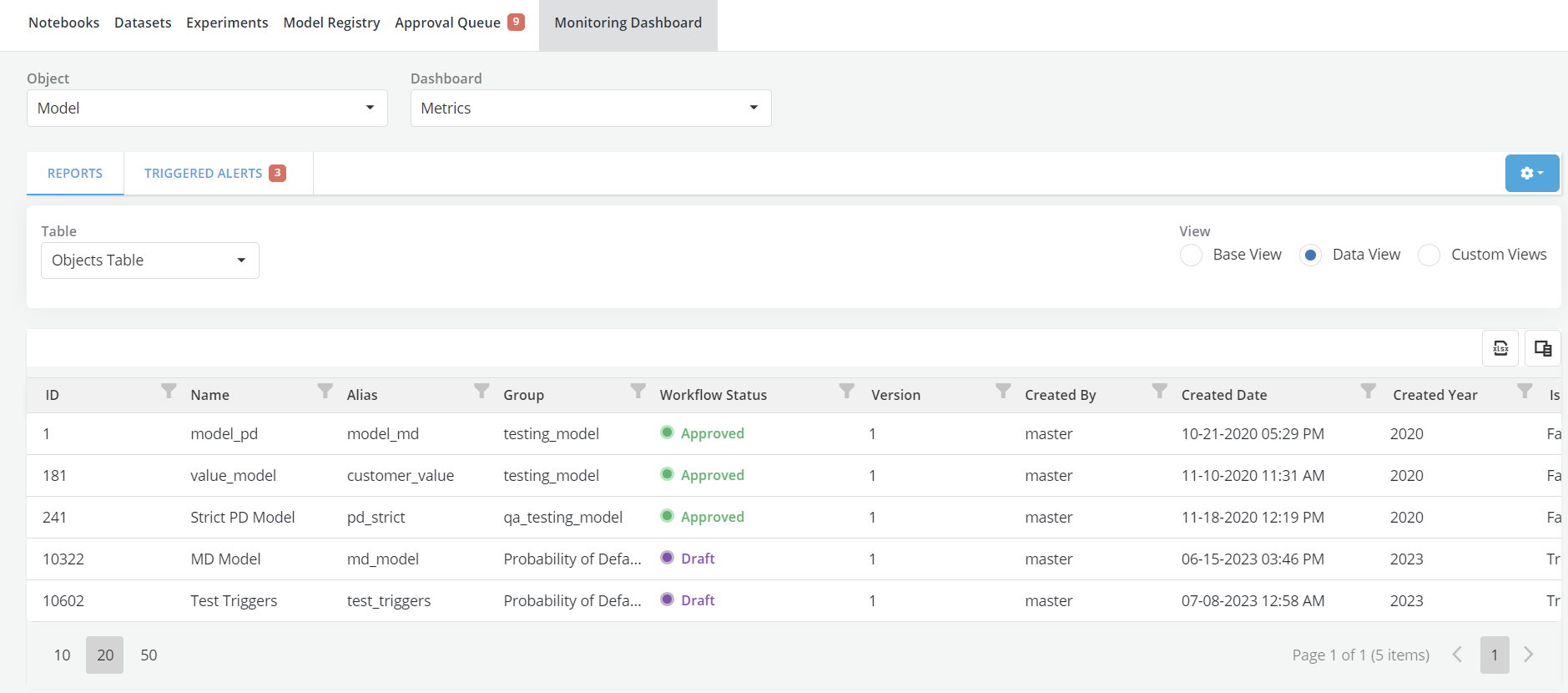
Populating Metrics Dashboard With Data
- To populate the Metrics Dashboard with recurring simulations for objects on the platform, users need to follow these steps:
- Go to the approved Object's page and navigate to the Jobs tab.
- For each row in the Jobs table, an action link labeled "Select for Metrics MD" will be visible under specific conditions:
- The job must be the Iteration0 of a recurring job (only iteration 0 has this button).
- There should be at least two iterations left to be completed in the recurring job.
- The job can be of any type (Simulation, Comparison, Validation, etc.).
- The job should not be marked as "old."
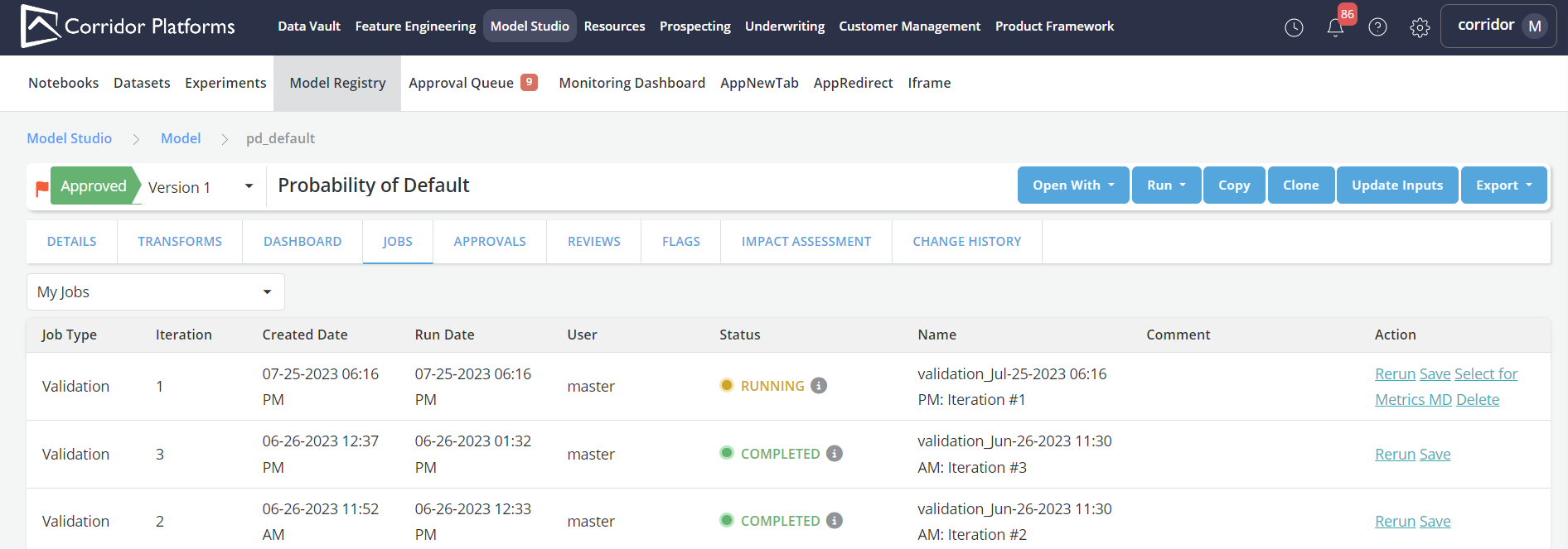
Note : Users are allowed to select jobs run by other individuals, enabling stakeholders to leverage this capability as needed.
Unselecting a Job
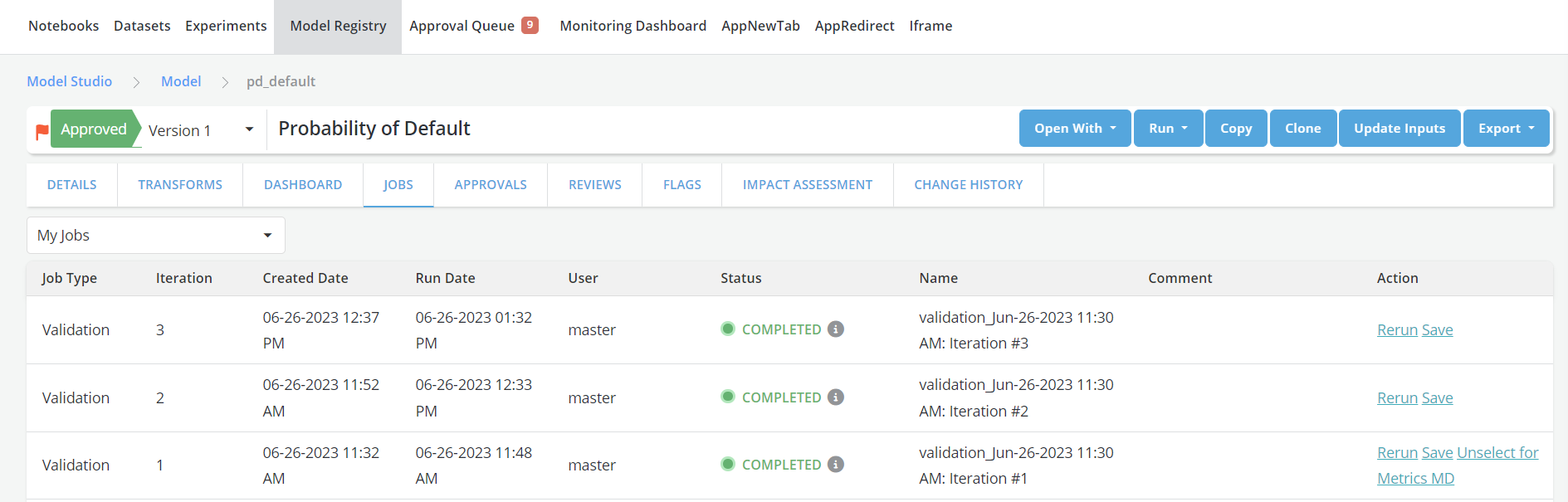
- To unselect a previously selected job, follow these steps:
- Go to the approved Object's page and access the Jobs Tab.
- Find the Iteration0 of the recurring job that was previously selected and click on the action link "Unselect Job for MD."
- Confirmation popup will appear. Upon confirmation, the job will no longer be tracked in the Metrics Dashboard.
Selecting Another Job (When a Job Was Previously Selected)
- To select another job when a job was previously chosen, follow these steps:
- Go to the approved Object's page and access the Jobs Tab.
- For each row in the Jobs tab, observe the following conditions:
- If there is no action link for MD, the job is not eligible based on the criteria mentioned earlier.
- If the action link "Select for Metrics MD" is shown, the job is eligible for selection.
- If the action link "Unselect Job for MD" shows, the currently selected row corresponds to the job previously chosen.
- Click on "Select for Metrics MD" for the job you wish to select.
- Upon confirmation, the newly selected job will be used to track the object in the Metrics Dashboard.
Tracking Metrics and Handling Job Iterations
- Users can continue tracking metrics with recurring simulations. When job iterations end:
- Before job completion, notifications/emails can be sent to warn that there is only one iteration left.
- Upon job tracking completion, additional notifications/emails can be sent.
- After job completion:
- If a user selects a new recurring job, it will be used from the time the new job was selected.
- If a user unselects the current recurring job, it will be stopped from the time the job was selected.
- If a user takes no action, the last iteration will continue to be shown in the Metrics Dashboard.
Metrics Display and Thresholds
-
The Metrics Dashboard will exclusively showcase the latest completed job selected by the user.
-
There won't be a default base view, ensuring that the dashboard remains streamlined and focused on user preferences.
-
Only the metrics registered through the UI for the specific object will be presented.
Note: The thresholds utilized on the Job page during individual simulations will not be visible within the Metrics Dashboard.