Framework Invocation Scenario
Overview
When using a framework, user has to specify one or multiple invocation scenarios. The ability to run a framework under different scenarios allows users to perform Stress testing on some of the inputs to the framework (e.g., higher default rates) and check the impact on a decision.
Creating a Framework Scenario
-
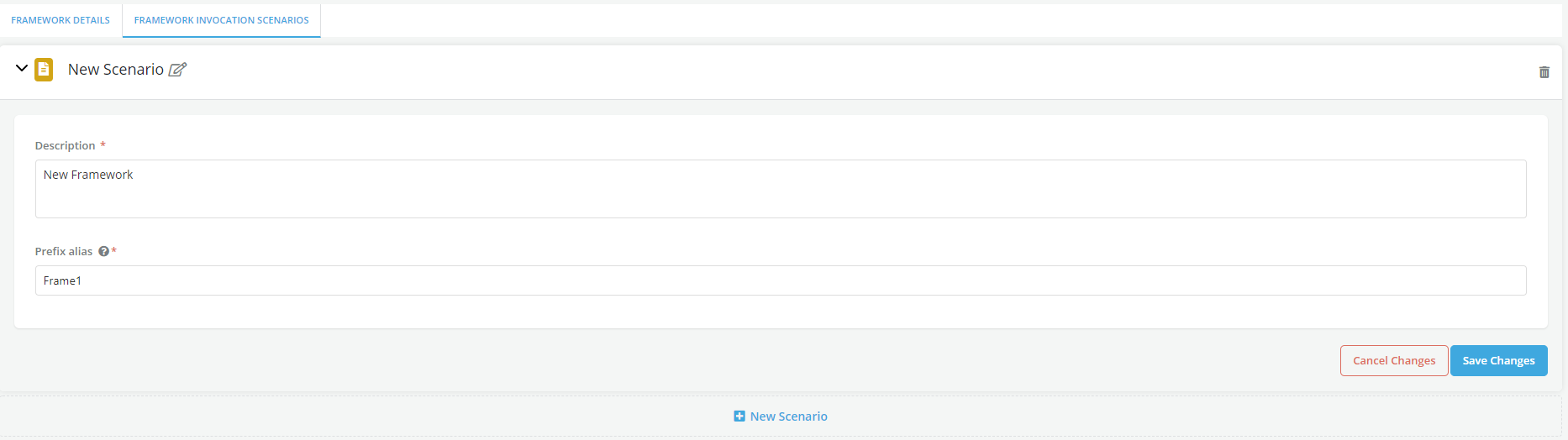
After a Framework is created, click on Framework Invocation Scenarios tab
-
Click on the +New Scenario tab to add a new scenario. One invocation scenario is required for the framework to be approved. Multiple scenarios can be added by clicking on the +New Scenario link
-
Enter the Scenario name, description and prefix alias (this last parameter will be added to all the scenario outputs in order to help identify them)
-
Click on Save Changes
The process of altering the framework inputs for a specific scenario happens at the time of policy creation: within the model suite tab, the User can specify a stress default model rather than an expected default model for a given scenario.