Overview
Overview
Models are objects that record calculations and/or algorithms used to predict a given outcome (dependents) using a set of inputs (independents).
How do create a Model?
Models can be created by accessing the Model Registry tab under Model Studio/ and clicking on Create.
Creating a model means registering a model that has been already estimated; to estimate the model itself Users can either create and export a modeling dataset to build the model using their usual modeling tools or build a model within the platform using the Experiment module.
How is this used?
Models are used to predict outcomes. This prediction can either be reviewed and tracked on a standalone basis or further used to make policy decisions.
Example
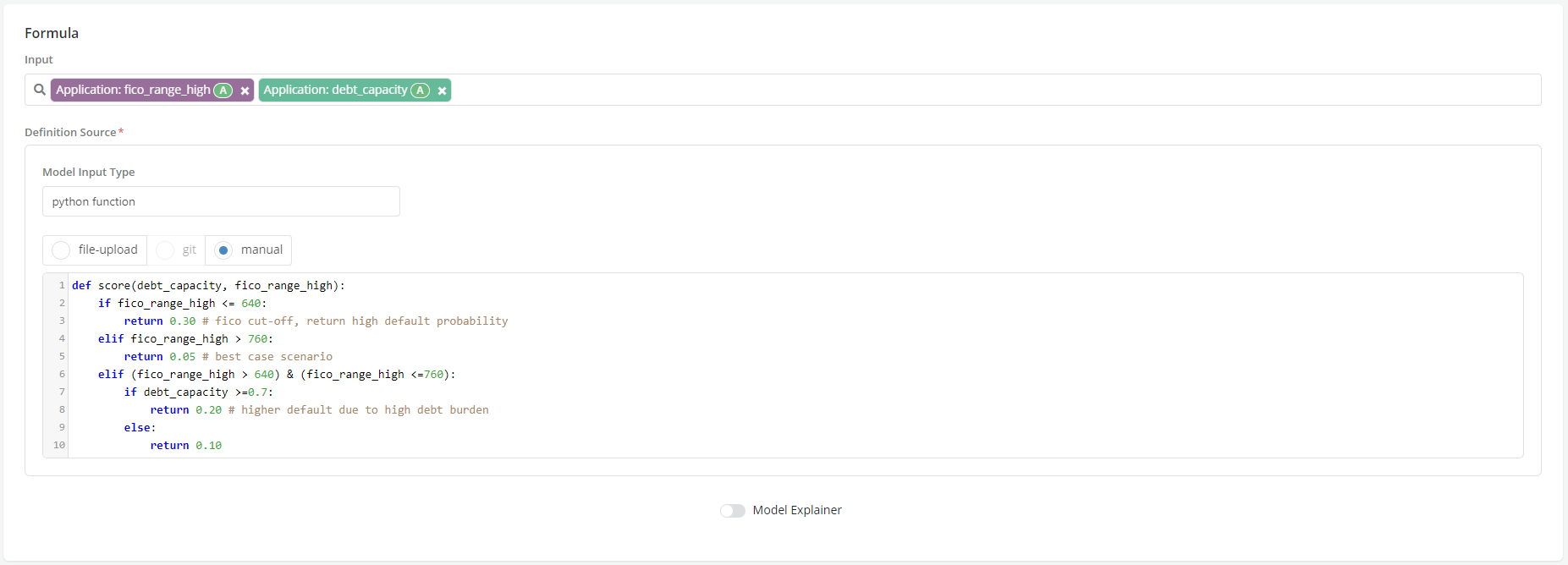
Case Study: User has already estimated a model that predicts Default Within 18 Months using Fico range and Debt Capacity as Inputs. Now User wants to register the model within the platform so that it can be used in a policy.
-
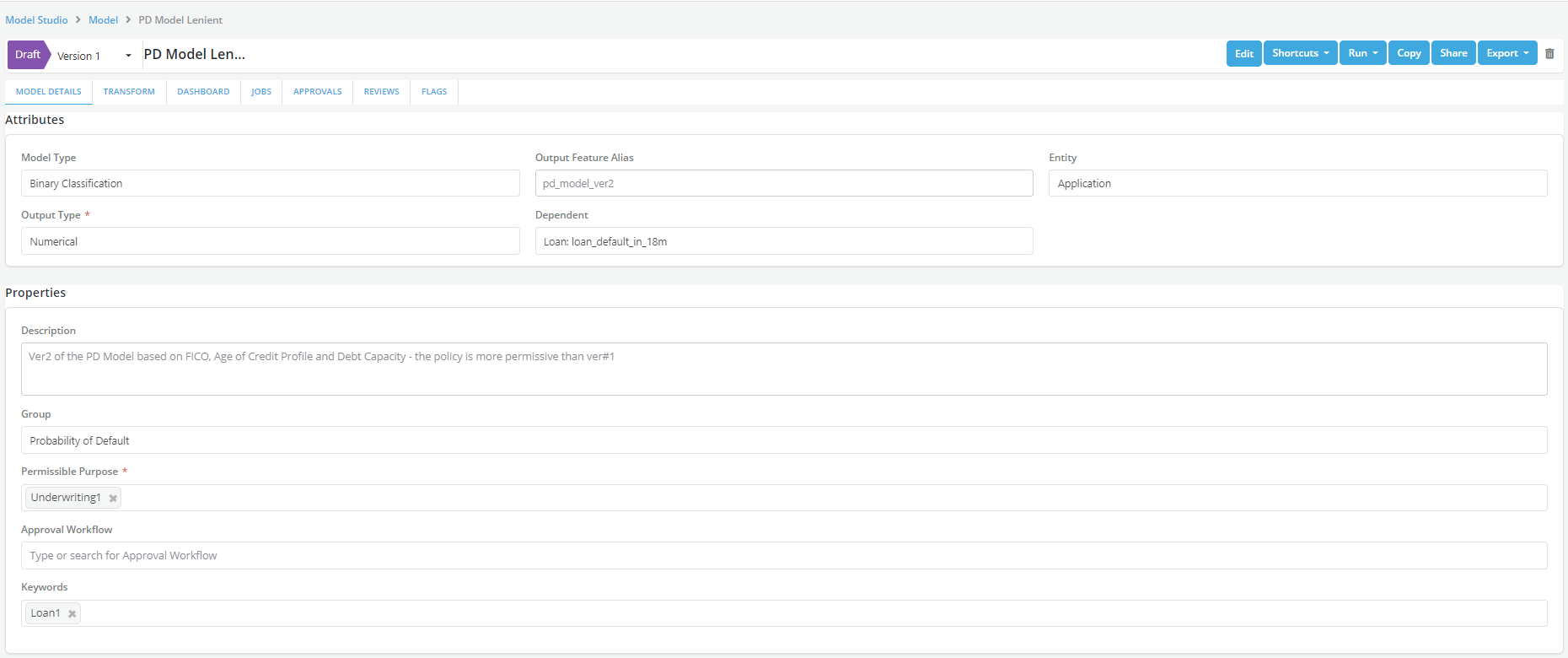
User registers the model in Model Registry within the Model Studio module.
- Description
- Definition
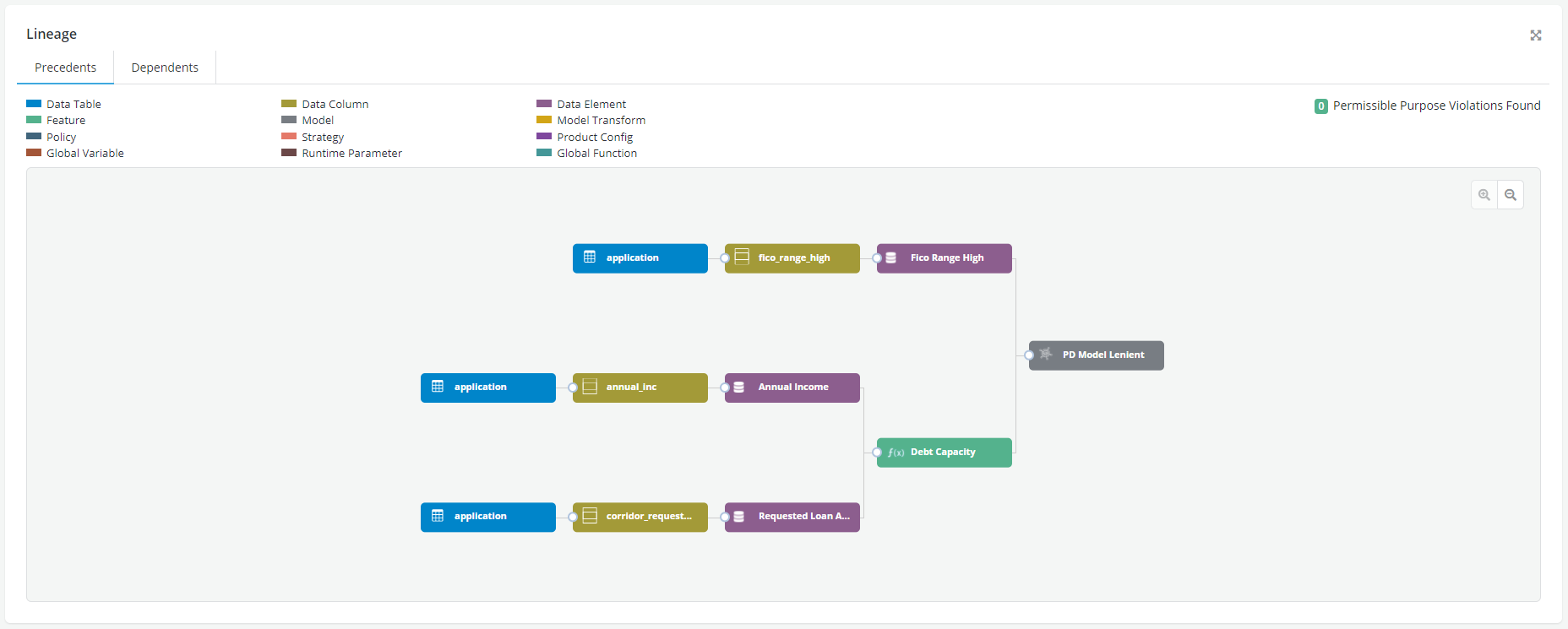
- Lineage
-
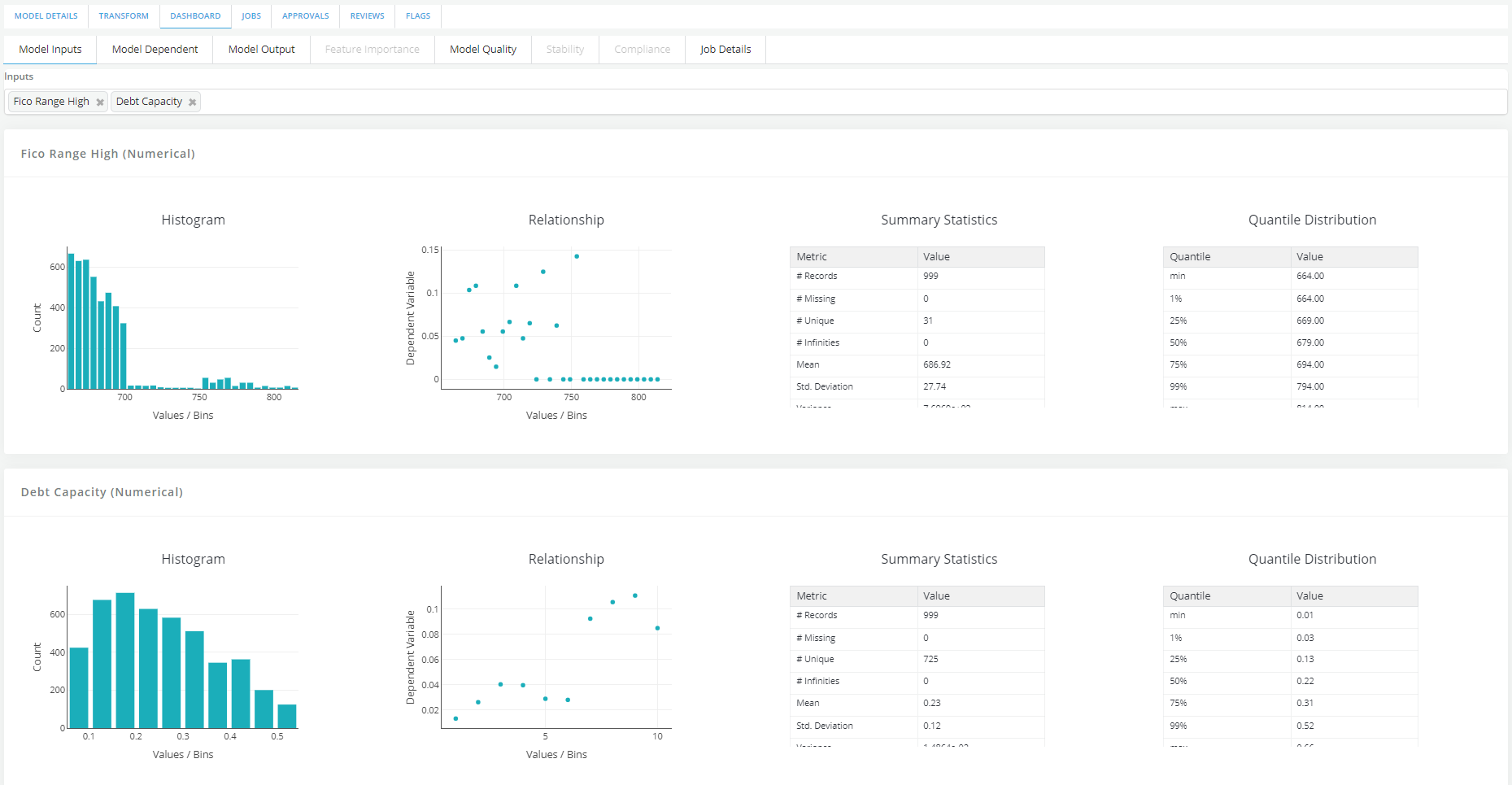
User simulate and review model
- Dashboard
-
User request approval of the model which will make it available for use across the platform