Notebooks
Overview
This is an embedded Jupyter notebook where Users can write queries and programs that can run directly on the data that has been registered in the platform.
How is this used?
Users with programming skills can directly access the data within the platform and perform analyses including data exploration, reporting, and modeling without having to leave the platform.
In the default installation, the embedded notebook supports Python - and it is pre-loaded with Pandas and PySpark for analytics.
A Corridor library is available to help users refer to registered objects such as data elements, features, models and policies.
Creating a Notebook
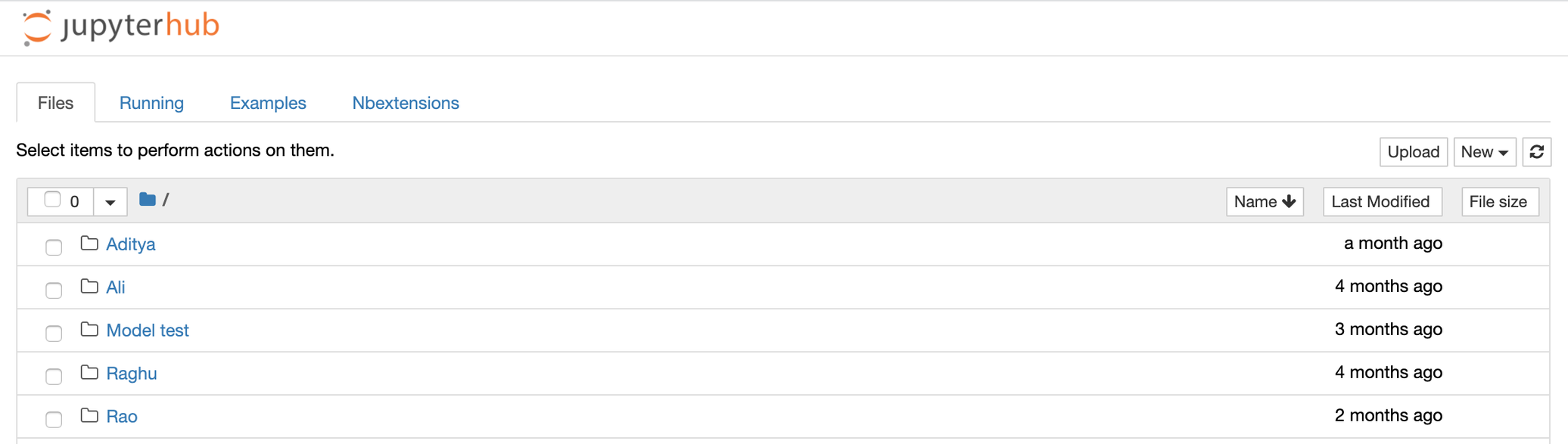
Users can create a notebook by opening the Notebook tab under Model Studio and clicking on New
Example
Case study: User has registered a table called application and wants to run analyses on it while referring to registered data elements and features that have been created from the information contained in the table.
- User creates a new notebook in the Notebook tab under Model Studio
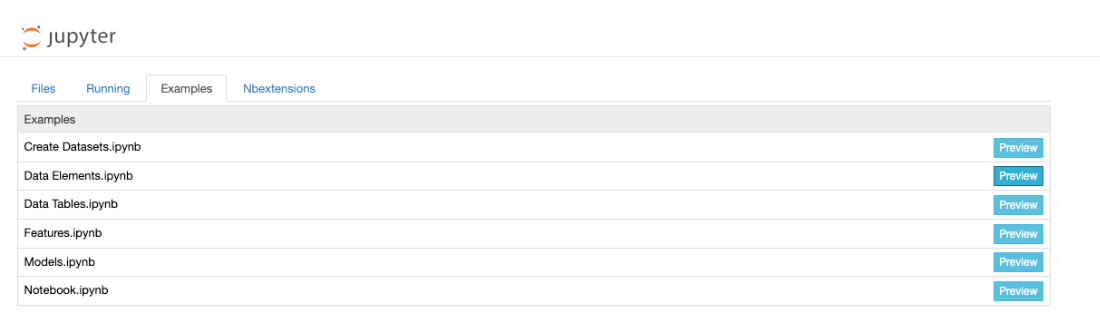
- User open Example tab and use tutorials to start writing new code
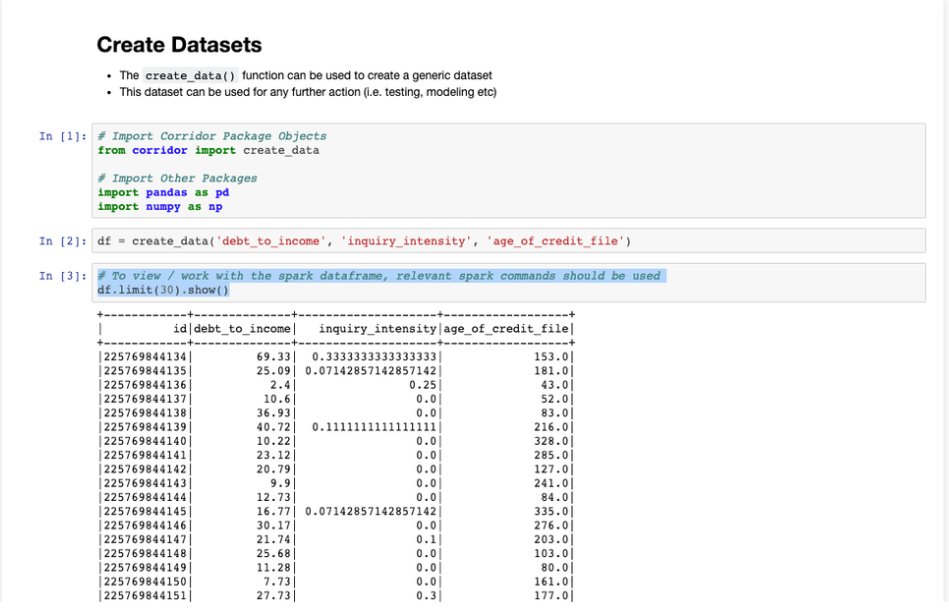
- The User uses commands from the Corridor Library to analyze the table