Impact Assessment
When an NEW VERSION of an object is approved, all the objects that are using it’s previous versions are potentially impacted the sense that they might be now an obsolete version).
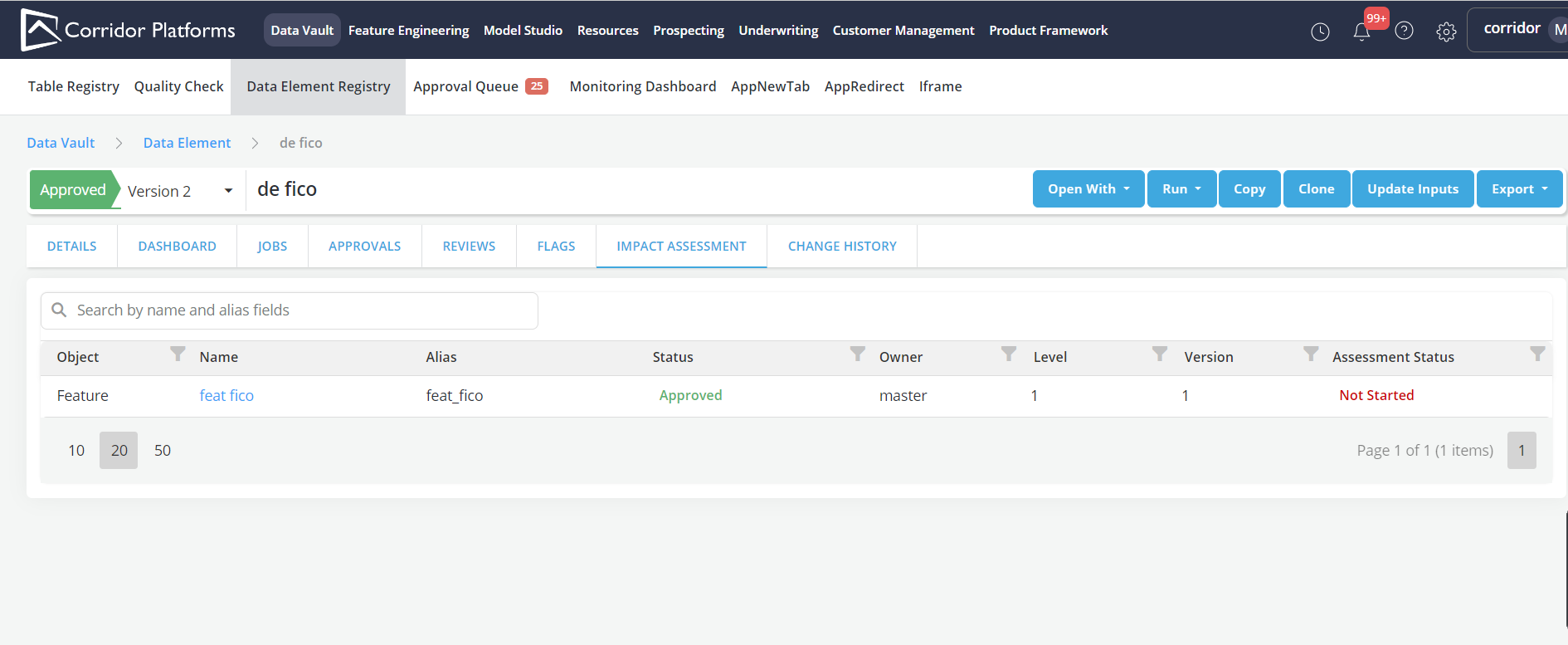
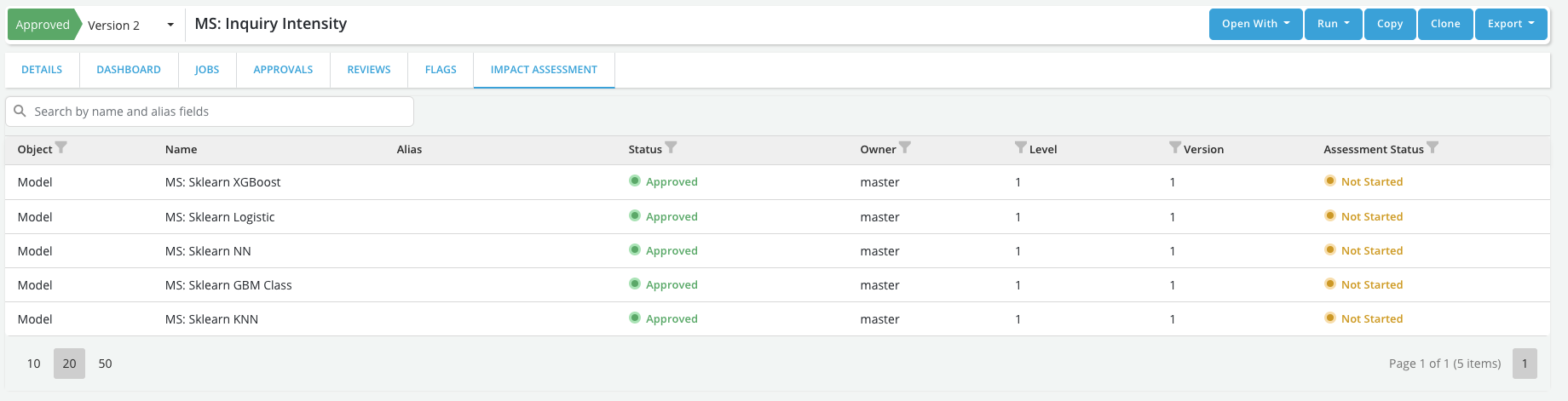
The impact assessment page allow users to to keep track of :
-
Impacted items: All the objects that are using a previous version of the object (impacted items)
-
Level: The level of dependency to the object (i.e., level =1 if the object is directly used in the dependent object, level=2 if the object is used in an object that is used in the dependent object, etc.)
-
Status: This track the update status of the dependent (e.g., if the dependent has still not be updated the status will be market as "Not Started", etc.). There currently 4 possible statuses:
Not started: The process of updating the dependent with the new version has not started yet
In Progress: The process of updating the dependent with the new version is in Progress
Partially updates: A new approved version of the dependent exists but it only partially uses the new version (i.e., in some places it is still using the old version)
Updated: A new approved version of the dependent exists and it is using the new version everywhere
Skipped: A new approved version of the dependent exists and it is NOT using the new version anywhere
Note
    * If an object is in Draft/Pending Approval the Impact assessment page won't be populated until it gets approved

    * For the first version of an object the Impact assessment page will be empty
Notifications
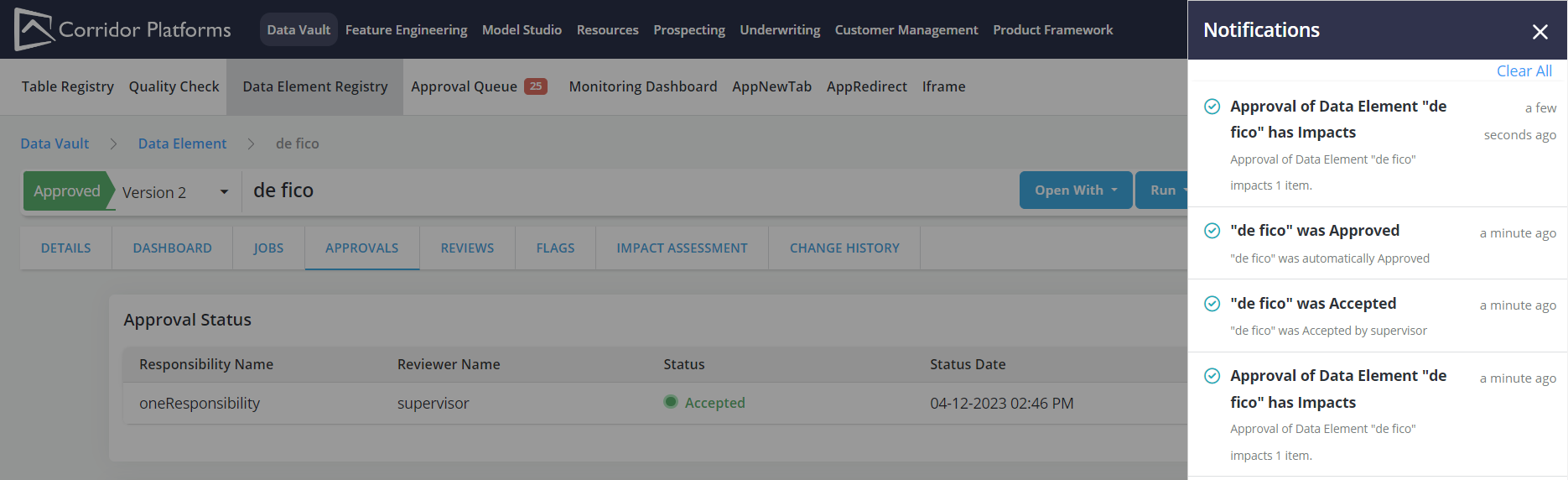
When a new version of an object is approved, the platform can identify all the downstream object that are directly or indirectly using it as an input and send notifications to users with write or approval access to those downstream impacted objects (owners, share-recipients, approvers) :
-
Notifications will be sent once as soon as the new version is approved
-
Notifications will be sent to all owners, share-recipients and approvers of impacted downstream objects (regardless of whether the impact is direct or indirect)
- Each owner, share-recipient or approver will only receive one notification
-
The notification will include:
-
The name of the object for which a new version has been approved (with hyperlink)
-
The date of approval
-
The creator of the new version
-
The approver of the new version
-
A list of all the impacted objects that the user owns, has been a share recipient of or is an approver of
-
-
Notifications will be in form of:
- Email messages
- New lines in the notification panel (similar to job completion notification) - which if clicked will open the registry page of the new version of the input object.