Is Aggregate Indicator
Overview
An aggregated data element is a data element that has been created by aggregating multiple single data elements. For instance, if Monthly Payment is a data element that is sent to the platform by the Client’s Accounts Receivable system, then the sum of all payments received in a month is an aggregated data element.
This is created using the Data Element Registry option in Data Vault.
Creating Aggregate Data Elements
- While creating the Data Element, if the same is an aggregation of variables (e.g. Sum of monthly payments) then check the Is Aggregate checkbox

-
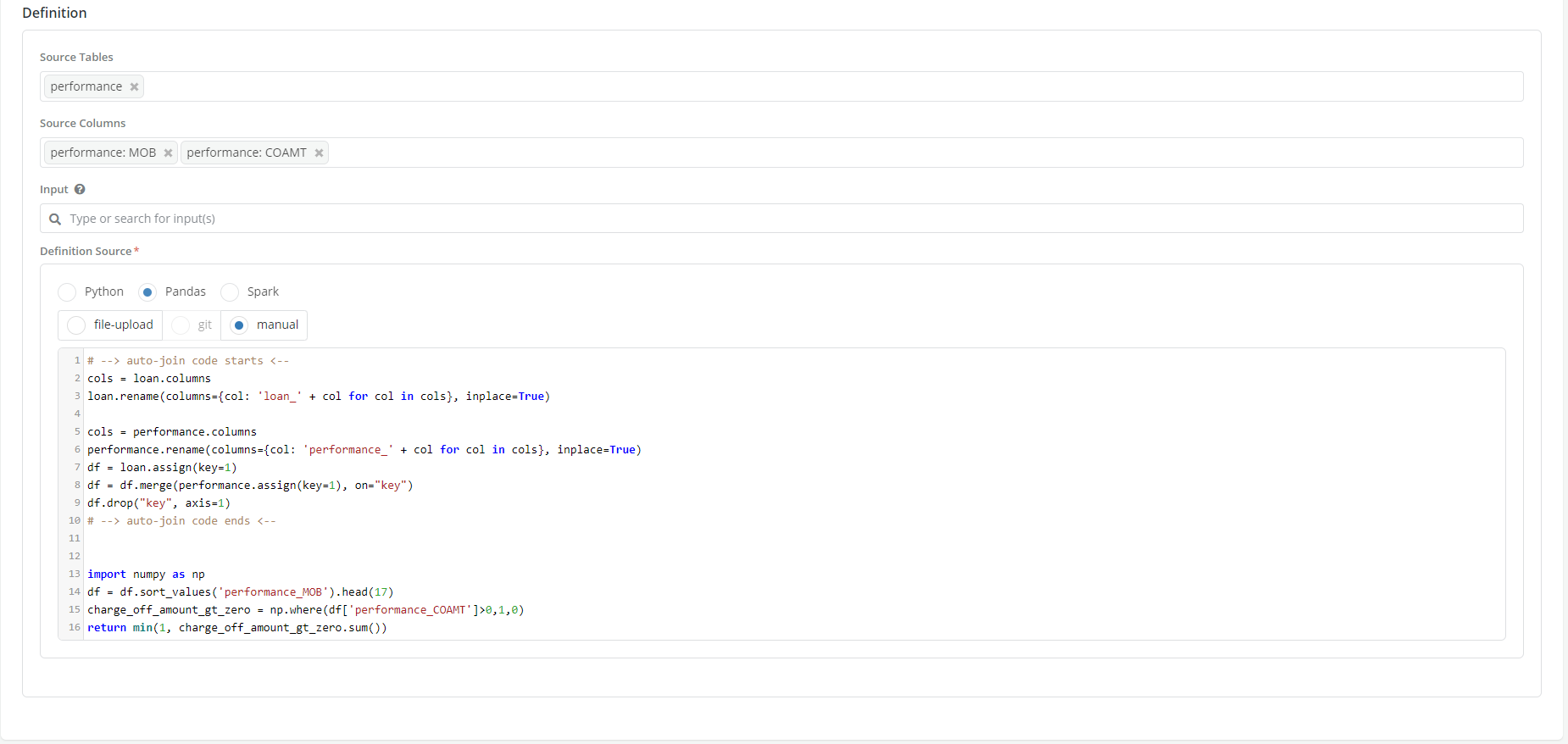
Once the checkbox is ticked, the Definition box will show additional fields. Populate Source Tables, Source Column, Input and Definition Source.
-
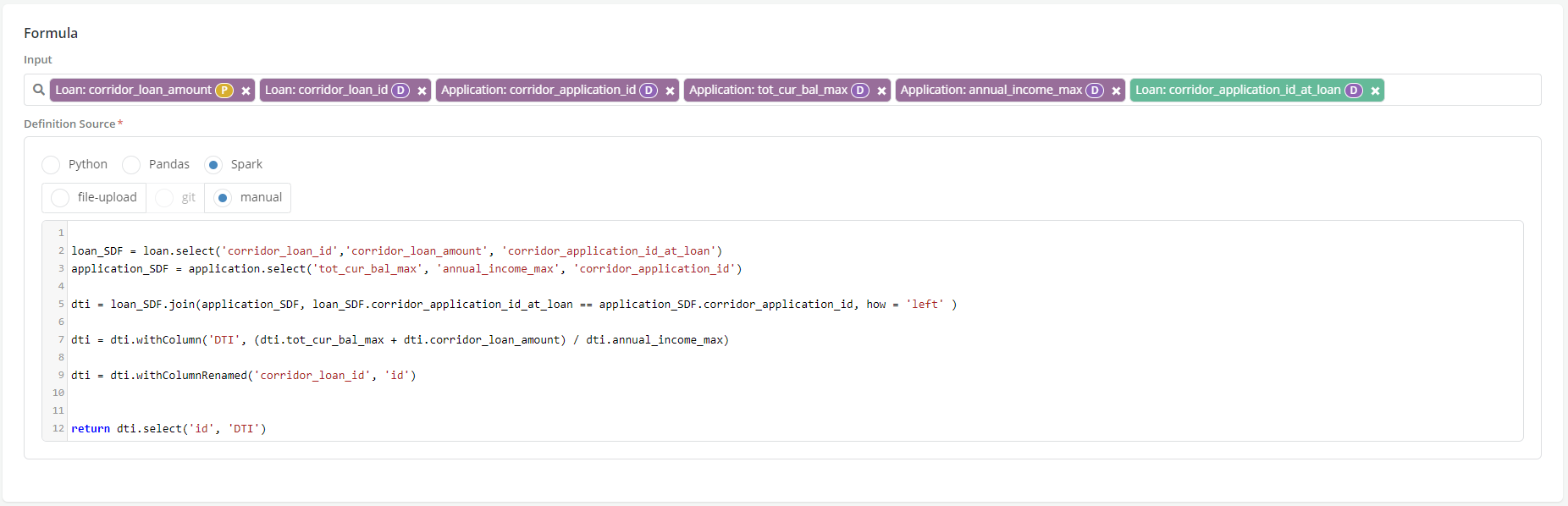
Runtime Parameter is available to be chosen in the Definition section as one of the Input
-
Click on the radio button to select appropriate input option for the definition code. The code can be written in Python, Pandas or Spark or it can be called using File-upload, git or manual option.
-
Enter the formula/code if the input option is manual - See Creating Aggregations page
-
Click on Test Syntax
- Click on Create

- Refer to Registering a Data element for more details.
Example
A User wants to calculate a default in 18 months indicator for a given loan based on the array of charge off indicators that have been registered on the loan entity.