Definition (Formula)
Overview
A definition is a python code that instructs the platform on how to create an object. Definitions are specified during registration.
Tables and simple data elements (i.e., Non-aggregated) don’t require a definition because they directly point to a given set of information.
While registering an object, a definition can be defined either by:
-
Manually typing the formula that will be used to perform the calculation or;
-
Uploading a file that contains the code;
-
After adding the definition, the User can validate it using the Test Syntax button. Note: It is advised that the User handles edge cases (i.e. division by 0) and None / Null cases in the code in order to avoid future errors or unexpected behaviors.
How to write a definition formula?
Writing a definition involves three key steps:
Input type selection
Manual
Users can directly write definitions in the definition input box
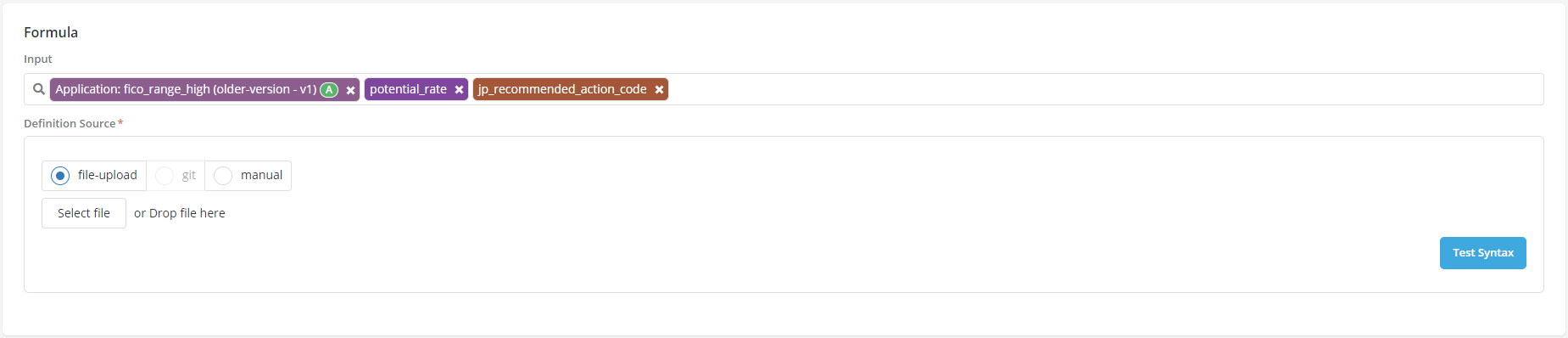
File upload
Users can upload a file that contains the definition
Input Language selection
Python
This option is available for all object types. It allows Users to write definitions in python language. A definition written in Python code would include three sections:
-
Declaring the calculation as a score function (THIS IS ONLY NEEDED FOR MODELS RIGHT NOW)
-
Writing the actual logic of how to generate the object using the selected inputs
-
Adding return statement at the end to specify what should be returned
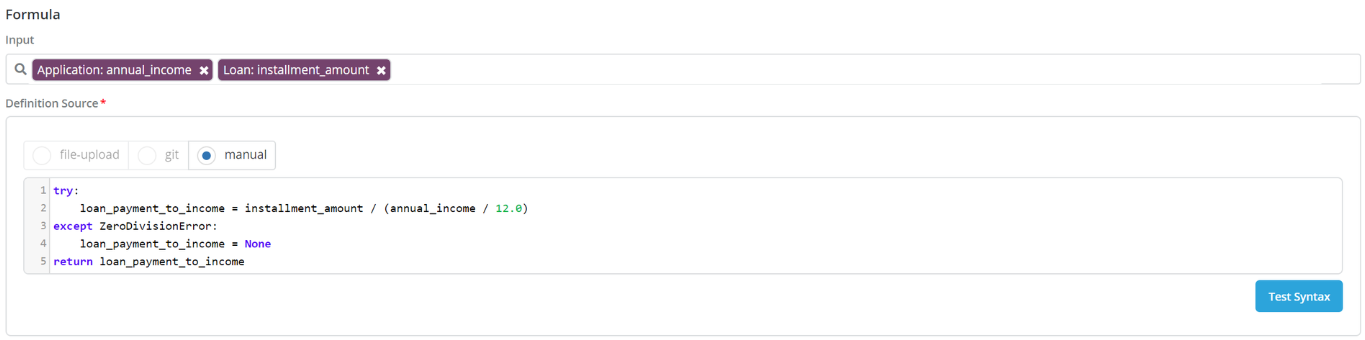
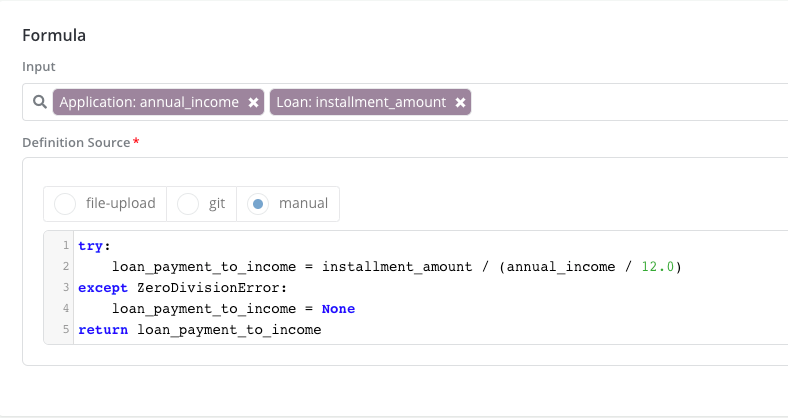
For instance here is an example on how to write the definition of “Loan Payment To Income” feature (note that there is no need to declare a score function here since this is not a model):
-
The inputs are annual_income and installment_amount
-
Lines 1 through 4 contain the actual logic
-
Line 5 shows the return statement
Pandas
This option is only available for writing aggregations (i.e., Data elements and Features aggregations). It allows Users to write definitions using Pandas functions and tools. See writing aggregations tutorial for more details.
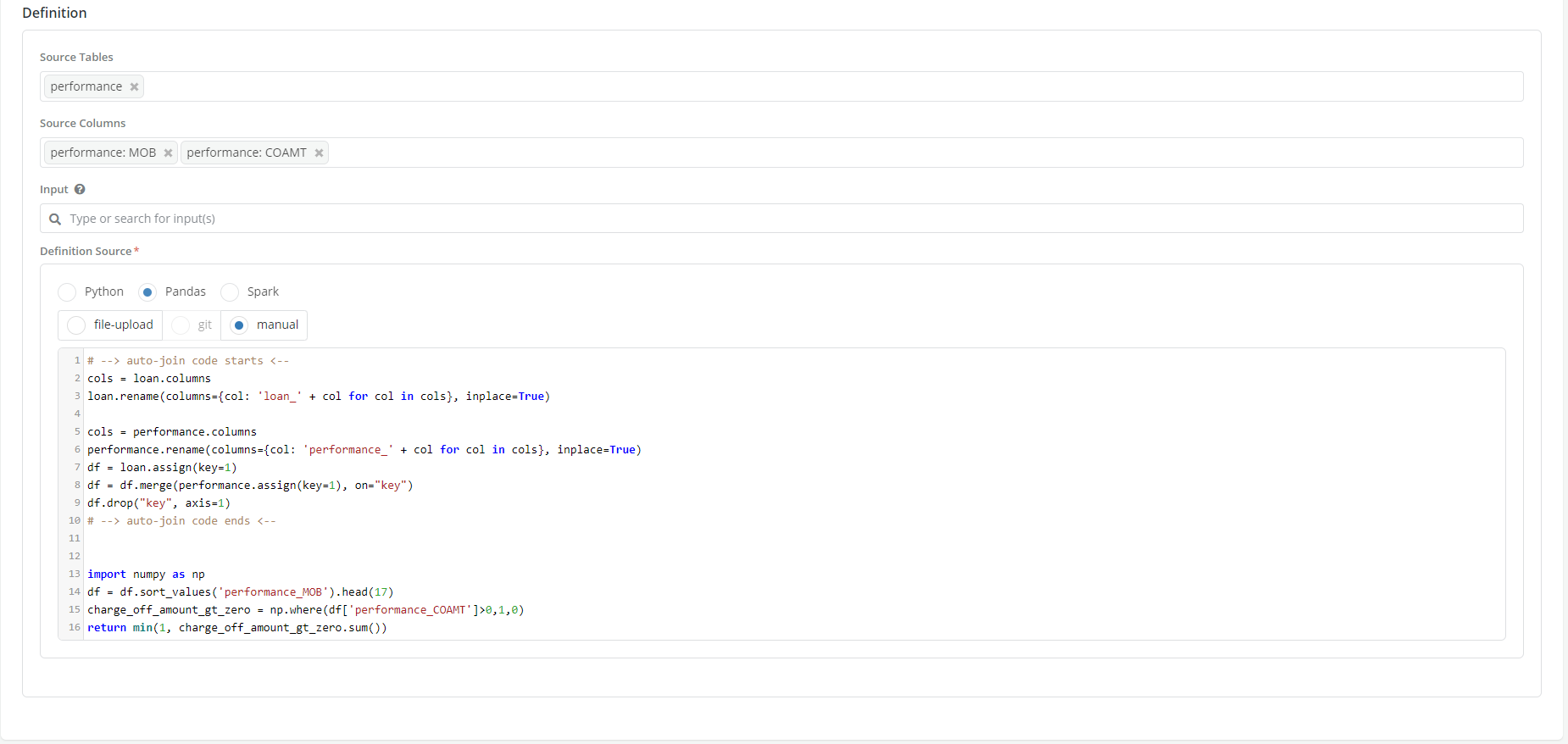
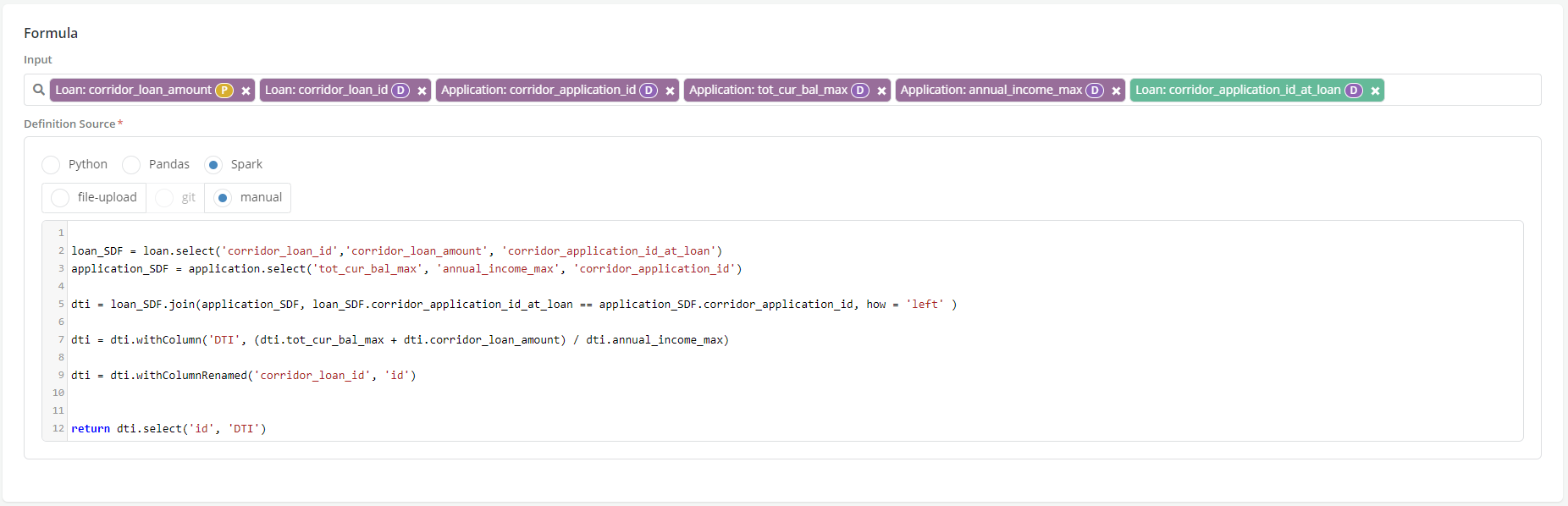
Spark
This option is only available for writing aggregations (i.e.,Data elements and Features aggregations). It allows Users to write definitions in Spark. See Writing Aggregates tutorial for more details.
Input Type selection
- Plain code: This is the default option. It is available for all objects. It allows users to write plain code in the definition box using one of the selected languages above EXAMPLE
-
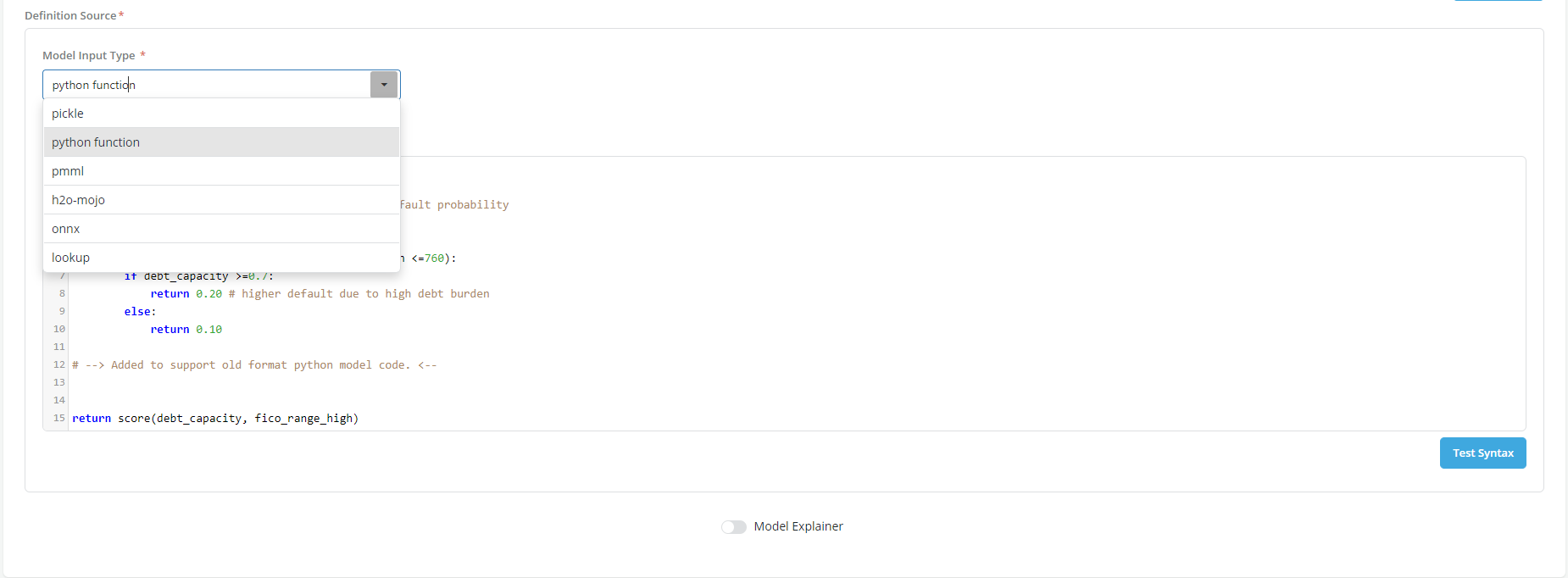
Formatted code: This option is only available for models. It allows Users to upload a definition contained in a formatted file that the platform can read and interpret. The supported formats are the following:
- Pickle
- Pmml
- Onnx
- H2O Mojo
- Lookup table
Custom Input Type selection
- For input types other than the ones listed above the platform provides a "Custom" option
-
This option provides a generic template to support any model format, including:
- Sklearn + joblib format
- Tensorflow + h5 format
- Calling predict() or predict_proba() from an sklearn model
-
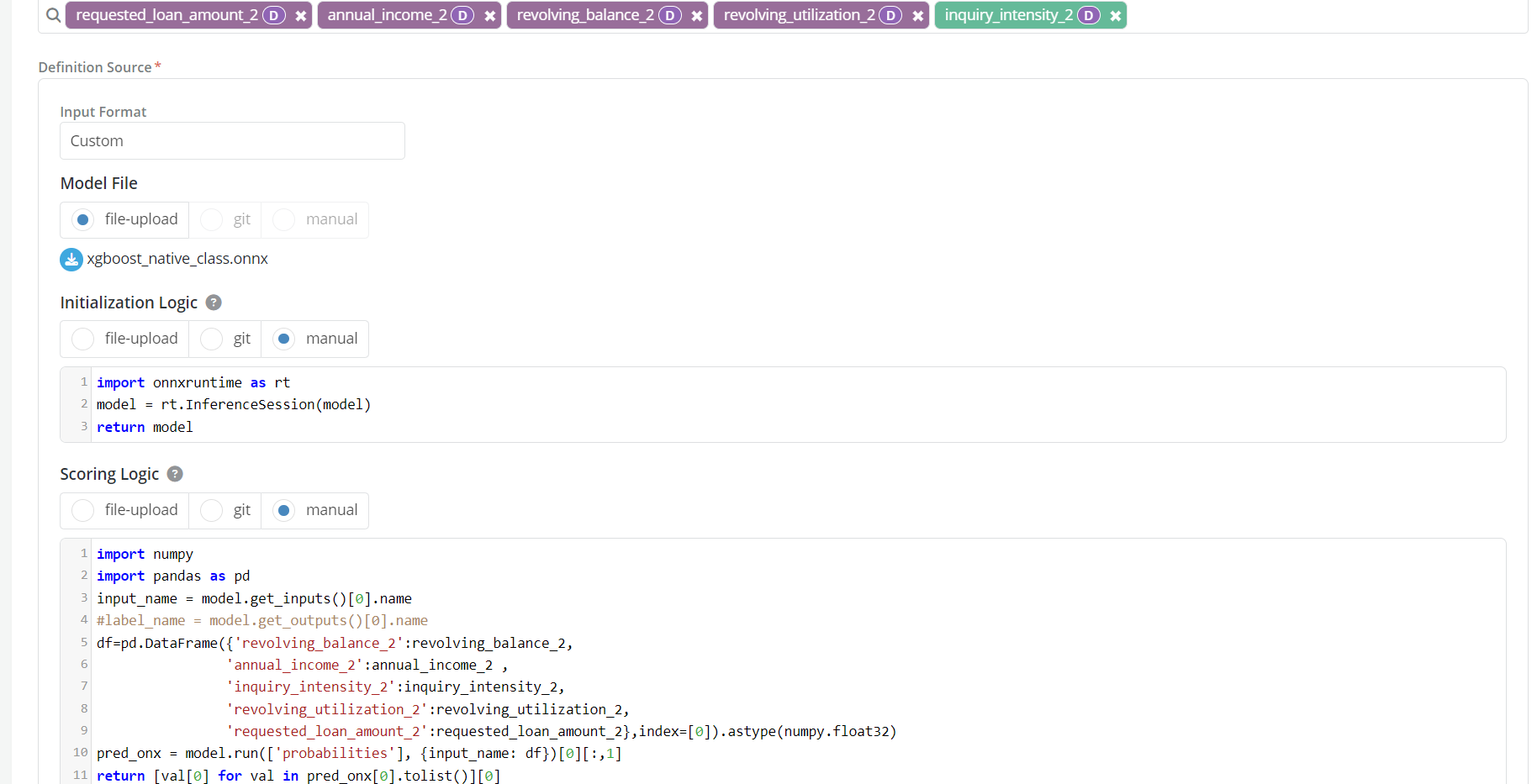
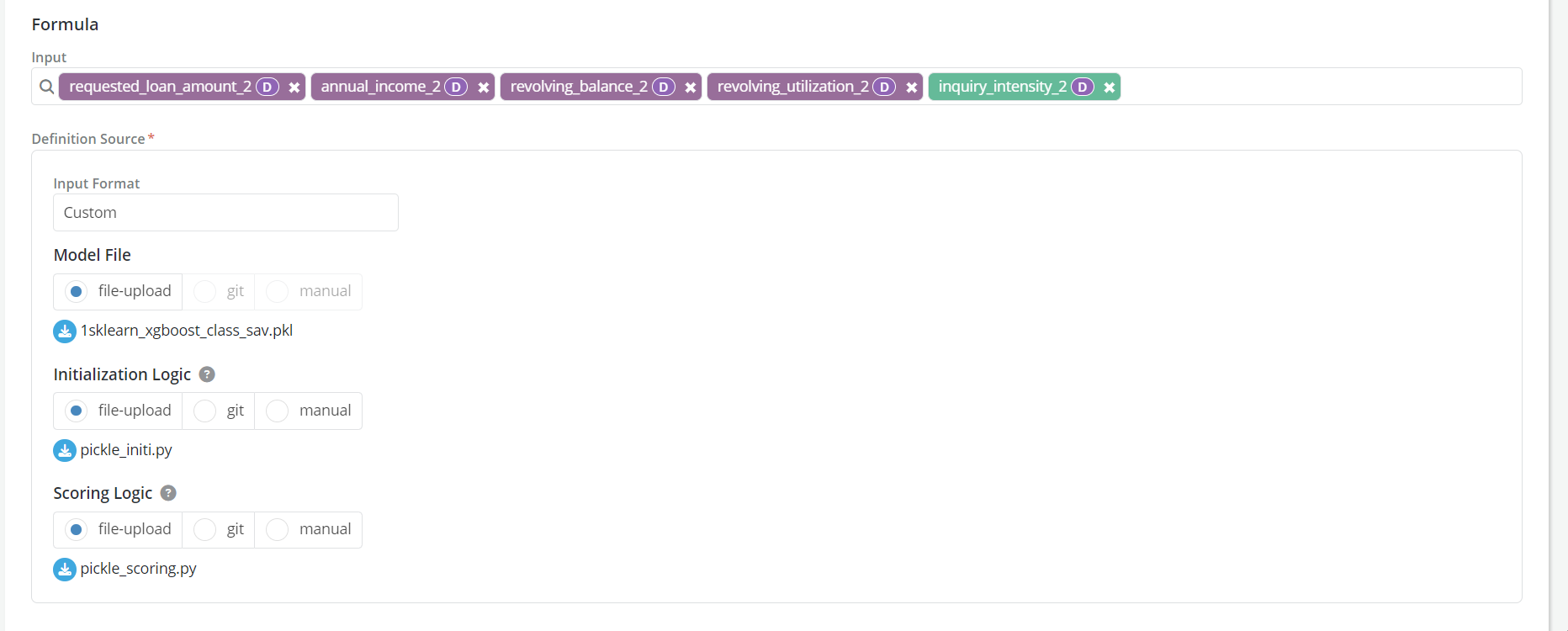
To run any model, we need the following parts:
-
Model file: Contains the model code (text or binary formats)
-
Initialization logic: Which reads this uploaded file and other libraries needed to execute the model
-
Scoring logic: Which instructs the platform on how to send inputs to model and get back outputs
-
-
Note
-
Incase if multiple files associated with a model users could zip the files to a single folder and later unzip them in the Initialization logic.
# Import necessary packages import io import tempfile import zipfile from transformers import AutoModel, AutoTokenizer # Create an archive using the model object archive = zipfile.ZipFile(io.BytesIO(model)) # Extract contents to a temporary directory and use the file path with tempfile.TemporaryDirectory() as tmpdirname: archive.extractall(path=tmpdirname) model = AutoModel.from_pretrained(tmpdirname) tokenizer = AutoTokenizer.from_pretrained(tmpdirname) return {'model':model,'tokenizer':tokenizer} -
The Custom input type is not supported in model explainer
-
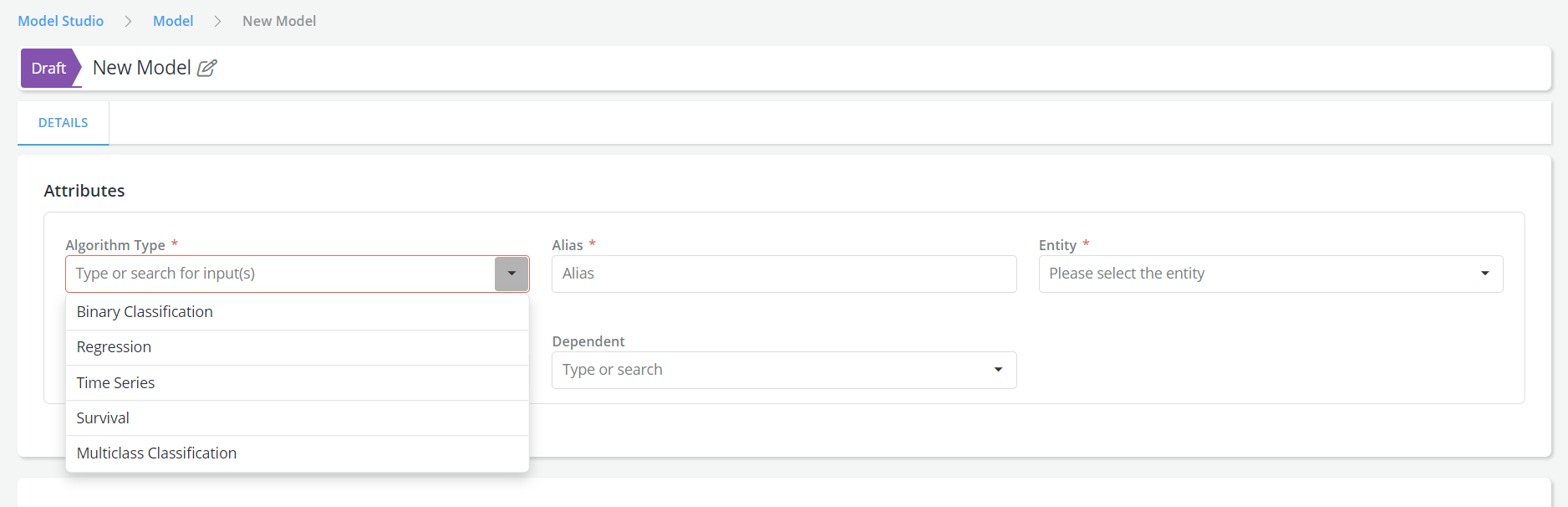
Multiclass Classification Algorithm Type is supported for models
-
-
Example :
- Custom input type with ONNX and Manually added logics
- Custom input type with Pickle and file uploaded logics
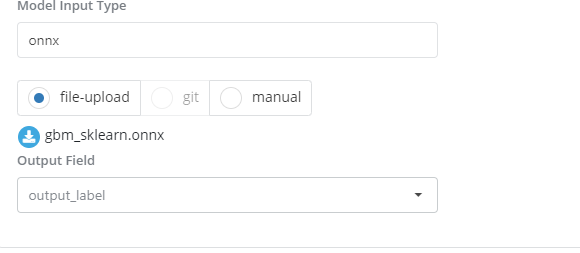
Specifying the Output fields you want to retain
-
Probabilities predictions: This is needed only for Pmml and Onnx input formats. Users must specify in this field the name of the field that contains the values of the model predictions that they want to use.
-
Output Dataframe Key: This is only for definitions written using spark. Users must specify in this field the name of the variable that they want to use as a key for the output dataframe
-
Framework outputs: This is only required for framework definitions. Users must specify the name of the outputs that they want to retain from the calculation that are done in the framework.
Specifying additional outputs you want to use for reporting
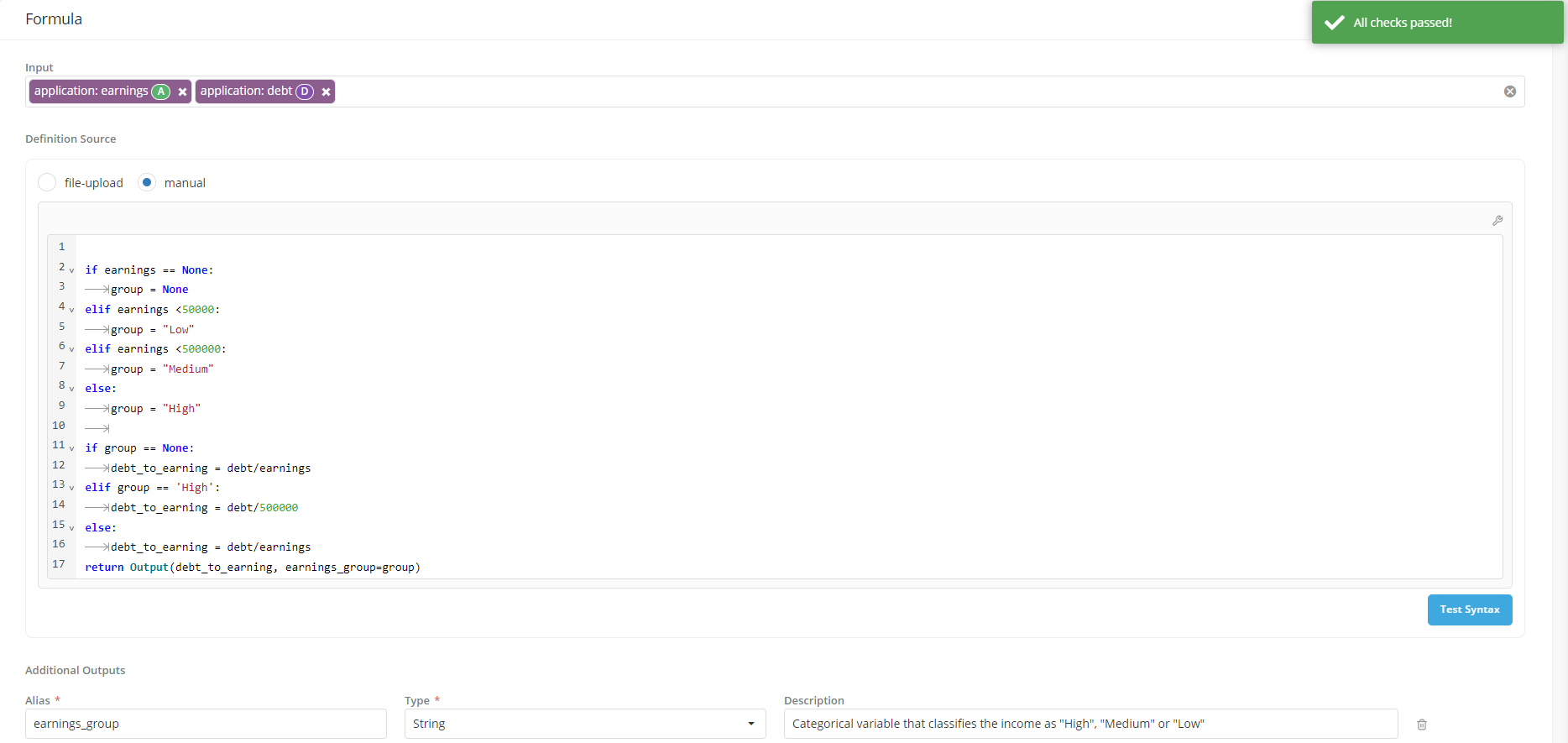
For the main analytical objects in the platform that are computed from other objects using an analytical formula (i.e., Aggregated DEs, Features and Models) users have the ability to specify additional output fields that they want to compute when the object is simulated. Once calculate, these additional outputs can only be used to create job output reports for the object (they won't be available when the object is called as an input to other objects).
- These additional outputs are optional
- They are intermediate values that are generated by the definition formula and stored along with the main output
-
To create them users need to specify
- An alias: which will be used to analytically refer to the object
- The alias will have to be a value that is calculated in the main definition
- The alias will have to be part of the main definition’s return statement
- A type: the variable type
- An alias: which will be used to analytically refer to the object
-
To allow the definition of additional outputs the return statement will have to be specified as follows:
- Assume object definition input is
X - Assume
Y = f(X) - Assume
main_output = g(X, Y)Then the return statement should be written as: return Output(main_output, additional_output1=Y)
- Assume object definition input is
-
For Spark, we currently already have 2 outputs - i.e.
idand(2nd column is always the output column). For additional outputs, we will require the user to provide more columns in dataframe with the intermediate calculations. return df[['id', 'output', 'additional_output']]
Example
- User is registering a feature called Requested Loan Amount To Income which is calculated as the ratio of Requested Loan Amount to Annual Income.
- User must provide the feature’s definition (formula) during the registration process by writing the calculation formula in the definition source box.
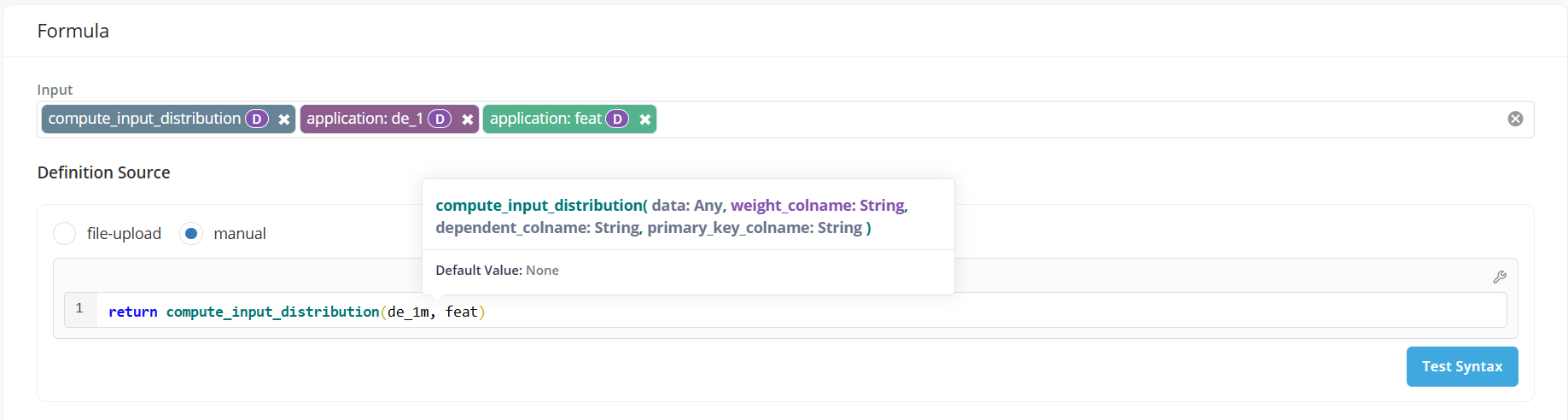
- If the definition uses registered Global Functions as inputs, users can view the arguments of the function while typing.