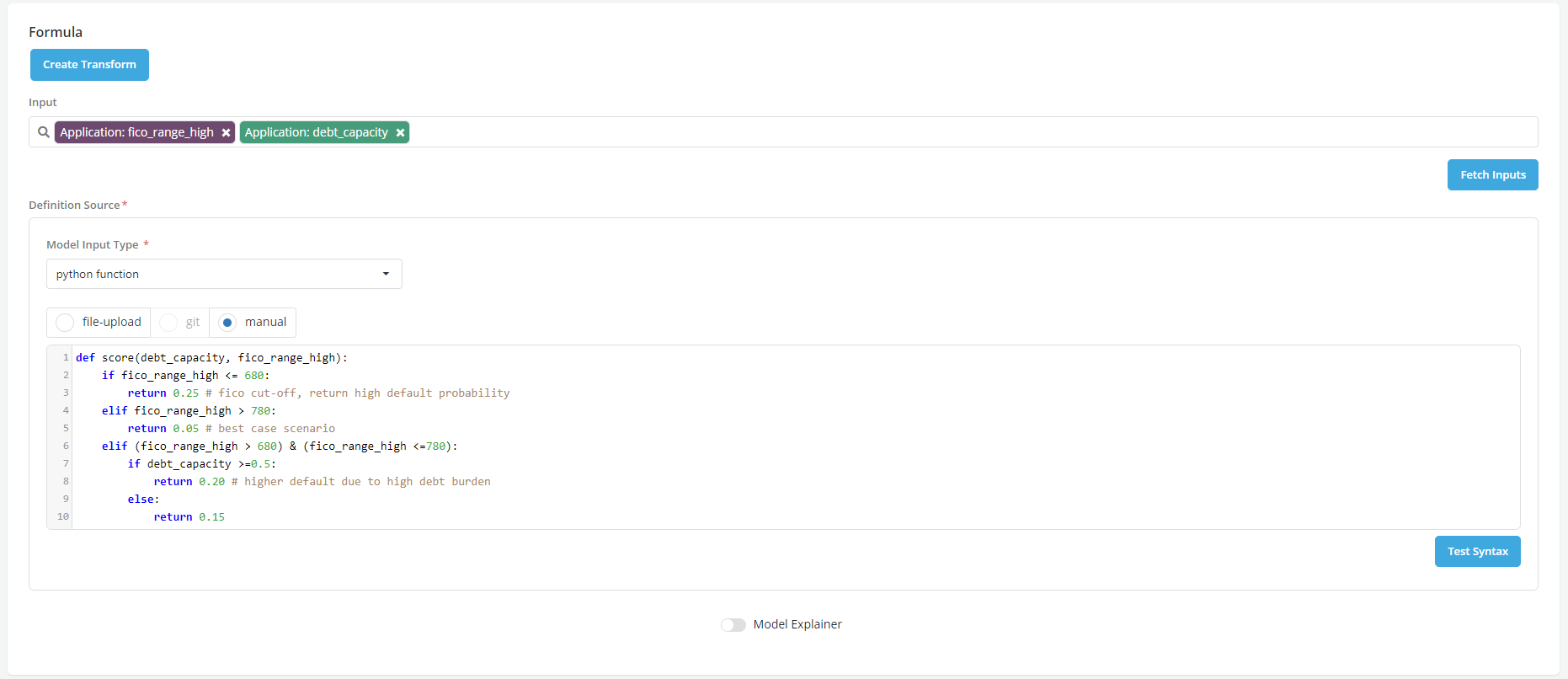
Input(s)
Overview
At the time of registering an object (aggregate), the User may be asked to specify the inputs to the formula that will be used to generate the object.
The type of inputs that can be used to create an object depend on the position of the object within the analytical lifecycle:
- For Features, the inputs can only be data elements (simple or aggregate) and/or other features that have been registered in the platform.
-
For Models, the inputs can be data elements, features or other models that have already been registered in the platform.
-
For Policies, the inputs can be data elements, features and models
In the default setup of the platform, only approved objects can be used as inputs to other objects. However, draft objects can be used as inputs to other objects if the Publish Drafts option is enabled.
The inputs can be selected from the list that appears when the user clicks on the input box.
- D (purple color) shows an object in a draft status
- A (green color) shows an object in an approved status
- P (amber color) shows an object in pending approval status
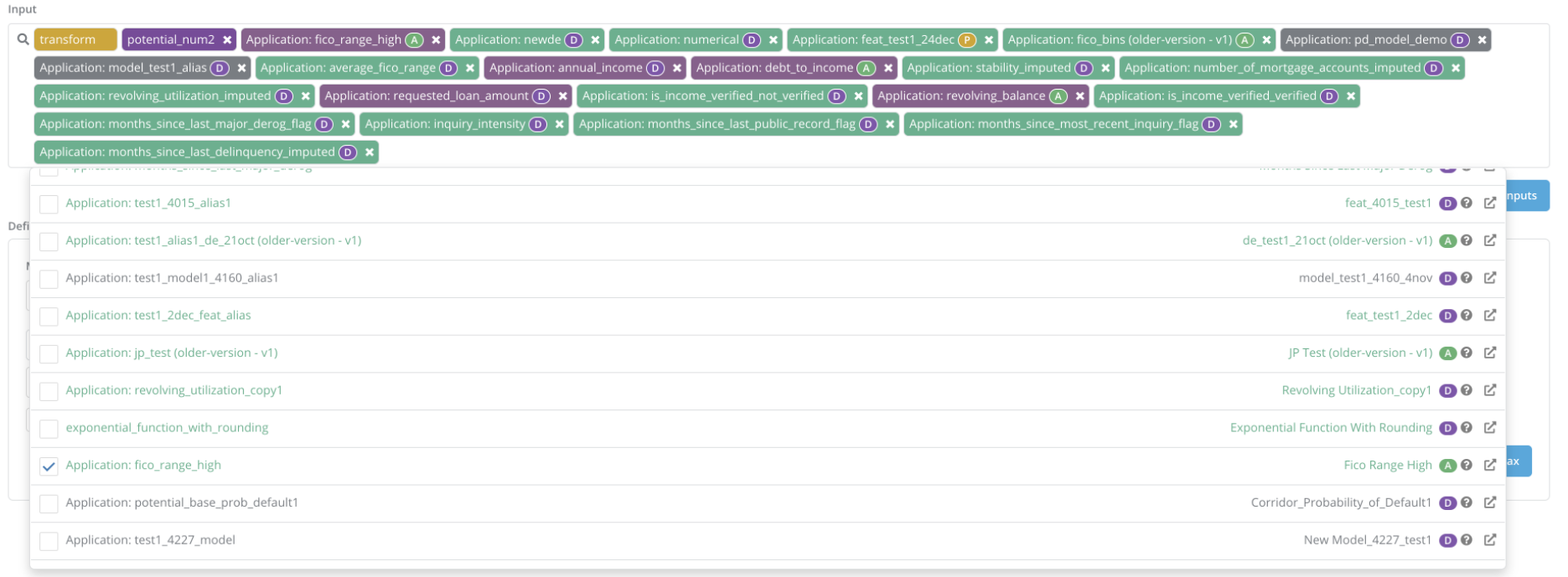
- While registering a model, the input variables can be fetched automatically and loaded into the input box by clicking on Fetch Input

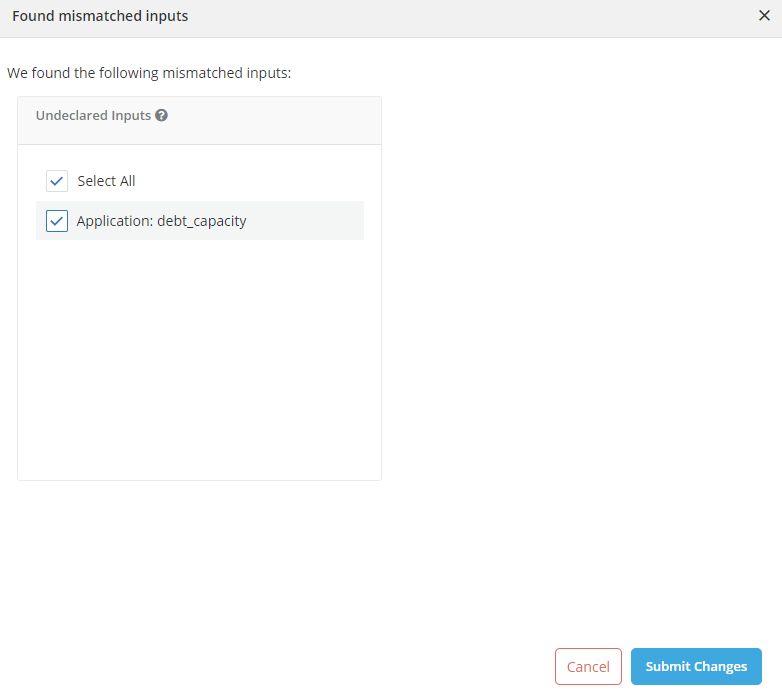
- If the model definition does not match the inputs that were automatically fetched (i.e, 1/some of the inputs found in the definition are not listed in the definition box (Undeclared), 2/ have not been registered (unregistered) or 3/ are not used in the definition (Unused)), the system highlight those inconsistencies and prompt users to correct them.
Example
A User wants to register a model called Probability of Default to calculate loan default in 18 months. In this case, the FICO range high and DEbt Capacity are the inputs.