Single Policy Activation
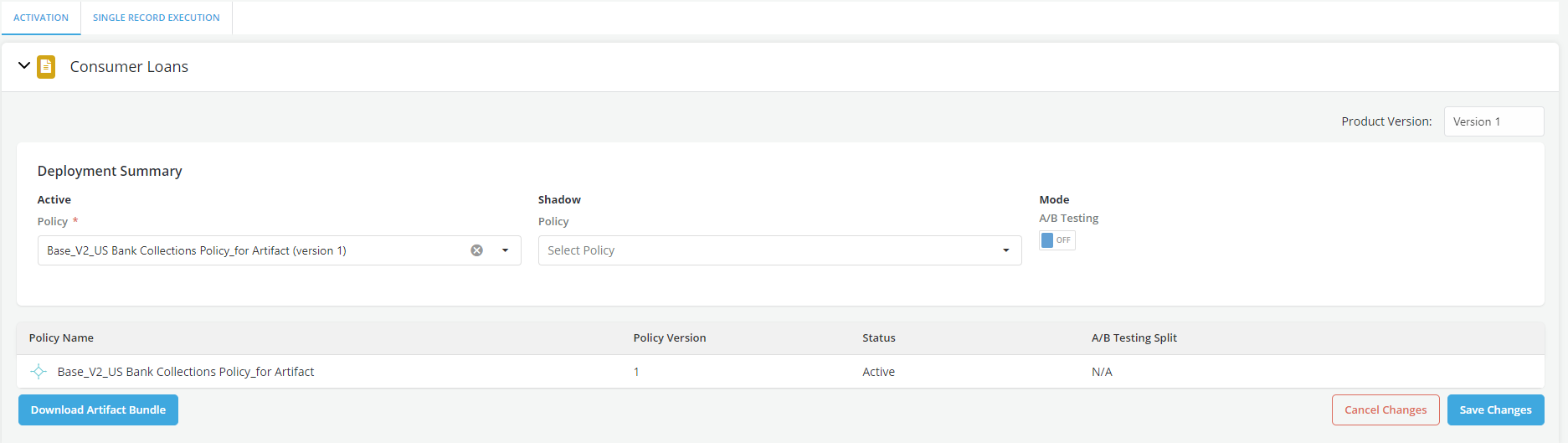
Only one policy can be active (or two under A/B Testing) for a specific version of a Product.
Activating a Policy?
-
Click on the Edit button on the top right of the page.
-
Click on the dropdown menu on the left of the page under the Activation Tab and choose any of the policies provided below.
-
Make sure that A/B Testing Toggle under the Mode tab is turned to OFF

-
Click on the Save Changes button to save your choices or on the Cancel button to discard them
-
The respective Status of the Policies chosen will change to reflect the user's selections
Activating a Policy using A/B Testing for a product
-
Click on the Edit button on the top right of the page.
-
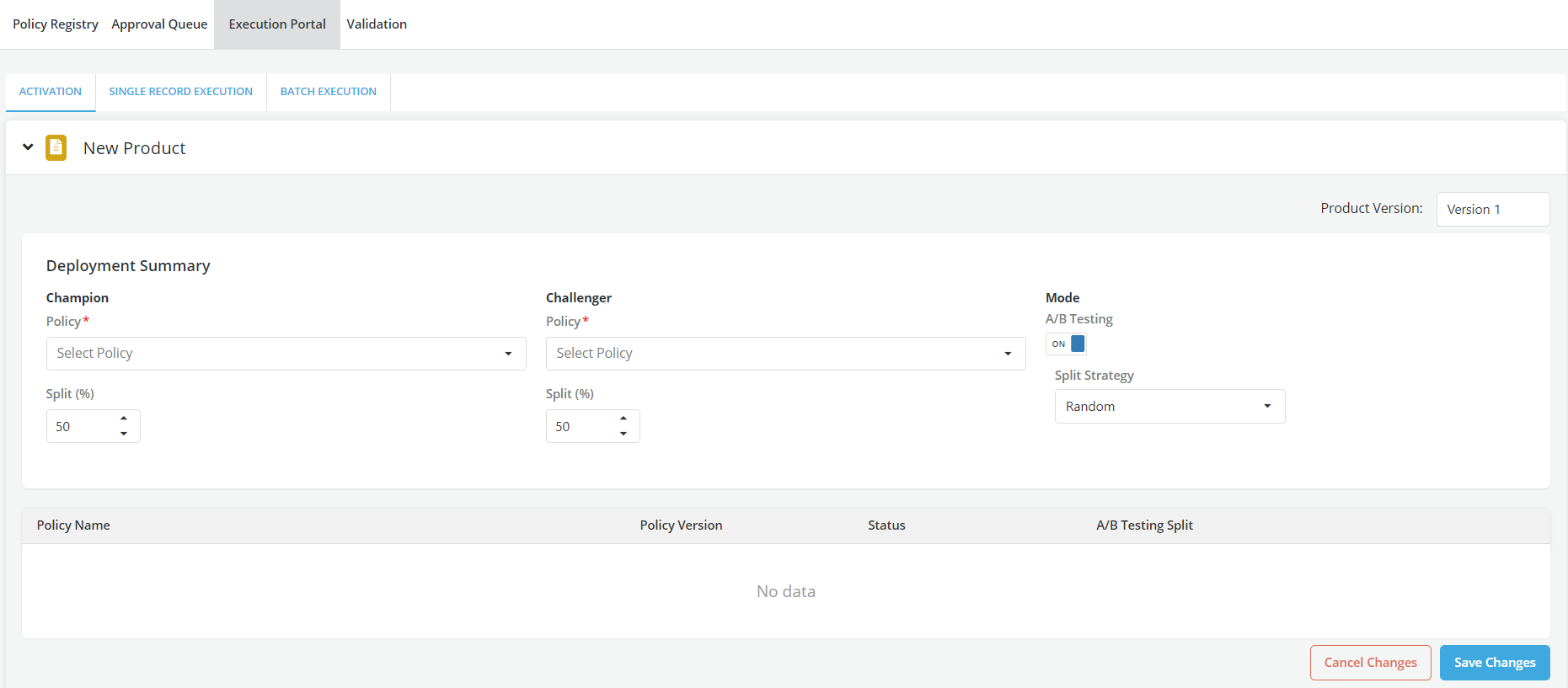
Click on the dropdown under the Challenger option and choose any of the policies provided below. Also, select the split percentage for this policy.
-
Click on the dropdown menu under the Champion Tab and choose any of the policies provided below. Also, select the split percentage for this policy.
-
Make sure that A/B Testing Toggle under the Mode tab is turned to ON and choose the Splitting Method.
-
Click on the Save Changes button on the top right of the page to save your choices or Cancel to discard them.
-
The respective Status of the Policies chosen will change to reflect the user's selections