Registering a Model Explainer
Overview
An explainer is a model that can be used to measure the contribution of one input field to either an individual prediction (local contribution) or the overall sample prediction (feature importance). The platform allows registering an explainer for the model.
Where is this done?
Model Explainer is defined while registering a model.
How to register a Model Explainer
-
At the time of registering a model, in the Formula section, enable the Model Explainer
-
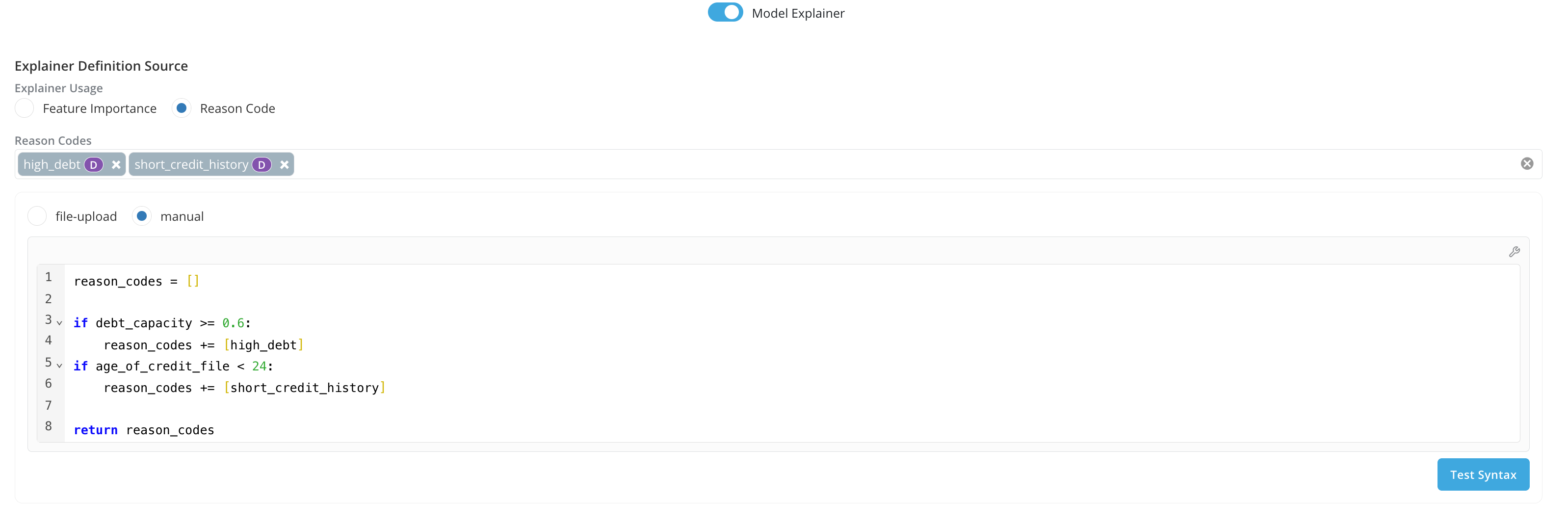
Explainer Usage: There are 2 ways to register the model explainer based on how the explainer would be used:
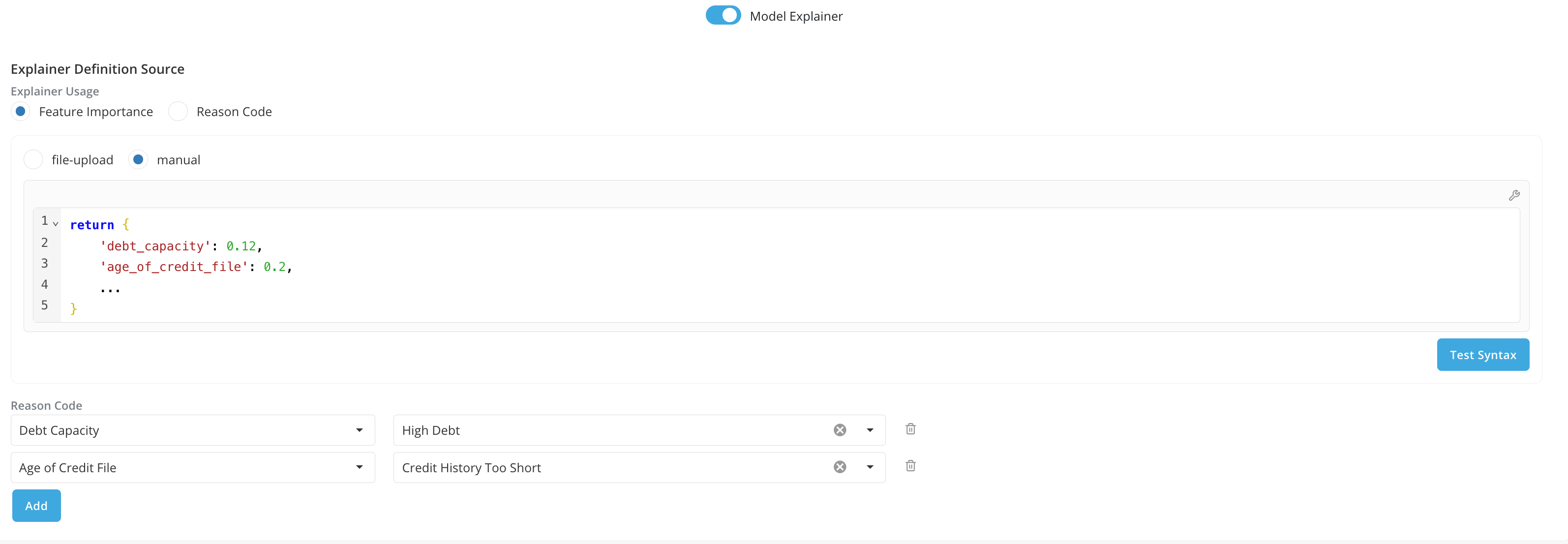
- Feature Importance: Can be used if users would like to show contributions from each of the model inputs.
- Reason Code: Can be used if users would like to get the list of reason codes that will be generated by the model.
- Feature Importance: Can be used if users would like to show contributions from each of the model inputs.
-
Explainer Definition:
-
Available Inputs For the Explainer Definition: The platform provides a set of pre-defined variables to be used in the Explainer Definition, including:
- All the inputs that have been selected in the Input box for the model. User can access each input by their aliases.
- The model object. User can access the model object by the variable name: model. The type of the model object provided to the Explainer can differ based on Model Input Type:
- If Model Input Type is Pickle or PMML: model object is the initialized model. Users can use all the methods available for the model. For instance, for an XGBoost model from sklearn, users can get the prediction by calling
model.predict_proba(...) - If Model Input Type is Python, H20-MOJO, ONNX or Lookup: model object is the python function defined in the model definition. Users can use it by providing the inputs in the function call
model(input1, input2, ...) - If Model Input Type is CUSTOM: model object is the return value of the Initialization Logic defined in model definition.
- If Model Input Type is Pickle or PMML: model object is the initialized model. Users can use all the methods available for the model. For instance, for an XGBoost model from sklearn, users can get the prediction by calling
- Additionally, if Explainer Usage is Reason Code, users can select and access a list of registered Reason Codes.
-
Expected Return Value For the Explainer Definition.
- If Explainer Usage is Feature Importance, the platform expects the return value of the definition to be the contributions for each model input. For instance, users can use Explainer logic from SHAP and return a dictionary containing all the shapley values for each input feature, like
return {'input1': shapley_value, 'input2': shapley_value, ...} - If Explainer Usage is Reason Code, the platform expects the return value of the definition to be a list of registered reason codes.
- If Explainer Usage is Feature Importance, the platform expects the return value of the definition to be the contributions for each model input. For instance, users can use Explainer logic from SHAP and return a dictionary containing all the shapley values for each input feature, like
-
Input Feature to Reason Code Mapping (Explainer Usage is Feature Importance only)
- Additionally if Explainer Usage is Feature Importance, besides returning the dictionary of contributions for each input feature, you can also map the registered reason code to the corresponding input feature
-
-
Note: When running a job on the platform, by default model importance report will only be run if Explainer Usage is Feature Importance.