Registering a Transform
Overview
A transform is an analytical transformation applied to a model input prior to using it in a model. For instance variable standardization, log transformation, one hot encoding are all transforms that are commonly used in modeling.
Where is this done?
If used in a model, transforms must be registered while registering a model.
If used in a dataset, transforms must be registered while registering a dataset.
How to create a Transform
Process Flow
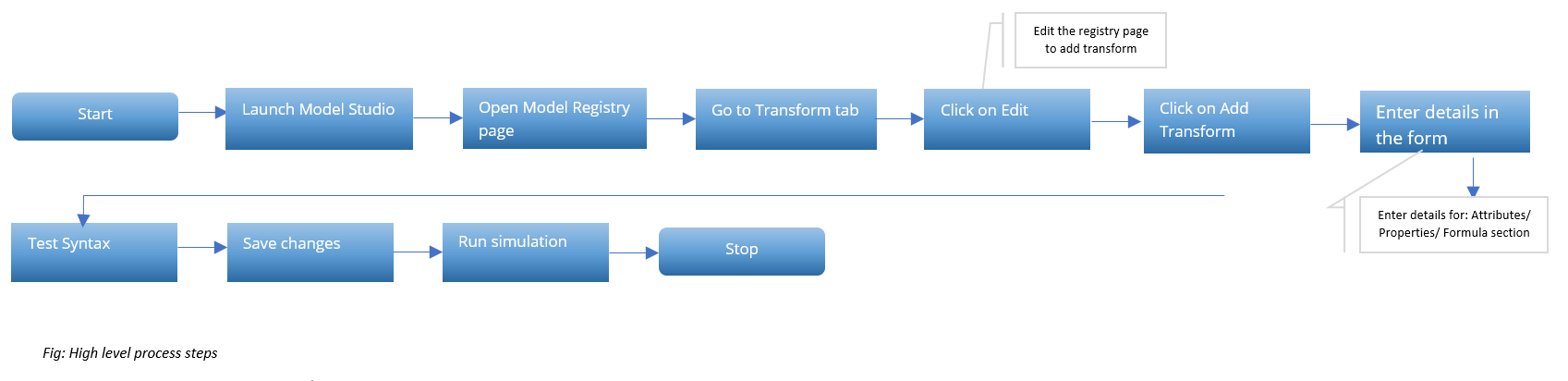
- Click on the Transform tab at the top the page to access a page to start adding transforms
- Click on Edit
- Click on +Add Transform

-
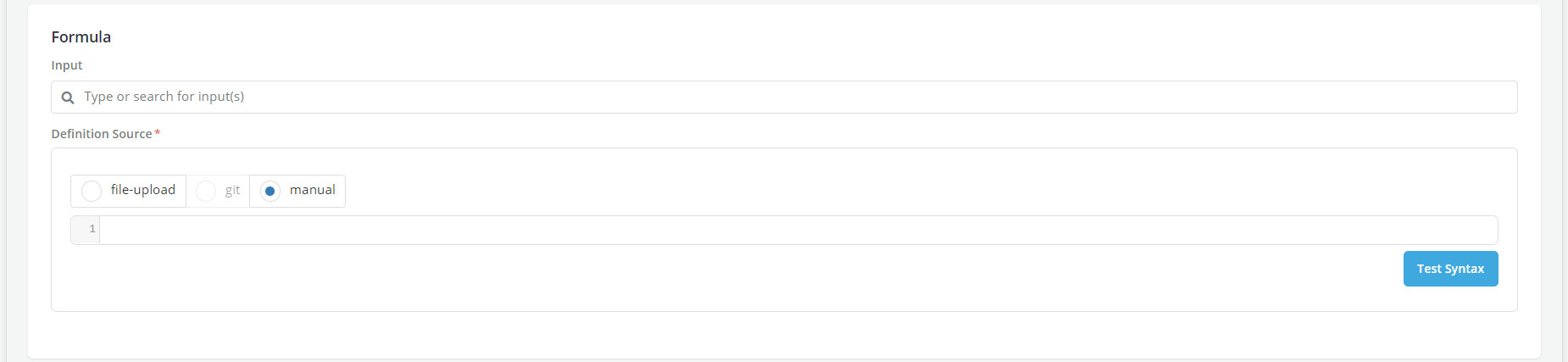
A New Transform creation form (similar to the new feature creation form) will be displayed where details can be added related to the transform description, naming, group assignments, permissible purpose, and formula exactly the same as it is done to creat a new features.
-
Click on Test Syntax to get confirmation of valid code on top
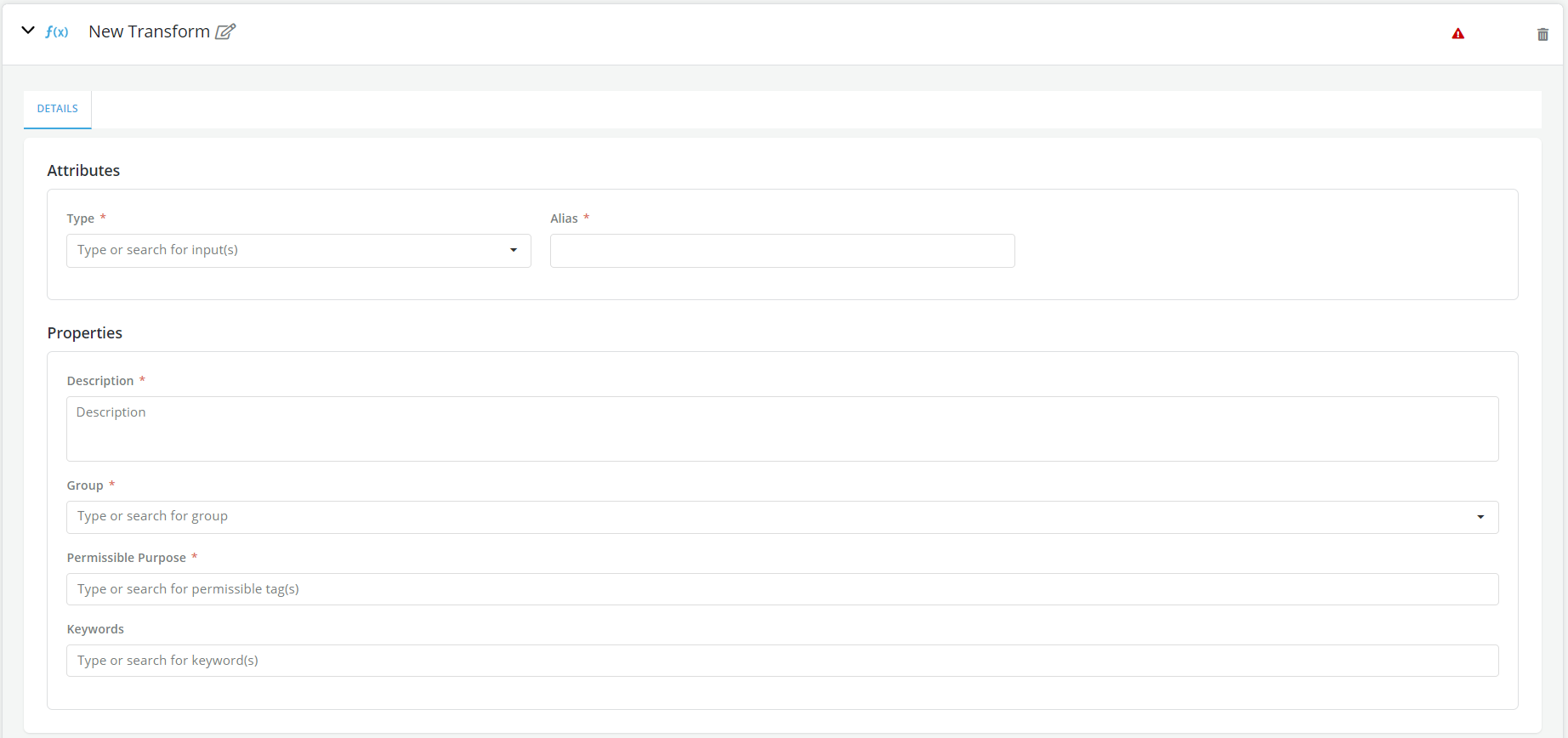
- User can click on Save at the top right of the relevant transform variable after completing the New Transform creation form
-
Click on Stop Editing
-
User can either go back to the Models Details page to continue entering the model formula or simulate or review the transform output.
How to Copy a Transform
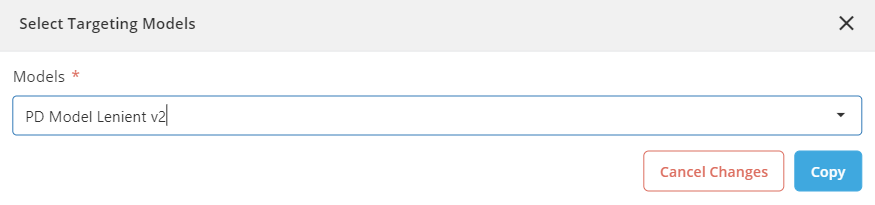
- User can copy the existing model transform within the same model or across different models
- Click on the copy icon

- Select the model from the drop down
- Click on Copy
Run Simulation
It is advised that transform simulations be run before model simulation so that possible errors on transforms do not affect the model simulation that was run.
However, it is possible for users to submit the associated model for approval, without the need to run a simulation for the model's transforms.