Registering a Product Type
Overview
Product Types refer to families of products that businesses in a specific industry offer to their customers.
Products belonging to the same product type will have a common structure (e.g., all fixed-term installment loans can be grouped under the same product type). However, they will differ in the value that some of the configuration parameters of the product may be set at. For instance, 36-month installment loans and 60-month installment loans are both Fixed Term installment loans.
Examples of product types are: Installment Loans, Credit Cards, Insurance Policies
How to Create a Product Type
Creating a Product Type
In the default roles set up, only Users with Administrative privilege can create a Product Type.
-
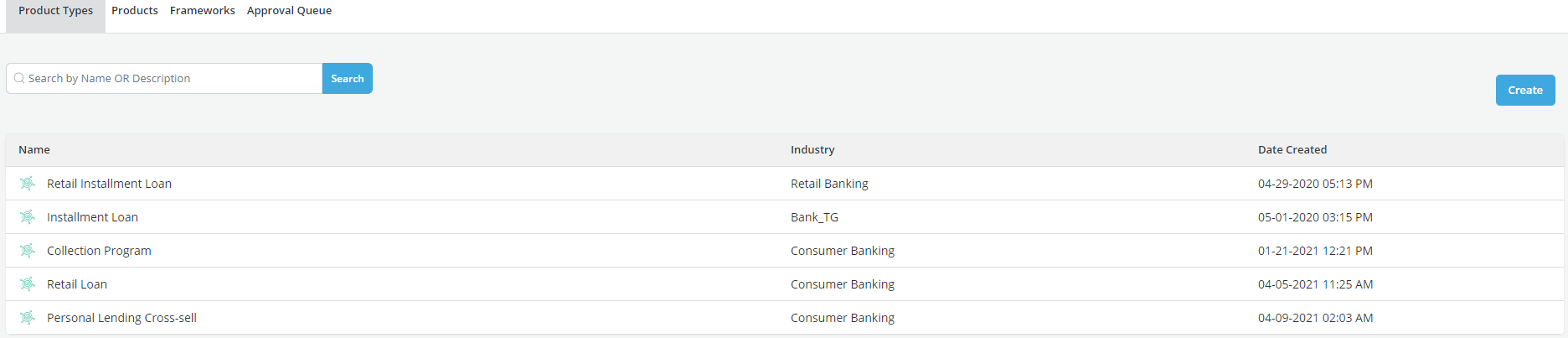
Click on the Product Types tab in the Product & Framework module.
-
Click on the Create button
- Complete the values for Industry and Description in Product Type Details tab
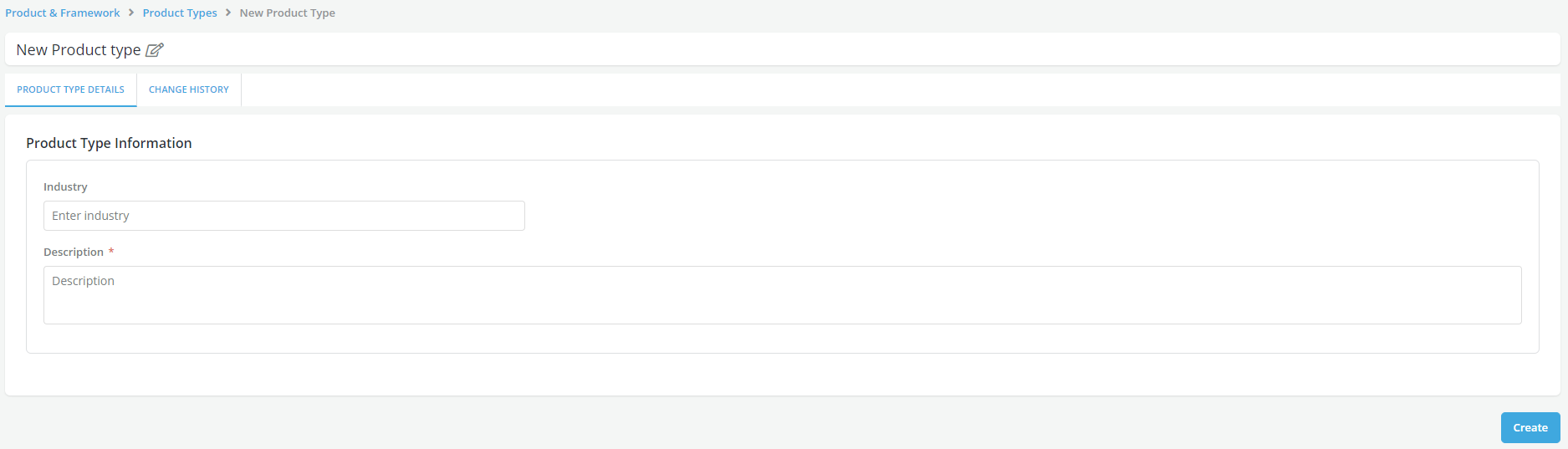
- Click on Create button to save the Product Type as a Draft.
Editing a Product Type
-
Objects that are still in draft status can be set in edit mode so that Users can make modifications to them prior to sending them for approval.
-
Refer Edit section for details.
Copying a Product Type
Copying a Product Type allows a User to create a new Product Type using the information of the existing one. The new Product Type will be an exact copy of the original Product Type with a new name of the format "oldname_copyX". The new Product Type name as well as all other details can now be changed by the User and saved independently of the original Product Type.
Refer section on Copy for details.
Product Type list
All approved Product Types will be listed under the Product Type tab. Once a Product type is created, it can be used to create products.