Registering an Experiment
Overview
Experiments are model estimation jobs which can be used to execute logics defined in the linked Algorithm on its corresponding Dataset.
This is the last step of the inbuilt guided model development process after creating an Algorithm and registering a Dataset.
The trained model output from the experiment job can then be reviewed and registered as Model for downstream processes such as Policy writing and performance reporting.
Where is this done
Experiments are registered in Model Studio module.
Create New Experiment
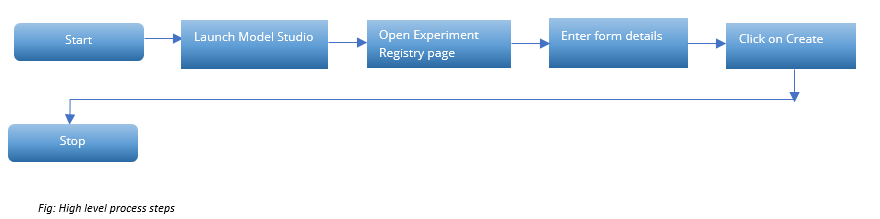
Process Flow
-
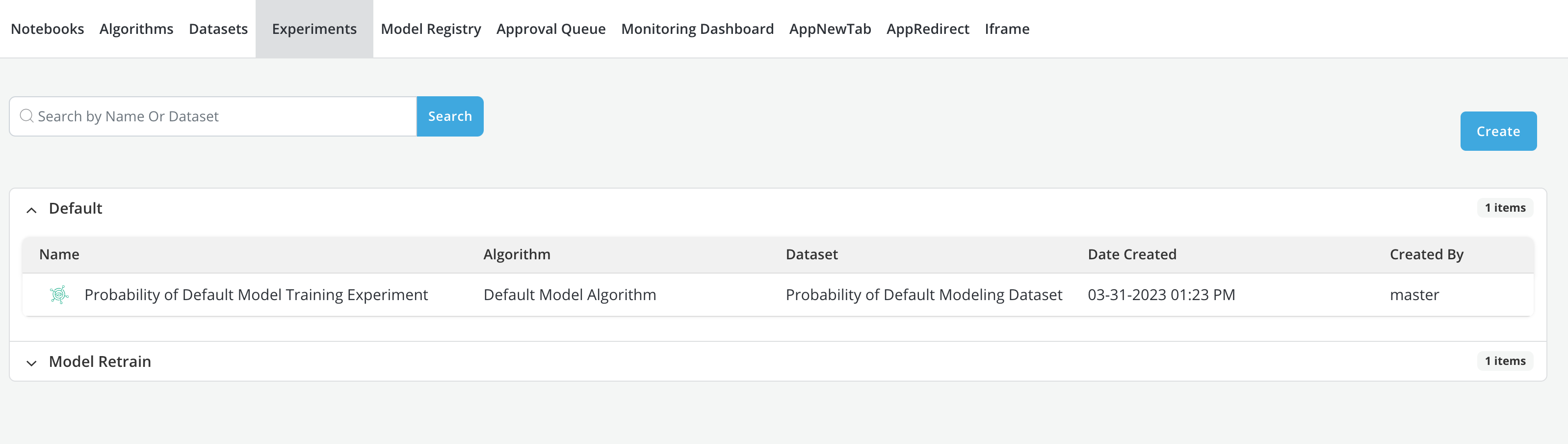
Click on the Experiments tab within the Model Studio application
-
Experiments already registered on the Platform can be accessed under the Experiments tab
-
Click on Create button on the top right corner of the application
-
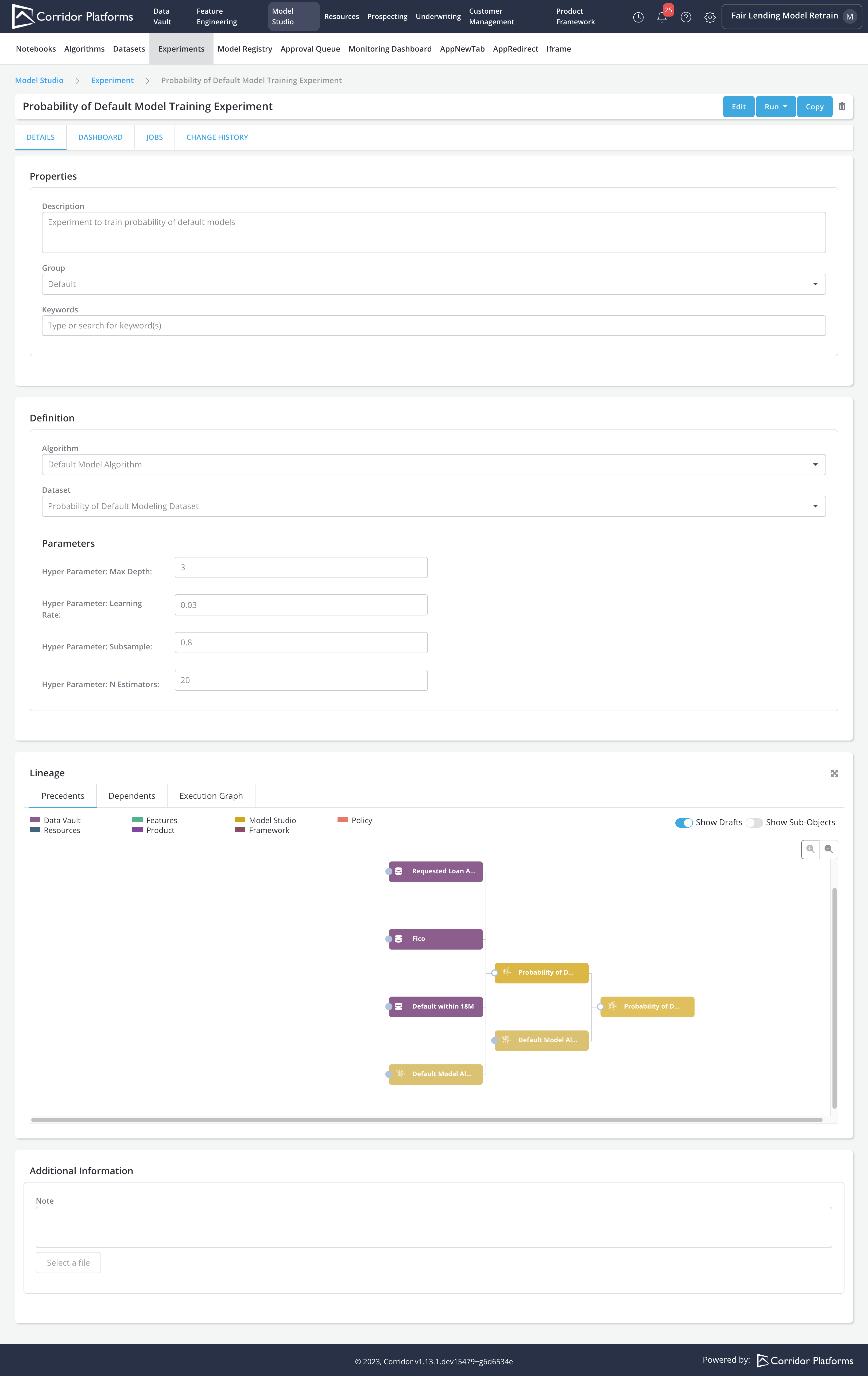
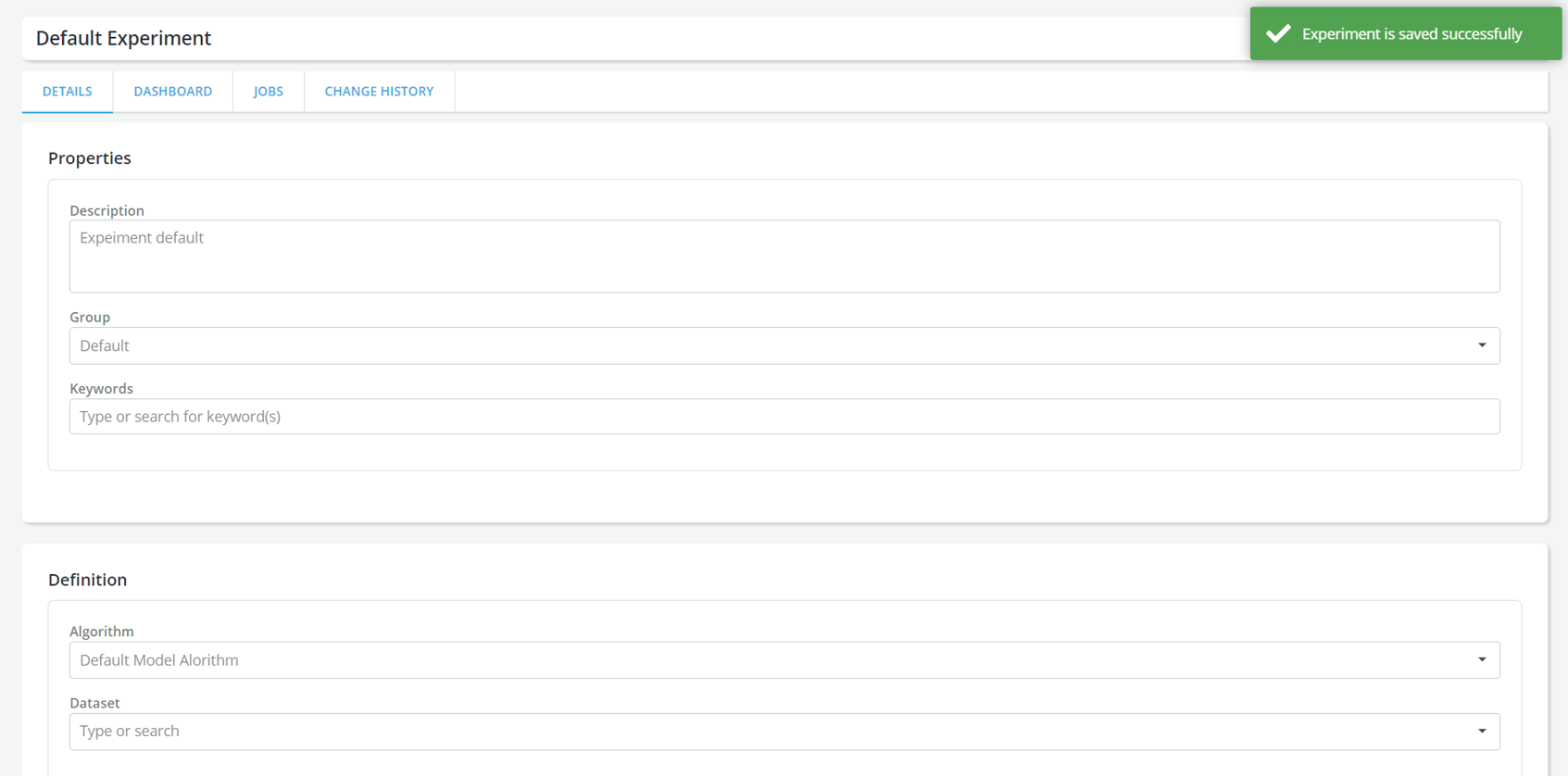
Experiment Details page will be displayed, enter all the information about the experiment:
-
Experiment Name: Name of the experiment in a free format.
-
Description: A free format description of the experiment for documentation purposes.
-
Group: The group that user wants to allocate the experiment to (e.g. Probability of Default Experiments, etc.)
-
Keywords: An example of a Keyword can be a word that expresses where the experiment will be used (modeling), etc.
-
Experiment Definition:
-
Algorithm: Experiment job will train the model based on logics defined in the linked Algorithm.
-
Dataset: Dataset to execute the linked Algorithm. Only * Datasets registered for the linked Algorithm can be selected.
-
Dataset is optional to create the Experiment That means User should be able to register the Experiment successfully without choosing the dataset.
-
When running the Experiment simulation, if user clicked on use existing simulation, a warning message should show up stating that dataset is not provided for running the experiment with existing simulation.
- When importing model using experiment result, if no dataset is registered for that Experiemnt, invalid request message should be shown
-
-
Parameters: Additional parameters required by the linked Algorithm
-
-
Run Experiment Job
-
Click on the Run button on the top right corner and select Simulation
-
Run Job Details page will be displayed, enter all the information required for running experiment job:
-
Job Data Creation: Provide the Input Datasets required by the linked Algorithm
- If Use External Data:
- Path to the pyspark dataframes should be provided for all required Input Datasets.
- Dataframes provided should conform to the structure outlined by the Input Dataset Components registered in the linked Algorithm.

- If Use Existing Simulation:
- Valid job should be provided for all required Input Datasets.
- Only dataset jobs from the linked Dataset can be used.

- If Use External Data:
-
Please refer to Run Job for information about other sections in the run job details page.
-
-
Outputs defined in the linked Algorithm can be downloaded upon Experiment job completion
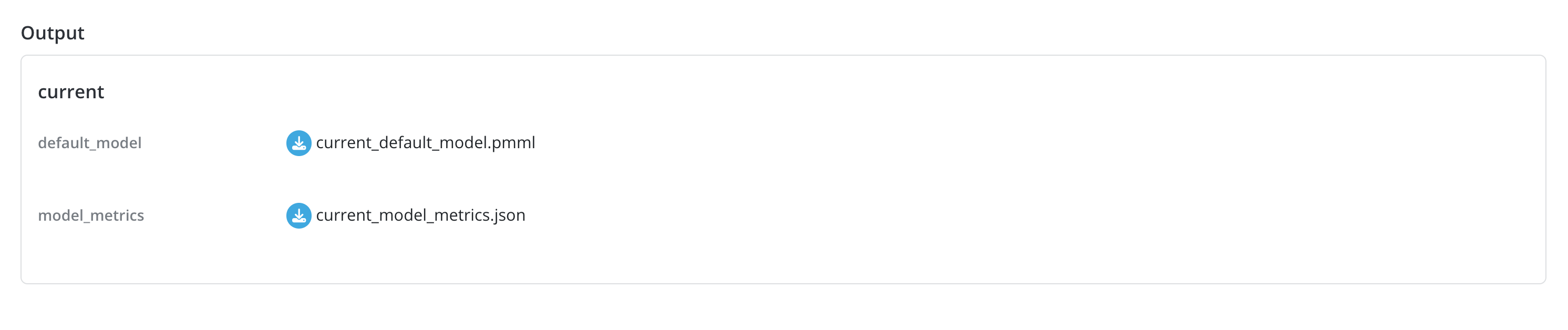
Example for registering an Experiments
- Experiment Details