Requesting Object Access
Overview
This capability allows users to request access to draft objects which they don't have access to.
There are currently two types of accesses (Read and Write) that users can request.
-
Read- With Read access, user can
- View metadata
- Run simulations (only the submitter can see the simulation results)
- Download documentation
- Download artifact
- Use object as input to other objects
-
Write- With Write access, user can
- Edit
- Delete
- Send for approval and manage approval process
- Share with other users
When requesting access, user can choose to request access to the object only or request access to the object along with its lineage.
Note
- Users can only request access for the objects they can potentially have access to based on the user role configuration in Settings
Requesting Access to Objects
-
Click on the link of the Object.
On the platform, there are multiple scenarios that the user might get the link of an object that they don't have access to.
For instance, when examining the lineage of an object, the user might not have access to an input object.
When click on the link for the input object in the lineage tree, user will be prompted to the request access page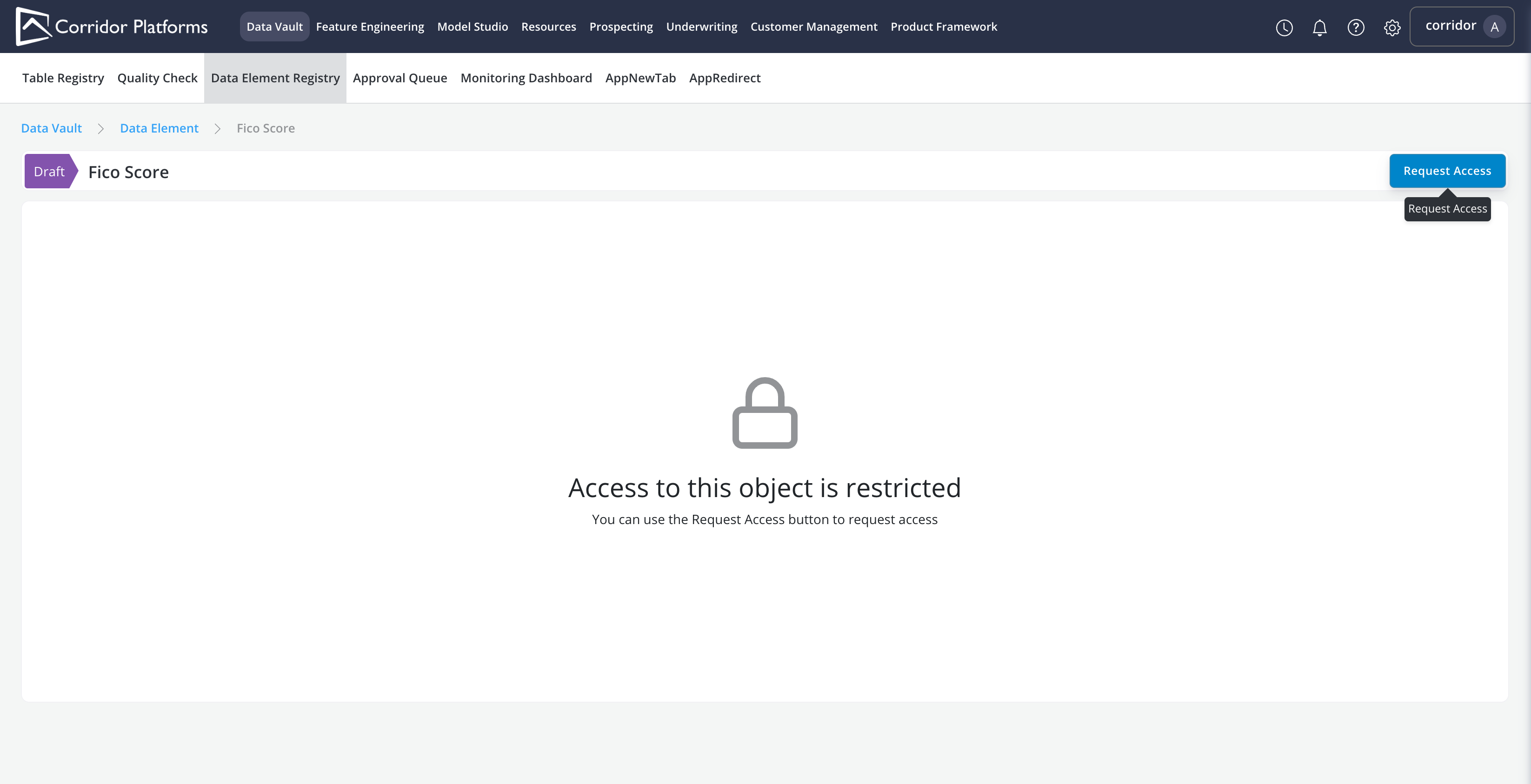
-
Click on Request Access
-
Fill in the Request Access form and Submit
Options in the form:
* Access Type: read or write.
* Request Access to Lineage Objects: request access to both the object and its lineage.
* Request Access From: choose the access grantor.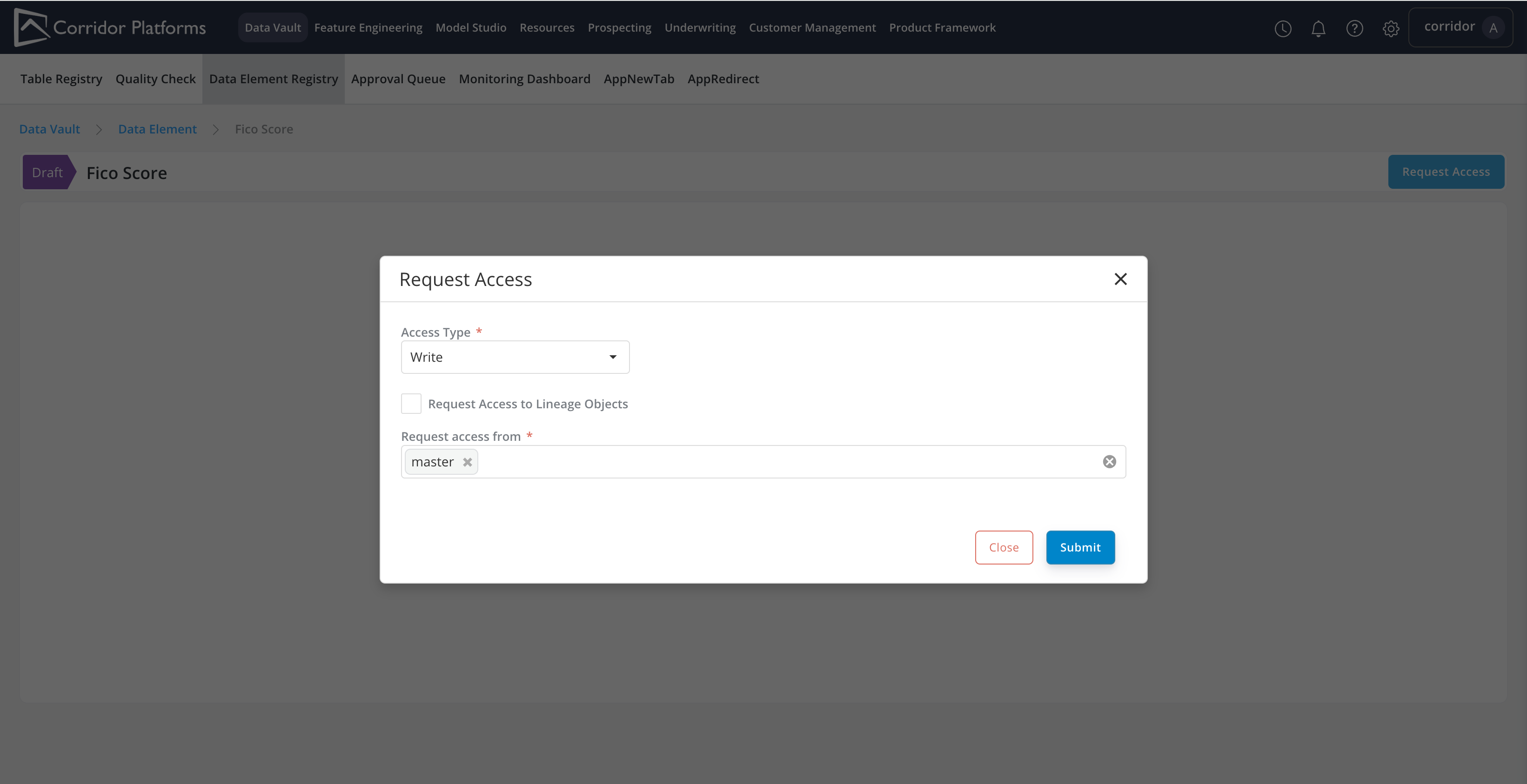
-
Access Grant
Once the Request Access form is submitted. All access grantors will receive the access request notification.
Access grantor can click on the notification and share the access with the requester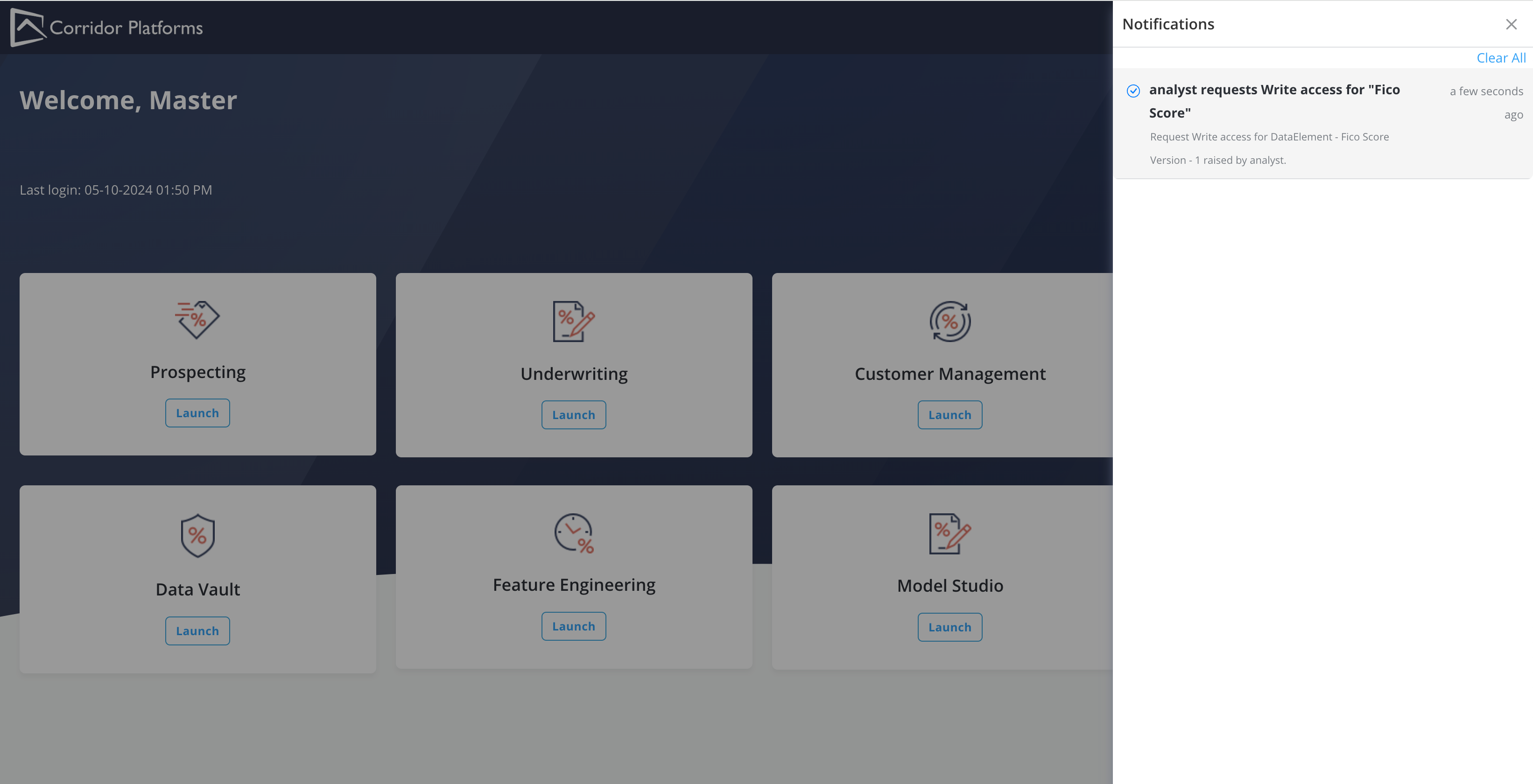
As long as 1 of the access grantor shared the access, the requester will receive the access granted notification and
be able to access the object requested.