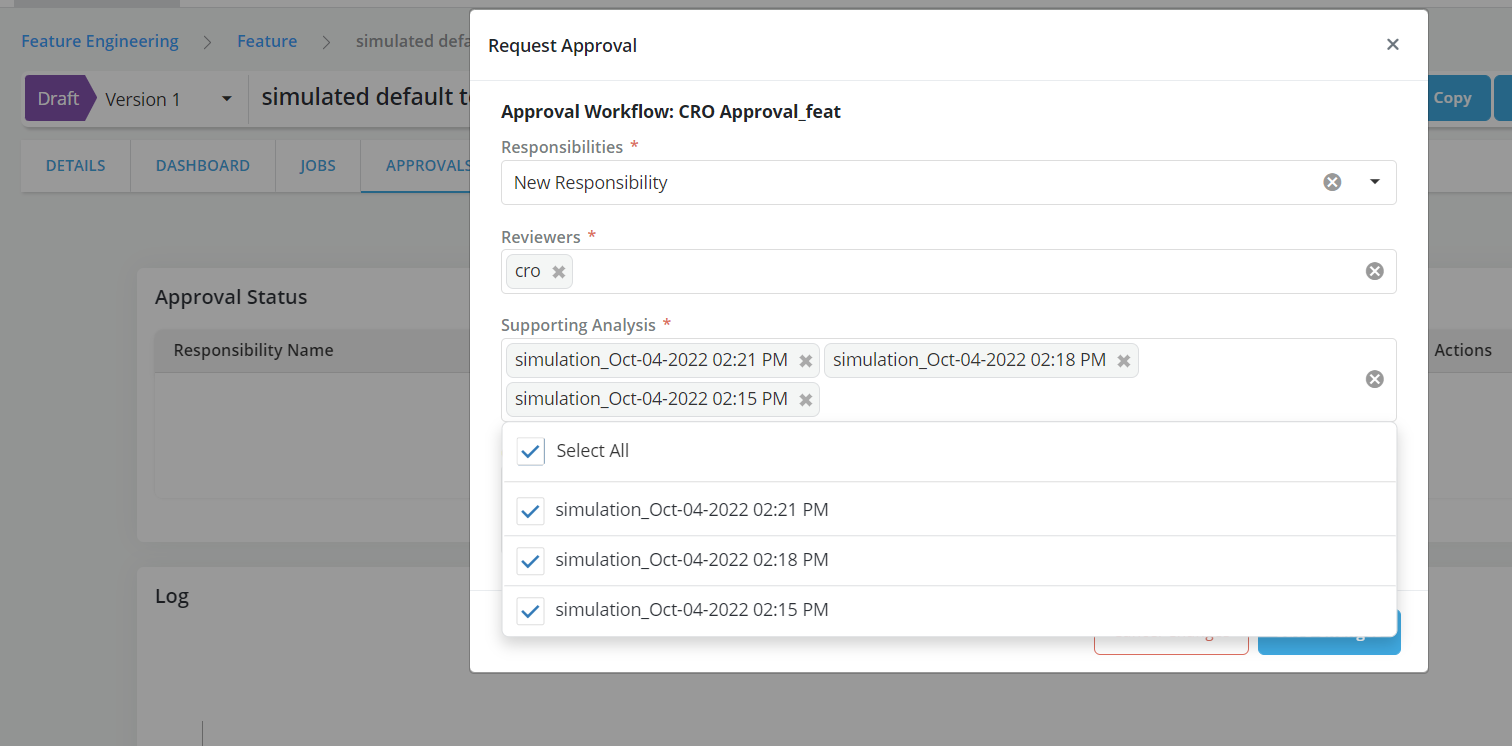
Request Review
Once an Object is registered and simulation is run, it can be sent for review and approval for further use in the platform
Info
When the mode Publish Drafts is enabled, draft can be used by other objects prior to being approved. Otherwise, only approved objects can be used as inputs to other objects. By default, a simulation must be appended to the request for approval. This requirement can be changed at installation time or by the Tech support team."
Reviewing a request
-
Go to Reviews tab
-
Click on Request Review button
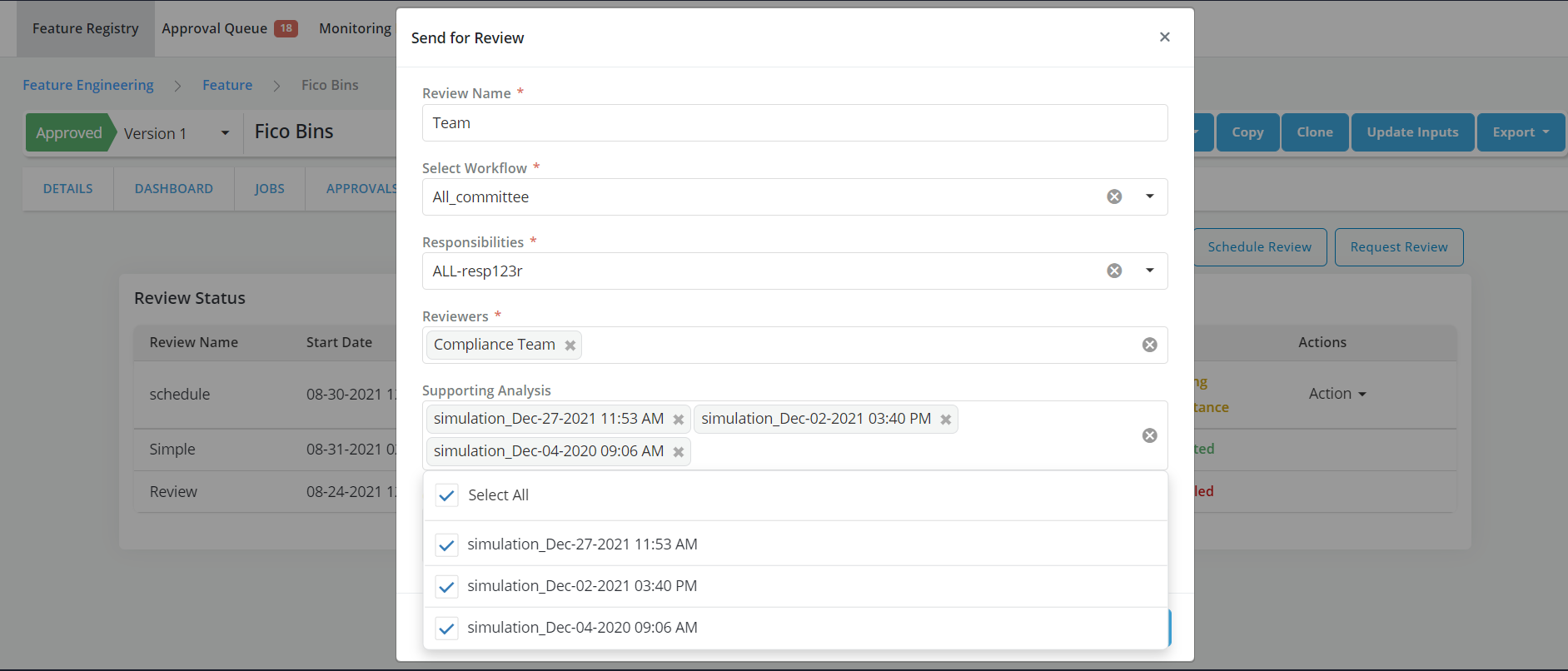
- Fill the request form and click on Save Changes
- Users are allowed to select multiple job results for supporting Analysis
- Refer Approval Workflow for details