Comparisons
A comparison job is a job that compares two or multiple objects on a given sample data. A comparison job will involve the following objects:
-
Current object: Object from which registration page the job is being executed
-
Challenger objects: Challenger objects are objects of same type (e.g., models can be compared with other models, data elements can be compared with other data elements, etc.). Challengers can be selected from a drop down list of object. Users can add as many challengers as they want to a comparison. To add a challenger just click on the "+" button on the right side of the input box.
Where is this done?
This is done using the Run function in any of the registry pages.
Run Comparison
User can compare two or more objects (e.g. models) using the Comparison function:
-
Click on Run
-
Select Comparison
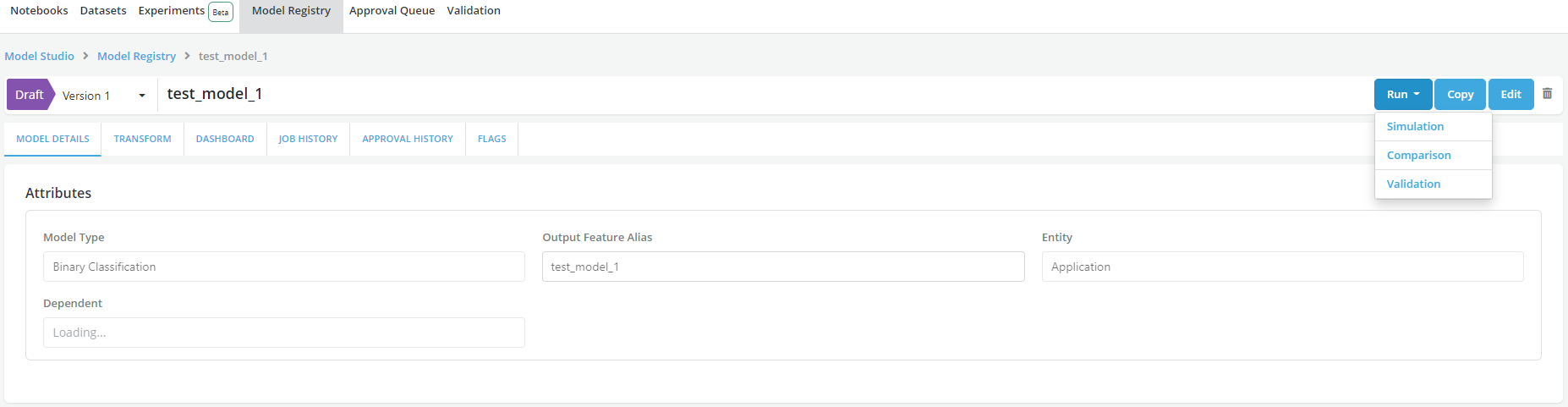
-
Fill the Comparison form, in the
Dependenciessection, users can Add Challengers along with their dependencies required if any. Please refer to Running Job for other general job information to fill in the form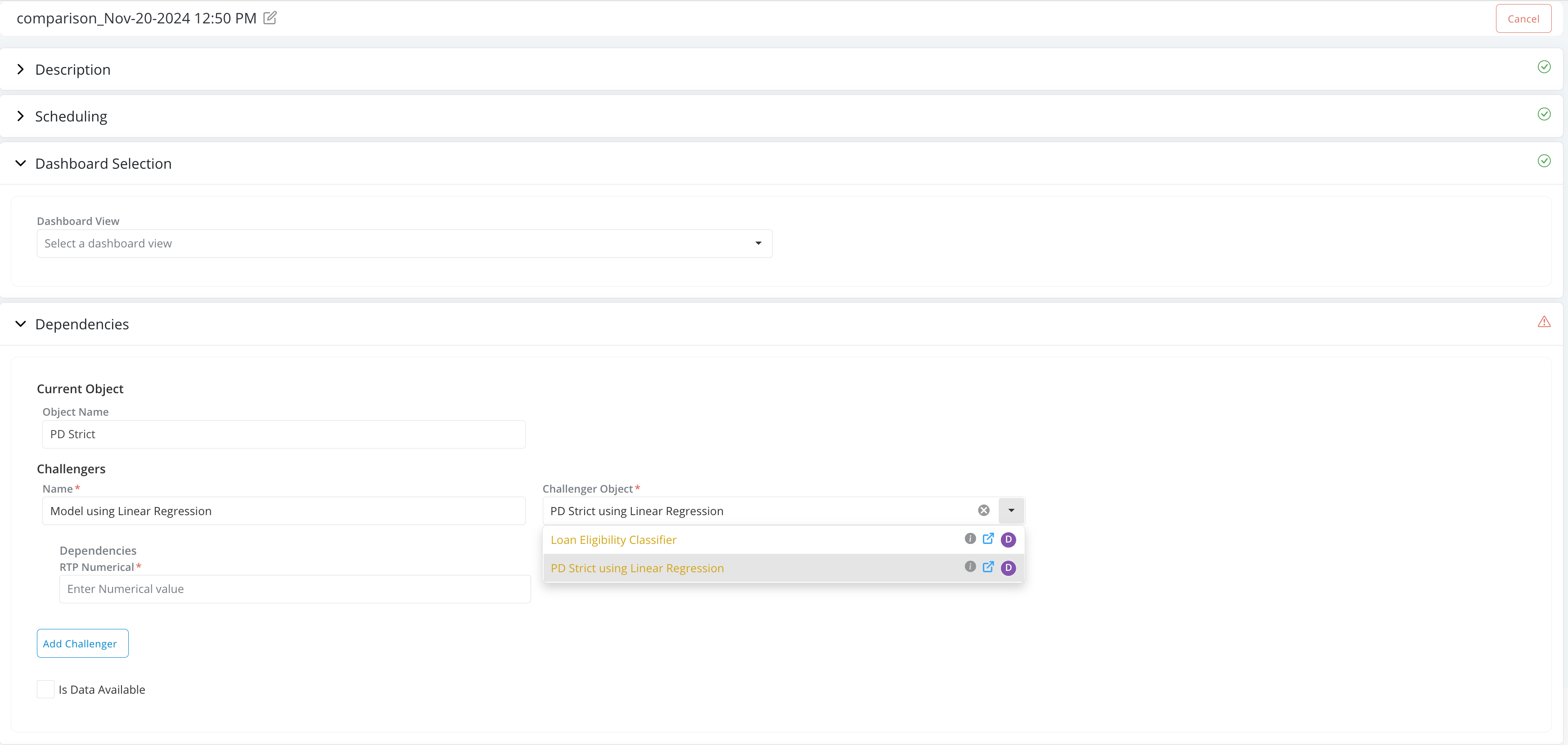
-
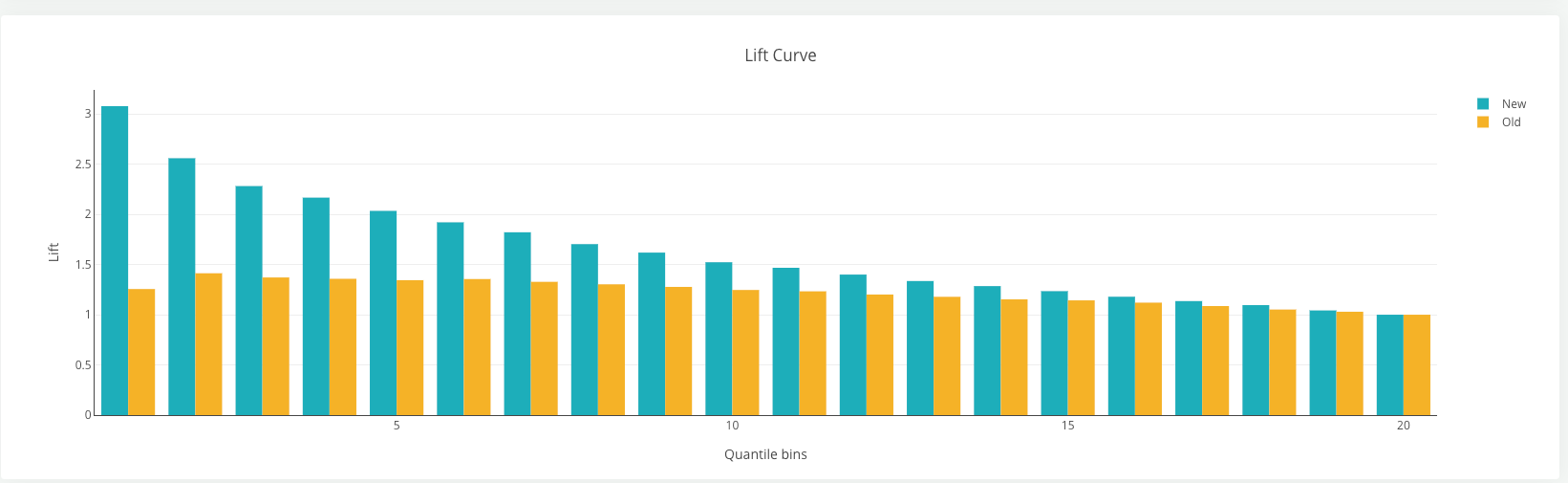
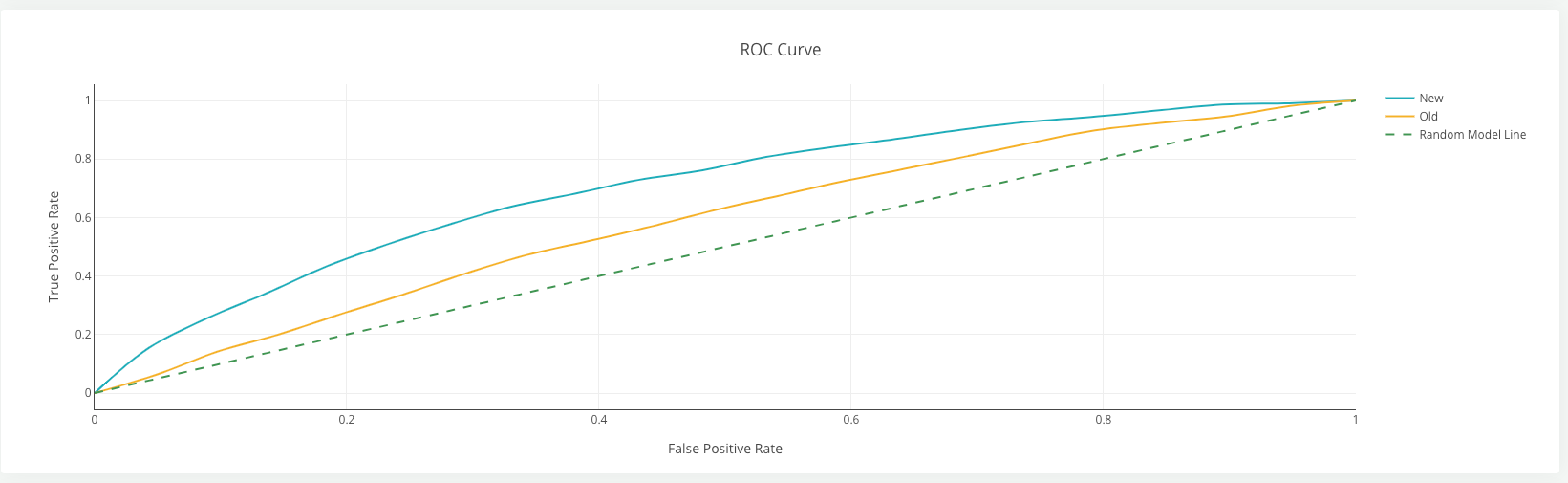
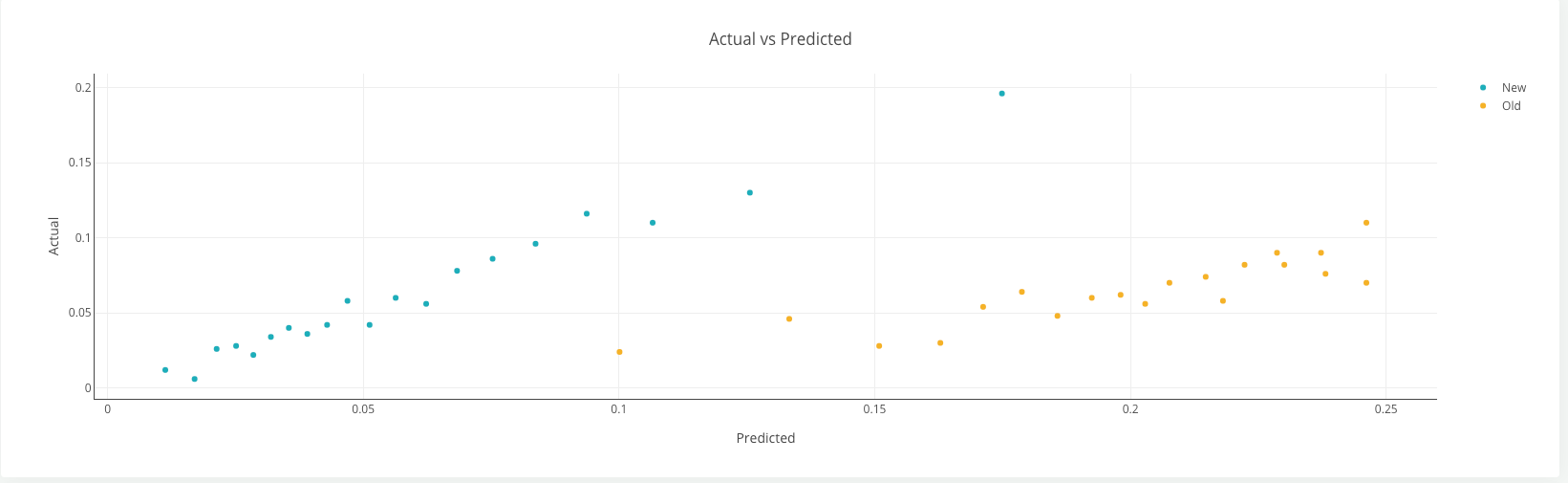
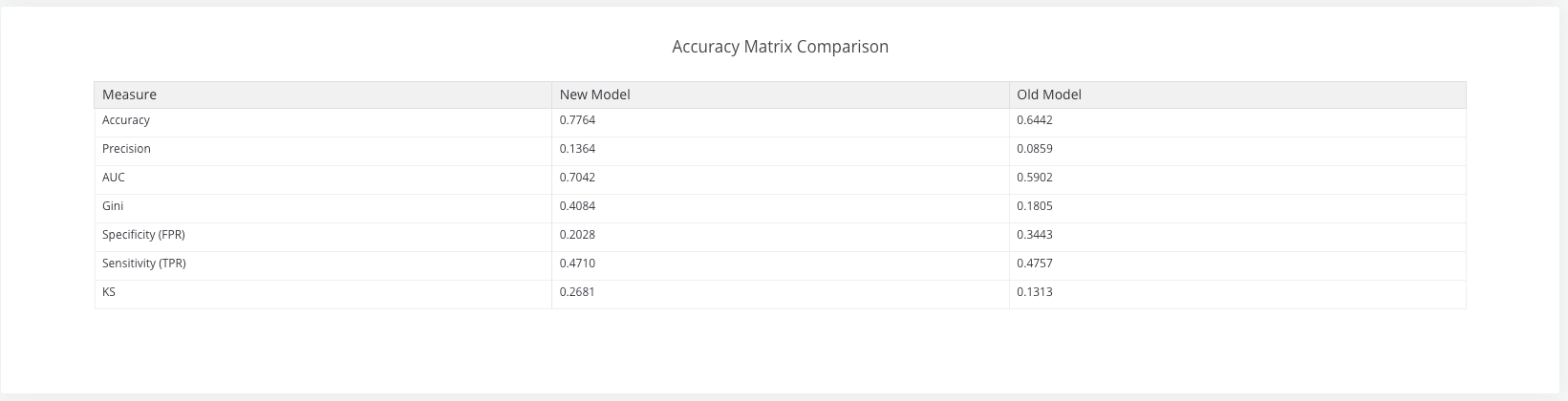
Once the simulation is completed the comparison charts will be displayed in the simulation result page listed in the Simulation History Tab
Examples of comparison charts