Validations
User can validate an object (Data Element, Feature & Model) by comparing its performance on two or multiple samples.
A validation usually requires two types of samples: a benchmark sample and one or multiple validation samples
Where is this done?
This is done using the Run function in either Data Vault, Feature Engineering or Model Studio.
Run Validation
-
Click on Run
-
Select Validation.
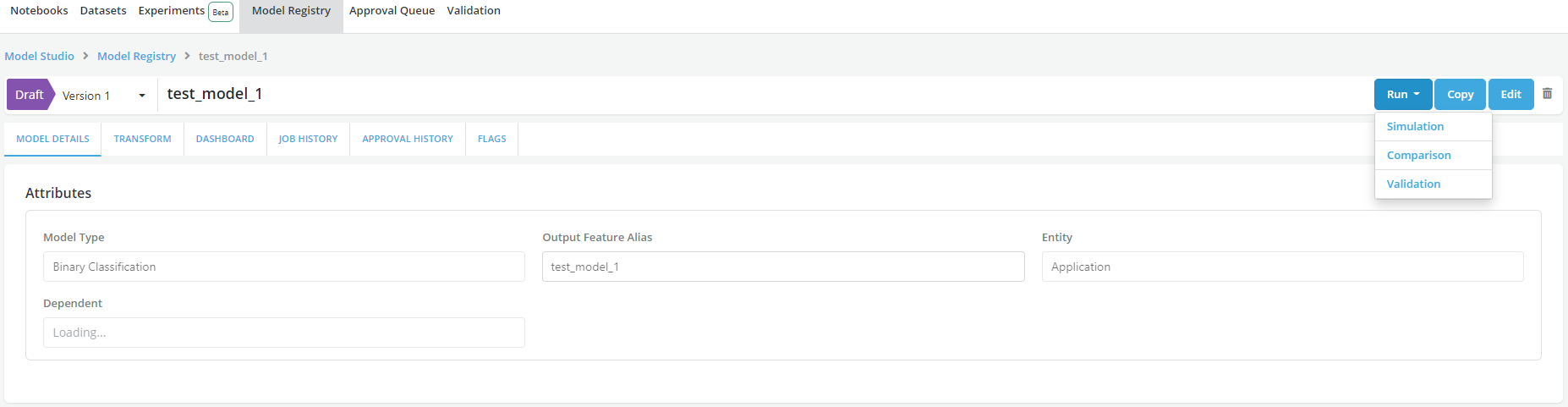
-
Fill the Validation form. In the
Dependenciessection, users can Add Benchmark Simulations. Please refer to Running Job for other general job information to fill in the form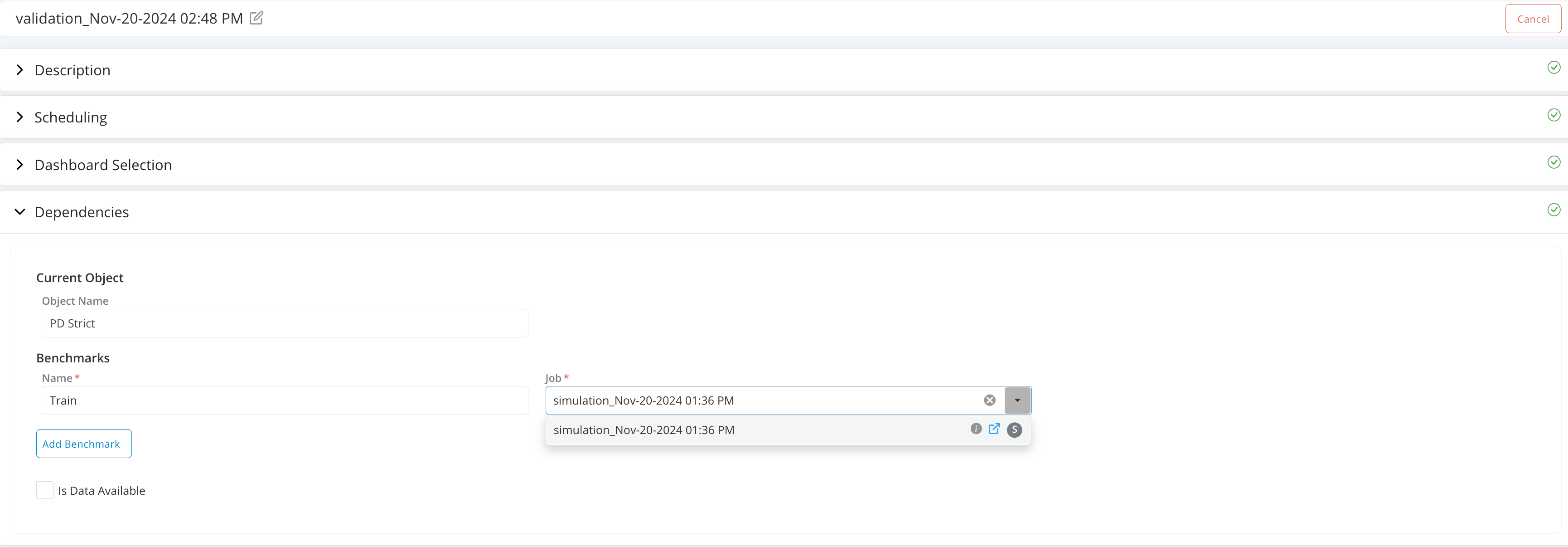
-
Click on Run Job
-
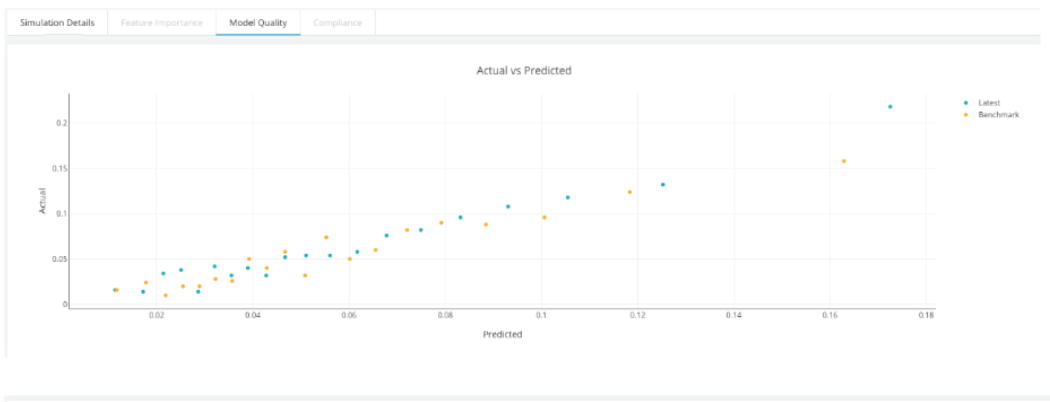
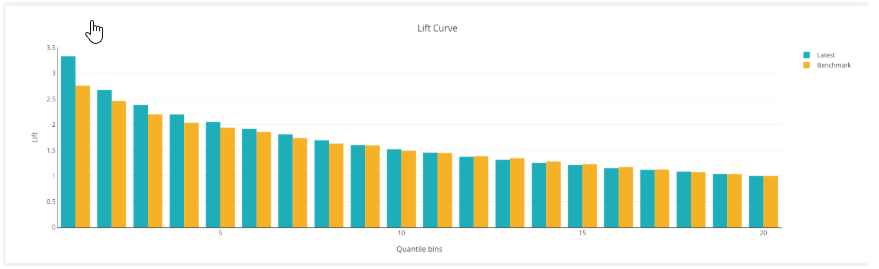
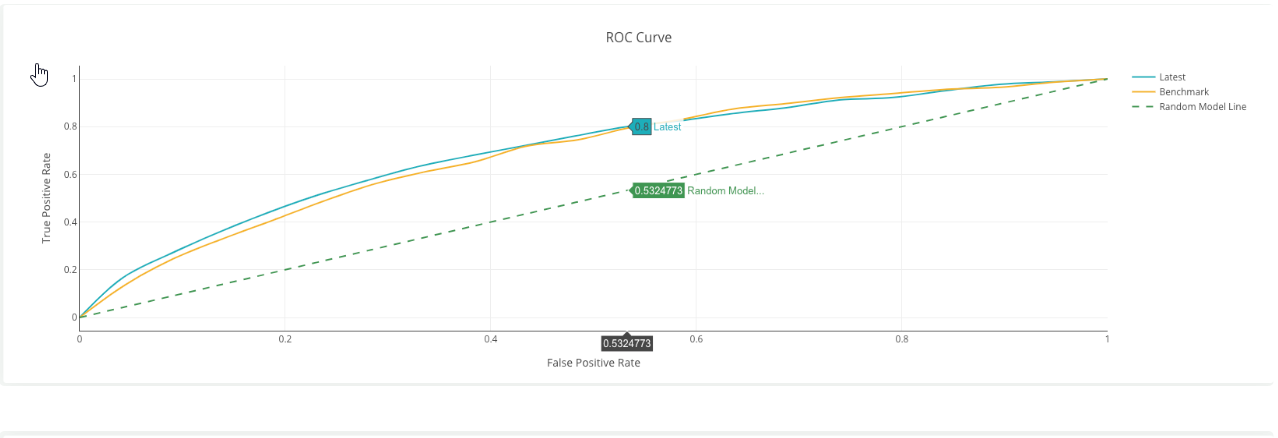
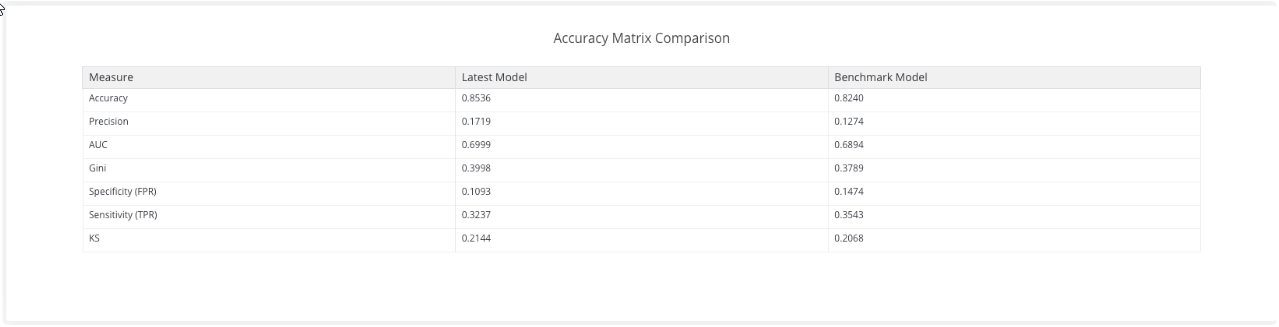
Once the simulation is completed the validation charts will be displayed in the simulation result page listed in the Simulation History Tab
Examples of Validation charts