Verifications
A Verification job is a job that compares the output of the simulation of an object on the platform with the results of executing the object outside the platform:
-
Output #1: Object's simulation output in the platform
-
Output #2: "Truth data" or calculation of the object outside of the platform
Where is this done?
This is done using the Run function in any of the registry pages.
Run Verification
User goes to the registry page of the object for which they want to do a verification:
-
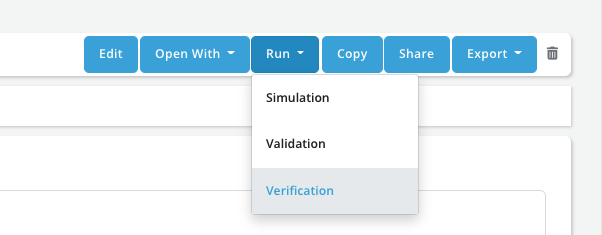
Click on Run
-
Select Verification
-
Fill the Verification form. In the
Dependenciessection, users can specify the location of the "Truth data" file or upload it directly in Excel or CSV format from local. Please refer to Running Job for other general job information to fill in the form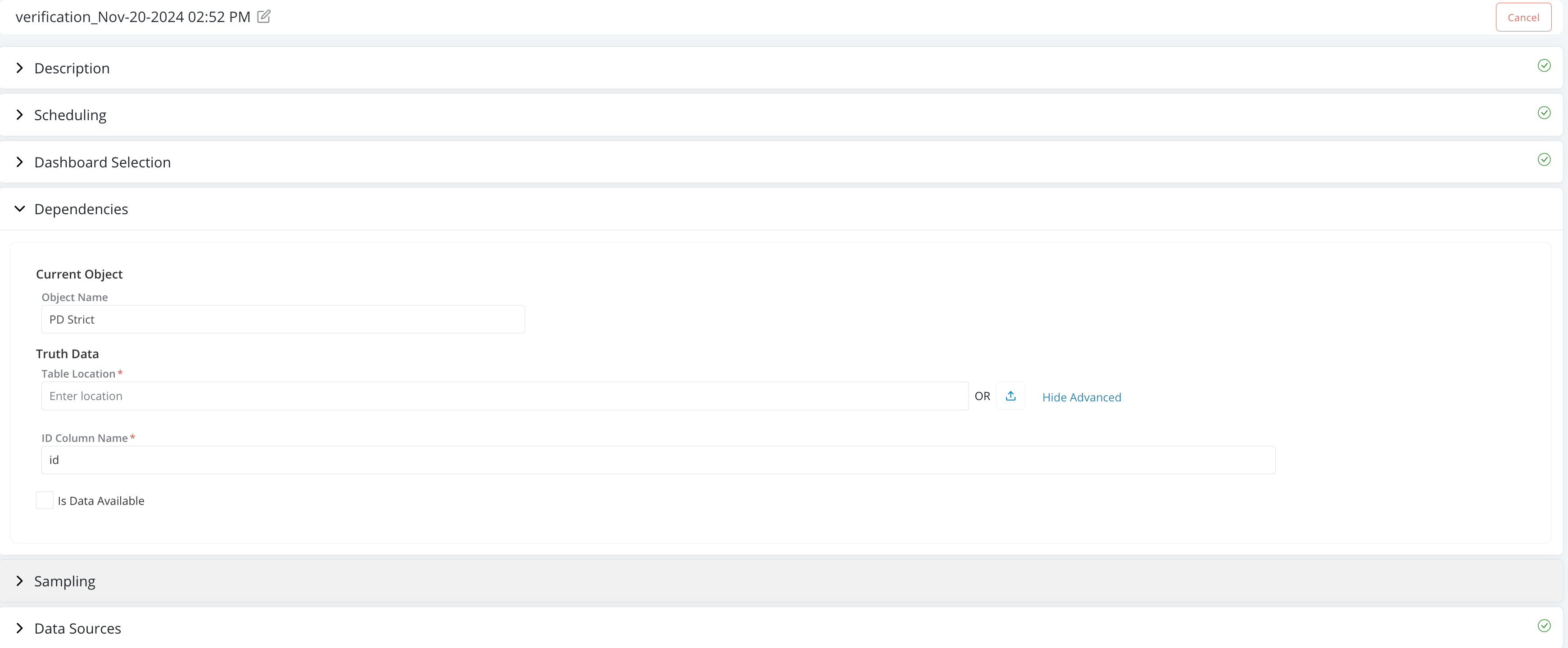
-
For verification job, the Sampling section is disabled. Instead, the platform will use the same IDs that are present in "Verification Data" as sampling criteria. Click on "Show Advanced" to specify the name of the ID column in the Truth Data (default column name is "id")
-
Once the job is completed the verification charts will be displayed in the job result page listed in the job History Tab
Example of verification chart
