Corridor Notebook Commands
Overview
Users can use the Corridor Package to connect a notebook to the Platform and have access to all the registered objects. Using this package, they can:
-
Import all relevant Corridor Objects (classes, functions etc) - currently 5 available
-
Use these objects to manipulate the data or get additional information about them
-
Store the data in a usable way (e.g. Pandas dataframe) within the notebook for testing & learning purposes
Corridor Library Documentation
All currently pre-installed packages can be viewed by running:
- import sys
- !{sys.executable} -m pip list
A list of libraries suggested by Corridor is attached below. To get informed about which packages are currently installed or to install a new package on Jupyter Notebook please contact your tech team.
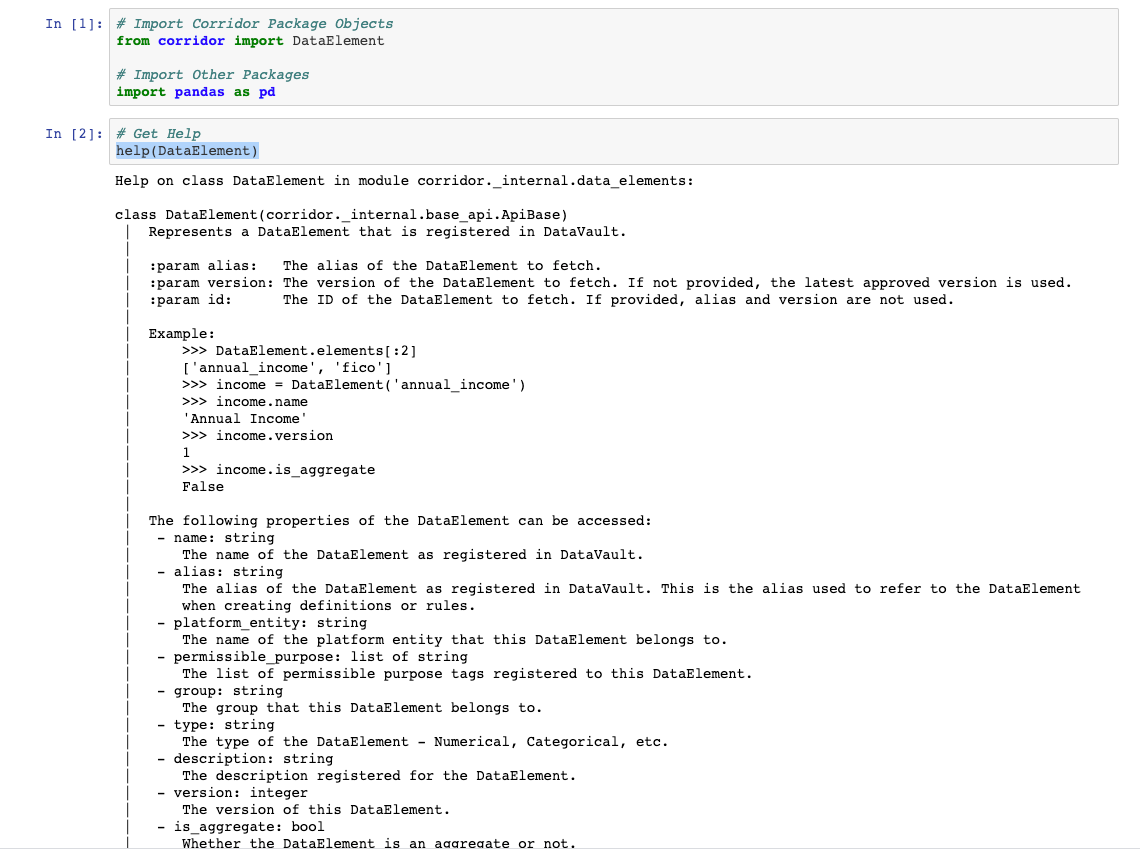
Although this series of examples was designed to cover most of the needs the user will have, further help can be accessed through the help function of the relevant module by typing: help(module_name)
Getting Help on a Specific Component
Use the command help(Object Name) to display the documentation of a specific component of the library
Other Useful Libraries
Import other essential packages. The following are suggested:
- Pandas
- Numpy