Policy Creation and Evaluation Process
Overview
This tutorial covers the policy creation and evaluation process on Corridor Platforms. Specifically, the process of how a set of offers are generated for a given entity through the defined policy.
Below are the 4 steps needed to create policy and generate offers:
- Product Creation: define a superset of offer parameters for the policy to configure
- Offer Configuration: create a universe of offers by defining the possible values for each offer parameters
- Strategy: create a set of valid offers by defining the regulatory rules and evaluate on the universe of offers
- Offer Display: create a set of offers to be displayed by defining the displaying rules and evaluate on the valid offers
Steps tp create Policy and generate offers
Product Creation
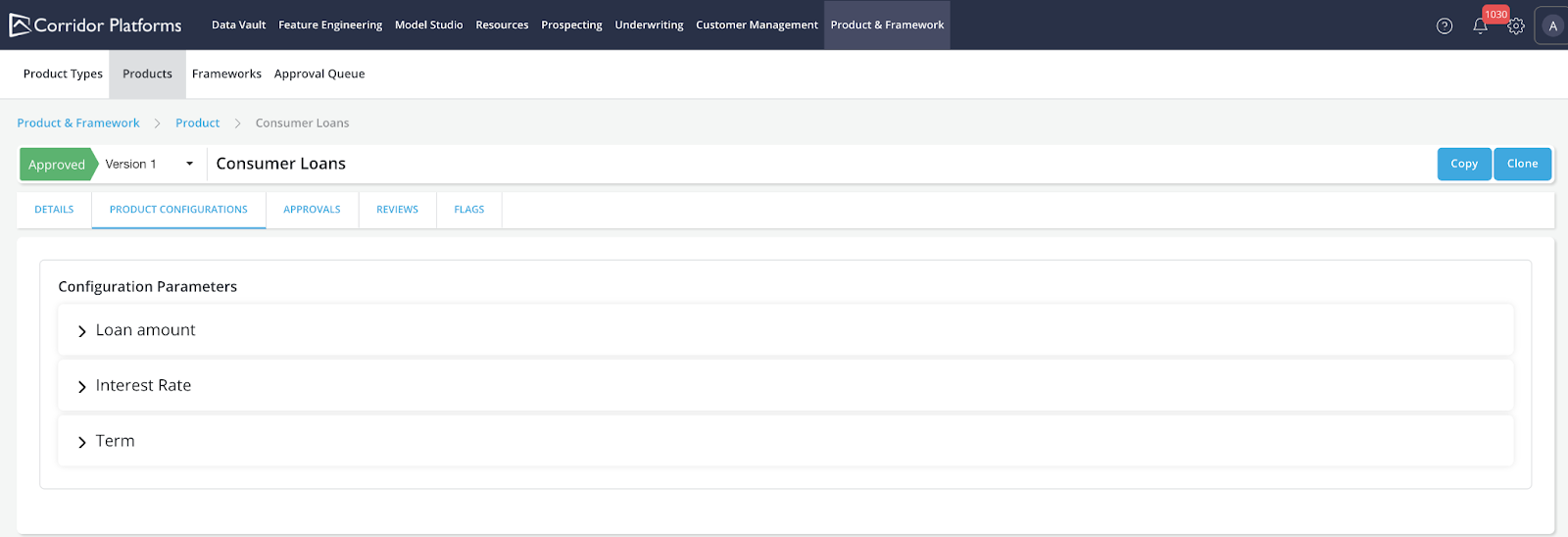
On Corridor Platforms, all policy starts with Product. In Product, a complete set of offer parameters available for the policies to configure are defined. There could be multiple policies created under each Product. The set of offer parameters defined in Product serves as a superset of all the possible offer parameters that can be configured for the policies under the Product.
Example Consumer Loans Product has defined Loan amount, Interest Rate, Term as the set of offer parameters available. Any policy created under Consumer Loans Product can choose from the 3 offer parameters for further configuration.
Offer Configuration
Create a universe of all available offers. With the superset of offer parameters defined in Product, for the individual policy, we can start with creating a universe of available offers by defining the list of possible values for each of the offer parameters that the policy needs to configure.
Example
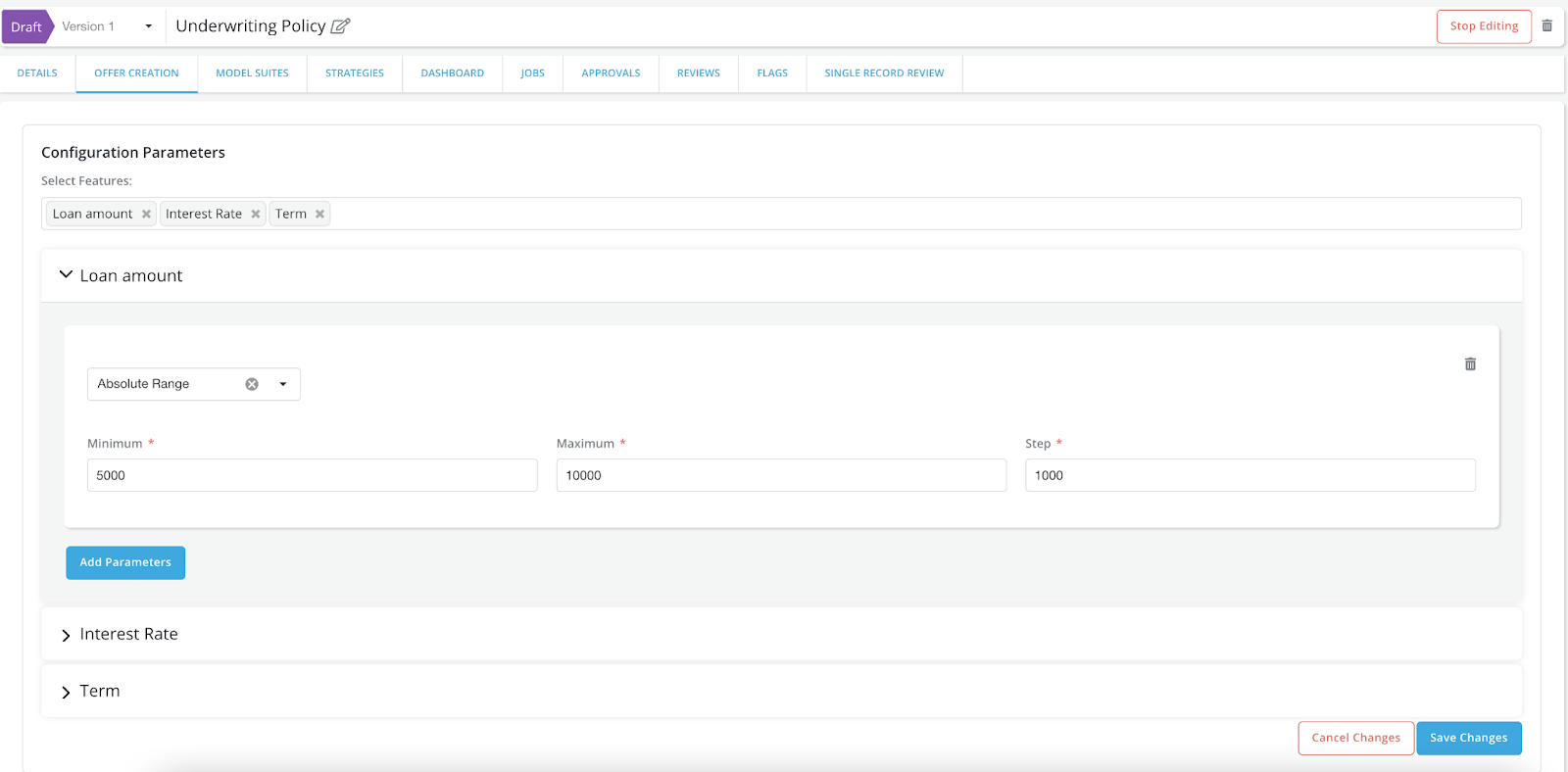
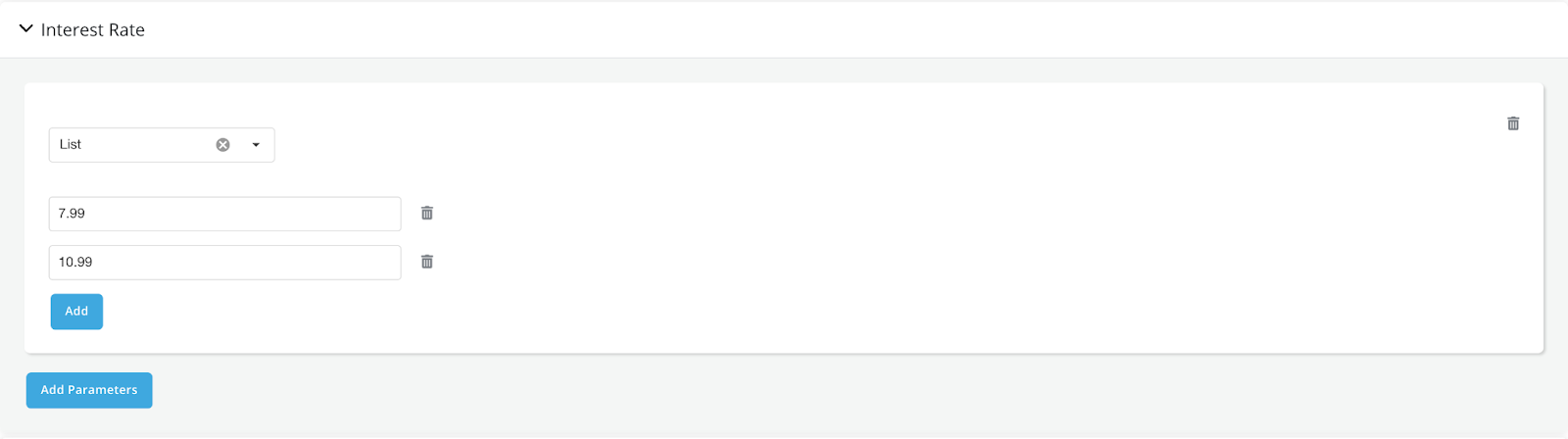
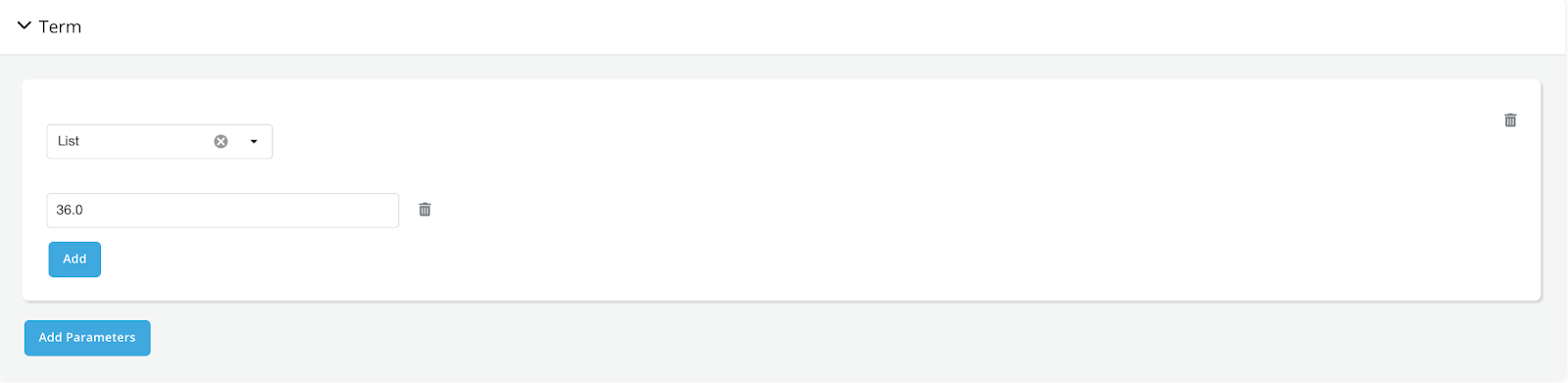
- Underwriting policy has configured all 3 offer parameters by specifying the list of values to take for each offer parameter.
- Loan amount: [5000, 6000, 7000, 8000, 9000, 10000]
- Interest Rate: [7.99, 10.99]
-
Term: [36]
-
With the list of values specified for each offer parameter, Corridor will create a set of all possible offers. Each offer will be a unique combination of the 3 offer parameters configured. In the example, there would be 12(6 * 2 * 1) offers in total created for each opportunity.
-
All possible offers
| offer_id | Loan Amount | Interest Rate | Term |
|---|---|---|---|
| 1 | 5000 | 7.99 | 36 |
| 2 | 6000 | 7.99 | 36 |
| 3 | 7000 | 7.99 | 36 |
| 4 | 8000 | 7.99 | 36 |
| 5 | 9000 | 7.99 | 36 |
| 6 | 10000 | 7.99 | 36 |
| 7 | 5000 | 10.99 | 36 |
| 8 | 6000 | 10.99 | 36 |
| 9 | 7000 | 10.99 | 36 |
| 10 | 8000 | 10.99 | 36 |
| 11 | 9000 | 10.99 | 36 |
| 12 | 10000 | 10.99 | 36 |
Strategy
-
Filter out invalid offers. A set of regulatory rules can be set up in Strategy to filter out offers that don’t meet all of the rules. Each offer generated from the offer configuration step will be evaluated through all the strategies. Offers failed any of the strategy will be filtered out and a set of valid offers will be created as the outcome.
-
Regulatory, compliance rules are recommended to be set up in strategy, so that:
- Regulatory rules are clearly laid out in Strategy for easier review, maintenance
- Any non-compliant rules can be filtered out right away
Example:
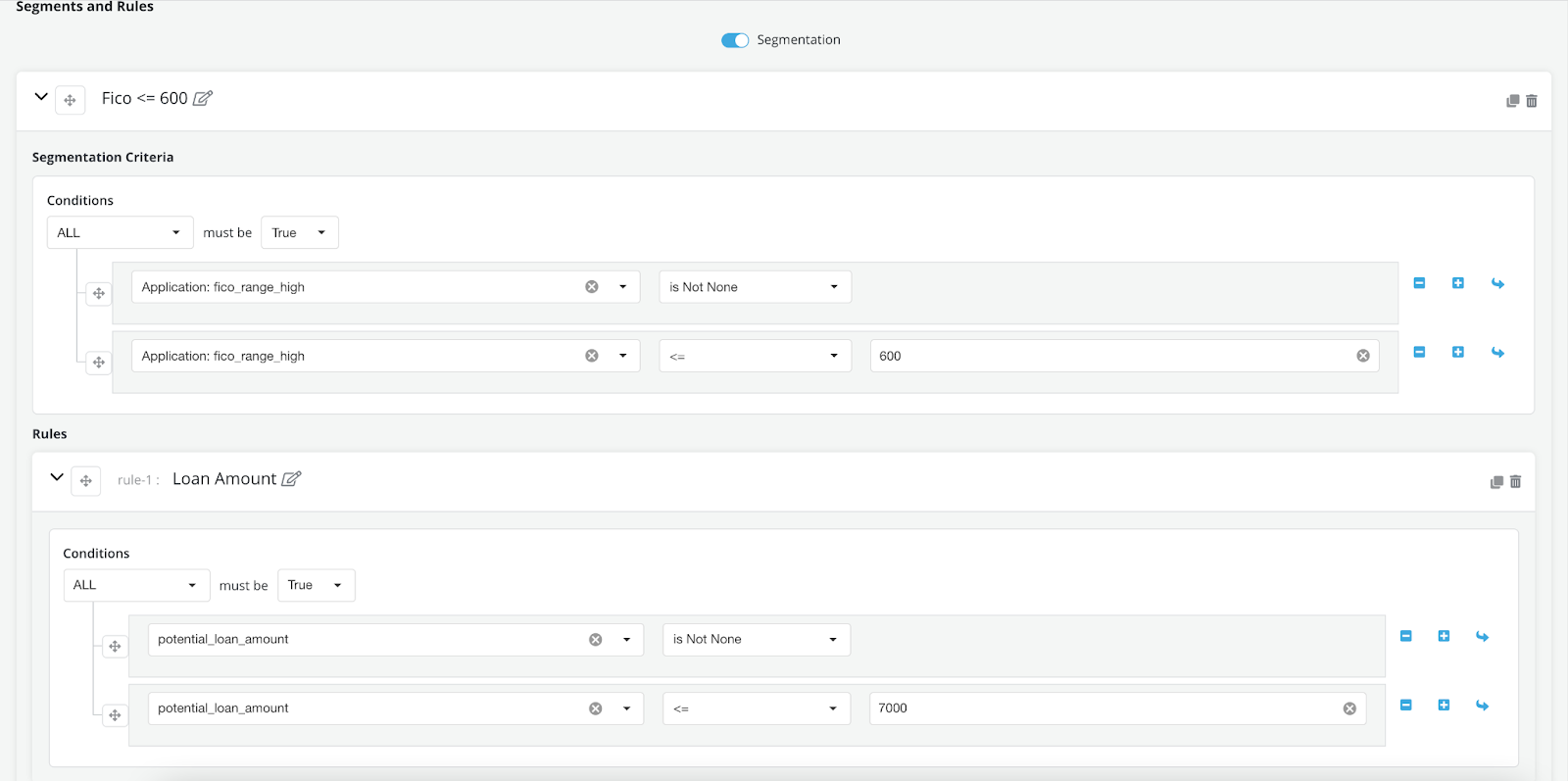
- The fico strategy is defined as: if the applicant has fico <= 600: potential_loan_amount should be <= 7000.
Note
When evaluating the offers, not only the offer parameters(Loan amount, Interest Rate, Term) can be used, also any opportunity level information can also be used for evaluation as long as it’s been registered on the platform. In the example, Feature fico_range_high is created to represent the fico value for the opportunity. fico_range_high is used in the segmentation criteria so that different loan amount rules can be applied for different fico ranges.
-
Based on the strategy, If the opportunity has input fico <= 600, any offer that has Loan amount > 7000 would fail and be filtered out.
-
All valid offers
| offer_id | Loan Amount | Interest Rate | Term |
|---|---|---|---|
| 1 | 5000 | 7.99 | 36 |
| 2 | 6000 | 7.99 | 36 |
| 3 | 7000 | 7.99 | 36 |
| 7 | 5000 | 10.99 | 36 |
| 8 | 6000 | 10.99 | 36 |
| 9 | 7000 | 10.99 | 36 |
Offer Display
-
Select a preferred set of offers for display(Optional).
-
Although all the valid offers created by evaluating the strategies can be offered to the customer. Oftentimes, out of all the valid offers, there could be a smaller subset of offers that are preferred to be shown first.
-
In Offer Display we can create the logic which flags the subset of offers to be displayed out of all the valid offers.
-
Offer Display logic is optional, if it’s not set up. The set of valid offers generated from Strategy evaluation will be the final output of the policy evaluation.
Example:
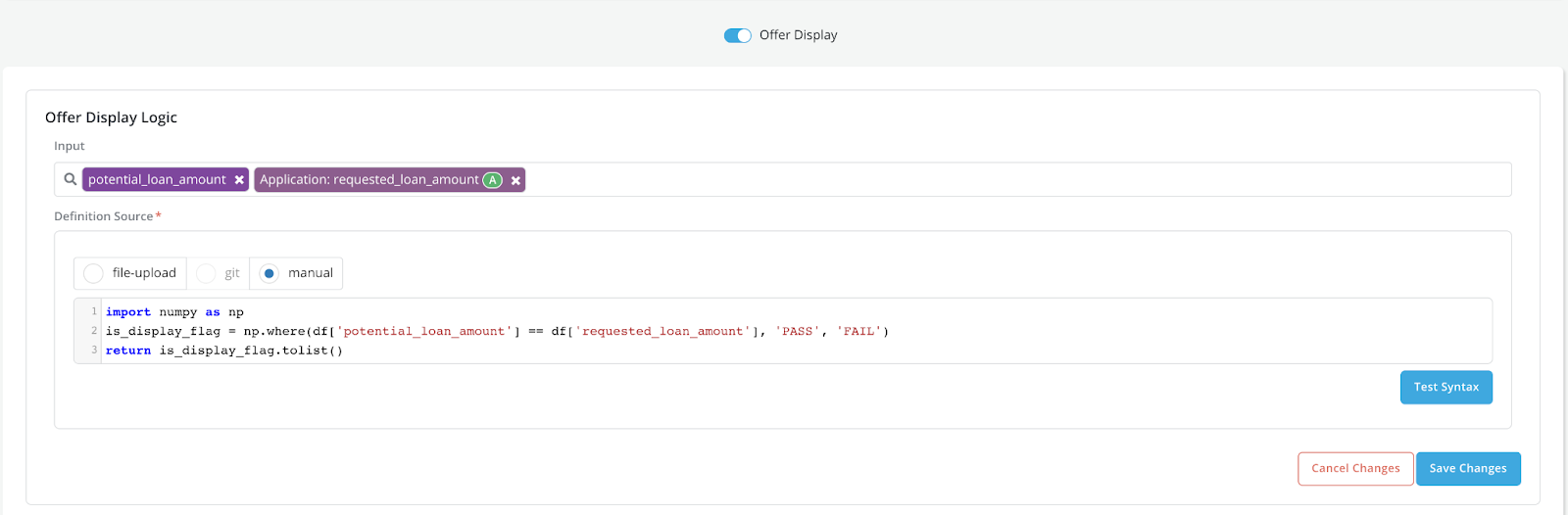
- In the Offer Display logic, df is a pandas dataframe containing all the valid offers from the Strategy evaluation.
-
Based on the Offer Display logic, offers with loan amount equals to the requested loan amount will be displayed.
-
Requested_loan_amount is a DataElement created on the Platform representing the requested loan amount for the opportunity. Similar to Strategy, opportunity level information can also be accessed in Offer Display. To make it available in the df, we can simply register the information as either DataElement, Feature or Model and request the registered object in the Input selection box.
-
If the requested_loan_amount for the opportunity is 6000. Below are the offers to be displayed from the final policy evaluation output.
| offer_id | Loan Amount | Interest Rate | Term |
|---|---|---|---|
| 2 | 6000 | 7.99 | 36 |
| 8 | 6000 | 10.99 | 36 |