Algorithm to Build Model using A Multi-Library Comparison Method
Overview
In this use case, we demonstrate how register a custom algorithm on the platform and use it to build a new model.
The custom model training algorithm consists in using a train dataset and a test dataset to build two models using XGBoost and Logistic Regression libraries and select the one with the highest KS value.
The following steps are covered in this process:
-
Algorithm registration
-
Dataset registration
-
Experiment registration
-
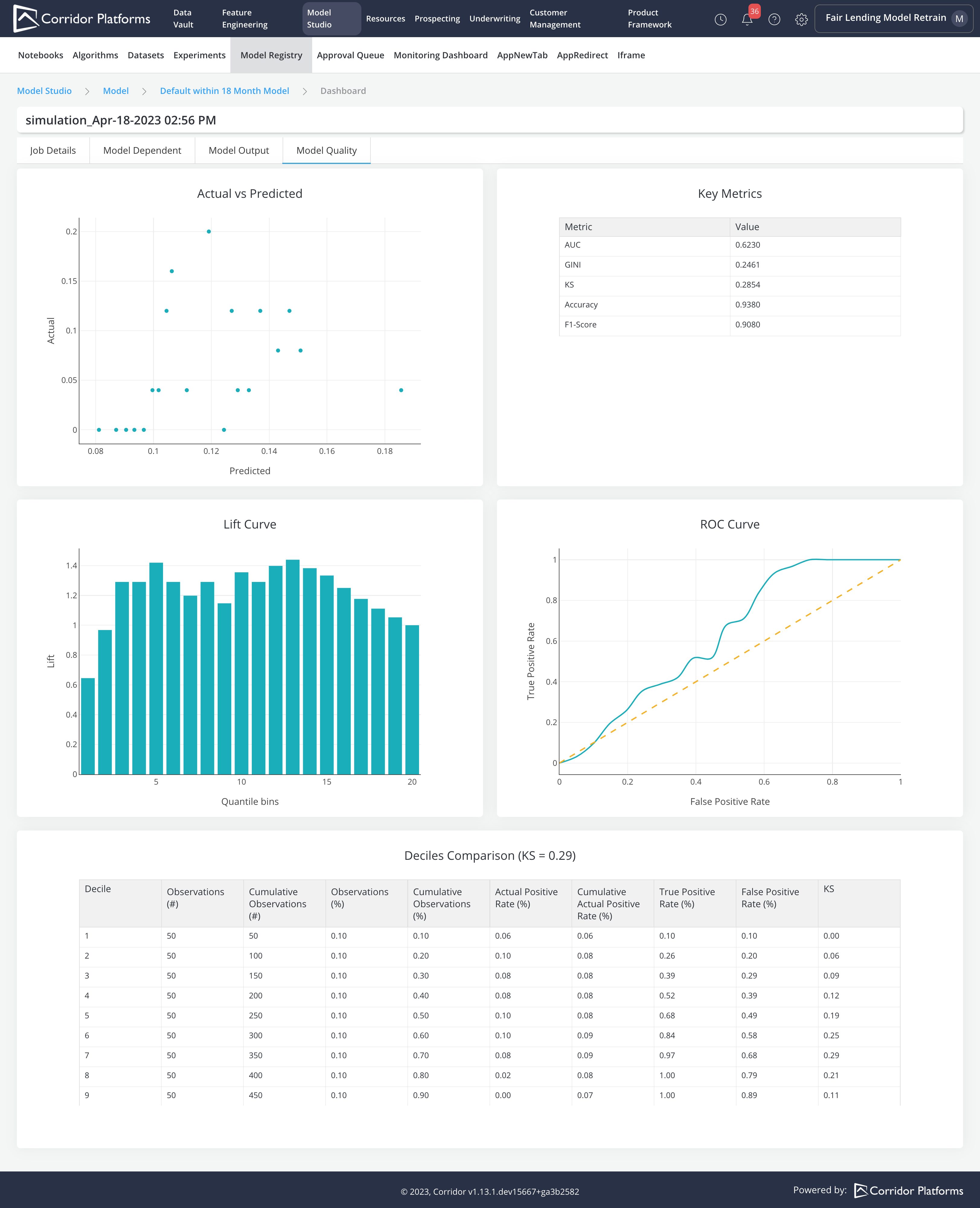
Model training using the Experiment module
-
Model registration using the Import capability
Please refer to Algorithm, Dataset, Experiment and Model for more details.
Algorithm Registration
-
Algorithm Inputs:
-
Input Datasets
- train
- test
-
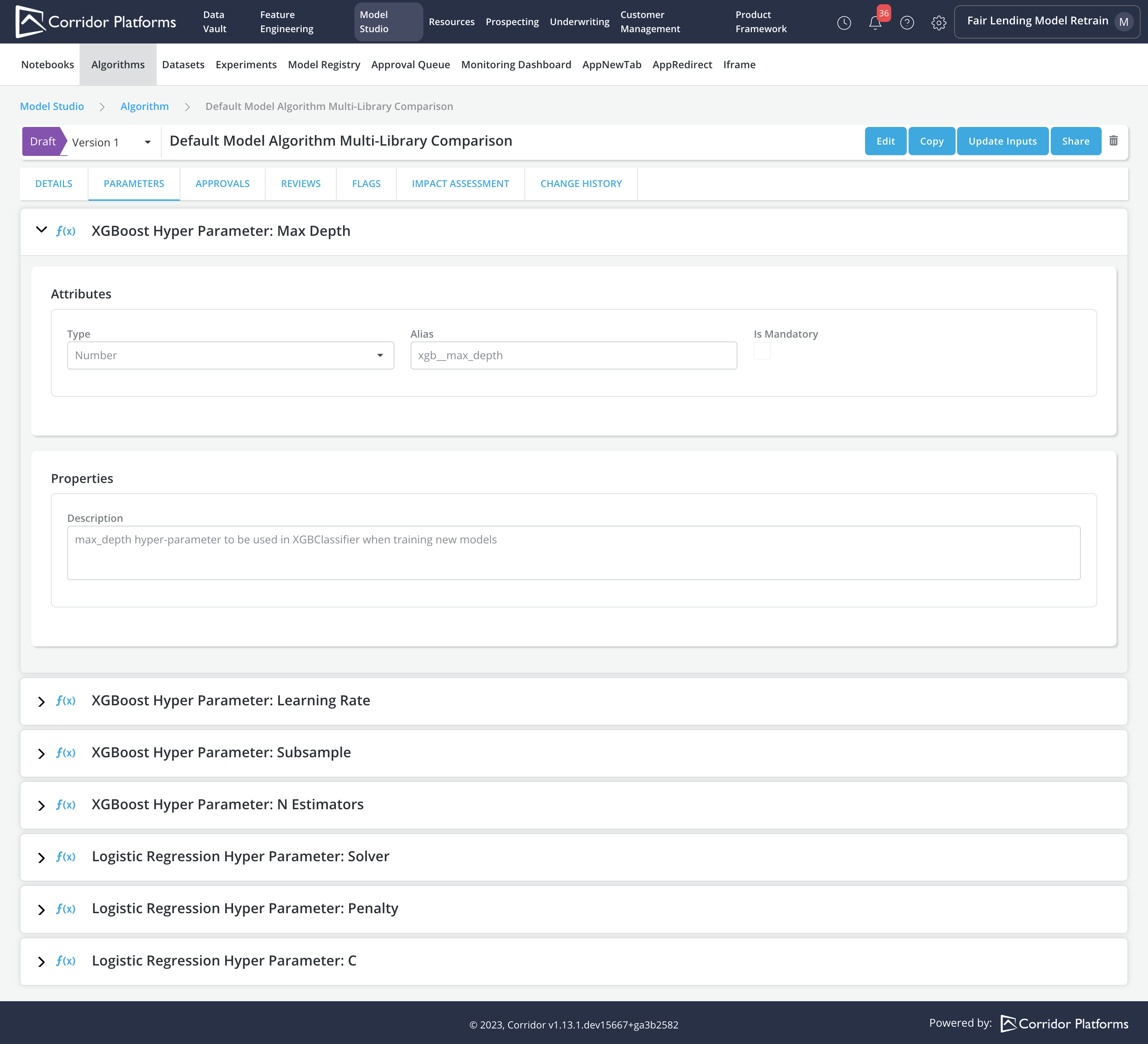
Parameters:
- XGBoost Hyper Parameter: Max Depth
- XGBoost Hyper Parameter: Learning Rate
- XGBoost Hyper Parameter: Subsample
- XGBoost Hyper Parameter: N Estimators
- Logistic Regression Hyper Parameter: Solver
- Logistic Regression Hyper Parameter: Penalty
- Logistic Regression Hyper Parameter: C
-
-
Algorithm Logic (Model Training Logic):
- Train Model with XGBoost Library using XGBoost Hyper Parameters on train data
- Train Model with SKLearn Logistic Regression Library using Logistic Regression Hyper Parameters on train data
- Make predictions on test data for both models
- Compare model performance based on KS value
- Output the model with the highest KS value
Note: All returned outputs must be in the form of a Byte object
-
Algorithm Outputs:
- Model with the highest KS value
- KS value for each Model
Note: Output alias registered should match with the dictionary key returned from the Algorithm Logic
All the common governance capabilities are implemented for Algorithm. Once finalized and approved, it can be used as the standard Algorithm for training new models.
Algorithm Details.
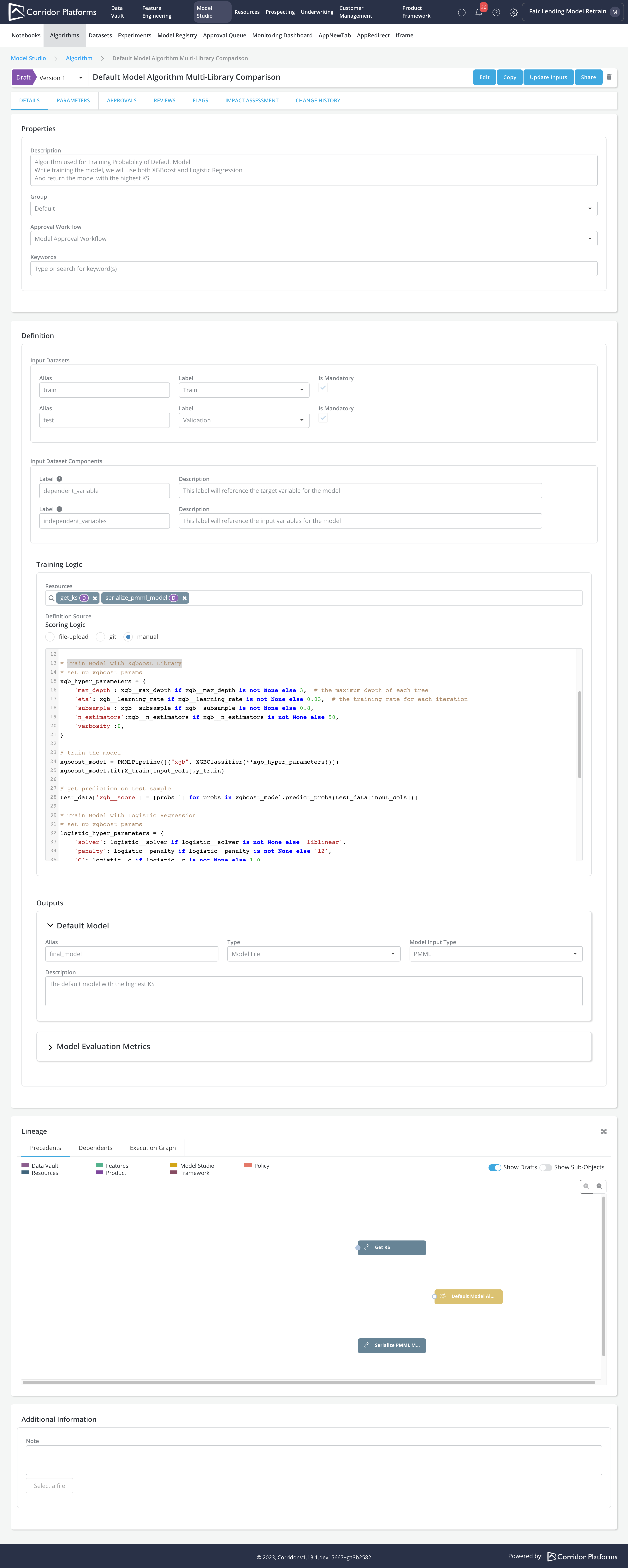
Please refer to the following code for the complete Algorithm training logic
import json
from xgboost import XGBClassifier
from sklearn2pmml.pipeline import PMMLPipeline
from sklearn.linear_model import LogisticRegression

# split inputs and dependent
train_data = train.toPandas()
test_data = test.toPandas()
input_cols = [col for col in train_data.columns if col not in ('dependent_variable',)]
X_train = train_data[input_cols]
y_train = train_data['dependent_variable']

# Train Model with Xgboost Library
# set up xgboost params
xgb_hyper_parameters = {
    'max_depth': xgb__max_depth if xgb__max_depth is not None else 3,  # the maximum depth of each tree
    'eta': xgb__learning_rate if xgb__learning_rate is not None else 0.03,  # the training rate for each iteration
    'subsample': xgb__subsample if xgb__subsample is not None else 0.8,
    'n_estimators':xgb__n_estimators if xgb__n_estimators is not None else 50,
    'verbosity':0,
}

# train the model
xgboost_model = PMMLPipeline([("xgb", XGBClassifier(**xgb_hyper_parameters))])
xgboost_model.fit(X_train[input_cols],y_train)

# get prediction on test sample
test_data['xgb__score'] = [probs[1] for probs in xgboost_model.predict_proba(test_data[input_cols])]

# Train Model with Logistic Regression
# set up logistic regression params
logistic_hyper_parameters = {
    'solver': logistic__solver if logistic__solver is not None else 'liblinear',
    'penalty': logistic__penalty if logistic__penalty is not None else 'l2',
    'C': logistic__c if logistic__c is not None else 1.0,
    'random_state':16,
}


# fit the model with data
logistic_model = PMMLPipeline([("logistic", LogisticRegression(**logistic_hyper_parameters))])
logistic_model.fit(X_train[input_cols], y_train)

# get prediction on test sample
test_data['logistic__score'] = [probs[1] for probs in logistic_model.predict_proba(test_data[input_cols])]

# Compare model with KS
xgb_ks = get_ks(test_data, 'dependent_variable', 'xgb__score', None)
logistic_ks = get_ks(test_data, 'dependent_variable', 'logistic__score', None)
print(f'xgb_ks: {xgb_ks}')
print(f'logistic_ks: {logistic_ks}')

return {
    'final_model': serialize_pmml_model(xgboost_model) if xgb_ks > logistic_ks else serialize_pmml_model(logistic_model),
    'ks': json.dumps({'XGBoost': xgb_ks, 'Logistic Regression': logistic_ks}).encode('utf-8'),
}
Algorithm Parameter
Dataset Registration
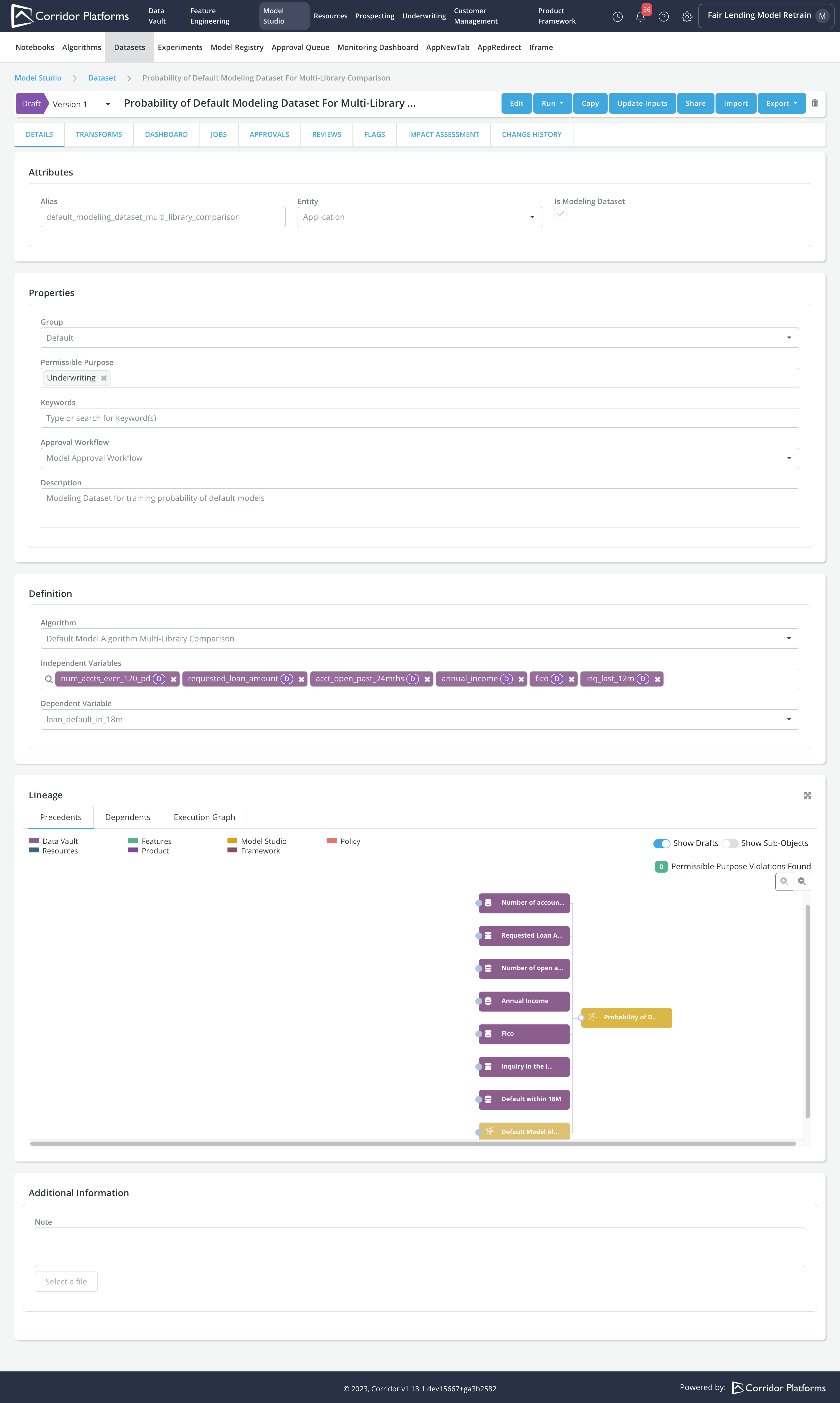
The custom Algorithm requires both a train and a test input datasets. The dataset step is used to create the input datasets by selecting the variables to populate the datasets.
Note:
- An Algorithm can be run on different datasets
- All the input datasets required by the Algorithm have exactly the same columns as specified in the dataset registered in this step.
Experiment Registration
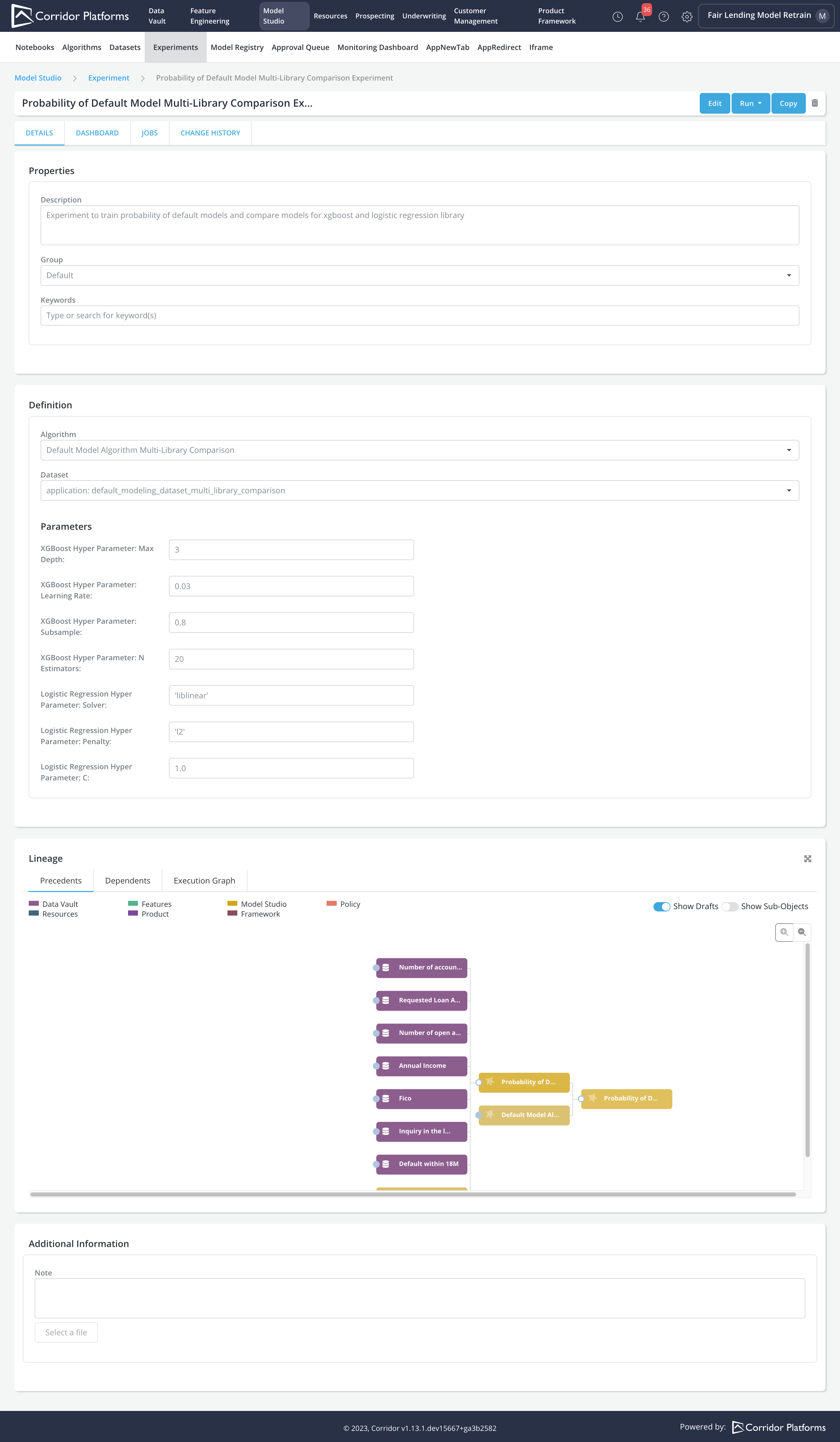
Once the Algorithm and Dataset are set up. We can create the Experiment by:
-
Specifying the Algorithm
-
Choosing the Dataset to run the Algorithm logic
-
Providing the Parameters required by the Algorithm
Model Training using Experiment Job
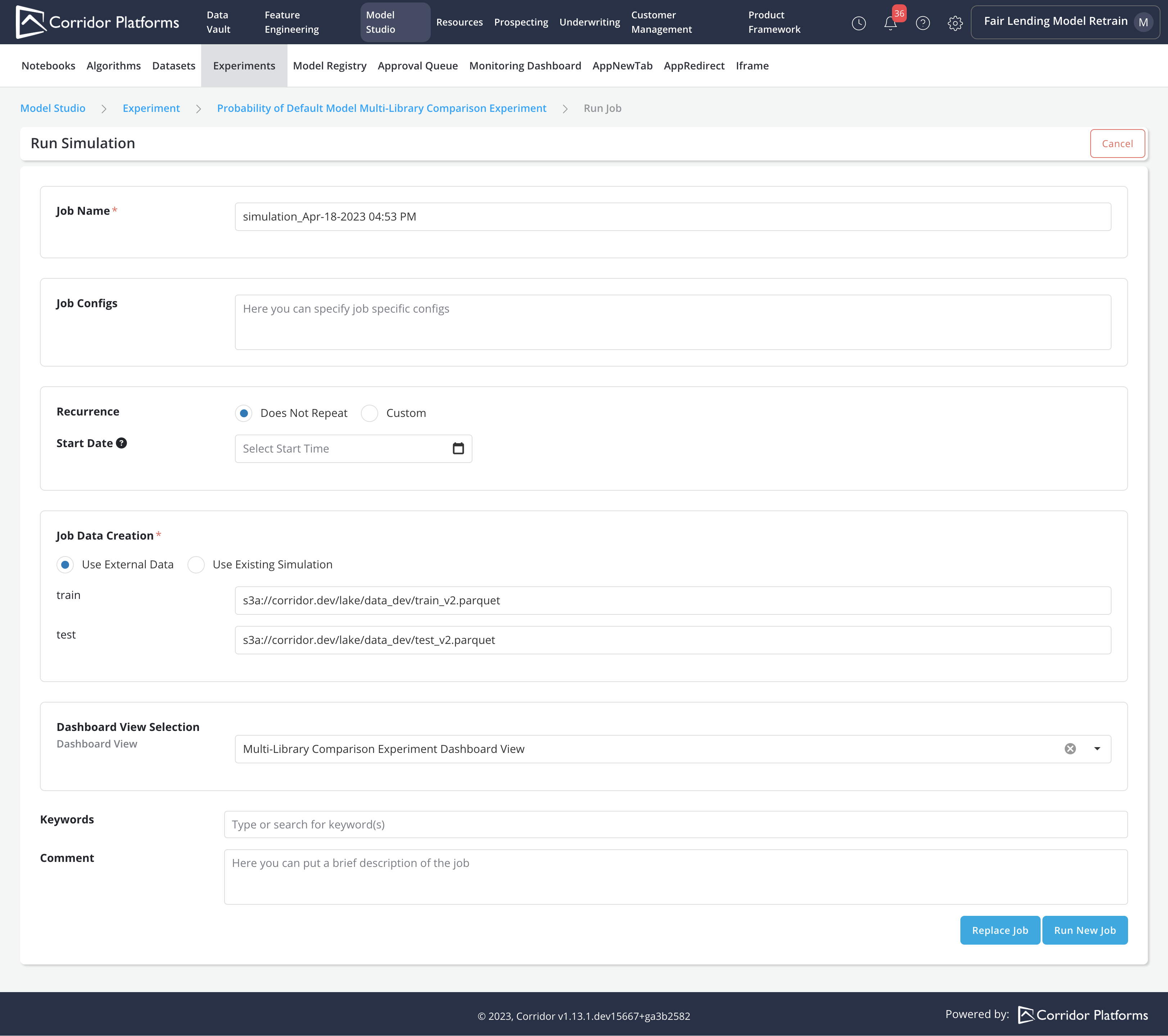
We can train the model by submitting an Experiment simulation Job. In the Job, we can:
- Provide the parquet data location for each Input Datasets required by the Algorithm
- Choose the Dashboard View and Reports
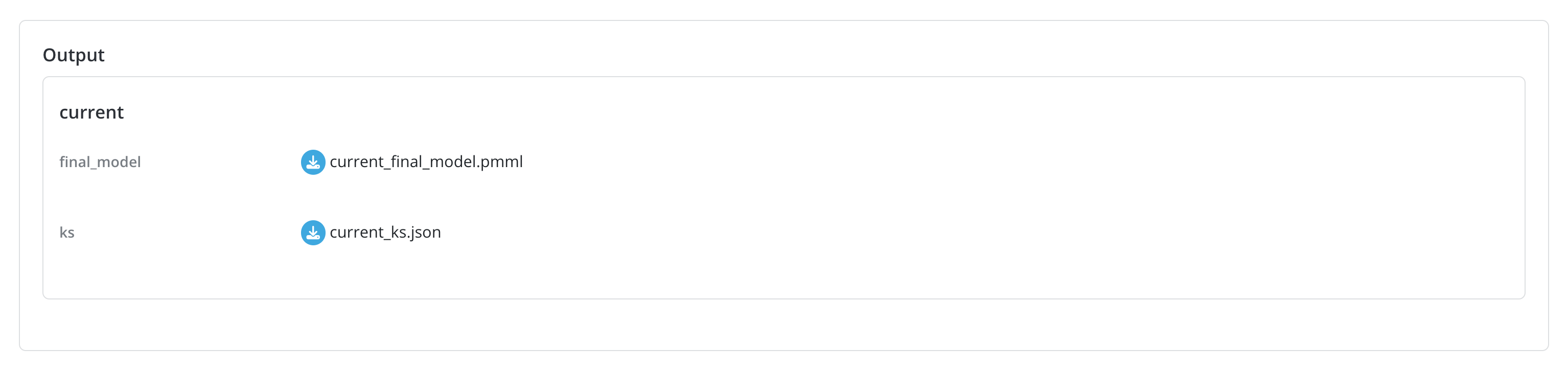
Upon completion of the experiment job, all the outputs specified in the Algorithm can be downloaded from the job details page In our use case, we can download the final_model in PMML format and the KS values for each model in JSON format
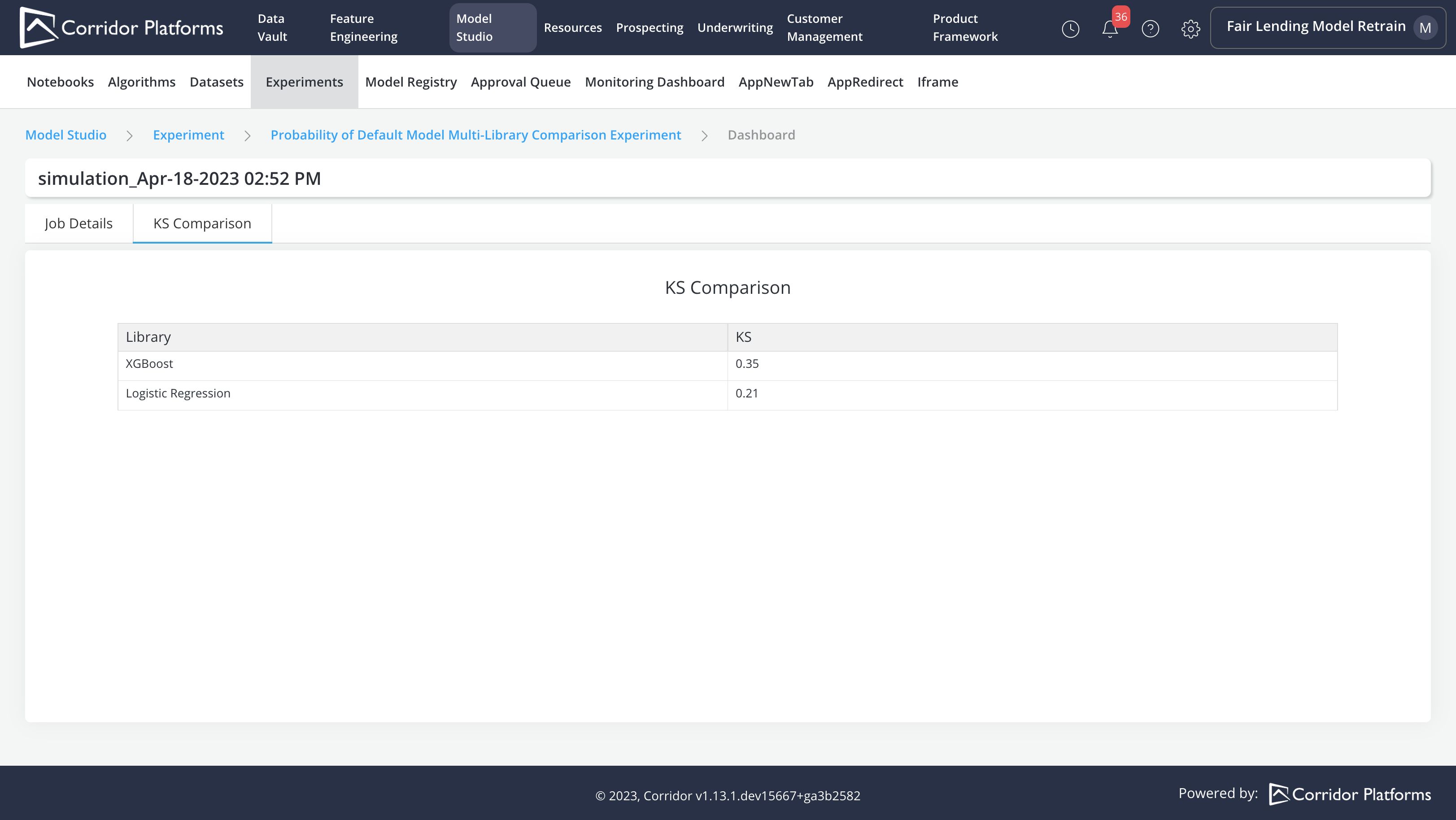
We can also access Experiment reports
Registering the model using the Import capability
The Import capability can be used to register or update a model based on the final model output from an Experiment job
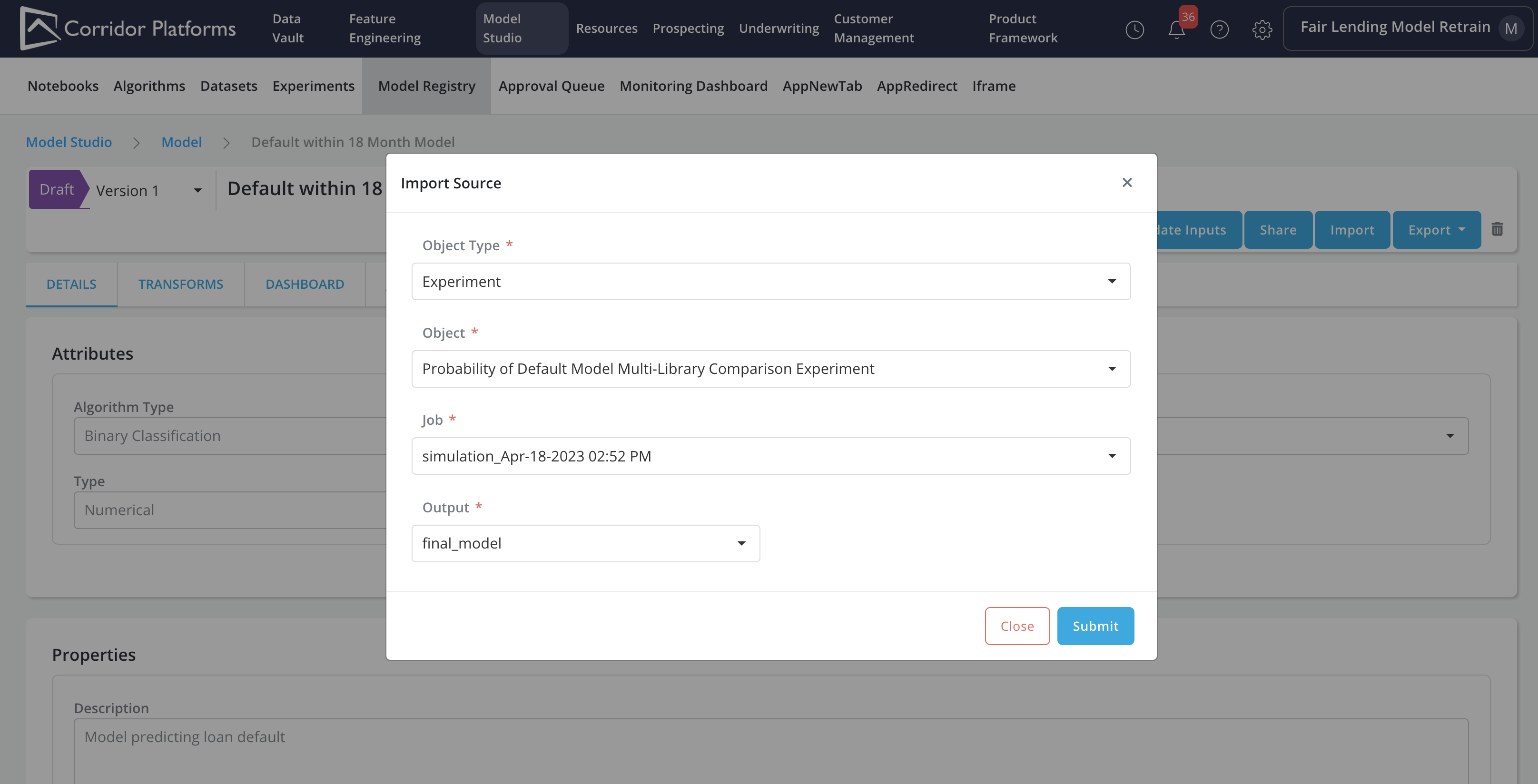
In the model import form, we will fill in details about the source (i.e., in this case Experiment):
-
Object Type: Experiment
-
Object: The Probability of Default Model Multi-Library Comparison Experiment
-
Job: Choose the simulation ran from the last step
-
Output: final_model
Please refer to Import for more details on the Import capability.
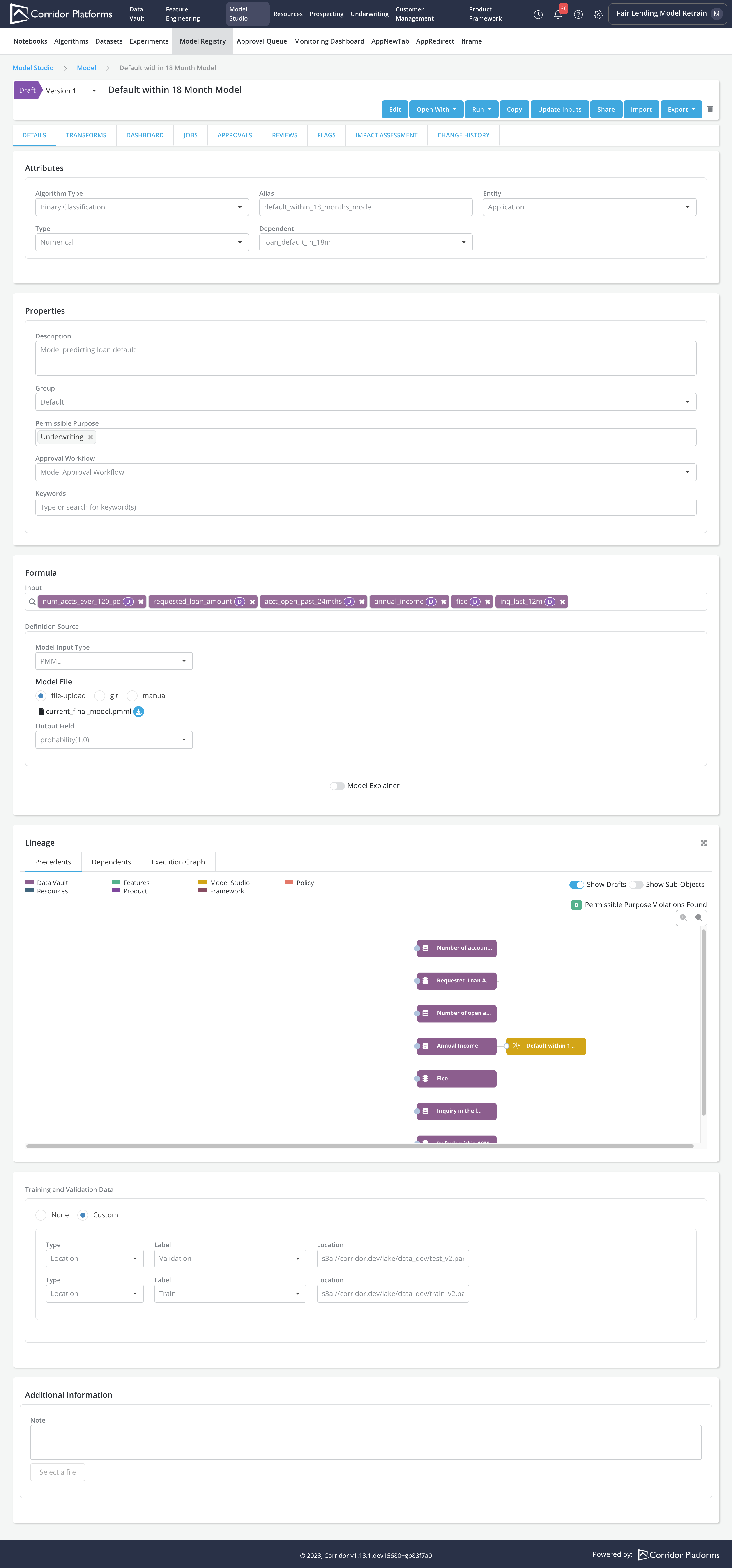
In the imported model's registry page, the below information will be updated using the Experiment and its Job Output
-
Input: Model inputs are updated using inputs from the final_model. For the final_model inputs that are not registered on the platform, registration of the inputs are required for them to be imported as the Model inputs
-
Model File: final_model PMML file will be uploaded as the Model File
-
Training and Validation Data: Parquet files provided when running the Experiment job will be recorded as Training as Validation data for the Model
You can evaluate model performance by running Model Simulation, Comparison etc.