Mapping Data Tables to Corridor System entities for an Underwriting Use case
Overview
In this Use case we will map the data tables to Corridor System Entities for underwriting.
Understanding Entities
Before mapping the table, it is important to understand the concepts of entities on the Platform. Refer Understanding entities section for details.
Understanding Table Structure
To have a better understanding of the Table structure on the Platform refer to the Understanding Table Structure section for details.
Mapping table
While registering a table on the platform one option is that you register the table as:
- A main entity primary table associated with one of the four main system entities.
- A secondary id primary table
- A detail table
- A helper table
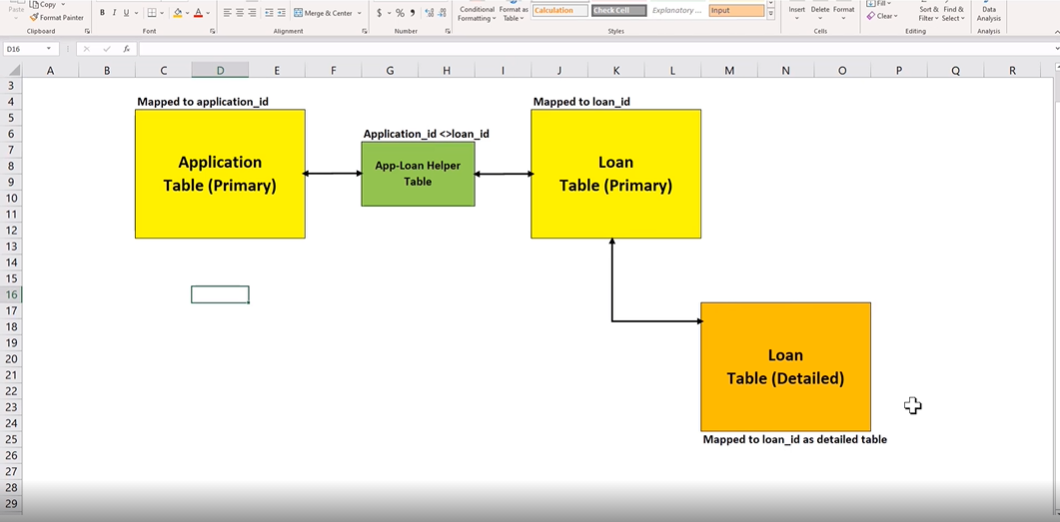
In this use case, two Primary tables (i.e. Application Table and Account Table) are registered for an Underwriting use case.
Application Table- This table will have Application specific attributes for e.g. Requested loan amount, fico, income, etc. Additionally, it must have an ID column that can be Tmapped to the unique system application ID.
Account Table- This is another table Account table which has details of applications which were converted to an account. It also has a column id that will be mapped to the unique account ID.
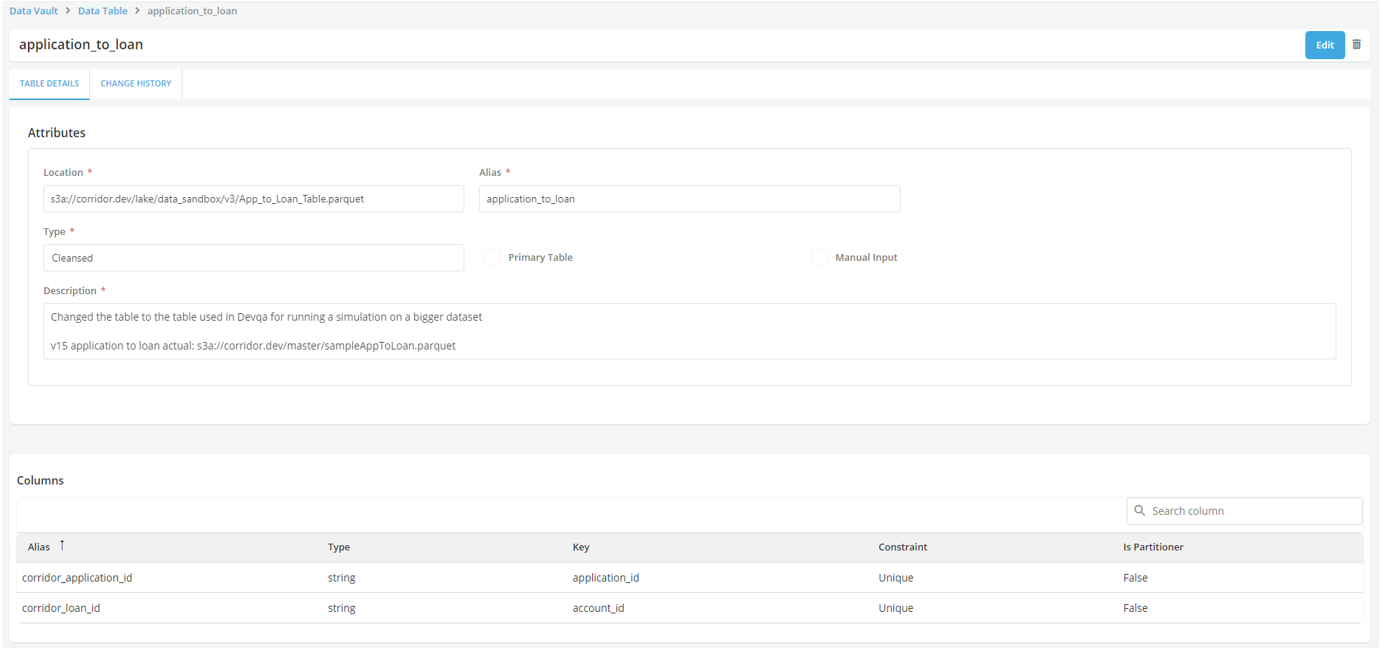
Application-to-loan helper table - We will have a Helper table which will map the association between Application and Account ID. So for all applications which did not originate a loan there will be a null value for the Account ID.
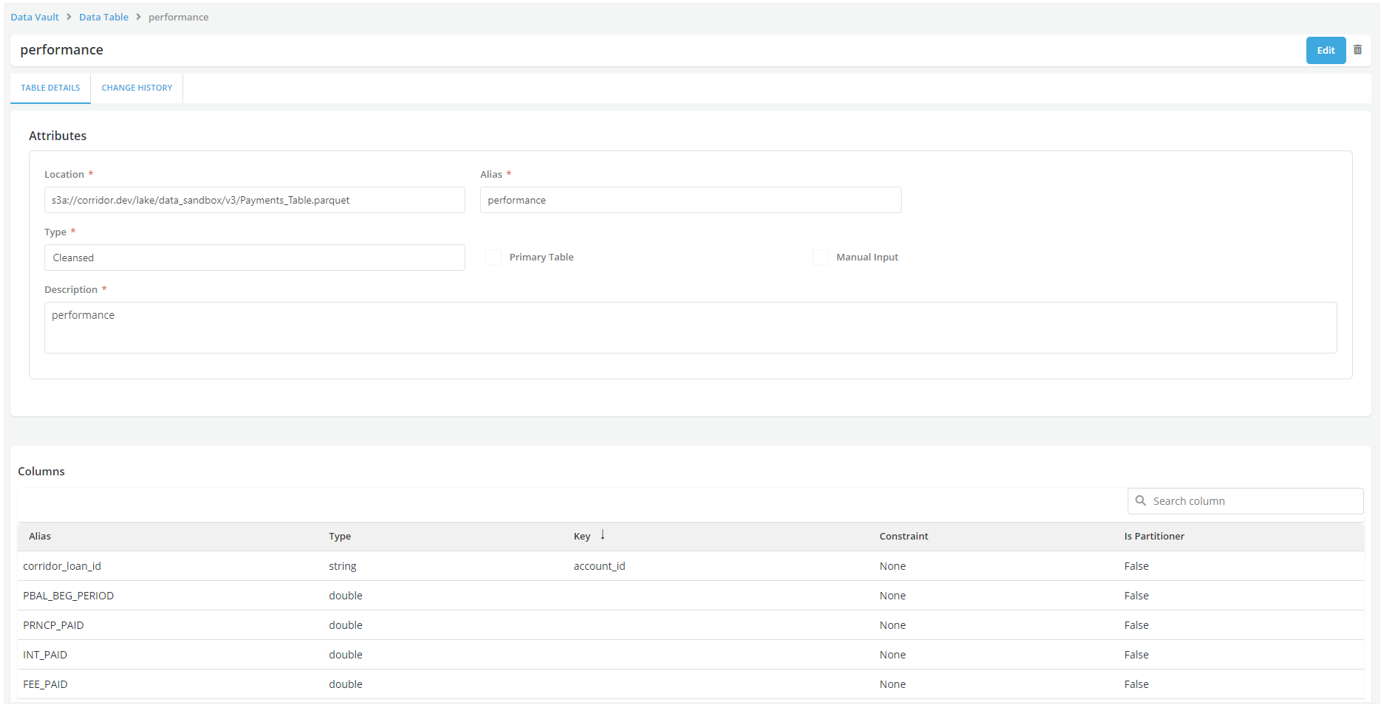
Detail Table- There is also a Detailed table called Performance table for the loan, where for each load id there will be multiple performance snapshot records. This table will also have a column id that will be mapped to the Account ID.
Jupyter Notebook (integrated with the Platform)
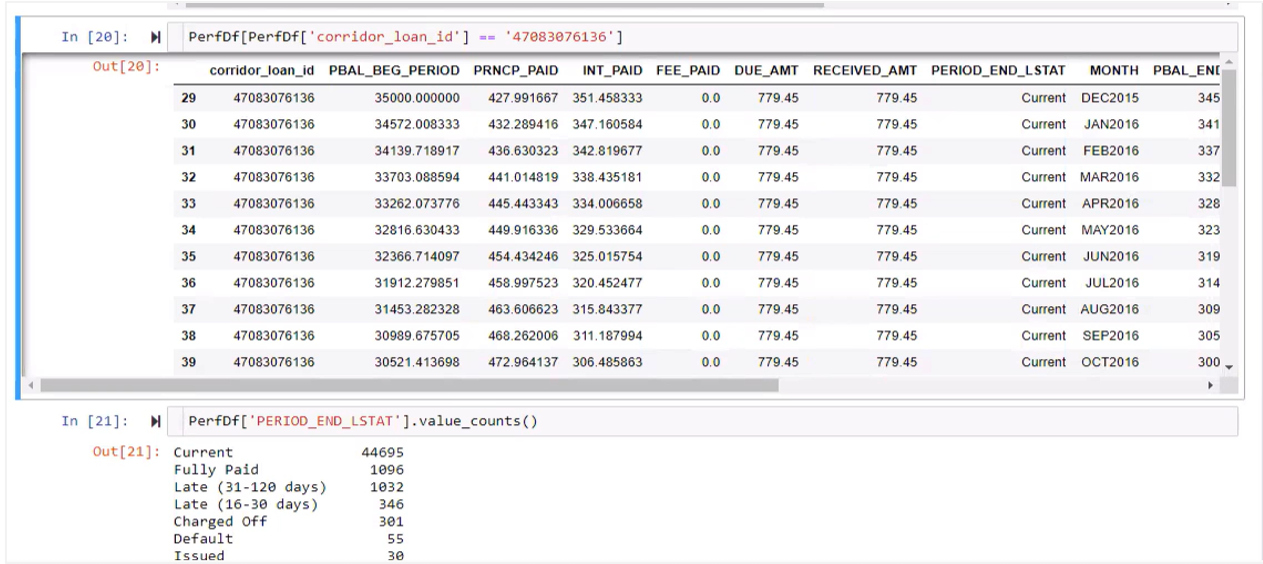
This is an illustration with some datasets and the tables.
Application table- It has a primary key called corridor_application_id which is unique and mapped to application_id system key.
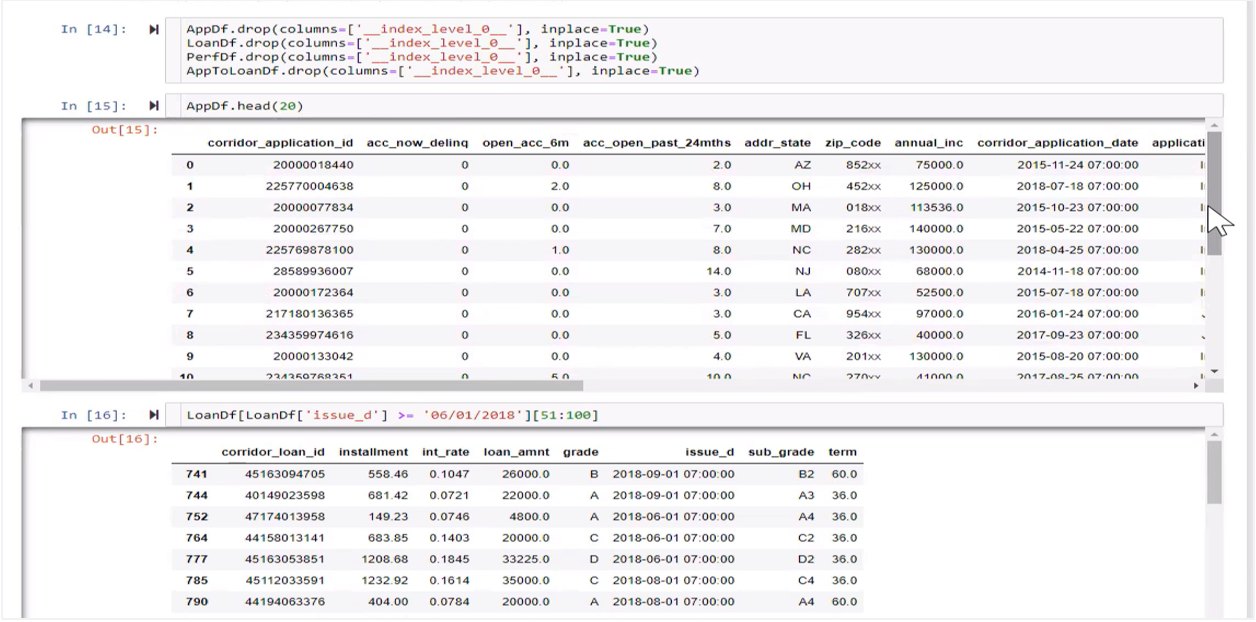
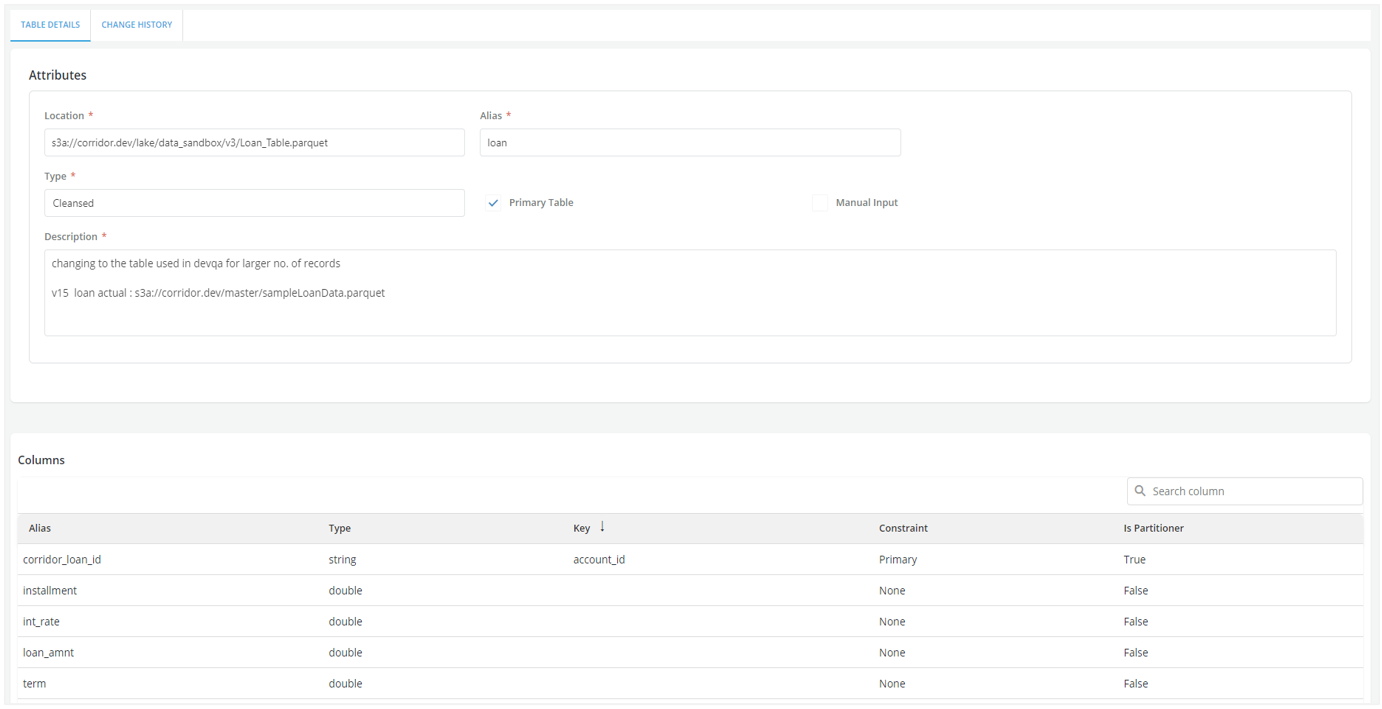
The Loan table (i.e., account table)-Shows a set of loans which has corridor_application_id mapped to load_id system key. Loan table has all loan related information- installment, interest rate, loan amount etc.
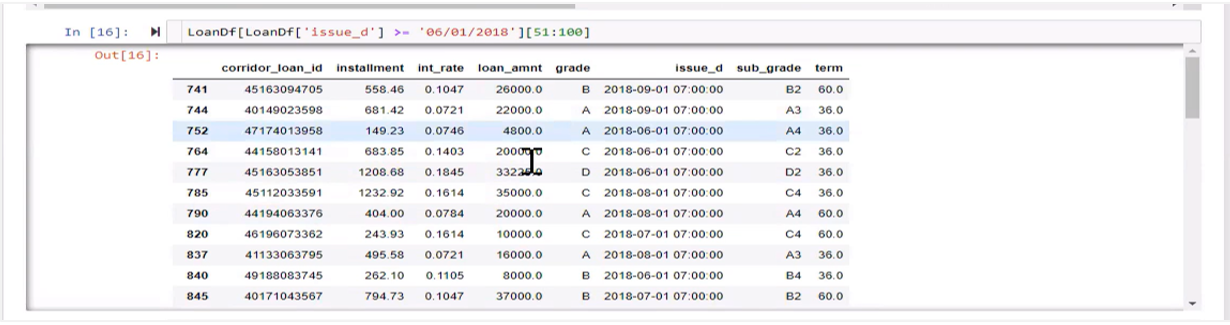
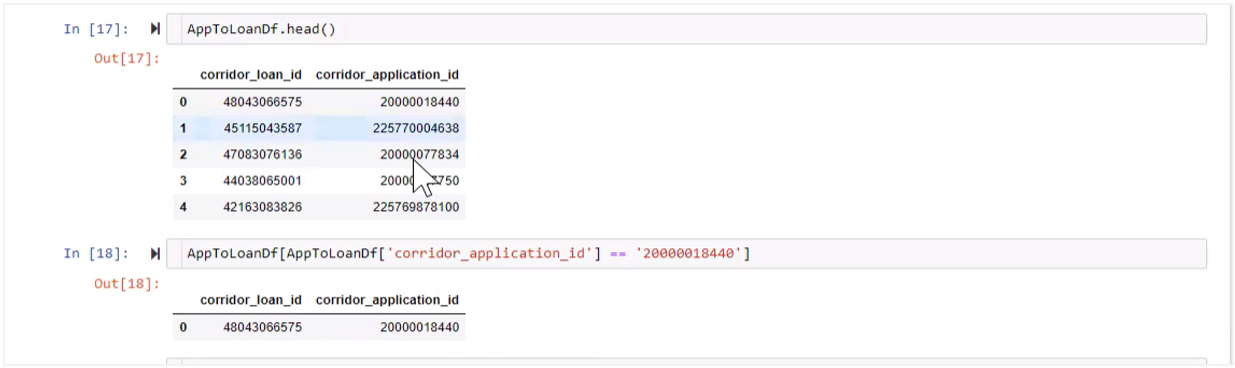
Helper table application_to_loan-This table establishes a relationship between application and loan table.
Performance table-It has transactional level data and show the payment history of the loan. Month on month the data gets appended in the dataset.
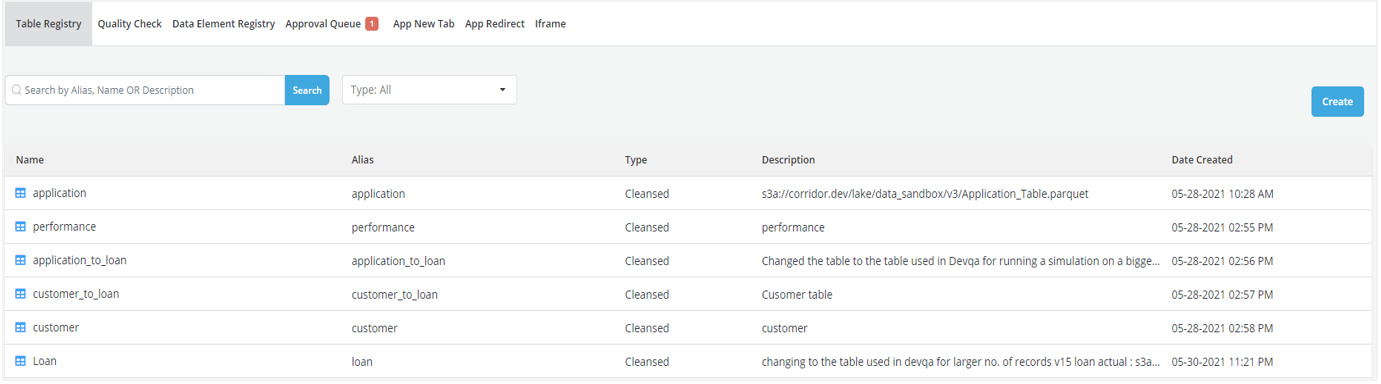
Registering table on the Platform
Here is the illustration of how a user can register a table, for details refer section (Registering a Table). We are bringing in the table as a parquet file.
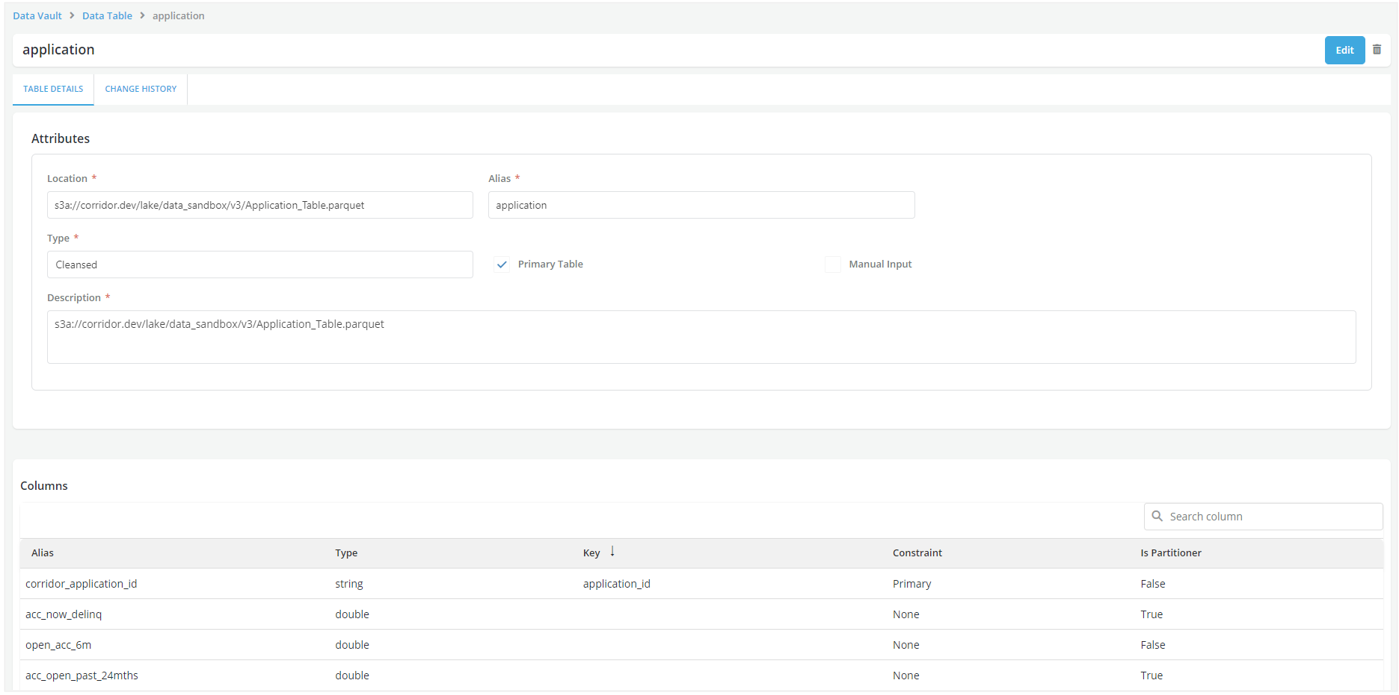
Registering the Primary tables
The screenshot below shows the detailed form to register an Application table. The application_id which is the system key is mapped to the corridor_application_id. This is marked as a Primary key as a Constraint. In the screenshot you can see other data elements being pulled which is essentially the bureau data at the application level.
Similarly, the Loan table is registered on the Platform.
Registering Helper table
Application_to_loan table. In the screenshot you can see corridor application_id and corridor_loan_ID mapped to system keys application_id and loan_id which are set up during registration of primary tables. This is required to establish a relationship between application and loan table. These system keys are unique but not primary.
Registering Detail table for loan
This table records payment performance data of the loan. Here the system key is not marked as primary i.e. it has no Constraints. Primary key checkbox is not checked which implies that it is not a primary table. You can see all fields that show essentially payment performance data for multiple months.
After registering all required tables, register the data elements associated with these tables and further creating features, registering Models and building policies to generate the desired outcome.