Release Notes V1.26.01
| Version | 1.26.01 |
|---|---|
| Release Date | 01-19-2026 |
Changes
1. Policy Registration
1.1 Policy Decision Workflow Improvements
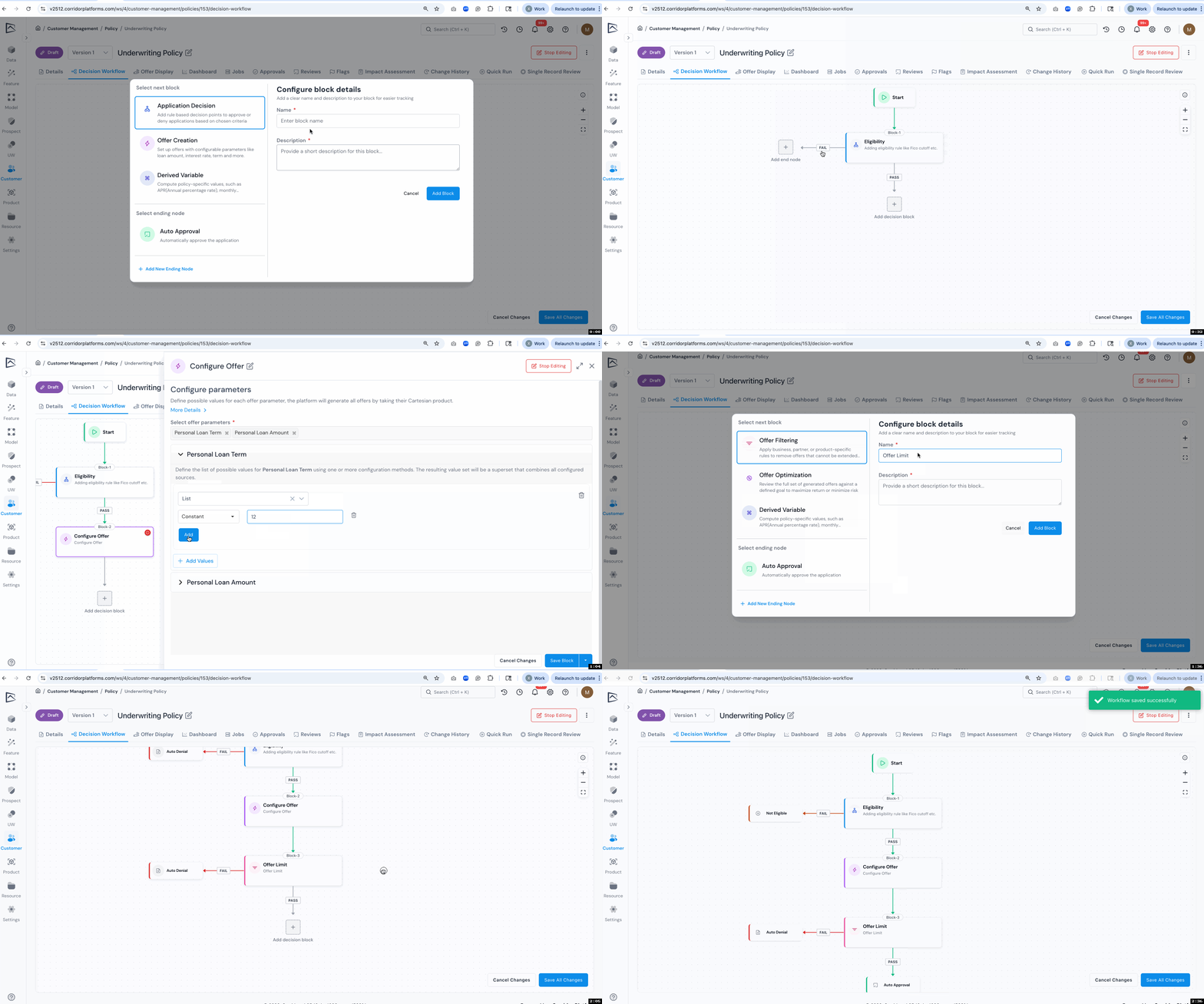
We've redesigned the policy strategy tab into a unified decision workflow that mirrors how underwriting actually works. This improvement brings together offer creation, variable assignment, custom outcomes, and derived variables into a coherent flow that's easier to author, review, and maintain.
What's New:
- Unified Workflow Structure that follows the natural decision sequence from application review through offer generation to final outcomes. Authors can now see the complete decision path in one place, making it easier to understand how applications flow through the policy.
- Block-Based Decision Flow Design lets you build your policy using modular blocks like Application Decision, Offer Creation and Offer Filtering. For each block, you can configure the outcome paths, for instance, if the block passes, the application continues to the next block; if it fails, you can auto-deny, send to manual review, or approve based on your business logic.
- Configurable End Nodes allow you to define custom decision outcomes beyond the default approval, denial, and manual review. This makes the platform work for use cases like next-best-offer recommendations or customer management workflows where standard underwriting outcomes don't apply.
- Flexible Global Variable Assignment across multiple decision blocks instead of being limited to a single location. Variables assigned in earlier blocks are available in subsequent blocks, reducing duplication and keeping your policy logic clean.
1.2 Streamlined Rule Writing with If‑Else Logic
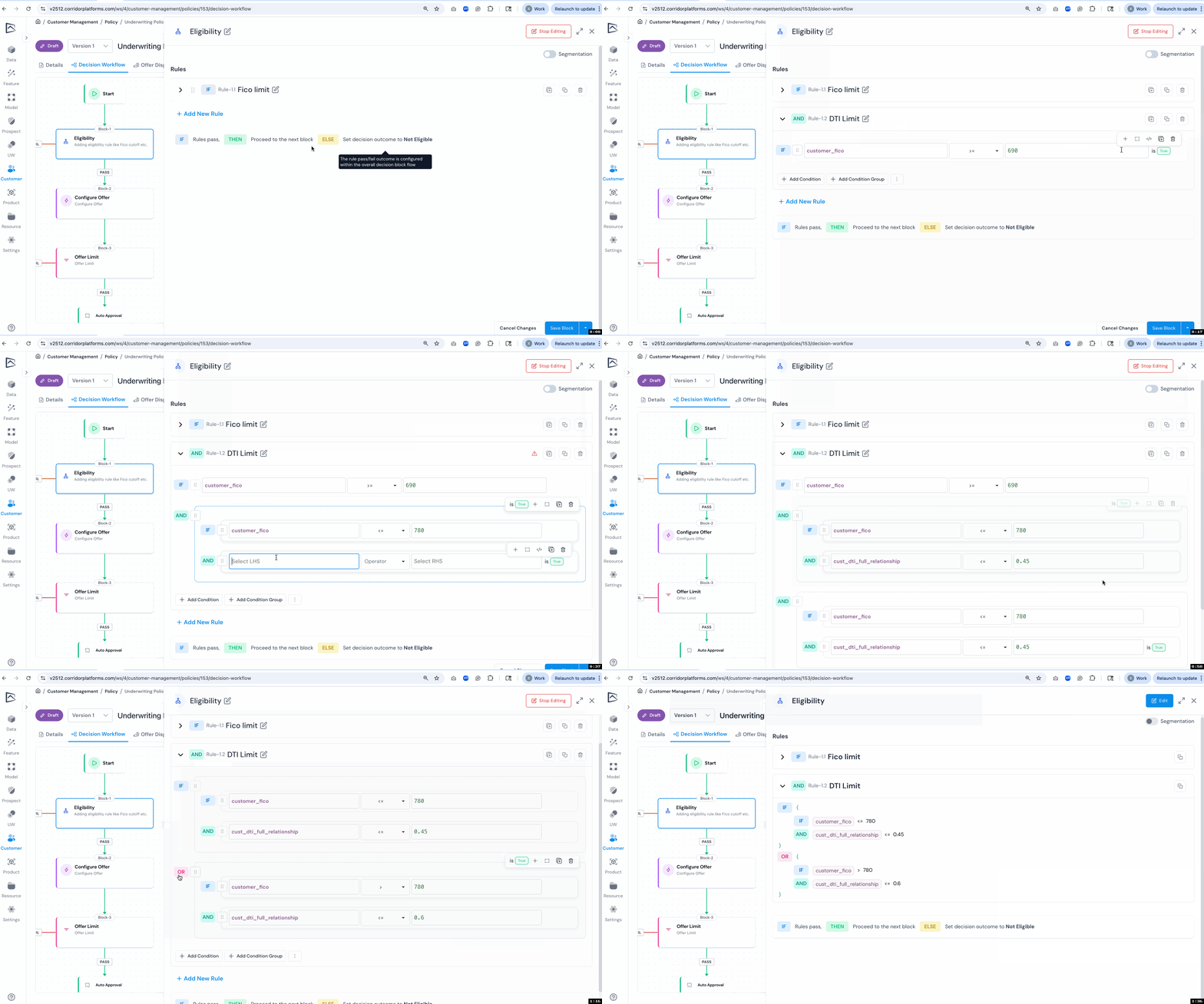
We've redesigned rule presentation into a familiar if‑else structure so reviewers can follow complex logic faster. Rules now use natural conditional syntax with AND/OR connectors, making evaluation and maintenance simpler, especially for larger strategies with nested conditions.
What's New:
- If‑Else Rule View replaces the "all/any conditions must be true" pattern with intuitive if/and/or syntax that mirrors how analysts think about logic.
- Inline Condition Management with controls to add conditions, duplicate groups, and toggle True/False evaluations directly where you need them, reducing clicks and improving editing flow.
- Indented Nesting that mirrors execution flow and reduces misreads, making it easier to spot logic errors during review.
- Read‑Only Mode provides a clean, Python-like view for quick comprehension without edit controls. This format condenses complex rules into scannable one-liners with each condition on a single line, helping audits and walkthroughs by removing visual noise while preserving full context.
2. Running Job
2.1 AI‑Powered Job Insights
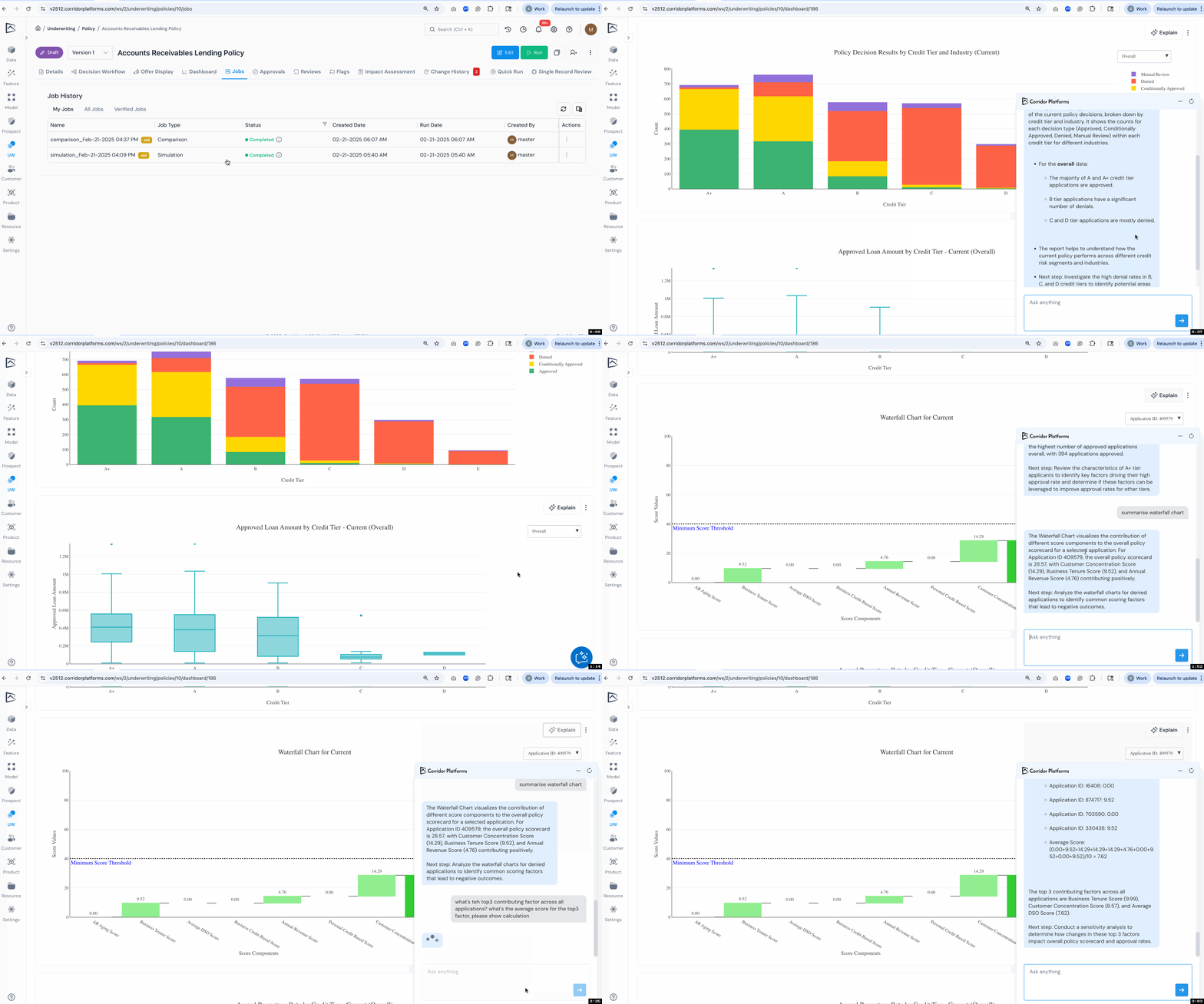
An AI-powered chatbot is now available in job dashboards to help you understand results and perform ad-hoc analysis. Ask questions about your reports, request insights on charts, or analyze job data interactively without writing code.
What's New:
- Interactive Q&A for existing reports: ask what metrics mean, request chart summaries, or get dashboard highlights explained in plain language.
- Pre-Populated Questions help you get started quickly with common queries tailored to each object and job type.
2.2 Enhanced Report Dashboards
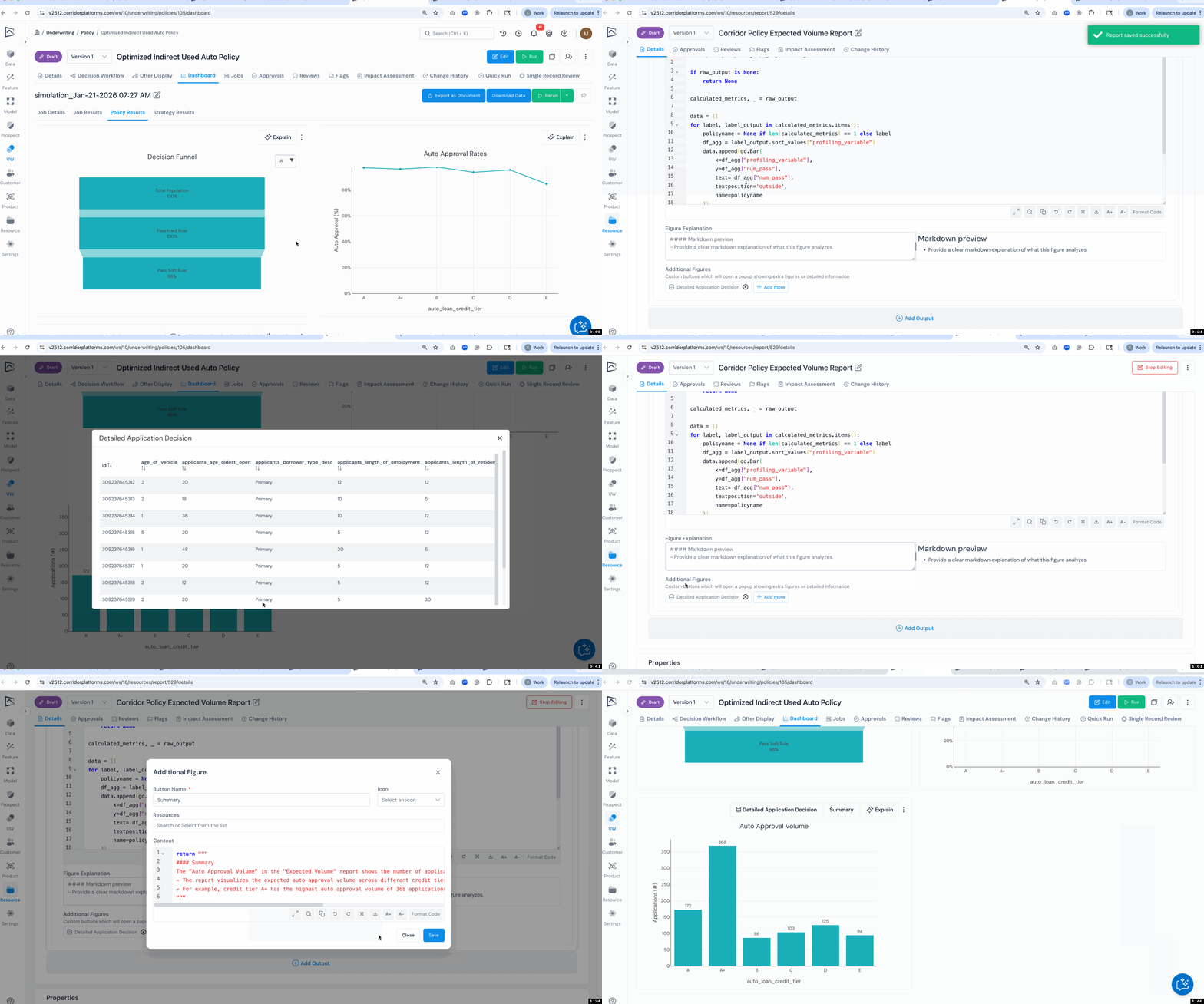
Report dashboards now support rerunning individual figures and adding explanatory context. This gives you more control over analysis and helps stakeholders understand what they're seeing without switching contexts.
What's New:
- Rerun Figure capability lets you refresh a single report output without re-executing the entire job, perfect for tweaking visualizations or updating stale data.
- Figure Explanations allow you to add markdown-formatted text below each chart to provide context, interpretation, or guidance for viewers.
- Additional Figures and Buttons can be attached to report outputs to show related data, like drilling into successful vs. failed records from a summary chart.
2.3 Simplified Data Access from Notebooks
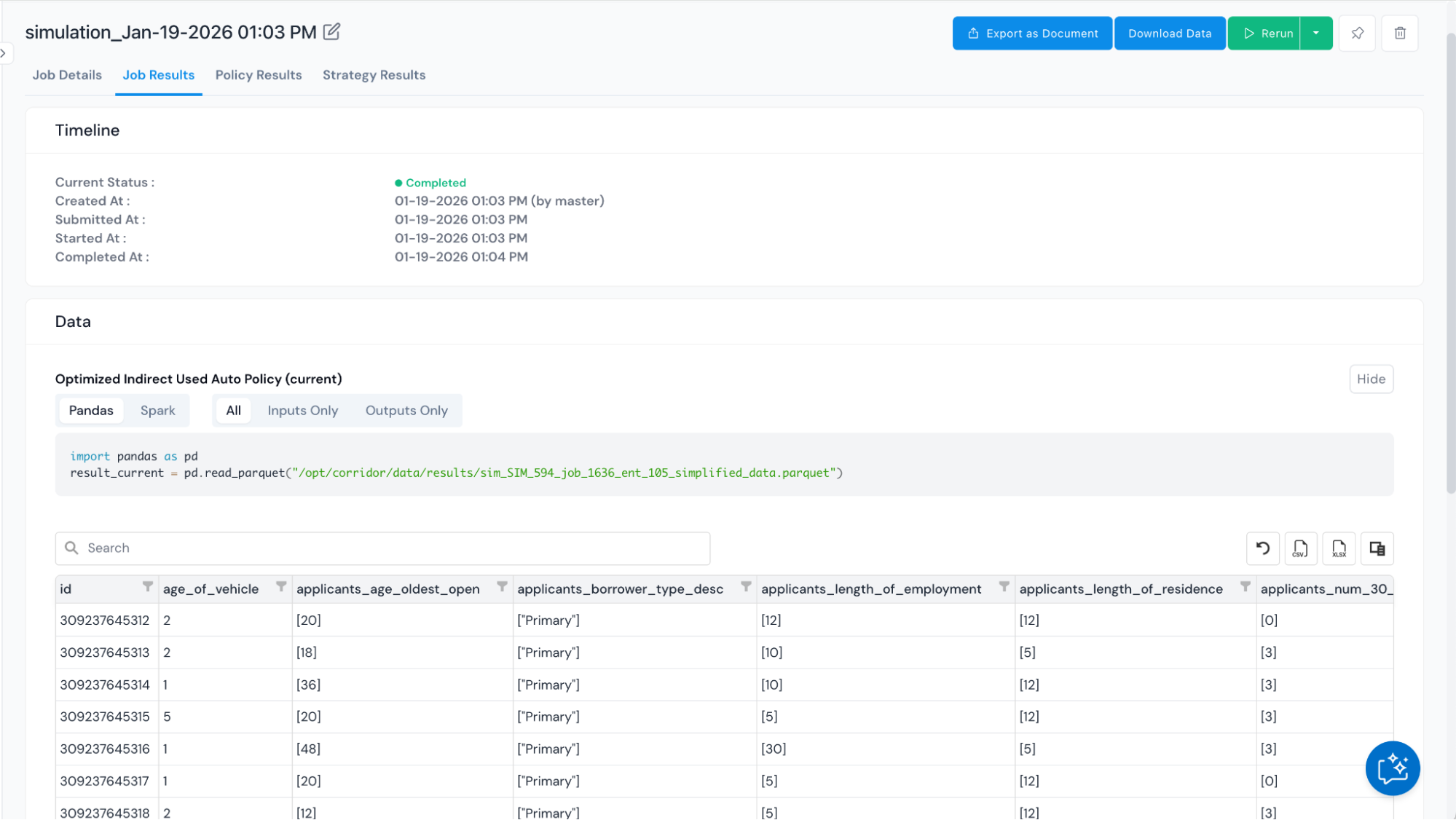
Accessing job data from notebooks is now easier with improved code snippets that support multiple libraries and separate inputs from outputs. This helps analysts working with job results get exactly the data they need.
What's New:
- Input/Output Filtering with dedicated snippets for accessing just inputs, just outputs, or all data, reducing the need to manually filter columns.
- Multi-Library Support including Pandas and Spark, so you can use the data access pattern that fits your workflow.
3. Various Usability Improvements
3.1 Platform UI Styling Improvements
We've made comprehensive styling updates across the platform to deliver a cleaner, more consistent user experience. These changes streamline navigation and reduce visual clutter, making it easier to focus on your work.
What's New:
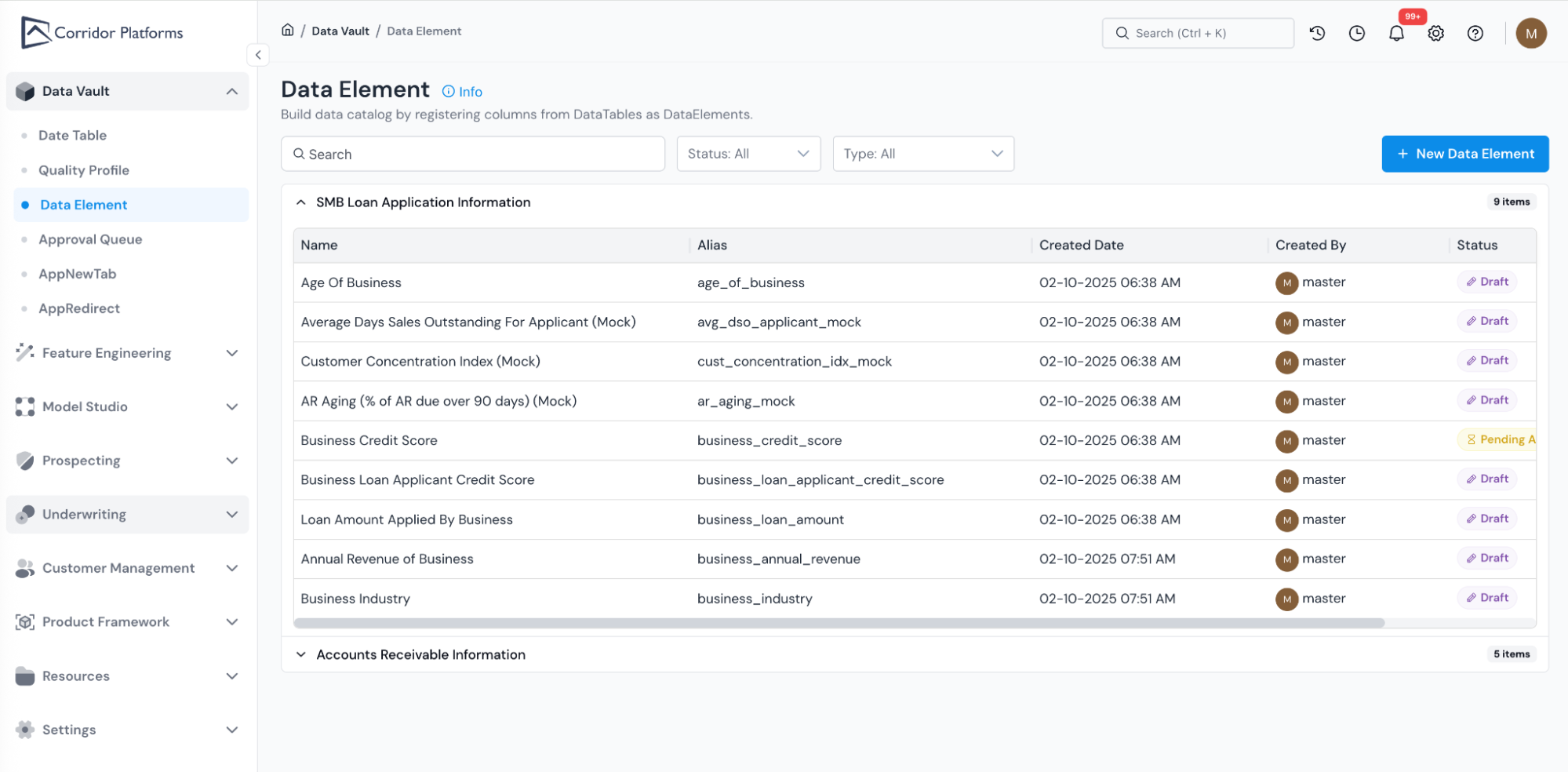
- Cleaner Page Designs across key pages including the home page, login page, and listing pages. Each page now features a more focused UI design with improved typography, spacing, and visual hierarchy that makes information easier to scan and act on.
- Sidebar Navigation provides easier access to platform features. The new sidebar improves discoverability and reduces clicks needed to move between different sections of the platform.
- Ongoing Consistency Improvements to ensure a uniform look and feel throughout the platform. We're committed to enhancing the UI design across the entire platform, and you'll continue to see styling improvements and refinements in upcoming releases as we work toward a more polished and consistent user experience.