Release Notes V1.24.0
| Version | 1.24.0 |
|---|---|
| Release Date | 13-08-2024 |
Changes
1. Registration
1.1 Allow additional outputs as part of an object
When registering an object, it can be useful to keep some additional outputs available for Reporting or Debugging. Now, it is possible to create and save additional outputs along with the main or primary output of an object.
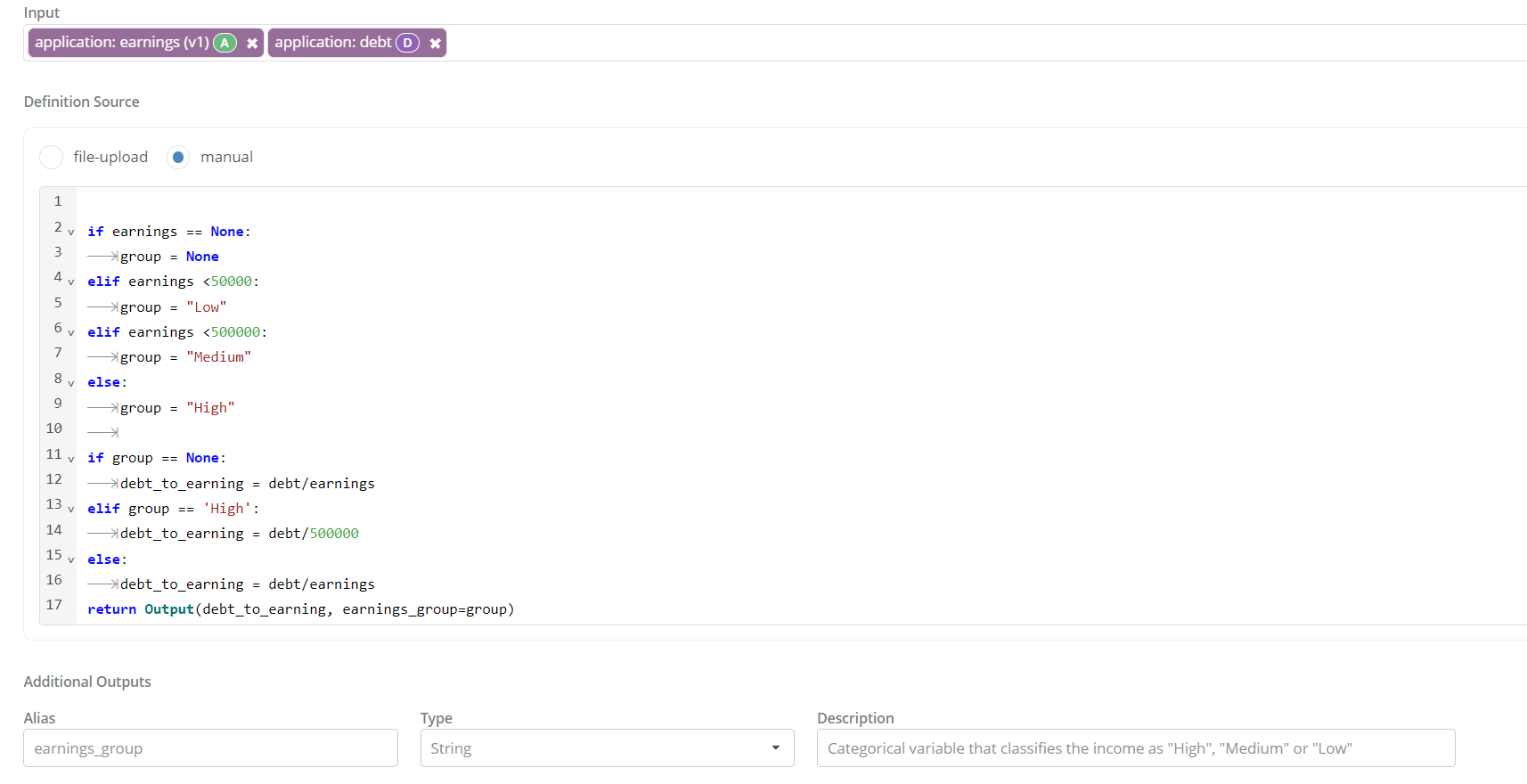
Once an additional output is added to an object, the value of the additional output can be provided in the definition using the Output keyword.
For example, when running a sklearn GradientBoostingClassifier using the “Custom” model, it may be useful to keep raw probabilities and log probabilities for debugging later on. The following definition can be used for that:
Initialization Logic:
Running Logic:
X = [input1, input2, input3]
return Output(
    model.predict([X]),
    probabilities=model.predict_proba([X]),
    log_probabilities=model.predict_log_proba([X]),
)
Note: Additional outputs are available in the production artifact, jobs like simulation, for reporting. They cannot be used in another object as part of your data pipeline. If an additional output needs to be used in the data pipeline, it should be registered as a separate object with it’s own metadata and approval lifecycle.
2. Approvals and Reviews
2.1 Activating and de-activating Approval Workflows
Corridor does not support deleting Approval Workflows to maintain historical audit trails robustly. But sometimes, it can be beneficial to decommission an older Approval Workflow for a new Workflow.
To allow for such transitions, we now support a “Status” for Approval Workflows - i.e. they can be configured to be “InActive” in Settings to avoid them from being used further.
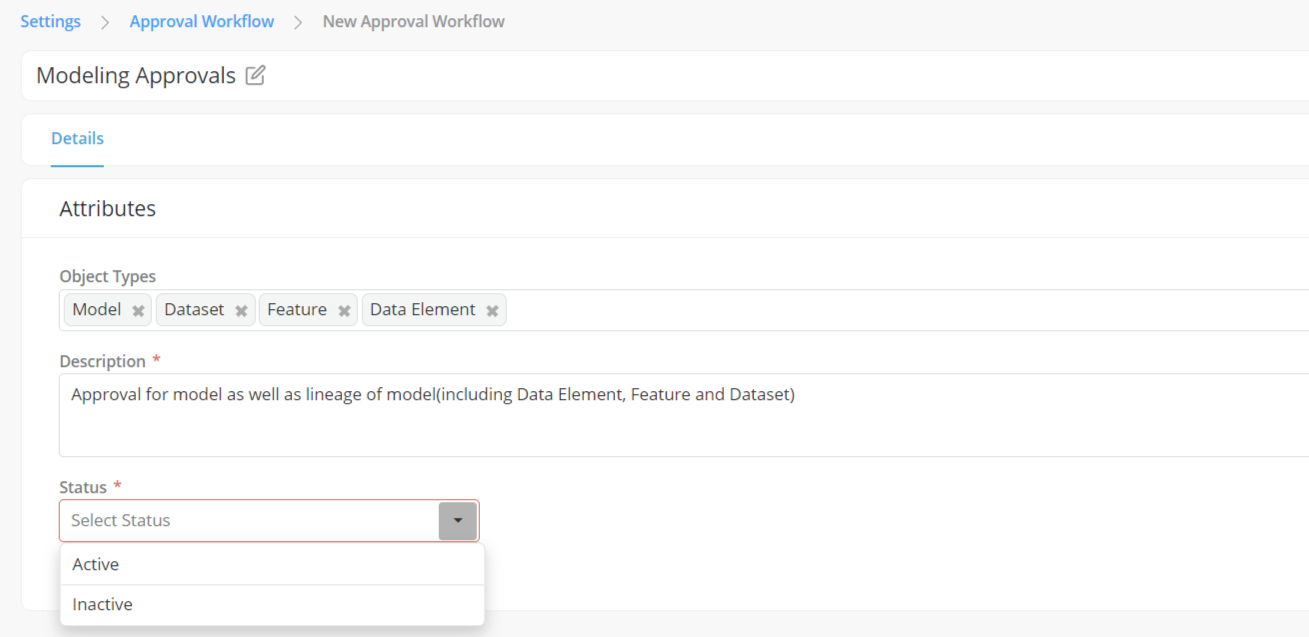
Note: A workflow with an "Active" status can be changed to "Inactive" status only if it is not being used (i.e., there is no open/incomplete approval request for that workflow)
3. Collaboration
3.1 Request Access to Objects from owners
When working on Corridor’s shared workbench, there can be times when you’re trying to access objects that have not been shared with you. This can frequently lead to users having to send an email or find the owner of the object and request them to share the object with you.
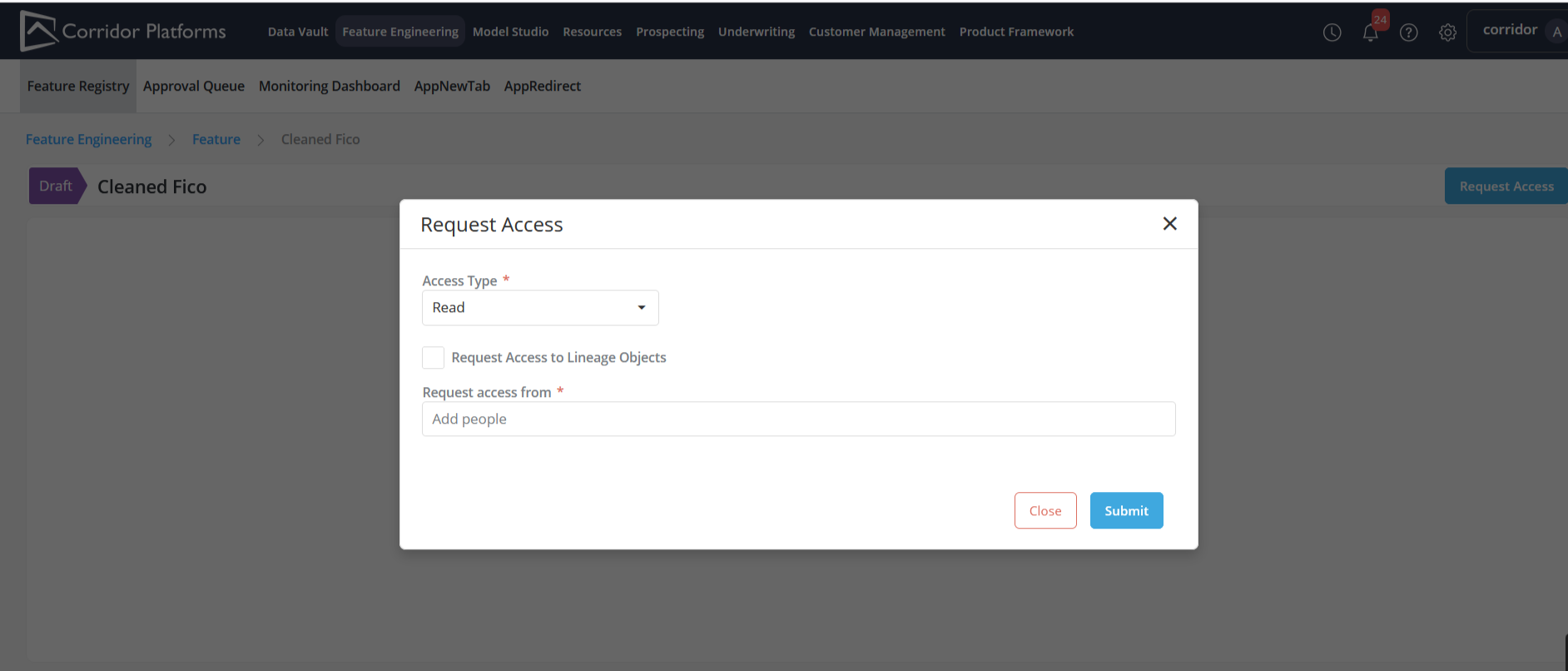
To make it easier to gain access to these objects - we now allow users to request access from other users who currently have the ability to provide that access.
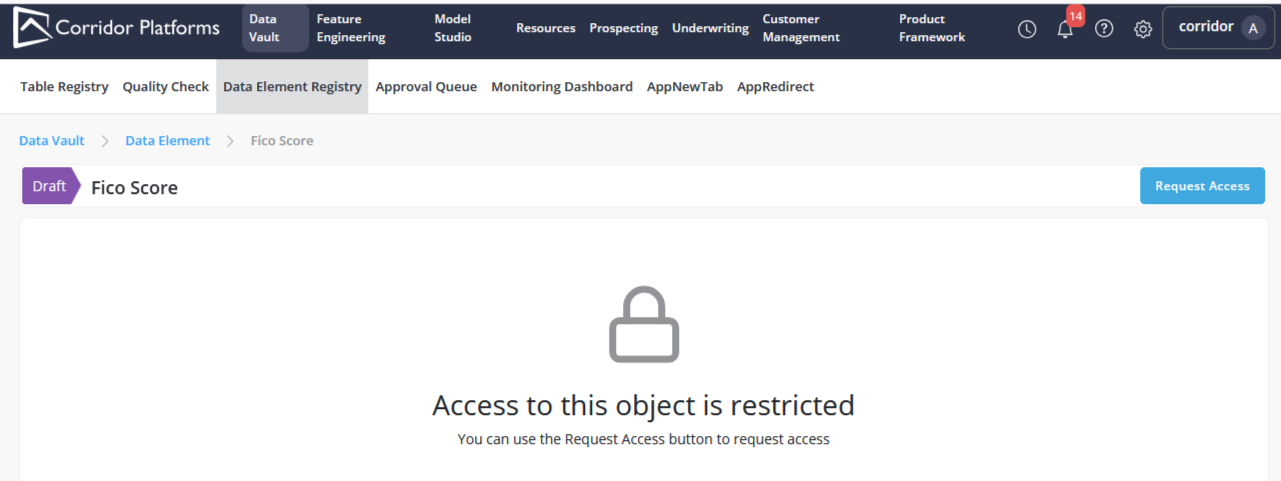
Once a Request for Access has been submitted - the recipient gets a notification with the request and they can act on it.
3.2 Sharing an object and its inputs
When working on an entirely new data pipeline which does not use objects that were already Approved, often team members need access to all the input objects that are being used in your model or policy. This can be cumbersome in earlier versions of Corridor, as it requires the owner of the object to go down the input lineage and share all the draft inputs that are used sequentially.
Now, object owners can share all the inputs (recursively) when sharing an object. This handles all inputs used to execute the object and goes down recursively to the inputs of those inputs.
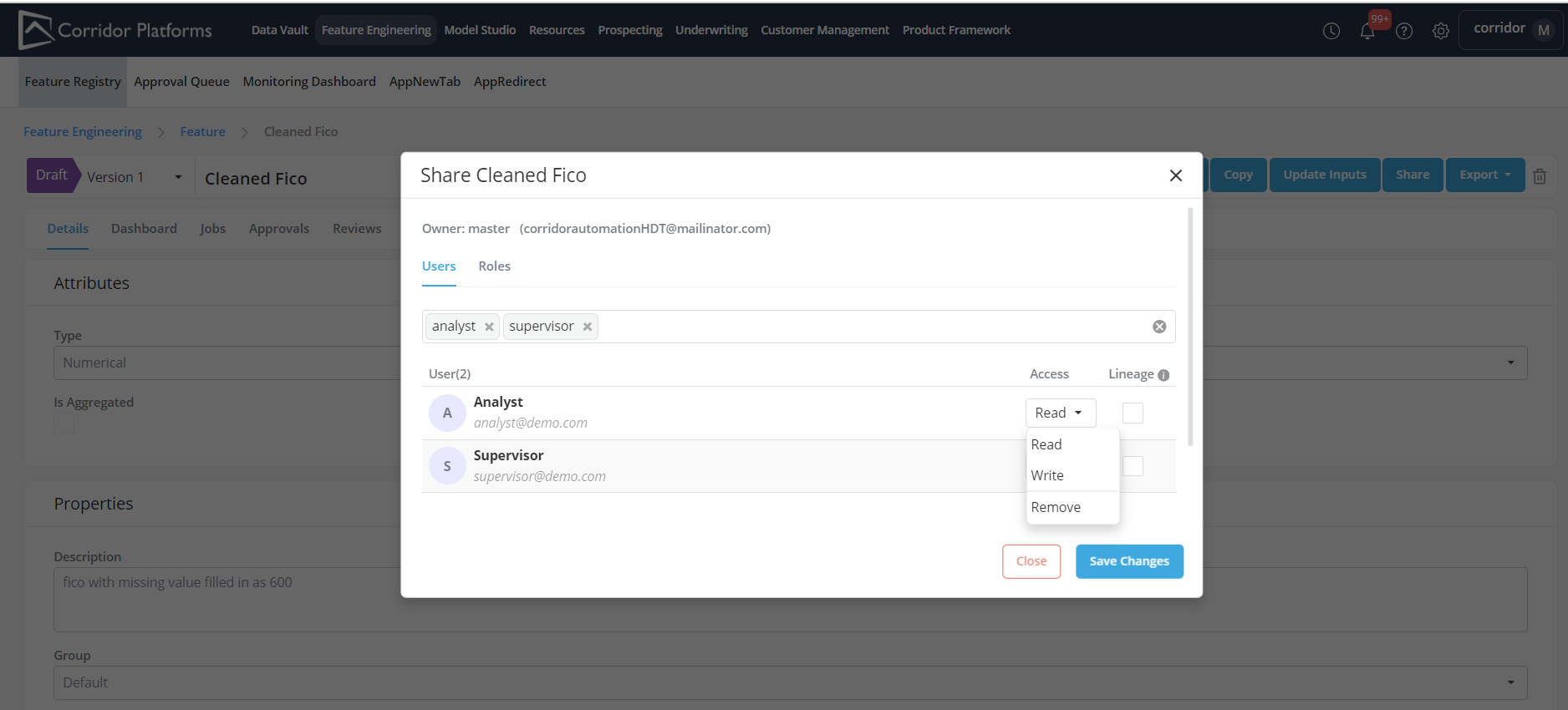
It is important to note that if the inputs are changed - the new input will not be shared, and needs to be shared separately.
Also, this only shares the inputs required to execute the object which are defined in the object registration. For example - Report Parameters or Proxy dependencies which are used in a Simulation, or Challenger objects used in a Comparison are not shared when using this option.
3.3 Sharing an object with all users in a user role
When working in a team, sharing objects with your team members is very common so that other members of your team can work on tasks together - especially during crunch time ! Now, Corridor makes it easier to share objects with all members of your team by sharing the object with an entire user role. When you share an object with the “user role” your team is allocated, it is not accessible to all users in that role (i.e. all members of your team). For the role, it is possible to control the level or authority (Read or Write permissions).
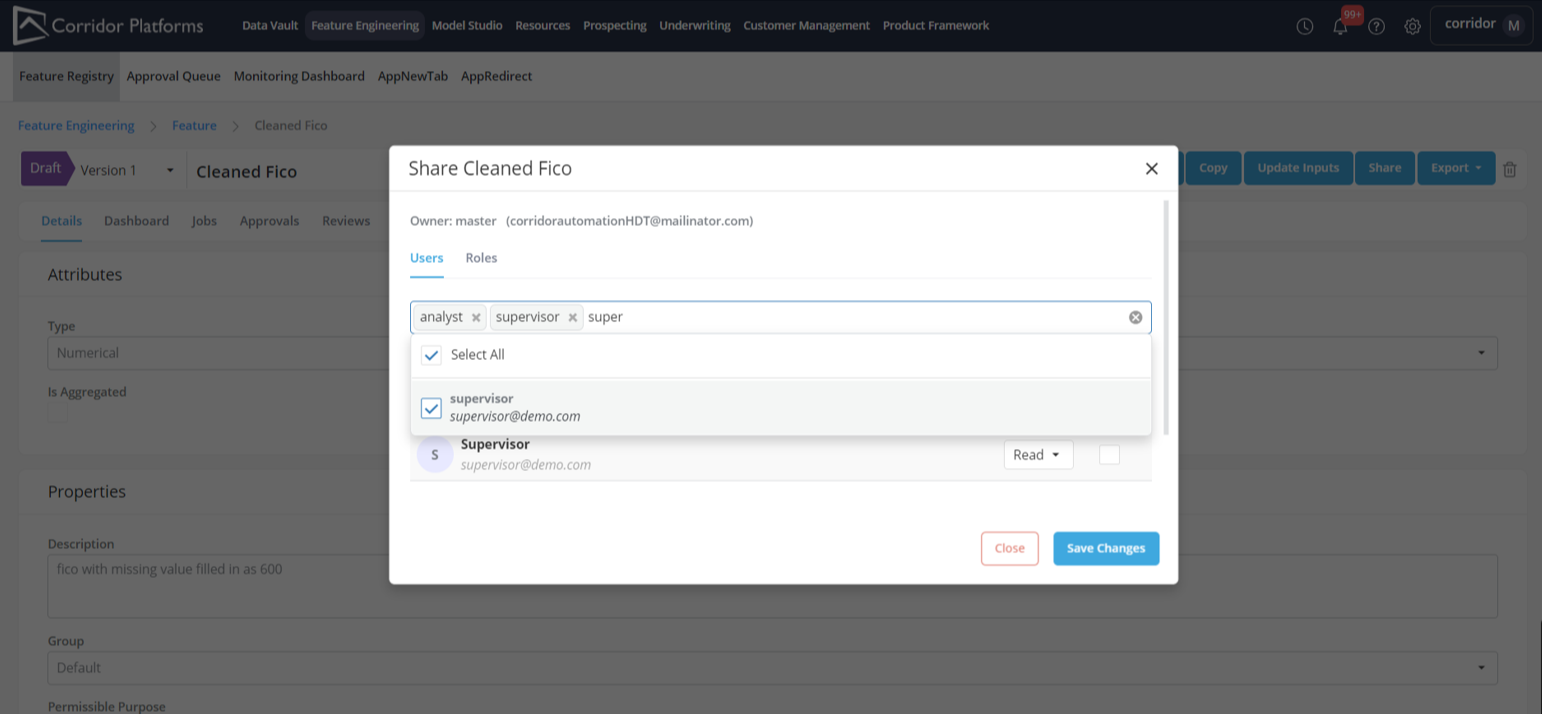
Remember, that share permissions are still contrained by the access defined in Settings by your administrator. So, when trying this, ensure that your administrator has given you the relevant permission before sharing.
4. Oversight and Administration
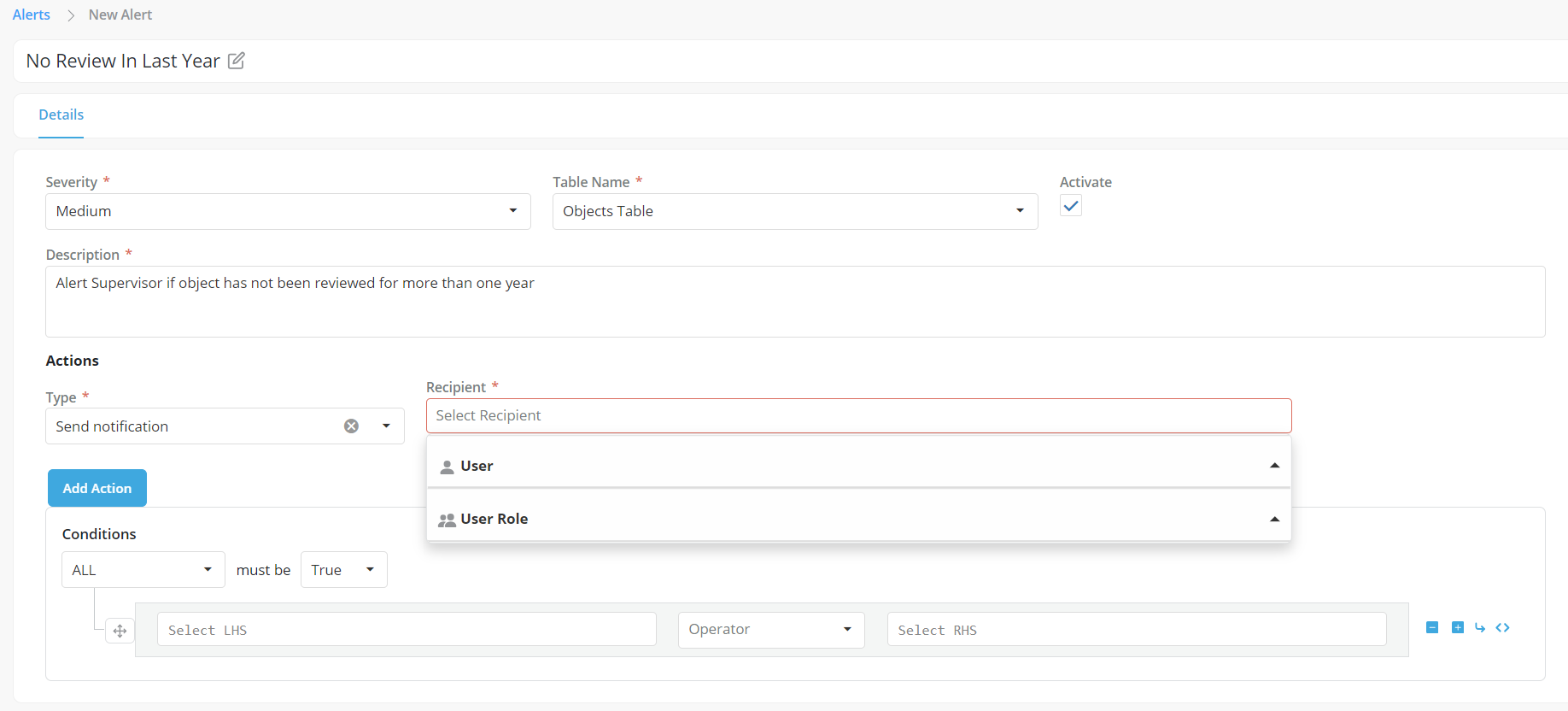
4.1 Triggered Alerts can now notify all users in a role
Monitoring Dashboards allows you to keep tabs on all the objects your team is working on in a centralized place. Automated triggered alerts can be created to notify members about actions that need to be taken by them.
Now, alert notifications can be sent to all users in a user role - so the entire team can be notified about issues that need to be looked into.
5. Engineering
5.1 Changes in Database Support
-
Support for MySQL databases is removed in this release. Postgres for open-source solutions and Oracle DB for Oracle solutions are available.
-
In Postgresql DB - the new psycopg (v3+) is recommended. The older psycopg2 driver will be phased out in future releases
-
In Oracle DB - The cx-oracle driver is deprecated, and the new python-oracledb driver is used by default. The cx-oracle driver will be phased out in future releases
Supported Databases:

5.2 Changes in Server Support
The WSGI Server “cheroot” is deprecated. In future releases, Corridor will come with a builtin WSGI application server - which should make WSGI server compatibility stronger.
5.3 Changes in Inter-Process Communication
The communication for between the Corridor worker-spark process and the Corridor API process has been moved from the earlier Redis protocol to the HTTP protocol by default. This would remove various issues that have been observed with the Redis protocol in terms of message size, version compatibility, etc. To support HTTPS, we now require the API URL endpoint and API Key to be provided as environment variables on worker-spark.
The messaging protocol can be switched back to Redis by setting API_CONNECTION_USES_HTTP=False in the Worker API configuration file. But this option will be removed in future releases, if there are any issues with the HTTP protocol - please raise it to the Corridor team.
Note: Redis continues to be used as a messaging queue - but for data transfer between these processes, HTTP is used by default now. So, the dependency on HTTP remains as is.
5.4 Changes in Corridor Settings
The following deprecated settings have been removed from the Configuration file:
-
In api_config.py - LOG_ATTACHMENT_MIMETYPES
-
In api_config.py - ENABLE_ISOLATED_SPARK