Release Notes V1.25.8
| Version | 1.25.8 |
|---|---|
| Release Date | 08-11-2025 |
Changes
1. Object Registration
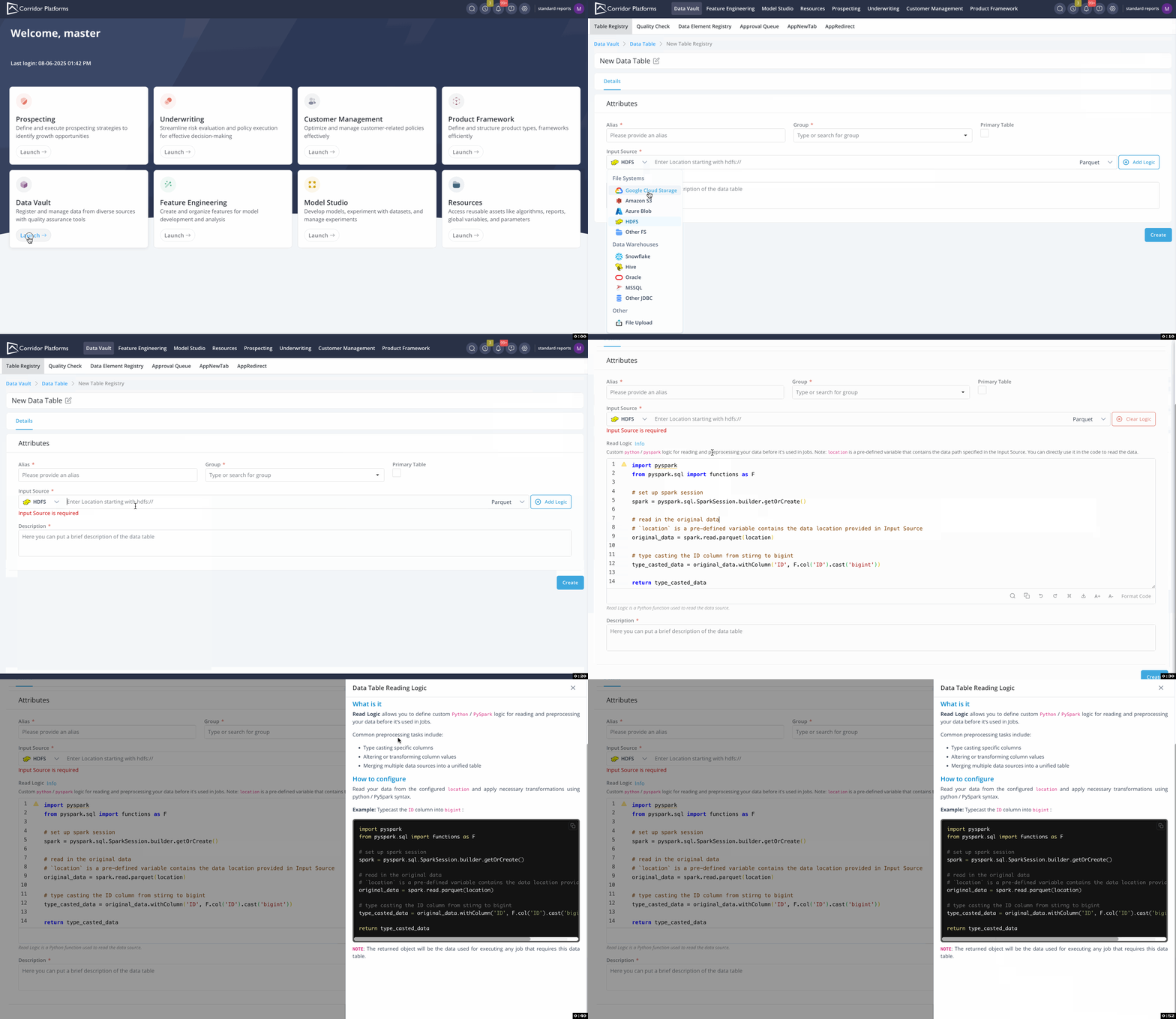
1.1 Native Data Lake Integration with Flexible Preprocessing
We've improved the DataTable registration workflow to make data integration more seamless and highly customizable.
What’s New:
- Out-of-the-box connectivity to popular file systems and data warehouse platforms, including Amazon S3, Google Cloud Storage, Hive, and more.
- Optional, customizable preprocessing logic that gives you greater control over how data is prepared before job execution, enabling tailored transformations, filtering, and more.
2. Running Job
2.1 Enhanced Flexibility with Code-Based Model Monitoring Jobs
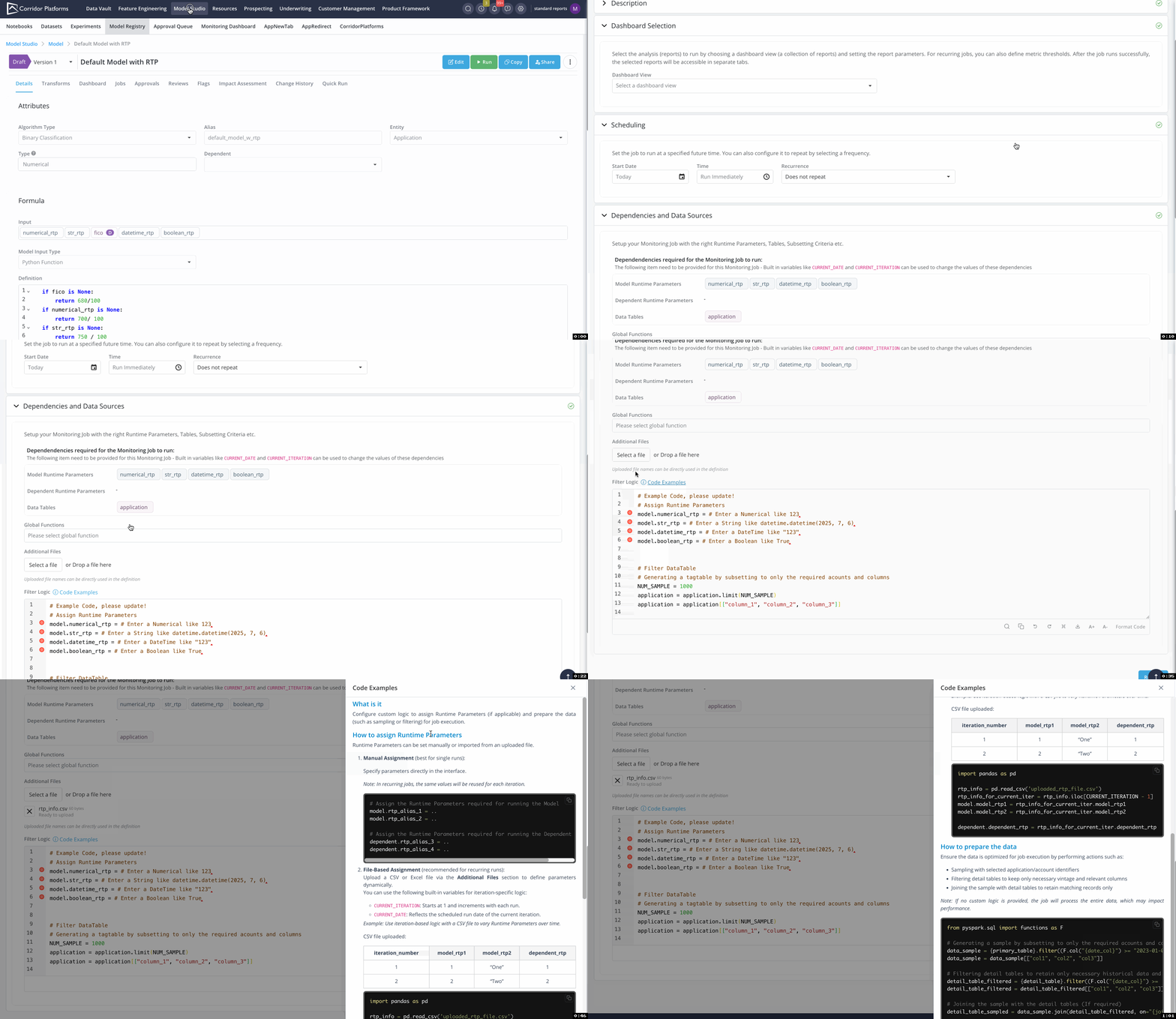
A new Model Monitoring job type has been introduced, offering a code-driven approach for defining runtime parameters and preparing source data through filtering, joining, and other transformations.
This method provides greater flexibility and reduces the likelihood of errors compared to the existing UI based approach.
What’s New:
- Code-Based Runtime Parameter & Data Preparing Logic: Implement complex runtime parameter assignments and data source preparation directly in Python to achieve maximum flexibility and customization.
- Dynamic Runtime Parameter Assignment for Recurring Jobs via Excel Upload: For recurring jobs, runtime parameters and filtering logic can be dynamically assigned and evaluated using values from an uploaded Excel file, enabling streamlined and adaptable job configurations.
3. Approvals & Monitoring
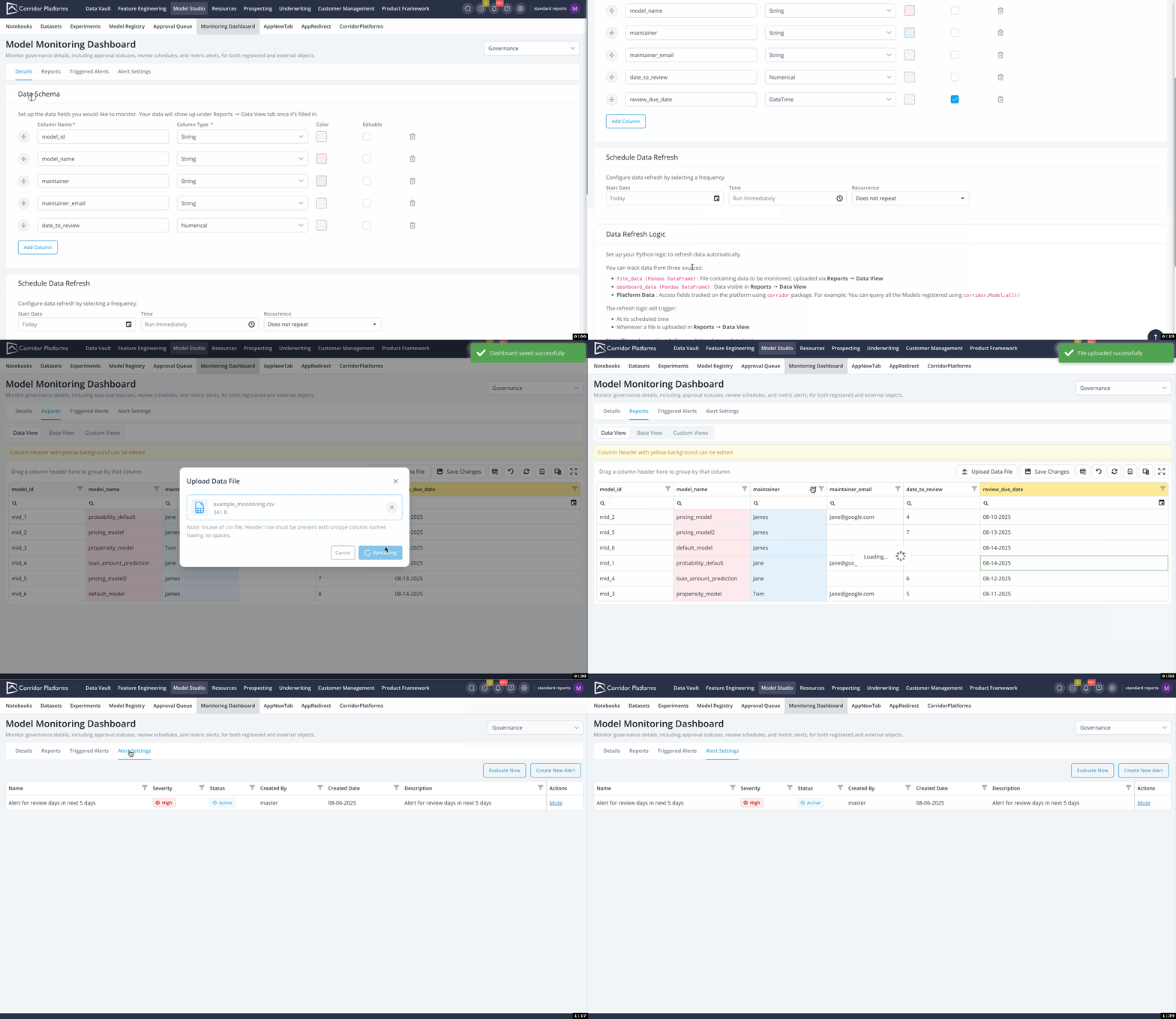
3.1 Flexible Data Monitoring & Alerting via Monitoring Dashboard
What’s New:
- Customizable Data Schema Configuration Users can define exactly what information to monitor, including display settings such as color coding and editability.
- Code-Based Data Refresh Logic Monitoring data can be sourced from uploaded Excel files or platform-registered fields, with refresh logic configured through code for maximum flexibility.
- Interactive Data Views Enhanced table views support editing, sorting, filtering, and grouping. Empowering users to explore and analyze monitoring data with ease.
- Automated Alerts Set up alerts to track key metrics automatically, such as upcoming review dates for models or other time-sensitive conditions.
3.2 Streamlined Updates and Sunsetting of Approval Workflows
What’s New:
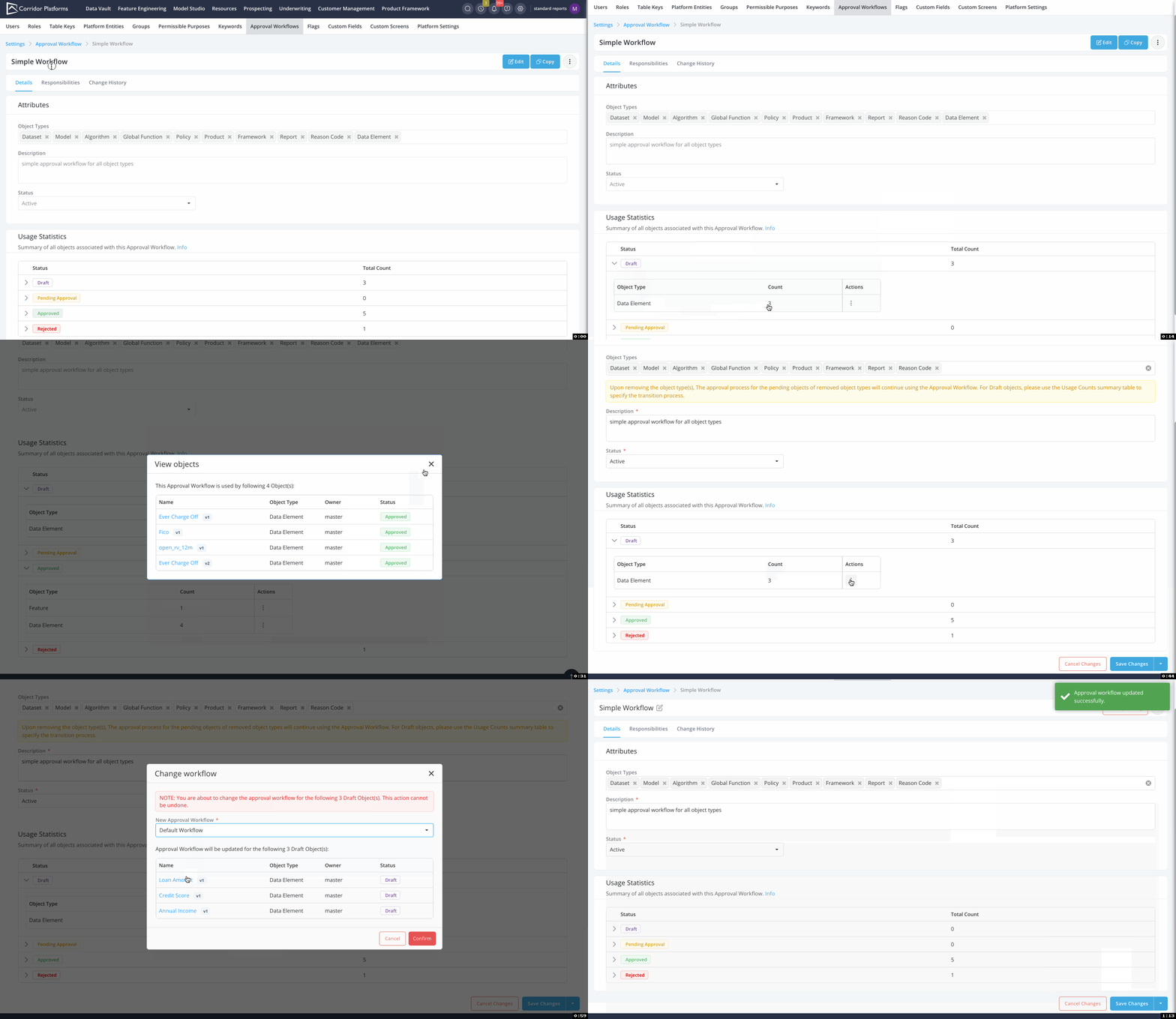
- Real-Time Usage Insights Approval workflow usage statistics are now dynamically updated, providing visibility into workflow activity by status and object type at any given time.
- Bulk Workflow Management Easily update or remove approval workflows for registered objects using bulk actions, making it simpler to sunset outdated workflows or apply changes across multiple items.
4. Various Usability Improvement
4.1 Syntax Highlighting in Job Error Logs
What’s New:
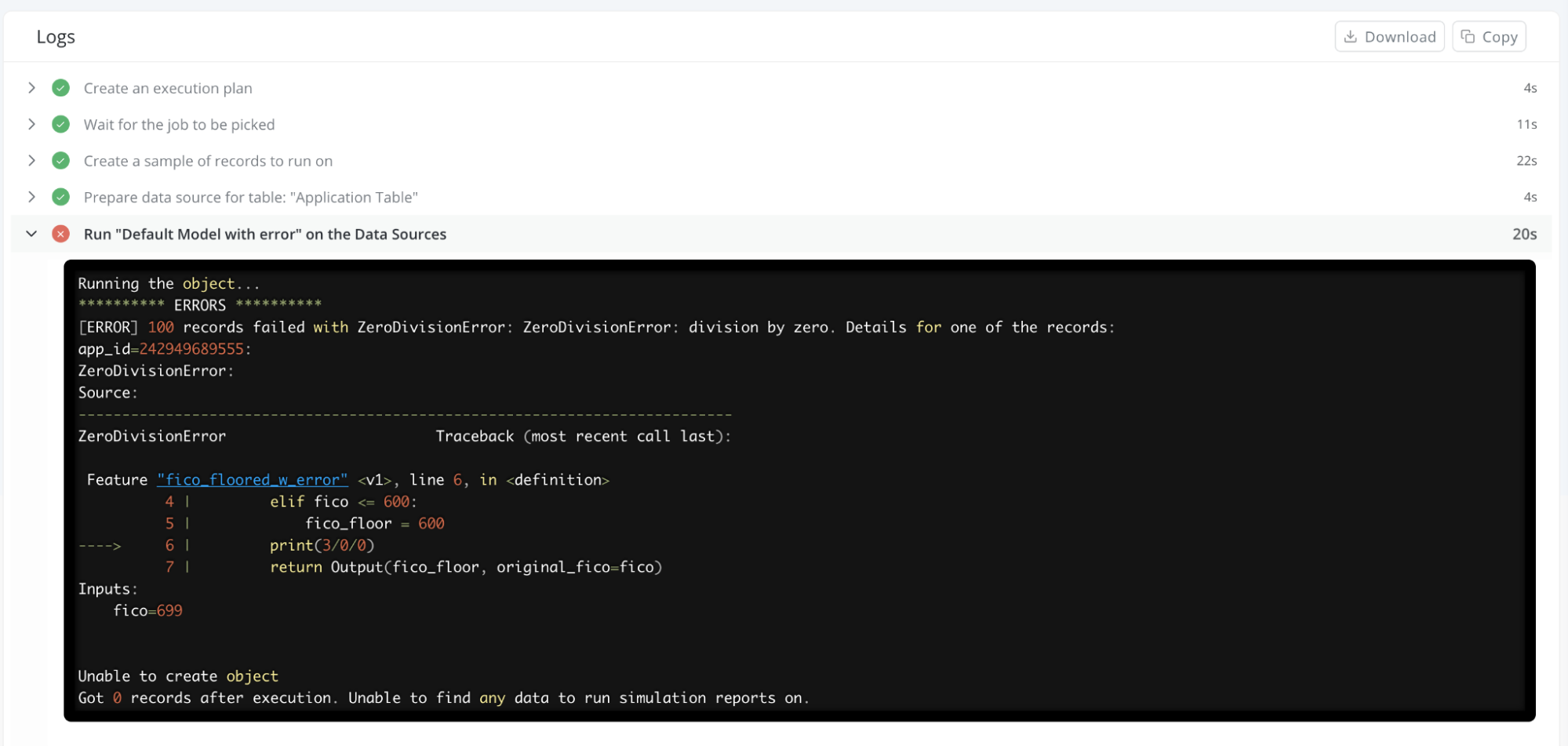
- Improved Debugging Experience Enhanced error logs now feature syntax highlighting, making it easier to spot and resolve issues quickly.
- Clickable Object Links Error messages include direct links to the affected objects, allowing seamless navigation to the relevant code for faster troubleshooting.
4.2 Job Sample Output
What’s New:
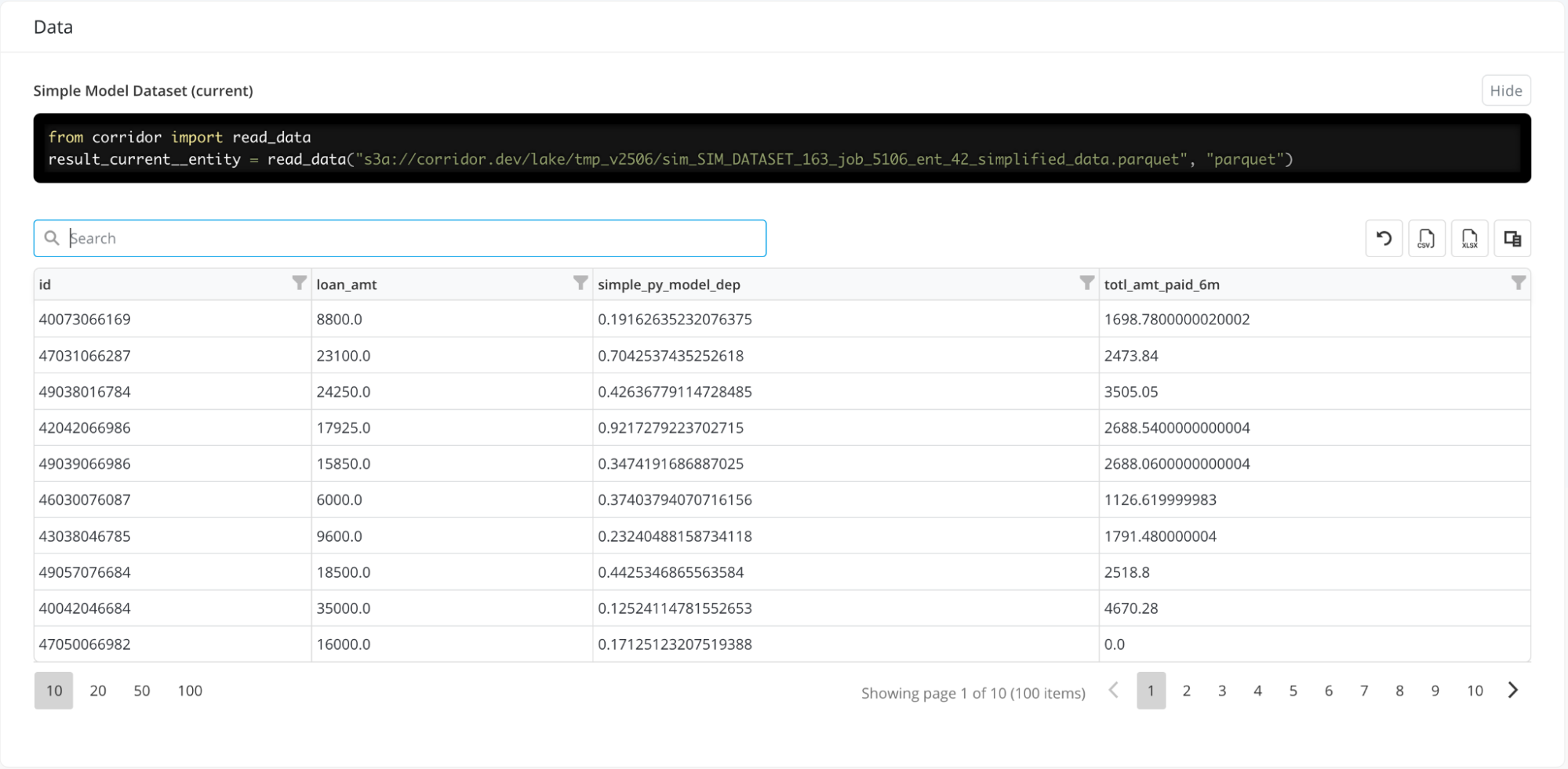
- Instant Output Preview The merged sample output is shown and is now displayed directly in the job results section, enabling quick analysis and faster debugging.
- Interactive Exploration Easily sort, filter, and search within the sample output to pinpoint insights or issues.
- Seamless Access & Export View the complete output in the notebook, or download it as an Excel file for deeper analysis and reporting.
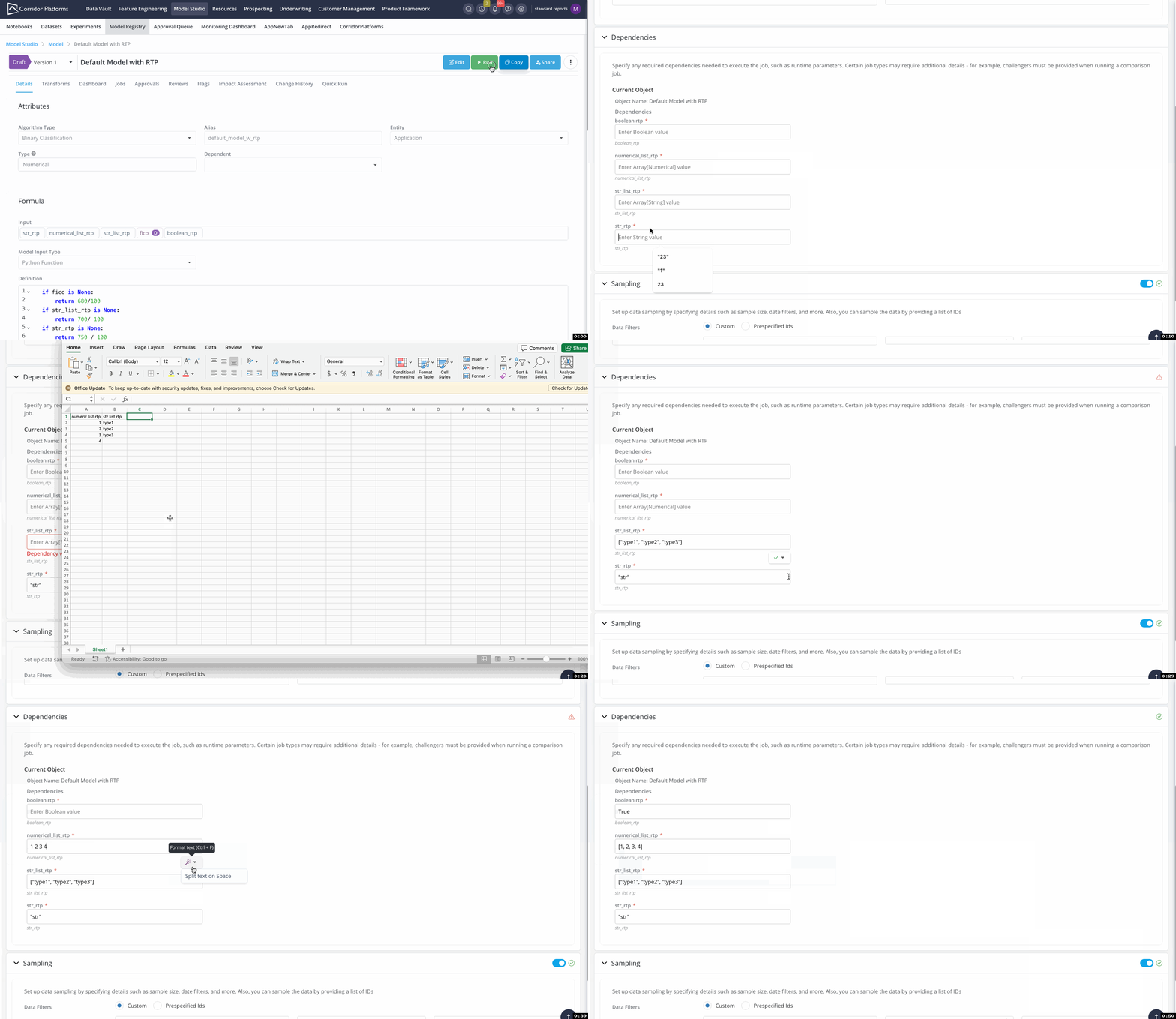
4.3 Smarter Input for Runtime Parameter Values
What’s New:
- Auto-Formatted Inputs When entering runtime parameters, the platform now automatically formats values, including adding quotes, commas, and other syntax based on parameter type.
- Streamlined Entry from Excel or Manual Input Whether you're typing values manually or pasting from Excel, the enhanced formatting ensures a smoother, error-free experience.
- Consistent Experience Across the Platform This enhancement is applied platform-wide, streamlining value entry wherever inputs are required and making the process more intuitive and efficient.